
Imperial DABMAN 61 Plus Manual
PDF manual · 40 Pages
English



Quick check
Incorrect answer, please try again.
Chat with your Imperial DABMAN 61 Plus manual using AI
Get instant AI answers from your Imperial DABMAN 61 Plus manual
Ask anything about the Imperial DABMAN 61 Plus. Answers come from this manual, with the pages they are based on.
Ask a Question
Do you recommend DABMAN 61 Plus?
Yes NoFrequently Asked Questions
It is a car-focused DAB/DAB+ receiver that upgrades older audio systems with digital radio, Bluetooth streaming, hands-free calling, and optional AUX or FM transmission.
Is this answer helpful?
You can connect it either with the included 3.5 mm audio cable through LINE OUT to AUX IN, or wirelessly by setting the FM transmitter to a free radio frequency.
Is this answer helpful?
Yes. After pairing with a phone, it can work as a hands-free system. Incoming calls pause audio automatically, and the rotary control can answer or end calls.
Is this answer helpful?
Yes. It supports Micro SD cards for MP3 playback, with a capacity limit of up to 32 GB. You insert the card and switch to SD mode.
Is this answer helpful?
Check antenna placement, make sure the connection is secure, and try a new scan. Reception can vary by area, so changing location may also help.
Is this answer helpful?
Yes, an external adhesive antenna is included. It should be mounted on the windshield, ideally near the A-pillar and outside the driver’s direct field of view.
Is this answer helpful?
Advantages and Disadvantages
Advantages

- Supports DAB/DAB+, Bluetooth, micro SD, AUX, and FM transmitter in one compact car unit.
- Hands-free calling and Bluetooth music playback add convenience and safer phone use on the road.
- Includes antenna, cables, holder, and spare fuse for a more complete installation package.
- Menu options like EQ, TX power, language, and traffic info give useful setup control.
Disadvantages

- DAB reception can vary by location, so performance depends on signal strength and antenna placement.
- Installation may take time because the antenna, power source, and audio route must be set up carefully.
- Micro SD support is limited to cards up to 32 GB and the card is not included.
- It is primarily designed for vehicle use, so it is less suitable as a free-standing home radio.
Product Specification
Type
Other
Product Description
Imperial DABMAN 61 Plus Black
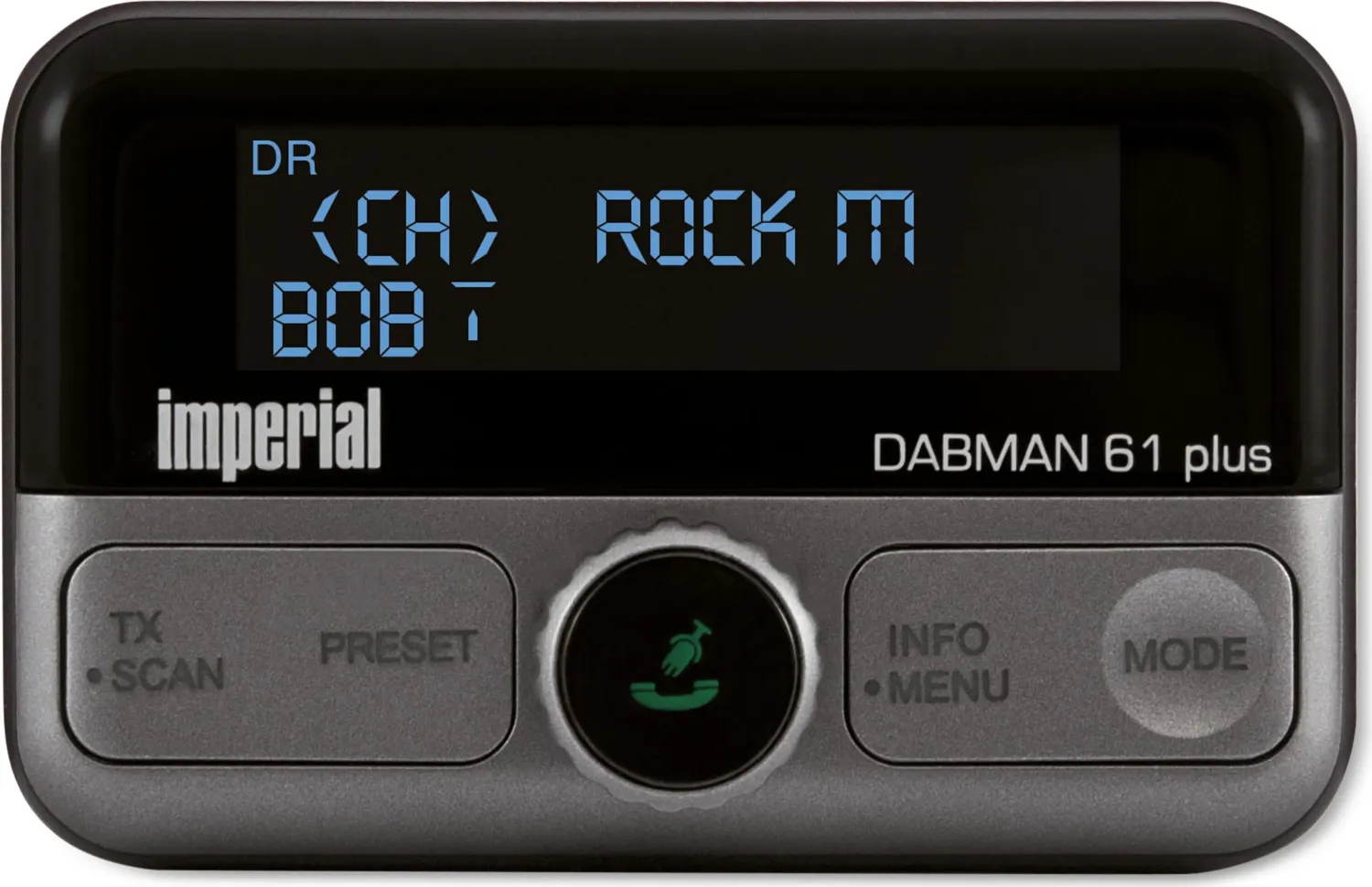
The Imperial DABMAN 61 Plus black is a compact in-car digital radio upgrade designed for drivers who want modern features without replacing the entire head unit. It receives DAB and DAB+ stations, then passes the sound to your car stereo either through a 3.5 mm line connection or by FM transmission. That flexibility makes it useful in older vehicles as well as cars with more basic infotainment systems. If you are browsing the Imperial DABMAN 61 Plus black Manual, the main idea is simple: add clearer radio, wireless audio, and calling convenience to your daily drive.
Beyond radio reception, the unit doubles as a versatile media hub. Bluetooth support lets you stream music from a smartphone or tablet and handle hands-free calls through the built-in microphone. A micro SD slot adds another playback option for MP3 collections, while the AUX and LINE IN port allows wired playback from external players. The interface is centered on a display, a rotary control, and a few dedicated buttons, keeping operation straightforward once the initial setup is complete.
Installation is practical and focused on the car environment. Power can be supplied through the cigarette lighter holder or the included USB adapter, and the package also includes an antenna, cables, spare fuse, and mounting accessories. The external adhesive antenna should be placed carefully on the windshield for the best signal, and the FM transmitter can be tuned to an unused frequency when no AUX input is available. Menus cover useful settings such as volume, equalizer presets, transmitter power, language, and traffic announcements.
What stands out most is how much functionality is packed into one small device. The DABMAN 61 Plus black is aimed at drivers who want cleaner digital radio, flexible playback, and safer phone handling in a single setup. It is not a premium entertainment system on its own, but it bridges the gap between old and new car audio with impressive practicality. For commuters, road-trippers, and anyone refreshing an aging radio setup, it offers a balanced mix of convenience, control, and compatibility.
Notes
- Best results depend on correct antenna placement and a stable power connection.
- DAB performance may vary by location, so a rescan can help.
- Use the volume carefully when switching between sources.
- Keep the antenna outside the driver’s field of view.
Search for 67,706 Manuals online


Type-in Brand or Model