
IMG Stageline TRAVELX-1 Manual
PDF manual · 5 Pages
English



Quick check
Incorrect answer, please try again.
Chat with your IMG Stageline TRAVELX-1 manual using AI
Get instant AI answers from your IMG Stageline TRAVELX-1 manual
Ask anything about the IMG Stageline TRAVELX-1. Answers come from this manual, with the pages they are based on.
Ask a Question
Do you recommend TRAVELX-1?
Yes NoFrequently Asked Questions
Yes. The TRAVELX-1 uses standard USB audio drivers provided by the operating system and is recognized as a USB Audio Device for input and output on supported Windows and macOS systems.
Is this answer helpful?
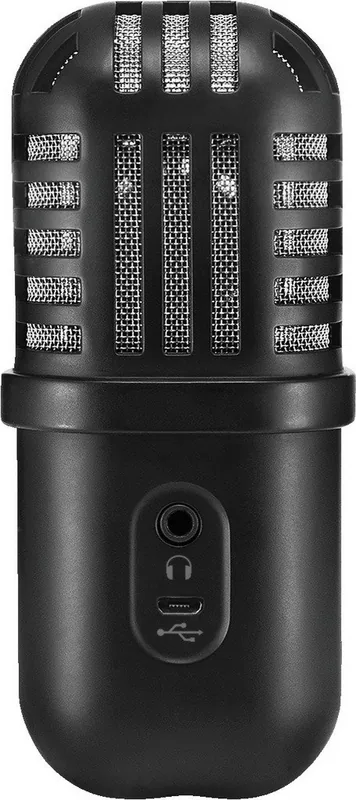
Yes. The microphone has a 3.5 mm headphone jack and onboard volume buttons that let you monitor the computer audio directly through the mic with minimal latency.
Is this answer helpful?
Key specs include a 12.5 mm electret condenser capsule, frequency response 50–18,000 Hz, 16-bit/48 kHz A/D converter, max SPL 115 dB, S/N ratio ≥59 dB, dimensions 54×122×40 mm and weight 133 g.
Is this answer helpful?
No external power is required; it is USB bus-powered (5 V). Drivers are typically provided automatically by the host OS, so no manual driver installation is usually necessary.
Is this answer helpful?
The package includes a desktop microphone stand, a thread adapter (for different stand threads), a velvet pouch and a micro-USB adapter cable.
Is this answer helpful?
The TRAVELX-1 is optimized for home recording, podcasts and conferencing. While it offers solid specs for its class, higher-end studio work may benefit from microphones with higher S/N ratios, selectable polar patterns and professional preamps.
Is this answer helpful?
Advantages and Disadvantages
Advantages

- Plug-and-play USB connection with auto driver installation for Windows and Mac.
- Built-in headphone output and on-mic volume controls for direct, low-latency monitoring.
- Compact die-cast zinc body with included desktop stand, thread adapter and pouch.
- Good capture specs: 12.5 mm capsule, 50–18,000 Hz frequency range, 16-bit/48 kHz.
Disadvantages

- Indoor use only and limited operating temperature range (0–40 °C).
- Signal-to-noise ratio (~59 dB) is modest compared with higher-end studio mics.
- Micro-USB type B connection rather than newer USB-C standard.
- No advanced onboard DSP, pattern switching or external power options.
Product Specification
Type
Streaming microphone, Desktop microphone
Design
digital (16bit/48kHz), Small diaphragm
Transducer principle
Condenser
Polar pattern
Cardioid
Connection
USB
Frequency range
50Hz-18kHz
Max. SPL
115dB
Signal-to-noise ratio (SNR)
59dB
Power supply
USB
Included accessories
Desktop stand
Features
Headphone jack (3.5mm), Switch
Color
black
Dimensions
2.13x4.41x1.57in
Weight
0.29lb
Product Description
IMG Stageline TRAVELX-1 Manual — Compact USB Condenser for Creators
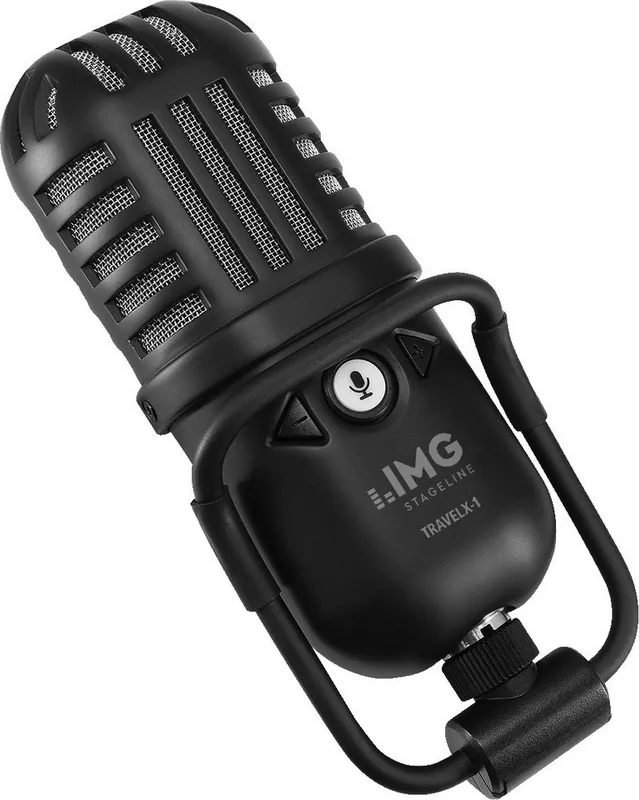
The IMG Stageline TRAVELX-1 is a small-diaphragm USB condenser microphone designed for straightforward connection to Windows and Mac computers. Tailored for home recording, podcasting, streaming and video conferencing, the TRAVELX-1 blends portability with practical features: a built-in headphone output for direct monitoring, on-microphone volume controls, and a mute button with clear LED status. Supplied accessories include a desktop stand, thread adapter, velvet pouch and a USB adapter cable, making the microphone ready to use right out of the box.
Construction and performance are focused on real-world use. The die-cast zinc body houses a 12.5 mm electret condenser capsule and a 16-bit/48 kHz A/D converter, delivering a frequency response of 50–18,000 Hz, a max SPL of 115 dB and a signal-to-noise ratio of ≥59 dB. These specs make the microphone capable of capturing clear vocals and instruments with low latency monitoring through the integrated headphone jack. The cardioid-like polar pattern concentrates on the sound source, helping reduce ambient noise in untreated rooms.
Setup is plug-and-play: screw the microphone onto the supplied stand, connect the micro-USB type B cable to a computer USB port and select the device as the system input (and output if using the headphone jack). The microphone is bus-powered (5 V over USB), so no external power supply is needed. A simple control layout provides mute toggle (with blue/red LED states) and headphone volume +/- buttons for immediate adjustment without leaving your desk.
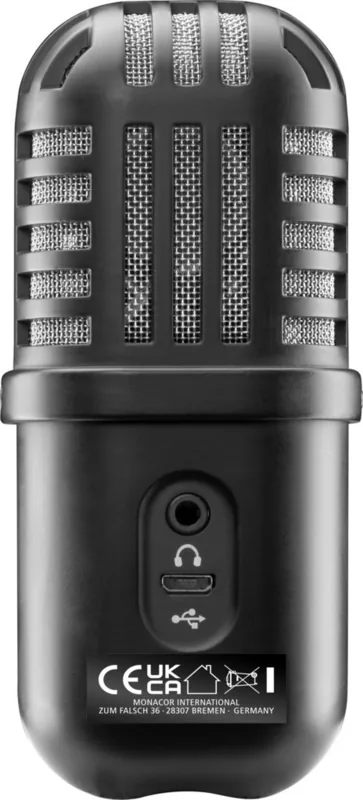
Practical considerations include an indoor-only usage recommendation and a permitted operating temperature range of 0–40 °C. The unit is easy to maintain—clean only with a dry soft cloth—and comes with EU and UK conformity markings. Drivers are handled by the host OS standard drivers, ensuring broad compatibility with Windows 7/8/10 and macOS variants.
Whether you’re building a mobile recording rig or upgrading a home podcast setup, the TRAVELX-1 offers a compact, user-friendly option with on-device monitoring and controls. Its robust metal body and included accessories make it suitable for creators who need a dependable plug-and-play microphone without a steep learning curve.
Notes
- Plug-and-play via USB with automatic driver installation on supported OSes.
- Headphone output enables zero-latency monitoring directly from the mic.
- Mute button with LED indicator for clear status during live calls or recordings.
- Indoor use only; avoid moisture and extreme temperatures.
Search for 67,732 Manuals online


Type-in Brand or Model