
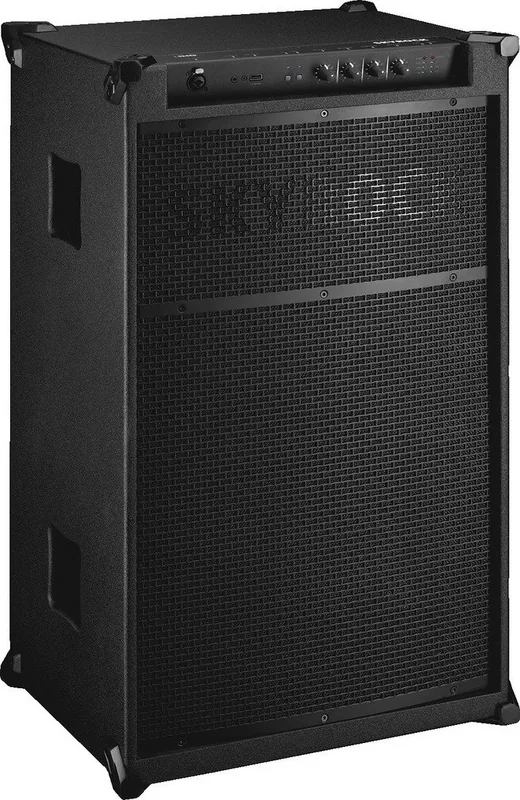
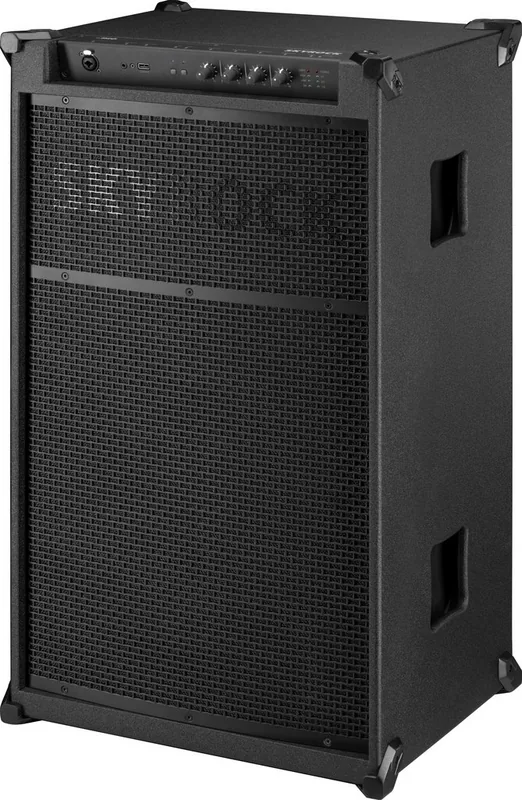
IMG Stageline Skyrock Manual
PDF manual · 12 Pages
English


Quick check
Incorrect answer, please try again.
Chat with your IMG Stageline Skyrock manual using AI
Get instant AI answers from your IMG Stageline Skyrock manual
Ask anything about the IMG Stageline Skyrock. Answers come from this manual, with the pages they are based on.
Ask a Question
Do you recommend Skyrock?
Yes NoFrequently Asked Questions
Yes, the IMG Stageline Skyrock can operate using a 12V lead gel battery which is available separately. When powered by the optional battery, the speaker can run for up to 40 hours depending on volume settings. Note that the battery must be fully charged before first use to maximize lifespan and performance. If you need continuous operation without a battery, the device can connect directly to standard AC mains via the rear connector.
Is this answer helpful?
TWS stands for True Wireless Stereo. It allows you to pair two SKYROCK speaker systems together. One unit will handle the left stereo channel while the other handles the right. This creates a wider stereo soundstage from a single Bluetooth source. To pair them, press the TWS button on both units until the LEDs blink and then connect one to your audio source.
Is this answer helpful?
Yes, the IMG Stageline Skyrock has a USB CHARGE port located on the front panel. This port provides power to mobile devices such as smartphones or tablets with a maximum current of 1.0 ampere. This feature is very useful during events to keep your phone or other portable electronics powered up while you use the speaker system.
Is this answer helpful?
The system has a peak power of 130 watts and offers a maximum SPL of 129 dB. This high output ensures the speaker can cover large areas effectively. However, users should be cautious as sustained high volumes may cause hearing damage. The LED LIMIT indicator will light up when the level limiter activates to protect the speaker from distortion and potential damage.
Is this answer helpful?
No, the equipment is not waterproof and should be protected from water. The safety notes warn to protect the product from dripping water, splash water, and high humidity. Operating temperatures range from 0 to 40 degrees Celsius. Never place liquid filled vessels on the product and always turn off and unplug immediately if water exposure occurs to avoid electric shock risks.
Is this answer helpful?
When using the optional 12V lead gel battery, the system can operate for up to 40 hours. This duration depends on your usage levels, specifically the setting of the MAIN LEVEL volume control. Always ensure the battery is fully charged before using it for the first time or after storing the device for a long period to maintain battery health.
Is this answer helpful?
Advantages and Disadvantages
Advantages

- Flexible battery power option up to 40 hours operation for portable use
- True Wireless Stereo pairing creates a full stereo speaker system easily
- Built-in Bluetooth 5.0 allows wireless audio streaming from devices
- USB charge port supports mobile device power and charging needs
- Limiter protection safeguard against speaker damage from distortion
Disadvantages

- Battery pack is sold separately at additional cost for owner
- Heavy unit weight of 21.4 kg without battery makes transport harder
- Power switch is on rear panel rather than front for convenience
- No remote control is included for adjusting volume or settings
- Not waterproof and must be protected from rain and water
Product Specification
Type
2-Way
Tweeter
1x 1"
Woofer
1x 15"
Frequency Range
38Hz-20kHz
Power
76W RMS, 130W Peak
Audio Connections
AUX In (3.5mm Jack), Mic In (XLR/6.35mm Combo)
Wireless
Bluetooth 5.0
Max SPL
129dB
Features
Audio Effects, Charging Function (USB)
Dimensions
18.50 x 32.09 x 14.37in (WxHxD)
Includes
1x Compact Speaker
Product Description
IMG Stageline Skyrock Active Speaker System Overview
The IMG Stageline Skyrock is an active speaker system designed for a variety of sound reinforcement situations. It is perfect for bands, events, and mobile setups. The unit features a robust amplifier with class D technology delivering significant power. You get 55 watts plus 21 watts of RMS power. Peak power reaches 130 watts which provides punchy sound. The frequency range spans from 38 to 20,000 Hz for full coverage. The front panel includes a microphone input combining XLR and 6.3 mm jacks. This allows for easy vocal or instrument connectivity. You also have an AUX input for stereo audio sources like CD players. Bluetooth 5.0 connects wirelessly. TWS allows pairing two units for stereo. A USB port charges mobile devices up to 1.0 ampere. Power options include mains or a 12V lead gel battery. Battery usage lasts up to 40 hours. The system features LED indicators for power and battery status. A limiter protects speakers from distortion. Safety notes warn against water damage. Maintenance requires a dry cloth. The device is compliant with EU directives. Shipping involves separate battery for one model. The IMG Stageline Skyrock manual provides detailed instructions for setup.
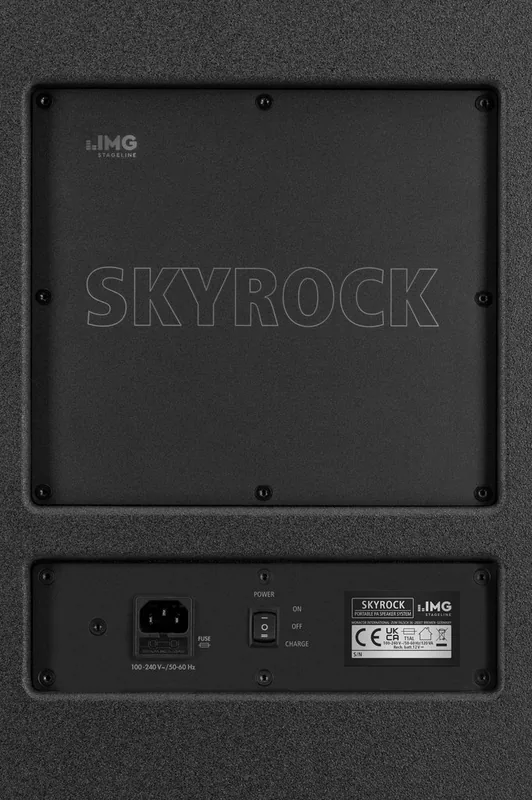
Installation involves removing the back cover. Users must verify correct polarity for battery connections. Red cables go to positive and black to negative. The power switch is located on the rear. Before operation, set all volume controls to zero. This prevents sudden loud noises. Use the reverb control to add room effect to vocals. Check the LED indicators before each use. Ensure the limiter does not flash frequently to avoid distortion. The dimensions are 470 by 815 by 365 mm. Weight is 21.4 kg without battery. It fits within professional transport cases. Always disconnect mains plug by hand. Do not pull the cable. Clean with a soft dry cloth. Store in dry environments. Ensure ventilation is not blocked. This manual covers all operational aspects.
Search for 67,732 Manuals online


Type-in Brand or Model