
iHealth View BP7S Manual
PDF manual · 22 Pages
English



Quick check
Incorrect answer, please try again.
Chat with your iHealth View BP7S manual using AI
Get instant AI answers from your iHealth View BP7S manual
Ask anything about the iHealth View BP7S. Answers come from this manual, with the pages they are based on.
View BP7S Maintenance Schedule
In hospitals or clinics, disinfect the inner side of the cuff twice a week with 75-90% ethyl alcohol and let it air dry.
If the device is not used for a long period, charge it fully once a month.
Have the product performance checked every 2 years or after any repair by contacting iHealth customer service.
Clean the cuff with a damp cloth if dirty. Do not rinse with running water.
Free maintenance reminders
Timed to your purchase date. Always free, unsubscribe anytime.
Ask a Question
Do you recommend View BP7S?
Yes No
Sven Keller
8 months ago
Does the blood pressure monitor start measuring only when it is worn correctly, and does it have to be on the left wrist/arm to work with the iHealth app?

Manual.ly
8 months ago
Yes. The cuff needs to be positioned properly (including correct placement and arm tilt). The device will only start a measurement when it detects that it is in the correct position. Also, for reliable results and pairing with the iHealth app, it should be used on the left arm/wrist as specified in the instructions. If you place it differently or the fit/angle is off, the start may be delayed or measurements may fail. For best results, sit comfortably, rest your arm at heart level, and ensure the cuff is snug but not too tight before starting.
Frequently Asked Questions
It measures systolic blood pressure, diastolic blood pressure, and pulse rate using a fully automatic wrist cuff system. The results appear on the monitor and can also sync to the app.
Is this answer helpful?
Yes. It connects through Bluetooth to compatible iOS and Android devices. After pairing, readings can be sent to the iHealth MyVitals app for storage and trend tracking.
Is this answer helpful?
Sit still, keep your wrist at heart level, and make sure the cuff fits correctly on the same wrist each time. Avoid talking, moving, or measuring right after exercise, stress, or smoking.
Is this answer helpful?
Yes. If an irregular heartbeat pattern is detected, the app can show an IHB indicator. The monitor may still work, but the reading may be less reliable and should be reviewed by a doctor if needed.
Is this answer helpful?
It is intended for adults. People with serious arrhythmia should avoid using it, and anyone with special medical conditions, wounds, or circulation concerns should ask a physician before use.
Is this answer helpful?
It uses a rechargeable lithium-ion battery and is charged with the included cable. It can work while charging, and the battery status is shown on the display and in the app.
Is this answer helpful?
Advantages and Disadvantages
Advantages

- Bluetooth syncing with the iHealth MyVitals app makes it easy to save and review readings.
- Compact wrist design and travel case make the monitor convenient for home use and trips.
- Automatic measurement captures systolic, diastolic, and pulse data with minimal effort.
- Rechargeable battery supports frequent use and can operate while charging.
Disadvantages

- Wrist readings are highly position-sensitive, so incorrect placement can affect accuracy.
- Not recommended for people with serious arrhythmia or some special medical conditions.
- Full smart features depend on a compatible phone and the iHealth app.
- Measurements can be influenced by movement, stress, talking, or electromagnetic interference.
Product Specification
Operating Mode
Battery operation (Li-Ion)
Measurement Type
Wrist, Fully automatic
Cuff Circumference
5.31-8.66 in
Analysis Data
Systole, Diastole, Pulse, Arrhythmia detection
Memory Function
120 memory slots
Display
yes
Special Features
Date display, Time display
Smart Home
App control (Bluetooth)
Scope of delivery
Case
Product Description
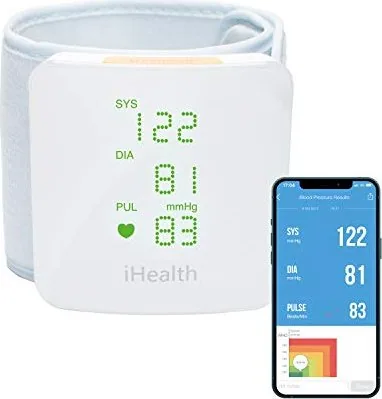
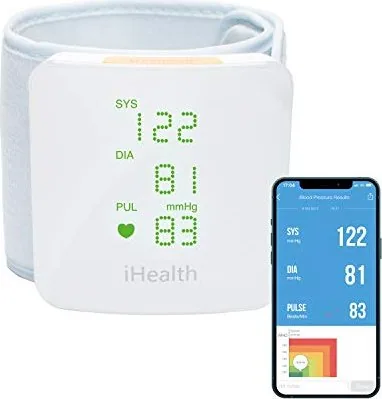
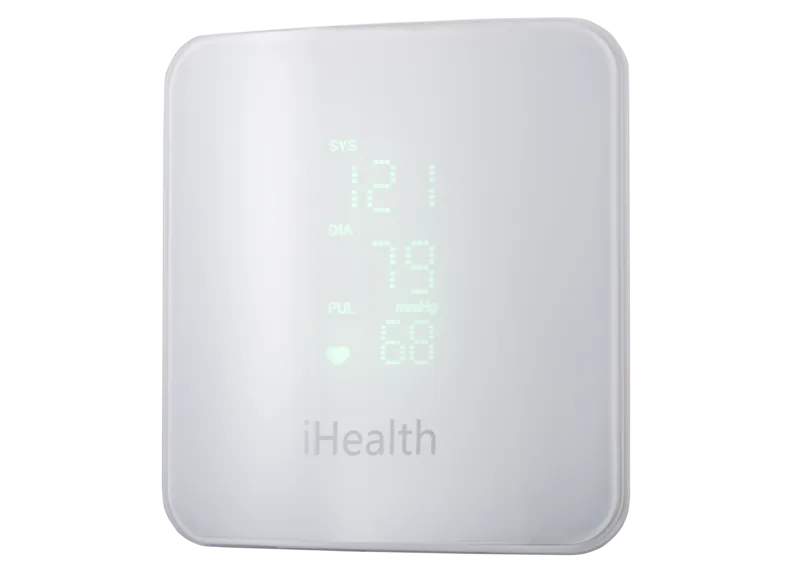
iHealth View BP7S Smart Blood Pressure Wrist Monitor
The iHealth View BP7S Manual centers on a compact wrist blood pressure monitor designed for people who want quick, connected readings at home or in a clinical setting. Built around a fully automatic oscillometric system, it measures systolic pressure, diastolic pressure, and pulse rate with a wrist cuff that is easy to wear and simple to activate.
What makes this model appealing is its smart connection to the iHealth MyVitals app. Readings can be stored automatically, then synced via Bluetooth to compatible iOS and Android devices. That means users can track trends over time, review past results, and keep a clearer picture of their cardiovascular routine without writing numbers down by hand.
The BP7S is also designed with convenience in mind. It arrives with a charging cable, travel case, quick start guide, and user guide, making it ready for travel or daily use. The battery is rechargeable and can support many measurements on a full charge, while the wrist format offers a lighter, more portable alternative to upper-arm monitors.
Accuracy depends heavily on correct posture, and the device is explicit about that. The cuff should sit at heart level, the user should remain still, and the measurement should be taken on the same wrist for consistency. These details matter because movement, stress, food, smoking, and even talking can affect the result.
Another important strength is its safety-oriented design. The monitor includes alerts for irregular heartbeat patterns, abnormal pressure readings, low battery, and possible Bluetooth or sensor errors. It is clinically validated and intended for adult use, but it is not recommended for people with serious arrhythmia, and it should not be used during vehicle movement or on certain medical conditions without physician guidance.
Notes
- Best for users who value mobile tracking and simple setup.
- Follow cuff placement and posture instructions closely for better consistency.
- Charge regularly and keep the cuff clean for long-term performance.
- If readings look unusual, repeat the test calmly and consult a professional when needed.
Search for 67,706 Manuals online


Type-in Brand or Model
Adrian Ross
7 months ago
Will this blood pressure monitor work with an iPhone and sync to Apple Health, and does the measurement have to be done on the left arm/wrist?
Manual.ly
7 months ago
Yes. With the iHealth app installed, the device connects via Bluetooth and your readings appear in the app and also in Apple Health (when the Health permission/sync is enabled). For best results, follow the recommended placement: measurements are intended for the left arm/wrist, and the device may only start when it detects correct positioning and the wrist/arm angle. Make sure the cuff is applied properly, stay still during the measurement, and confirm the app is paired to the correct device.