
Icy Dock ToughArmor MB991U3-1SB Manual
PDF manual · 5 Pages
English



Quick check
Incorrect answer, please try again.
Chat with your Icy Dock ToughArmor MB991U3-1SB manual using AI
Get instant AI answers from your Icy Dock ToughArmor MB991U3-1SB manual
Ask anything about the Icy Dock ToughArmor MB991U3-1SB. Answers come from this manual, with the pages they are based on.
Ask a Question
Do you recommend ToughArmor MB991U3-1SB?
Yes NoFrequently Asked Questions
It supports 2.5-inch SATA HDDs and SSDs, including thicker models up to 15 mm in height. That makes it flexible for both slim SSDs and larger laptop drives.
Is this answer helpful?
Yes, but speed will be limited to USB 2.0 performance. To get the best transfer rate, connect it to a USB 3.0 port on a compatible system.
Is this answer helpful?
UASP can improve data transfer efficiency and responsiveness on supported systems. For the best results, both the enclosure and the operating system must support it.
Is this answer helpful?
Some drives send activity signals differently, so the LED may not behave as expected even when the drive is working correctly. If read and write functions work, this can be normal.
Is this answer helpful?
Often yes. New drives may not appear until they are initialized or formatted in your operating system. This is a common first-step setup requirement.
Is this answer helpful?
Yes. The tray and lock design are helpful for users who move drives often, making it a practical choice for backups, testing, and portable storage workflows.
Is this answer helpful?
Advantages and Disadvantages
Advantages

- USB 3.0 support enables faster transfer speeds when used with a compatible port.
- UASP compatibility can improve performance on supported hardware and operating systems.
- Key lock and tray design help secure the drive during transport and daily use.
- Supports 2.5-inch SATA HDDs and SSDs up to 15 mm in height.
Disadvantages

- USB 2.0 ports will limit performance and prevent the enclosure from reaching full speed.
- Some drives may not trigger the activity LED, which can confuse first-time users.
- New drives may require formatting before they are detected by the system.
- Cooling depends on surrounding airflow, so cramped setups may run warmer.
Product Specification
Form Factor
2.5"
Internal Connector
1x SATA 6Gb/s
External Connector
1x USB-B 3.0 (5Gb/s)
RAID Level
N/A
Fan
N/A
Dimensions
5.55x4.33x1.38in
Weight
1.02 lb
Color
black
Special Features
lockable, security lock (Kensington)
Manufacturer Warranty
three years
USB Notation
Link
Product Description
Icy Dock MB991U3-1SB: Compact USB 3.0 Enclosure for 2.5-inch Storage
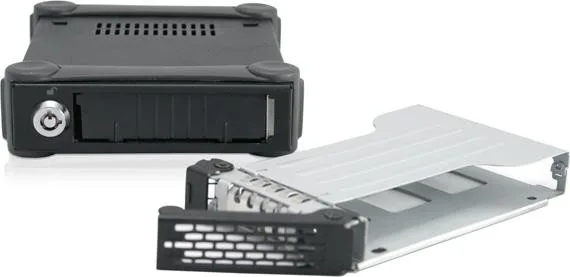
The Icy Dock MB991U3-1SB black USB-B 3.0 is a practical enclosure designed for users who want to turn a 2.5-inch SATA HDD or SSD into a portable, easy-to-manage storage solution. With its sturdy build and clean black finish, it feels like a tool made for everyday use rather than a flashy accessory.
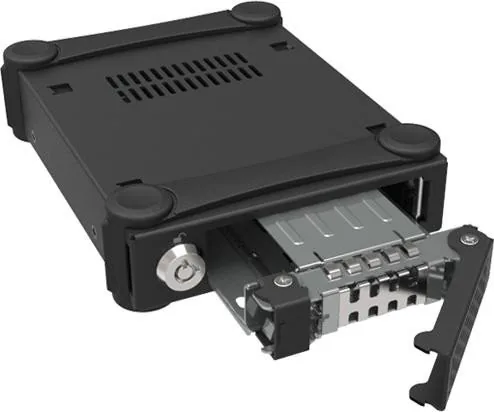
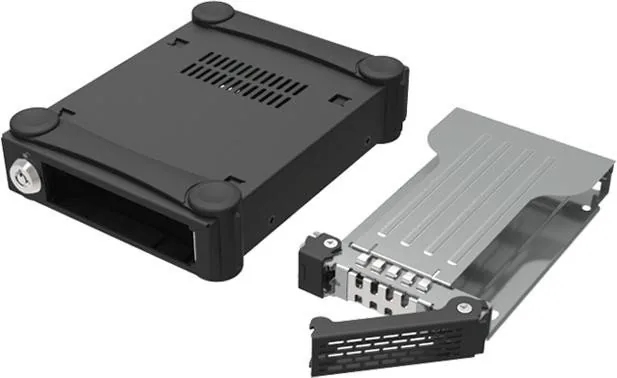
At the heart of the design is a simple idea: make drive installation fast, safe, and dependable. The tray system uses included screws to secure the drive, while the keyed lock helps keep the drive in place once it is installed. For people who swap drives often or need a compact storage workflow, that combination brings welcome confidence.
Performance is another strong point. The enclosure supports USB 3.0, and when connected to the right port it can deliver much better transfer speeds than USB 2.0. It also supports UASP, which can improve responsiveness on compatible systems. In real-world use, that matters for backups, media libraries, and working files that need quick access.
The MB991U3-1SB Manual also highlights a few useful details that are easy to overlook. The front panel includes LED indicators for power and drive activity, giving quick feedback during use. It also notes that some drives may not trigger the access LED the same way, which is normal and not always a sign of a problem. That kind of guidance makes the setup feel more approachable.
Another advantage is compatibility. The tray supports 2.5-inch drives up to 15 mm in height, making it suitable for many SSDs and larger-capacity laptop HDDs. The enclosure is also designed with airflow in mind, so leaving enough space around it helps with heat dissipation during longer sessions.
Overall, the Icy Dock MB991U3-1SB is best suited for users who value reliability, portability, and straightforward drive access. It is a solid pick for system builders, backup users, and anyone who wants a no-nonsense enclosure that focuses on function first.
Notes
- Use the included screws for proper drive mounting.
- For best speed, connect to a USB 3.0 port and confirm UASP support.
- New drives may need formatting before they appear in your system.
- Keep airflow around the enclosure for better thermal performance.
Search for 67,706 Manuals online


Type-in Brand or Model