
Icy Dock ToughArmor MB508SP-B Manual
PDF manual · 6 Pages
English



Quick check
Incorrect answer, please try again.
Chat with your Icy Dock ToughArmor MB508SP-B manual using AI
Get instant AI answers from your Icy Dock ToughArmor MB508SP-B manual
Ask anything about the Icy Dock ToughArmor MB508SP-B. Answers come from this manual, with the pages they are based on.
Ask a Question
Do you recommend ToughArmor MB508SP-B?
Yes NoFrequently Asked Questions
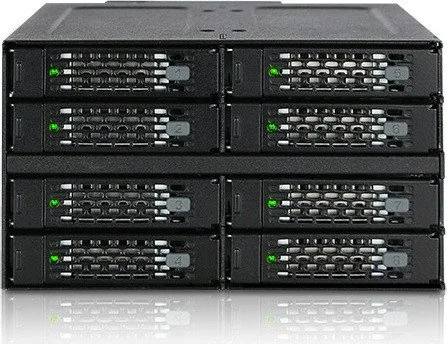
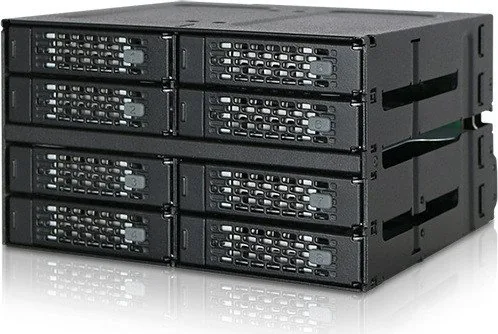
It is designed to turn two external 5.25-inch bays into an eight-drive 2.5-inch SAS/SATA storage cage. It suits compact systems that still need high drive density, organized access, and a durable metal enclosure.
Is this answer helpful?
It supports 2.5-inch SAS or SATA drives up to 15mm in height. That makes it compatible with many SSDs and high-capacity HDDs used in workstations, backup setups, and storage-heavy builds.
Is this answer helpful?
Yes, but the host system must also support hot swap. If the motherboard or controller card does not support it, the enclosure cannot enable that function on its own.
Is this answer helpful?
For SAS drives, you need a SAS-compatible motherboard or a SAS controller card installed in the host system. Without that support, SAS drives will not operate properly.
Is this answer helpful?
Drives are placed into removable trays, secured with the included screws, and then slid back into the enclosure. The tray is flipped as needed so the drive connector sits correctly at the rear.
Is this answer helpful?
Some drives use different access-signal behavior, so the LED may not light even when the drive is readable and writable. If the drive works normally, the LED issue may be a compatibility difference rather than a fault.
Is this answer helpful?
Advantages and Disadvantages
Advantages

- Full-metal build adds durability and helps the enclosure feel solid in demanding setups.
- Eight 2.5-inch drive slots offer high storage density within just two external 5.25-inch bays.
- MiniSAS HD connectivity keeps cabling cleaner and is well suited to multi-drive systems.
- Drive trays, ID plugs, and status LEDs improve daily drive management and visibility.
Disadvantages

- SAS drives require SAS-compatible host hardware, so not every system can use it fully.
- Hot-swap only works if the motherboard or controller also supports that feature.
- Some drives may not support the access LED behavior, which can affect status feedback.
- It needs two external 5.25-inch bays, so smaller cases may not have enough space.
Product Specification
Type
Backplane
Internal connectors
8x 2.5" SAS/SATA 6Gb/s
External connectors
2x SFF-8643 (SAS 12Gb/s)
Hot-Swap
Yes
Drive bay
2x 5.25"
Drive height
0.59 in
Case cooling
1x fan (3.15 in)
Power supply
2x 15-Pin SATA
Lock
No
Special features
Full metal construction, fan control, vibration protection
Manufacturer warranty
three years
Product Description
Icy Dock ToughArmor MB508SP-B
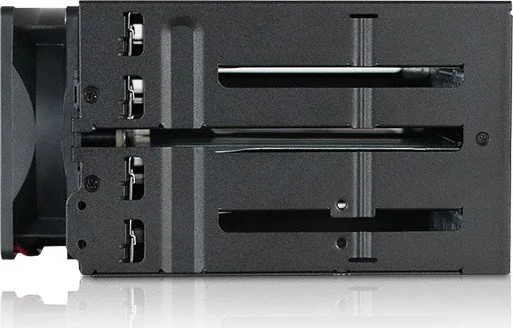
The Icy Dock ToughArmor MB508SP-B is a rugged storage enclosure built for users who want to pack serious 2.5-inch drive capacity into a compact desktop or server setup. It converts two external 5.25-inch bays into an eight-drive SAS/SATA backplane cage, making it a smart choice for systems that need flexible expansion without sacrificing a clean front-panel layout. With its full-metal design, it feels purpose-built for demanding environments where durability, airflow, and drive protection matter just as much as storage density.
If you are reading the Icy Dock ToughArmor MB508SP-B Manual, the installation flow is easy to follow. Each drive sits in a removable tray, and the tray design allows the connector to align neatly at the rear for a stable fit. The enclosure supports 2.5-inch drives up to 15mm in height, which gives it room for many high-capacity SSDs and HDDs. The included screws help secure each drive firmly, and optional Drive ID plugs make it easier to label and track each bay during daily use. A front LED indicator also provides quick feedback on power and access activity.
On the connection side, the unit uses a MiniSAS HD interface (SFF-8643), along with a 15-pin power connection and a 3-pin fan header. That makes it well suited for systems that need organized cabling and dependable cooling support. The ToughArmor MB508SP-B also supports hot-swap functionality, but only when the host system is compatible as well. For SAS drives, a SAS-capable motherboard or controller card is required, so it is important to confirm your platform before installation. This ensures the enclosure performs the way it was designed to in both workstation and enterprise-style builds.
For creators, IT users, and storage enthusiasts, this enclosure can be a practical foundation for backup volumes, fast project storage, or multi-drive testing setups. Its combination of metal construction, bay efficiency, and drive tray access makes it especially appealing in builds where reliability and serviceability are priorities. While the product is straightforward, it still rewards careful planning: check available bay space, confirm host compatibility, and match the right cables before mounting the final system.
Notes
- Hot-swap depends on host support, not just the enclosure.
- Some drives may not trigger the access LED even when they work normally.
- Use SAS-compatible hardware for SAS drives.
- The enclosure is ideal when you need dense 2.5-inch storage in a compact footprint.
Search for 67,706 Manuals online


Type-in Brand or Model