
Icy Dock ICYNano MB861U31-1M2B Manual
PDF manual · 1 Pages
English


Quick check
Incorrect answer, please try again.
Chat with your Icy Dock ICYNano MB861U31-1M2B manual using AI
Get instant AI answers from your Icy Dock ICYNano MB861U31-1M2B manual
Ask anything about the Icy Dock ICYNano MB861U31-1M2B. Answers come from this manual, with the pages they are based on.
Ask a Question
Do you recommend ICYNano MB861U31-1M2B?
Yes NoFrequently Asked Questions
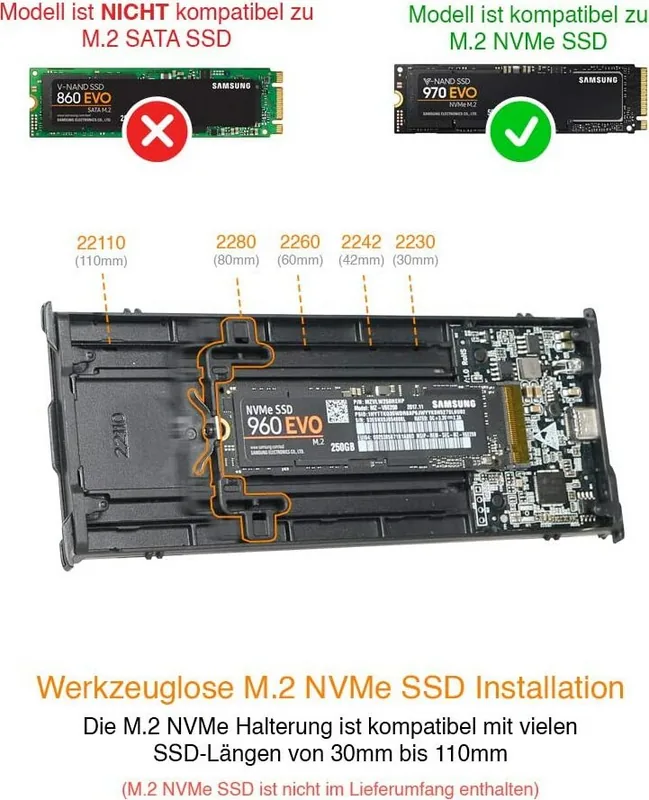
It supports M.2 NVMe SSD lengths 2230, 2242, 2260, 2280 and 22110 through an adjustable locker that secures the drive without tools.
Is this answer helpful?
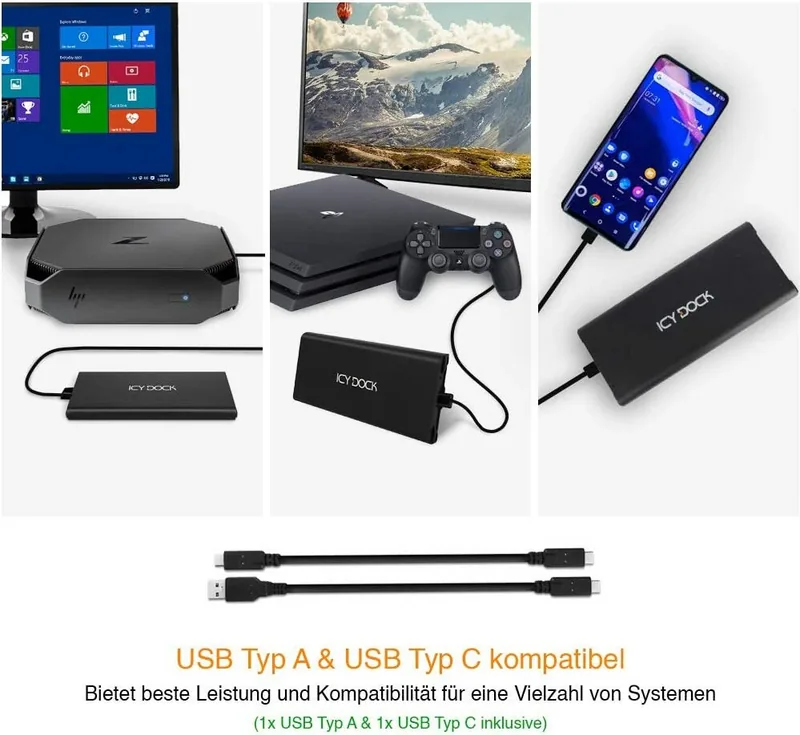
The enclosure includes both USB-C and USB-A cables. It uses a USB-C 3.1 Gen 2 port for high-speed connections but can connect to USB-A hosts using the provided cable for broader compatibility.
Is this answer helpful?
No. Some SSDs use different activity-signal specifications and may not trigger the LED. If the drive reads/writes normally, this is expected. If the drive is inaccessible and the LED is off, contact support for troubleshooting.
Is this answer helpful?
Hot-swap is supported only if the host system or controller also supports hot-swap. Check your motherboard or controller documentation to confirm support before relying on hot-swap behavior.
Is this answer helpful?
Remove the protective film from the thermal pad and paste it onto the M.2 SSD, then position the drive, secure it with the adjustable locker, and replace the metal heat sink cover to ensure proper contact and heat dissipation.
Is this answer helpful?
The enclosure is designed for M.2 NVMe (M-Key) drives. Confirm your SSD is NVMe (not SATA M.2) and matches supported lengths before installation.
Is this answer helpful?
For product updates, compatibility details, or service, visit the ICY DOCK website and consult the product support section or contact customer service for assistance.
Is this answer helpful?
Advantages and Disadvantages
Advantages

- Compact, tool-free enclosure that supports M.2 NVMe sizes 2230–22110.
- USB 3.1 Gen 2 (USB-C) delivers high data transfer rates for demanding tasks.
- Metal heat sink and thermal pad reduce throttling during sustained transfers.
- Includes both USB-C and USB-A cables for wide system compatibility.
- Easy installation with adjustable locker for secure, tool-free SSD mounting.
Disadvantages

- Some NVMe drives may not trigger the access LED due to signal differences.
- Hot-swap functionality depends on host or controller support; not universal.
- Limited to USB 3.1 Gen 2 bandwidth; faster host interfaces may be constrained.
- Small enclosure limits additional features like hardware encryption or RAID.
- Thermal performance depends on correct installation of the pad and cover.
Product Specification
Form factor
M.2 22110, M.2 2280, M.2 2260, M.2 2242, M.2 2230
Internal connector
1x M.2 (PCIe 3.0, NVMe)
External connector
1x USB-C 3.1 (10Gb/s)
RAID level
N/A
Fan
N/A
Dimensions
5.91x2.48x0.47in
Weight
0.22 lb
Color
black
Special features
Aluminum housing, incl. USB cable (USB-C), incl. USB cable (USB-A)
Manufacturer warranty
three years
USB notation
Link
Product Description
Icy Dock ICYNano MB861U31-1M2B, USB-C 3.1 Manual
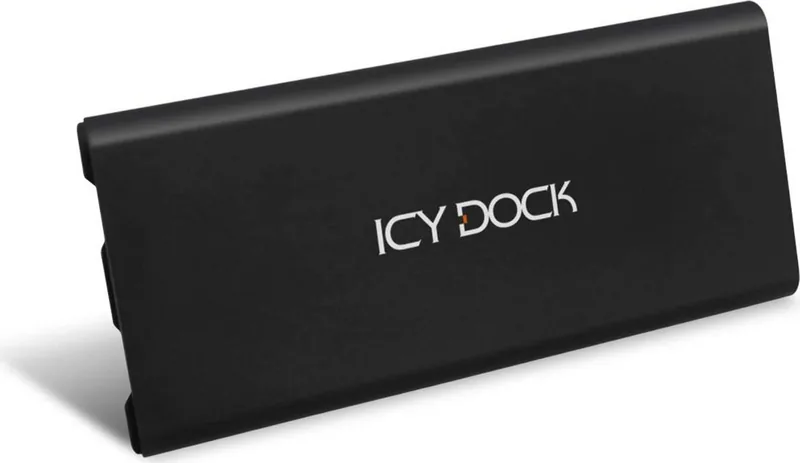
The Icy Dock ICYNano MB861U31-1M2B is a compact external NVMe M.2 SSD enclosure that brings fast USB 3.1 Gen 2 connectivity to desktop and mobile systems. Designed for tool-free installation and portability, it supports multiple M.2 lengths (2230/2242/2260/2280/22110) with an adjustable locking mechanism and an integrated thermal pad and metal heat sink cover to manage drive temperatures. The enclosure connects via a reversible USB-C port and includes both USB-C and USB-A cable options to ensure broad compatibility.
Inside the device, the combination of metal cooling components and a thermal pad helps dissipate heat during extended transfers, making it suitable for high-throughput tasks like large file backups, video editing, and quick drive cloning. An LED activity indicator provides basic status feedback, though some drives with differing activity-signal implementations may not trigger the LED while remaining fully functional. The unit supports hot-swap operation when used with a host or controller that also supports hot-swap functionality.
Installation is straightforward: remove the heat sink cover, slide the adjustable locker to the correct length, apply the thermal pad to the SSD, insert the M.2 drive diagonally into the connector, press it down and secure with the locker, then replace the heat sink cover and connect via the chosen USB cable. The enclosure is aimed at users who need fast external NVMe access without internal installation—photographers, content creators, IT technicians, and anyone frequently moving high-speed storage between systems.
The ICYNano MB861U31-1M2B prioritizes convenience and performance in a small package. It offers broad M.2 compatibility, robust thermal management for sustained performance, and plug-and-play connectivity across systems with USB 3.1 Gen 2 support. Official guidance emphasizes checking host support for hot-swap and consulting drive or motherboard documentation for full compatibility. For troubleshooting—especially LED or access issues—contacting ICY DOCK support or consulting product resources is recommended.
Notes
- Supports M.2 NVMe sizes 2230/2242/2260/2280/22110.
- Includes both USB-C and USB-A cables.
- Some drives may not trigger the access LED despite working normally.
- Hot-swap requires host/controller support.
- Visit the manufacturer site for updates and support.
Search for 67,706 Manuals online


Type-in Brand or Model