
Icy Dock flexiDOCK MB795SP-B Manual
PDF manual · 6 Pages
English



Quick check
Incorrect answer, please try again.
Chat with your Icy Dock flexiDOCK MB795SP-B manual using AI
Get instant AI answers from your Icy Dock flexiDOCK MB795SP-B manual
Ask anything about the Icy Dock flexiDOCK MB795SP-B. Answers come from this manual, with the pages they are based on.
Ask a Question
Do you recommend flexiDOCK MB795SP-B?
Yes NoFrequently Asked Questions
It supports SATA 2.5-inch and 3.5-inch drives. It is meant for SSDs and HDDs that use standard SATA power and data connections.
Is this answer helpful?
Installation is straightforward. Place the unit in an external 5.25-inch bay, secure it with the included screws, then connect SATA power and data cables.
Is this answer helpful?
Yes, but only if the host system also supports hot-swap. You should confirm this in your motherboard or controller card specifications.
Is this answer helpful?
The unit is designed for flexible use with either 2.5-inch or 3.5-inch SATA drives. The installation guide highlights size limits depending on which drive is present.
Is this answer helpful?
Some drives do not support the same access signal behavior. If the drive reads and writes normally, the LED issue may not indicate a problem.
Is this answer helpful?
Using dedicated power cables can help provide stable power, especially when the dock is used with demanding drives or shared system loads.
Is this answer helpful?
Advantages and Disadvantages
Advantages

- Tray-less design makes drive swaps quick and simple.
- Supports both 2.5-inch and 3.5-inch SATA drives.
- Separate power buttons and LEDs improve usability.
- Fits standard 5.25-inch bays and uses common SATA connections.
Disadvantages

- Hot-swap only works if the host system supports it.
- 2.5-inch drive height limits vary when a 3.5-inch drive is installed.
- Some drives may not fully support the access LED signal.
- Best results require careful power and cable planning.
Product Specification
Type
Removable frame
Internal connectors
1x 3.5" SATA 6Gb/s, 1x 2.5" SATA 6Gb/s
External connectors
2x SATA 6Gb/s
Hot-Swap
Yes
Installation bay
1x 5.25"
Drive height
0.37 in
Case cooling
N/A
Power supply
1x 15-Pin SATA
Lock
No
Features
trayless
Manufacturer warranty
three years
Product Description
Icy Dock flexiDOCK MB795SP-B: Fast, Flexible Storage for Mixed Drive Needs
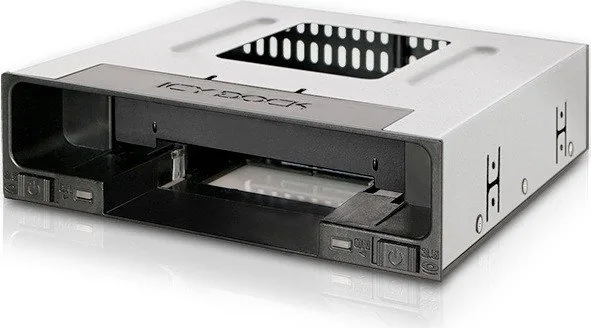
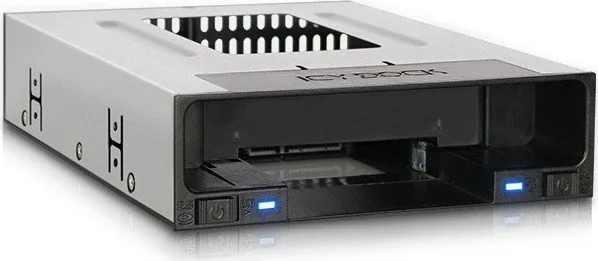
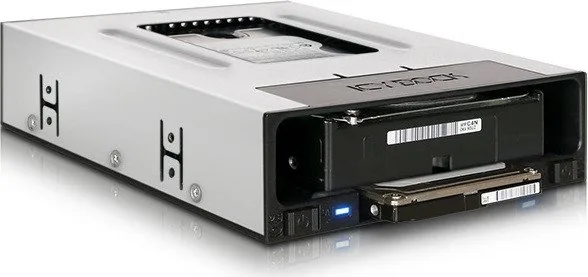
The Icy Dock flexiDOCK MB795SP-B is a tray-less 2.5-inch and 3.5-inch SATA docking enclosure built for users who want quick access, clean installation, and dependable drive handling in a single front-bay solution. It is designed for systems that need frequent drive changes, easy maintenance, or a simple way to manage both SSDs and HDDs without extra adapters.
What makes this model stand out is its straightforward approach: slide the drive in, connect the SATA data and power lines, and you are ready to go. The front layout includes separate power buttons for 2.5-inch and 3.5-inch drives, plus LED indicators that show when a drive is powered and when it is actively being accessed. That makes it especially useful in workstations, test benches, and storage-heavy setups where visibility matters.
The Icy Dock flexiDOCK MB795SP-B Manual emphasizes proper installation and cable routing, and that matters here. The enclosure fits into an external 5.25-inch bay and is secured with the included M3 screws. It uses standard 15-pin SATA power and 7-pin SATA data connections, keeping the build familiar for most desktop systems. For best stability, the manual also recommends using dedicated power cables rather than sharing power with other devices.
Support for both drive sizes is one of the biggest strengths of this product. A 2.5-inch drive can be up to 15mm high when no 3.5-inch drive is installed, and up to 9.5mm high when a 3.5-inch drive is present. That flexibility makes it a practical choice for users who switch between laptop-style SSDs and full-size hard drives.
Hot-swap capability adds another layer of convenience, but it depends on the host system supporting that feature as well. In real-world use, this means the flexiDOCK MB795SP-B is best suited to systems that are already configured for drive swapping and storage testing. The access LEDs are also helpful, though some drives may not support LED signaling in the same way.
Notes
- Best for users who value fast drive changes and a front-access dock.
- Check your motherboard or controller card for hot-swap support before installation.
- Some drives may work normally even if the access LED does not behave as expected.
Summary
The Icy Dock flexiDOCK MB795SP-B combines convenience, compatibility, and a clean tray-less design into one practical storage solution. It is a strong fit for anyone who wants easy SATA drive access without sacrificing a professional desktop setup.
Search for 67,706 Manuals online


Type-in Brand or Model
maria_k
10 months ago
How is the build quality of this hot-swap frame? Does it feel solid, or is it flimsy?
Manual.ly
10 months ago
According to user feedback, the hot-swap frame feels solid and the build quality is surprisingly good for the price. Buyers specifically mention that it is among the best frames they have owned, with no complaints about noticeable issues. In general, if you install it correctly and use it within the intended hot-swap setup, it should provide stable fit and reliable day-to-day use. If you have concerns about compatibility with your setup, check the dimensions and your keyboard or controller model before ordering.