
Icy Dock FlexCage MB975SP-B R1 Manual
PDF manual · 10 Pages
English



Quick check
Incorrect answer, please try again.
Chat with your Icy Dock FlexCage MB975SP-B R1 manual using AI
Get instant AI answers from your Icy Dock FlexCage MB975SP-B R1 manual
Ask anything about the Icy Dock FlexCage MB975SP-B R1. Answers come from this manual, with the pages they are based on.
Ask a Question
Do you recommend FlexCage MB975SP-B R1?
Yes NoFrequently Asked Questions
It is a tray-less SATA backplane module designed to fit five 3.5-inch HDDs into three device bays, making it useful for compact systems that need high storage capacity.
Is this answer helpful?
Yes, but only if the host system also supports hot swap. You should check the motherboard or controller card specifications before relying on that feature.
Is this answer helpful?
It includes an 80 x 80 x 25 mm fan with High, Low, and Auto speed settings. Auto adjusts fan speed based on drive temperature.
Is this answer helpful?
A blue LED stays on when a drive is inserted, stays off when empty, and flashes during drive access. Some drives may not trigger the access LED as expected.
Is this answer helpful?
All three 15-pin SATA power connections must be used for proper operation of the enclosure.
Is this answer helpful?
Yes. A compatible 80 x 80 x 25 mm fan can be used, and the connector must match the device’s 2-pin or 3-pin fan connection.
Is this answer helpful?
Advantages and Disadvantages
Advantages

- Holds 5 HDDs in only 3 device bays for strong storage density.
- Tray-less design simplifies drive insertion and removal.
- Blue power/access LEDs give clear drive status at a glance.
- Fan offers High, Low, and Auto modes for flexible cooling.
Disadvantages

- Requires all three 15-pin SATA power connections to operate properly.
- Hot swap works only if the host system supports it.
- Not compatible with 3.5-inch SATA drives under 25.4 mm thickness.
- Some drives may not support the access LED behavior.
Product Specification
Type
Backplane
Internal connectors
5x 3.5" SATA 6Gb/s
External connectors
5x SATA 6Gb/s
Hot-Swap
Yes
Drive bay
3x 5.25"
Case cooling
1x fan (3.15")
Lock
No
Special features
Fan control, trayless
Manufacturer's warranty
three years
Product Description
Icy Dock FlexCage MB975SP-B R1: Efficient Five-Bay Storage in a Compact Form
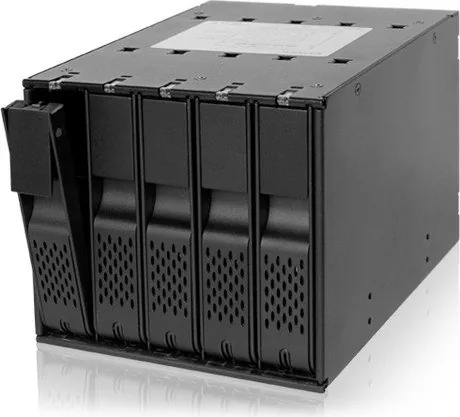
The Icy Dock FlexCage MB975SP-B R1 is built for users who want dense, practical storage without giving up easy drive access. Designed as a tray-less SATA backplane module, it fits five 3.5-inch HDDs into just three device bays, making it a smart choice for workstations, media servers, and custom desktop builds that need more capacity in less space.
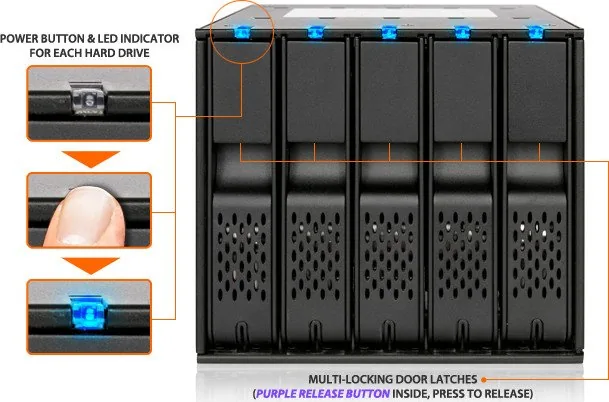
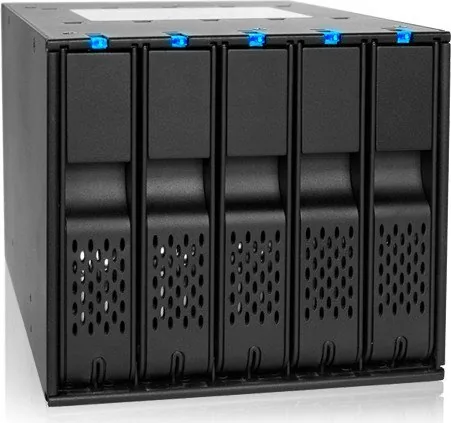
What stands out immediately is the balance between convenience and control. The front panel gives each drive its own power/access LED, so it is easy to see when a bay is occupied or active. Blue illumination signals drive presence, while flashing light indicates access. The fan also activates automatically when a drive is installed, helping keep the enclosure ready for sustained use.
Practicality continues at the rear, where the enclosure uses SATA power and data connections and requires all three 15-pin SATA power inputs for proper operation. A release-button front panel makes drive handling straightforward, and the tray-less design helps speed up maintenance and replacement. This makes the Icy Dock FlexCage MB975SP-B R1 Manual especially useful for users who want quick guidance on installation, airflow, and fan routing.
Cooling is another highlight. The included 80 x 80 x 25 mm fan supports High, Low, and Auto modes, allowing users to choose between maximum airflow, quieter operation, or temperature-responsive adjustment. For environments where drive health matters, that flexibility is a real advantage.
It also supports hot swap when the host system is compatible, which is ideal for users who frequently change drives or manage data-heavy workflows. The design is not universal, however, so compatibility checks are important before installation. Overall, this module is about efficient drive density, clear status feedback, and reliable cooling in a clean, serviceable package.
Notes
- Best suited for SATA-based systems that can provide the required power connections.
- Hot swap depends on motherboard or controller support.
- Fan replacement is supported with compatible 2-pin or 3-pin connectors.
- Drive access LEDs may vary depending on the installed HDD model.
Search for 67,706 Manuals online


Type-in Brand or Model
Murat K.
10 months ago
How reliable is the power/eject button, and could the eject lever or hinge break since some parts look like plastic?
Manual.ly
10 months ago
The reported issue is that the drive LEDs act as the power switch and some units can have unreliable switch click/engagement, so the plate may not lift reliably. There are also complaints that the eject/hinge area is linked to plastic cover parts, which can fail if the lever is forced during a plate change. In normal operation, press the button firmly only once and avoid levering the plate out at an angle. Make sure the drive and mounting frame are aligned before ejecting. If you experience repeated non-engagement or mechanical breakage, please contact support with your order details so we can arrange a replacement/parts support. For cabling, note that the rear fan position may limit angled SATA connectors.