
Icy Dock ExpressCage MB732SPO-B Manual
PDF manual · 8 Pages
English



Quick check
Incorrect answer, please try again.
Chat with your Icy Dock ExpressCage MB732SPO-B manual using AI
Get instant AI answers from your Icy Dock ExpressCage MB732SPO-B manual
Ask anything about the Icy Dock ExpressCage MB732SPO-B. Answers come from this manual, with the pages they are based on.
Ask a Question
Do you recommend ExpressCage MB732SPO-B?
Yes NoFrequently Asked Questions
It supports two 2.5-inch SATA or SAS HDDs/SSDs and also accepts an Ultra Slim or Slim optical drive. This makes it useful for systems that need both storage expansion and optional optical drive support.
Is this answer helpful?
Yes, the ExpressTray design is made for convenient tool-less installation. Even so, the included screws can be used to secure drives more firmly, especially if you want extra stability.
Is this answer helpful?
Yes, but only if the host system also supports hot swap. You should check your motherboard or controller card documentation to confirm compatibility before relying on that feature.
Is this answer helpful?
The LED uses solid blue for device power and blinking blue for drive activity. However, some drives may not support the access signal, so LED behavior can vary.
Is this answer helpful?
Yes, SAS drives are supported, but the host system must have SAS-compatible hardware, such as a SAS motherboard or a SAS controller card. Without that, SAS drives will not work correctly.
Is this answer helpful?
It supports both 9.5 mm Ultra Slim ODDs and 12.7 mm Slim ODDs. The removable dust cover plate helps with proper fitting and can also be stored on the side when removed.
Is this answer helpful?
Advantages and Disadvantages
Advantages

- Supports two 2.5-inch SATA or SAS drives in one 5.25-inch bay, helping save space without reducing storage options.
- Includes tool-less ExpressTray mounting for faster drive swaps and easier everyday maintenance.
- Provides front-access controls, activity LED, and a power switch for simple operation and visibility.
- Works with Ultra Slim and Slim optical drives, adding flexibility for mixed-storage or legacy-drive setups.
Disadvantages

- Requires an available 5.25-inch bay, so it may not suit small cases without optical drive mounts.
- Hot swap depends on the host system, so the feature is not guaranteed in every build.
- SAS drives need SAS-capable hardware, which adds a compatibility requirement for some users.
- Not every drive supports the activity LED signal, so indicator behavior may vary by model.
Product Specification
Type
Removable frame
Internal connections
2x 2.5" SATA 6Gb/s, 1x 5.25" SlimLine
External connections
2x SATA 6Gb/s
Hot-Swap
Yes
Drive bay
1x 5.25"
Drive height
0.59"
Case cooling
N/A
Power supply
1x 15-Pin SATA
Lock
No
Manufacturer's warranty
three years
Product Description
Icy Dock ExpressCage MB732SPO-B: Compact Storage Expansion with Flexible Drive Support
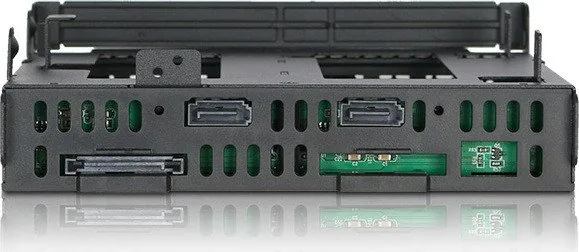
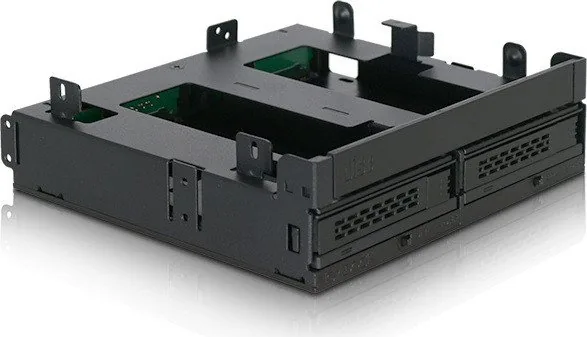
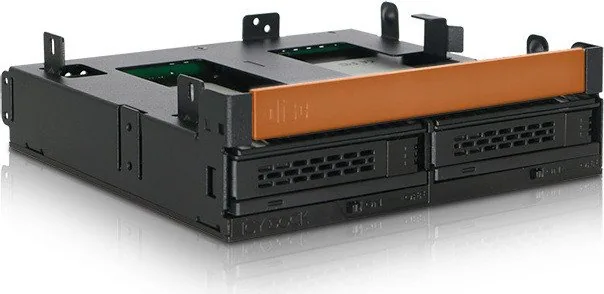
The Icy Dock ExpressCage MB732SPO-B is designed for builders who want to turn a single external 5.25-inch bay into a practical storage hub. It combines space for two 2.5-inch SAS/SATA HDDs or SSDs with support for an Ultra Slim or Slim optical drive, making it a smart choice for systems that still need both modern storage and legacy ODD functionality.
What makes this model stand out is its balance of convenience and stability. The ExpressTray design supports tool-less drive mounting, while the included screws are there to lock everything down securely. The drive tray system is built for quick installation and removal, and the front-access layout makes it easy to manage drives without opening the whole machine. If you are reading the Icy Dock ExpressCage MB732SPO-B Manual, the main idea is clear: this cage is built for efficient, tidy, and dependable drive handling.
The front panel includes a power switch, a drive tray ejection button, and an LED indicator that shows power and activity status. A solid blue light signals power, while blinking blue indicates disk access. For users who value everyday usability, these small details make a big difference. The enclosure also supports hot swap, provided the host system and controller are compatible.
Another practical feature is its support for different slim optical drive sizes. The device works with both 9.5 mm Ultra Slim and 12.7 mm Slim ODDs, and the removable dust cover plate helps with installation and spacing. This makes the MB732SPO-B especially useful in compact workstations, industrial PCs, and storage-focused systems where internal space is limited but versatility still matters.
Notes
- Use the included screws for proper drive security.
- SAS drives require a SAS-compatible motherboard or controller card.
- Some drives may not support the activity LED signal.
- Do not flip the tray when a drive is mounted to avoid accidental drops.
Search for 67,706 Manuals online


Type-in Brand or Model
quae_quibusdam
7 months ago
Does this docking/insertion frame support safe hot-plugging, and can I power on and select individual SSDs (or after boot) without constantly swapping drives?
Manual.ly
7 months ago
Yes. The frame is designed for safe hot-plug use and includes physical on/off switches for the drive bays, so you can enable drives individually. For multi-SSD setups, you can choose which SSD to use via the provided selection (slider) before starting your system, and you can also power individual drives on after the machine has booted. As with any hot-plug setup, make sure the drive is fully powered and wait for detection before accessing files, and avoid removing drives during active read/write operations. The package also includes the needed slimline drive power adapter and extra small screws to ensure the drive cage can be installed without spacer/screw-size issues.