
HyperX Alloy Elite 2 Manual
PDF manual · 11 Pages
English



Quick check
Incorrect answer, please try again.
Chat with your HyperX Alloy Elite 2 manual using AI
Get instant AI answers from your HyperX Alloy Elite 2 manual
Ask anything about the HyperX Alloy Elite 2. Answers come from this manual, with the pages they are based on.
Ask a Question
Do you recommend Alloy Elite 2?
Yes NoFrequently Asked Questions
Yes. The Alloy Elite 2 uses two USB plugs: one for keyboard power and data, and a second to enable the USB 2.0 passthrough port. For full functionality and passthrough device support, connect both.
Is this answer helpful?
This model uses HyperX Red linear mechanical switches. They offer smooth, low-resistance travel without tactile bumps or loud clicks, favoring fast, consistent keystrokes suited to gaming and rapid typing.
Is this answer helpful?
Install HyperX NGENUITY from hyperxgaming.com/ngenuity to access per-key RGB effects, macro recording, and profile management. Basic lighting levels and profile switching are available through onboard controls without software.
Is this answer helpful?
Game Mode disables the Windows key to avoid accidental interruptions while gaming. When enabled, an LED indicator lights up. Other functions remain available, and media controls continue to work.
Is this answer helpful?
The passthrough is USB 2.0, which is generally sufficient for most gaming mice and peripherals, though it has lower bandwidth than USB 3.x. Latency is typically acceptable for standard gaming mice.
Is this answer helpful?
Yes. The Alloy Elite 2 has onboard memory that allows you to save and switch between profiles stored directly on the keyboard using the profile selection controls.
Is this answer helpful?
For setup help and troubleshooting visit HyperX Support at hyperxgaming.com/support/keyboards, where you can find guides, downloads, and contact options for assistance.
Is this answer helpful?
Advantages and Disadvantages
Advantages

- Smooth, low-friction HyperX Red linear switches ideal for fast gaming and fluid typing.
- Customizable RGB with five onboard brightness levels and onboard profile storage.
- Dedicated media keys and a tactile volume wheel for quick audio control.
- USB 2.0 passthrough for convenient peripheral connection and cleaner cable routing.
- Game Mode disables the Windows key to prevent accidental interruptions during play.
Disadvantages

- Requires two USB ports for full feature support (keyboard + passthrough).
- DE layout may not suit users expecting other regional key arrangements.
- Advanced customization requires HyperX NGENUITY software installation.
- Linear switches produce less tactile feedback for users who prefer clicky or tactile keys.
- USB 2.0 passthrough has lower bandwidth compared with USB 3.x alternatives.
Product Specification
Layout
DE
Type
mechanical
Switch model
HP HyperX RED
Lighting
RGB, per-key
Keycap profile
elevated, frameless
Keycap format
regular
Keycap shape
flat
Numpad
Standard
Arrow keys
Standard
Control keys
Standard
Enter key
Standard
Delete key
Standard
Status indicator
Capslock, Num, Scroll Lock
Palm rest
N/A
Case
Metal
Case color
solid, black
Keycap finish
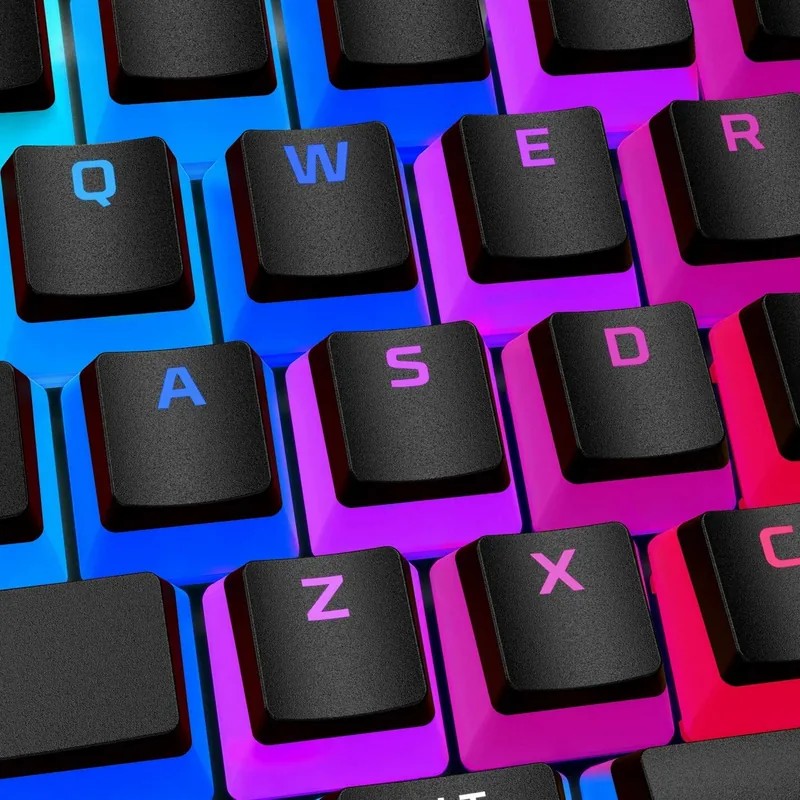
"Pudding Keycaps", multi-color, black
Key legends
solid, white (translucent)
Connection
wired (5.91 ft), USB-A 2.0
Power supply
USB
Dimensions (WxHxD)
17.48x1.50x6.85 in
Weight
3.31 lb
Special features
7 multimedia keys, 1x volume dial (scroll wheel, top right), Anti-Ghosting (N-Key-Rollover), USB hub (1x USB-A 2.0), Onboard memory
Switch manufacturer
HP
Switch module
HyperX
Switch model
RED
Switch characteristic
linear
Tactile feedback
none
Dampening
none
Actuation force
0.45 N ~ 0.10 lbf
Key travel
0.15 in
Tactile force
N/A
Pre-travel
0.07 in
Lifespan
80 Mio.
Trivia
Kingston, the former owner of the "HyperX" brand, has renamed the "HyperX" brand memory products to "FURY". The gaming accessory division, which continues to sell items under the "HyperX" brand, was acquired by HP Hewlett Packard during 2020/2021.
Product Description
HP HyperX Alloy Elite 2 RGB Mechanical Keyboard (HyperX Red, USB, DE) Manual
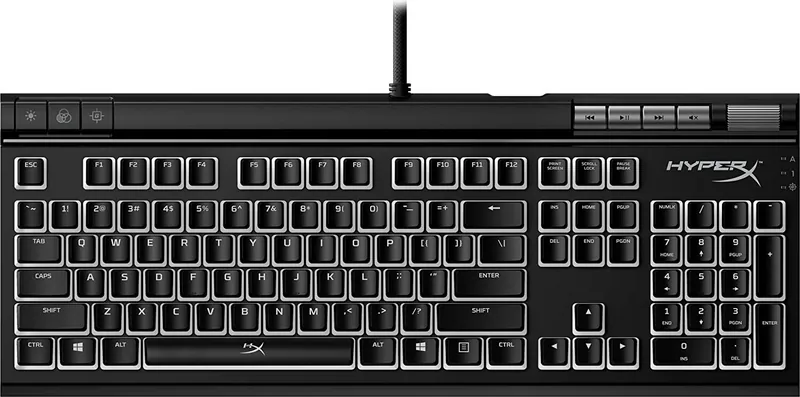
The HP HyperX Alloy Elite 2 is a full-featured RGB mechanical keyboard built around HyperX Red linear switches for smooth, quiet keypresses and fast actuation—ideal for gamers and typists who prefer responsive, low-friction travel. This DE-layout wired keyboard connects via dual USB plugs (one for the keyboard, one for the USB 2.0 passthrough) and includes dedicated media controls, a volume wheel, and quick-access buttons for brightness, profile selection, and Game Mode.
Key features and experience
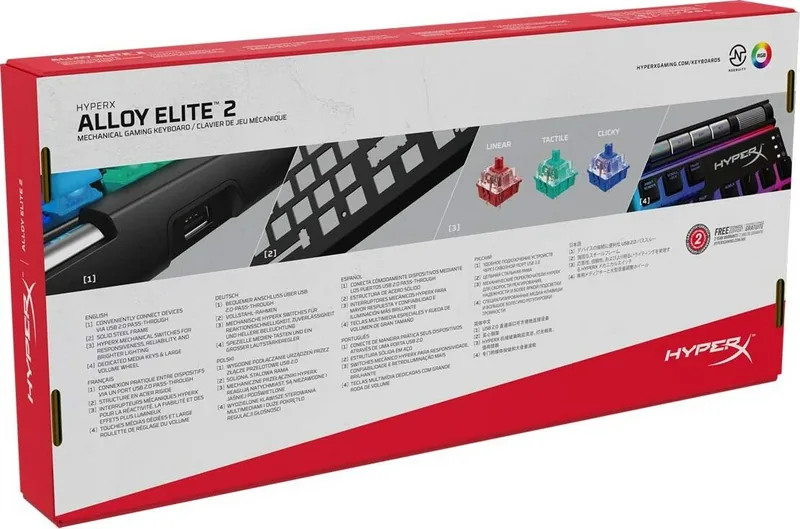
Out of the box the Alloy Elite 2 offers customizable RGB backlighting with five brightness levels accessible via onboard controls, plus onboard profile storage so your preferred lighting and key settings travel with the keyboard. The integrated USB 2.0 passthrough lets you plug a mouse or other device directly into the keyboard for cleaner cable management. Media keys and a tactile volume wheel provide fast control without leaving your current task or game.
HyperX Red mechanical switches deliver a linear feel with consistent actuation for rapid keystrokes—great for sustained gaming sessions and fluid typing. The keyboard’s Game Mode disables the Windows key to prevent accidental interruptions; an LED indicates when it’s active. Function keys also handle play/pause, skip, and other media commands.
Customization and software
For deeper personalization—detailed RGB effects, macro assignment, lighting synchronization, and Game Mode tweaks—HyperX NGENUITY software is recommended. NGENUITY enables complex lighting patterns, per-key assignments, and profile management for different games or workflows. If you prefer hardware-only control, many common settings are adjustable directly via the keyboard’s function controls.
Build and practical notes
The Alloy Elite 2 balances durable construction with a gamer-focused feature set: robust keycaps, firm chassis stability, and practical layout options suited to the German (DE) arrangement. The keyboard supports five brightness levels, onboard profiles, and quick mute/volume adjustments. Dual USB connectors are required for full functionality; ensure both plugs are connected to enable the passthrough port.
Conclusion
The HP HyperX Alloy Elite 2 RGB Mechanical Keyboard (HyperX Red, USB, DE) is a strong choice for users seeking a dependable, customizable mechanical keyboard with linear switches, dedicated media controls, and flexible lighting—backed by HyperX’s NGENUITY software for advanced personalization.
Notes
- Requires two USB connections for full functionality (keyboard + USB passthrough).
- Download HyperX NGENUITY for advanced lighting, macro, and profile options: hyperxgaming.com/ngenuity.
- For support and setup help visit: hyperxgaming.com/support/keyboards.
Search for 67,706 Manuals online


Type-in Brand or Model
Marius Keller
9 months ago
I heard the HyperX keyboard software can be buggy on some PCs. Will it reliably recognize the keyboard and save RGB lighting profiles on Windows 10, including with an MSI B550 mainboard?
Manual.ly
9 months ago
The keyboard should work immediately with default settings even if you do not install the software. For profile saving and full RGB control, please install the latest version of the HyperX keyboard software for your model and run it as administrator. If recognition or saving fails (a few users report MSI B550-related issues), try these steps: unplug and reconnect via a direct USB port (preferably a different one), avoid USB hubs, reinstall the software, and update your Windows USB/chipset drivers. Also close or disable other programs that control RGB or macros to prevent conflicts. If the issue persists, contact support with your software version and motherboard/BIOS details so we can guide you to the correct compatibility settings or updates.