
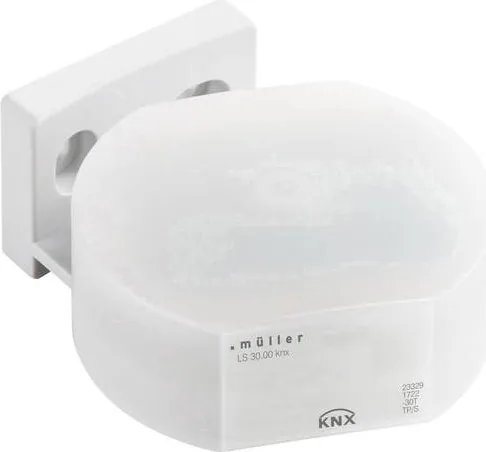

Hugo Muller LS 30.00 KNX Manual
PDF manual · 2 Pages
English



Quick check
Incorrect answer, please try again.
Chat with your Hugo Muller LS 30.00 KNX manual using AI
Get instant AI answers from your Hugo Muller LS 30.00 KNX manual
Ask anything about the Hugo Muller LS 30.00 KNX. Answers come from this manual, with the pages they are based on.
Ask a Question
Do you recommend LS 30.00 KNX?
Yes NoDo you recommend LS 30.00 KNX?
Yes NoFrequently Asked Questions
The sensor transmits real-time outside temperature readings and Lux (light intensity) values to the KNX bus. These data points allow connected devices to adjust lighting and heating systems automatically based on current environmental conditions.
Is this answer helpful?
No, installation must be performed only by a qualified electrician. The device involves electrical connections that pose a risk of electric shock or fire if handled incorrectly. Safety regulations strictly prohibit untrained individuals from mounting or wiring the unit.
Is this answer helpful?
Programming is done using ETS software. You must assign a physical address and group addresses. To initiate the process, press the learning key on the device until the KNX LED lights up, then confirm the settings in the software.
Is this answer helpful?
The sensor draws power directly from the KNX bus voltage, which has a nominal voltage of 29V. It consumes approximately 10 mA of bus current, making it compatible with standard KNX power supplies without needing separate wiring.
Is this answer helpful?
Yes, the device has an IP 54 rating and can operate in temperatures between -30°C and 55°C. However, it should be installed in a location protected from direct heavy rain or extreme weather exposure unless specifically rated for such conditions by local standards.
Is this answer helpful?
Advantages and Disadvantages
Advantages

- Accurately measures both light intensity and temperature for comprehensive environmental data
- Seamless integration with KNX bus systems using standard ETS configuration software
- Robust IP 54 protection rated housing suitable for harsh environments
- Supports multiple automation functions like twilight switching and daily schedules
- Wide operating temperature range from -30°C to 55°C ensures year-round reliability
Disadvantages

- Requires installation by a certified electrician due to high voltage safety risks
- Sensitive to electromagnetic interference if installed too close to transformers or relays
- Warranty becomes void if the housing is opened by unauthorized personnel
- Installation requires specific drilling and mounting procedures detailed in manuals
- Must be programmed individually via ETS software which may require technical knowledge
Product Specification
Type
Sensor
Standard
KNX
Function
Brightness, Temperature
Topology
Bus
Dimensions
3.52x2.95x1.57 in
Features
IP54
Product Description
Discover the Hugo Mueller LS 30.00 KNX Light and Temperature Sensor
The Hugo Mueller LS 30.00 KNX Light Sensor represents a significant advancement in smart building automation, offering precise environmental monitoring through a single, robust device. Designed for seamless integration into KNX systems, this sensor serves as the eyes and skin of your home or commercial space, detecting ambient light levels and external temperatures with high accuracy. Its primary function is to transmit real-time Lux values and temperature data to the central KNX bus, enabling intelligent control strategies that enhance comfort while optimizing energy consumption.
This versatile unit supports a wide range of automated functions including temperature regulation, dynamic lighting control, twilight switching based on daily programs, and scheduled time switches. By utilizing the ETS configuration software, users can easily assign physical addresses and group addresses, ensuring that the sensor communicates effectively with other system components. The device operates on standard KNX bus voltage, drawing approximately 10 mA, which makes it energy-efficient and easy to power within existing installations.
Constructed from self-extinguishing thermoplastic, the Hugo Mueller LS 30.00 features an IP 54 rating, providing protection against dust and water splashes suitable for various indoor and sheltered outdoor environments. It withstands ambient temperatures ranging from -30°C to 55°C, ensuring reliable performance even in extreme weather conditions. Installation requires professional expertise due to safety regulations regarding electrical shock and fire risks. Technicians must ensure the device is powered down before mounting and avoid placing transformers or relays within one meter to prevent interference.
Programming is straightforward via a dedicated learning key on the device, indicated by a flashing LED until the ETS software completes the configuration. This user-friendly approach allows for quick setup and verification of correct operation. Whether used for automating blinds, adjusting heating systems, or managing artificial lighting, this sensor provides the critical data needed for modern, efficient building management.
Search for 67,732 Manuals online


Type-in Brand or Model