
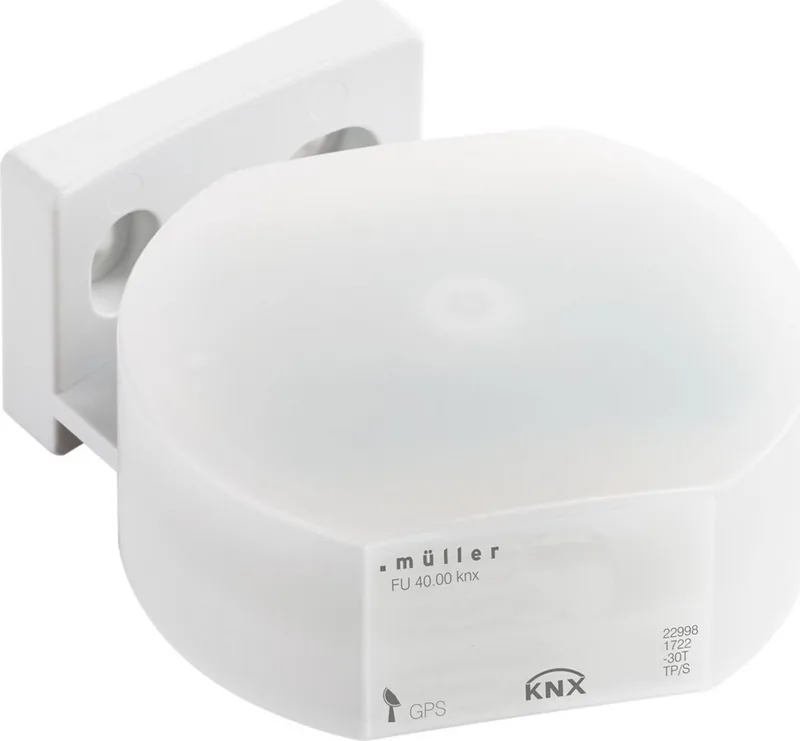
Hugo Muller FU 40.00 KNX Manual
PDF manual · 2 Pages
English



Quick check
Incorrect answer, please try again.
Chat with your Hugo Muller FU 40.00 KNX manual using AI
Get instant AI answers from your Hugo Muller FU 40.00 KNX manual
Ask anything about the Hugo Muller FU 40.00 KNX. Answers come from this manual, with the pages they are based on.
Ask a Question
Do you recommend FU 40.00 KNX?
Yes NoDo you recommend FU 40.00 KNX?
Yes NoFrequently Asked Questions
It can transmit standard time, geographical coordinates, solar-angle progression, sunrise and sunset times, outdoor temperature, and lux values to the KNX bus.
Is this answer helpful?
The station is powered through the KNX bus voltage, with a nominal supply of 29 V. Its approximate bus current is 10 mA.
Is this answer helpful?
Install it where the top of the device has a clear view of the sky. Avoid obstructions such as trees, walls, ceilings, electrical wiring, and nearby metal objects.
Is this answer helpful?
A fast flash at approximately 5 Hz means the bus connection is correct and the device is searching for a GPS signal. The search can take up to 15 minutes.
Is this answer helpful?
A slow flash at approximately one-second intervals indicates that the unit is correctly connected and GPS reception is working properly.
Is this answer helpful?
Configuration is completed with ETS software. The installer assigns the physical address, group addresses, and functional parameters, then uses the learning button to place the device in programming mode.
Is this answer helpful?
Advantages and Disadvantages
Advantages

- Sends GPS time, location, solar-angle, sunrise, sunset, outdoor temperature, and lux data to the KNX bus.
- IP54 housing and -30 C to 55 C operating range support demanding outdoor installations.
- Bus-powered design requires no separate local power supply.
- GPS and KNX LEDs provide practical feedback during wiring, signal acquisition, and commissioning.
Disadvantages

- Requires a clear view of the sky; walls, trees, and metal structures can weaken GPS reception.
- Nearby transformers, relays, contactors, and fluorescent lighting may interfere with signal reception.
- Installation and electrical connection must be performed by a qualified electrician.
- Initial GPS acquisition can take up to 15 minutes, and poor locations may require repositioning.
Product Specification
Type
Sensor, actuator
Standard
KNX
Function
Temperature, brightness
Topology
Bus
Dimensions
3.52 x 2.95 x 1.57 in
Features
IP54
Product Description
Hugo Muller FU 40.00 KNX Sensor Station - Read, Download & Print Free
The Hugo Muller FU 40.00 KNX Sensor Station is a wall-mounted GPS time receiver designed to bring accurate time, location, solar-position, temperature, and brightness information into KNX building automation systems. It is suited to projects where lighting, shading, climate control, and time-based functions need reliable environmental data from a single outdoor device.
Smart data for KNX automation
Using GPS reception, the station can provide standard time, geographical coordinates, sunrise and sunset times, and the daily progression of the sun's angle. These values can support automated blinds, facade shading, lighting schedules, and other solar-aware control strategies. It also delivers outdoor temperature and lux values to the KNX bus, helping connected systems react to changing weather and daylight conditions.
The unit is powered directly from the KNX bus at a nominal 29 V and draws approximately 10 mA. Its KNX bus terminal connection keeps installation aligned with common KNX infrastructure, while ETS software is used to assign the physical address, group addresses, and operating parameters. A dedicated learning button and KNX LED simplify commissioning and programming checks.
Outdoor-ready construction
With an IP54 protection rating and a permitted operating temperature range of -30 C to 55 C, the Hugo Muller FU 40.00 KNX Sensor Station is built for demanding exterior conditions. Its self-extinguishing thermoplastic housing and wall-mounting bracket support a neat, practical installation on suitable building surfaces.
For dependable GPS reception, the top of the unit requires an unobstructed view of the sky. Trees, walls, ceilings, and nearby metal objects can reduce signal quality. Installers should also keep transformers, relays, contactors, and similar equipment at least one meter away. The integrated GPS LED offers clear status feedback: a fast flash indicates signal search, while a slow flash confirms successful reception.
Installation notes
Electrical installation, connection, and commissioning must be completed by a qualified electrician in accordance with applicable national electrical and safety requirements. The device must be disconnected from the supply before wiring work begins, and damaged equipment must not be operated. Correct bus-terminal polarity is essential.
In polar regions, the station applies fixed solar-angle values during polar day or polar night conditions. This allows KNX logic to continue receiving defined solar-position data even when normal sunrise and sunset behavior does not occur.
Notes
- Choose an exposed mounting location with a clear view of the sky.
- Allow up to 15 minutes for the initial GPS signal search.
- Use ETS to verify programming and KNX communication.
- Recycle the unit responsibly at the end of its service life.
Search for 67,732 Manuals online


Type-in Brand or Model