
Huawei Watch Fit Special Edition Manual
PDF manual · 24 Pages
English



Quick check
Incorrect answer, please try again.
Chat with your Huawei Watch Fit Special Edition manual using AI
Get instant AI answers from your Huawei Watch Fit Special Edition manual
Ask anything about the Huawei Watch Fit Special Edition. Answers come from this manual, with the pages they are based on.
Watch Fit Special Edition Maintenance Schedule
If the device is not used for a long time, charge the battery once every two to three months to extend battery life.
Before using the charging dock, check and clean it because its magnet can attract metal objects.
Free maintenance reminders
Timed to your purchase date. Always free, unsubscribe anytime.
Ask a Question
Do you recommend Watch Fit Special Edition?
Yes NoFrequently Asked Questions
Install and update the Huawei Health app, sign in with a HUAWEI ID, turn on the watch, and select it in the app's Add device area. Confirm the Bluetooth pairing requests on both devices. Keep the watch close to the phone during setup.
Is this answer helpful?
Yes. When worn correctly, it records sleep duration and identifies sleep stages. Huawei TruSleep can provide more detailed sleep analysis and suggestions. The Special Edition also offers sleep settings that can reduce notification interruptions during your scheduled rest time.
Is this answer helpful?
Yes. You can take a manual SpO2 reading from the watch or enable automatic readings in Huawei Health. For better results, wear the watch snugly, remain still, and ensure the sensor touches your skin. Results are for reference and not medical diagnosis.
Is this answer helpful?
Yes, its 5 ATM rating supports swimming and everyday water exposure. Avoid diving, high-pressure water, hot showers, hot springs, saunas, and steam rooms. Do not charge the watch while wet, and avoid pressing buttons underwater.
Is this answer helpful?
The watch can display phone notifications when enabled in Huawei Health. Quick replies to SMS are available on the Special Edition for supported non-iPhone setups. This function is not supported on iPhone, and replies apply only to SMS received through the associated SIM card.
Is this answer helpful?
Workout records can show duration, distance, calories, heart-rate charts, average heart rate, heart-rate changes, and heart-rate zones. You can review results on the watch or in Huawei Health. The available data may vary by exercise type.
Is this answer helpful?
Advantages and Disadvantages
Advantages

- Comprehensive fitness tracking covers workouts, activity data, heart-rate zones, and detailed exercise records.
- Health tools include sleep stages, SpO2 checks, heart-rate alerts, stress tracking, and breathing exercises.
- Custom watch faces, gallery images, and personalized cards support a more individual experience.
- Useful smart functions include notifications, alarms, weather, phone finder, music controls, and remote camera control.
- 5 ATM water resistance supports swimming and common daily water exposure.
Disadvantages

- Some features, including quick SMS replies and personalized outfit watch faces, are not supported on iPhone.
- Health readings are for reference only and can be affected by movement, temperature, tattoos, and fit.
- Always On Display and continuous monitoring may reduce battery life.
- 5 ATM protection does not make the watch suitable for diving, saunas, hot showers, or high-pressure water.
- Several functions require the Huawei Health app, Bluetooth connection, permissions, and compatible phone software.
Product Specification
Display
1.64 in, 456 x 280 pixels, color display, OLED, touchscreen, rectangular, backlit
Operating system
proprietary
Interfaces
Bluetooth 5.2 LE
Heart rate measurement
integrated (optical)
Measurement functions
Time, stopwatch, countdown timer, pedometer, swim strokes, speed, distance, lap counter, sleep monitoring, cycle tracking, heart rate, blood oxygen, calorie consumption
Other functions
Date, calendar, 12/24-hour display, alarm, weather forecast, camera control (iOS, Android), music control (iOS, Android), message notifications (iOS, Android), call notifications (iOS, Android)
Sensors
Accelerometer, gyroscope
Navigation
Yes, GPS
Compatibility
Android 6.0 or later, iOS 9.0 or later
Power supply
Rechargeable battery
Operating time
6 days (typical)
Case material
Plastic
Band material
Silicone
Dimensions (case)
1.81 x 1.18 x 0.42 in
Length (band)
5.12-8.27 in
Weight
0.74 oz
Special features
Vibration, waterproof (up to 164.04 ft water column), interchangeable band
Product Description
Huawei Watch Fit Special Edition - Read, Download & Print Free
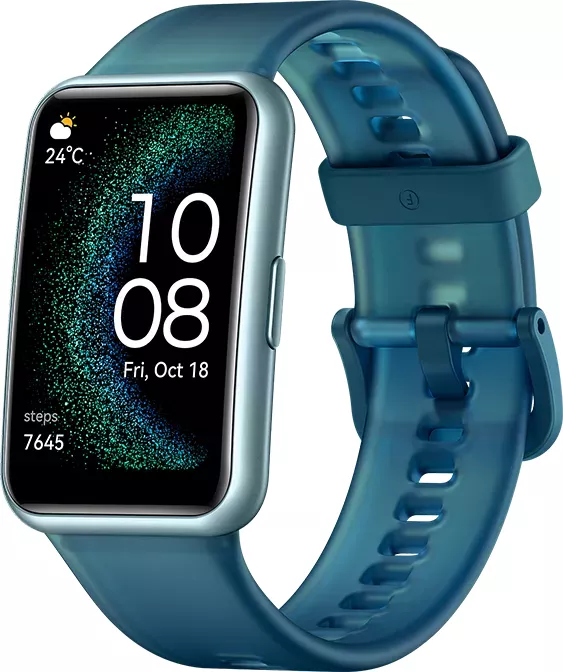
The Huawei Watch Fit Special Edition is a lightweight everyday smartwatch designed to make fitness, wellness, and daily routines easier to follow from your wrist. Its touchscreen interface, side button, and swipe controls provide quick access to workouts, notifications, health insights, weather, alarms, music controls, and more. It pairs with Android, EMUI, and compatible iPhone devices through the Huawei Health app, bringing your phone and watch data together in one place.
Fitness Tracking Made Simple
Whether you prefer walking, running, gym sessions, or a focused training plan, the watch helps you start and review workouts with minimal effort. It records useful exercise details such as duration, distance, calories, heart-rate trends, average heart rate, and heart-rate zones. Training records can be viewed on the watch or explored in greater detail in Huawei Health. Runners can also use the Running Ability Index, or RAI, to track changes in running endurance and efficiency after eligible runs.
Daily activity monitoring keeps the bigger picture visible by tracking steps, active distance, calories, active hours, and moderate-to-high intensity activity. These measurements reset daily, helping users set fresh goals and maintain consistent habits.
Health Features for Everyday Awareness
The Huawei Watch Fit Special Edition includes sleep tracking with Huawei TruSleep, offering information about sleep duration and stages such as deep, light, REM, and awake time. Optional sleep settings can reduce interruptions by automatically limiting alerts while you rest.
Health tools also include SpO2 measurement, continuous or manual heart-rate tracking, resting heart-rate alerts, stress checks, and guided breathing exercises. Automatic SpO2 readings can be enabled during rest, while customizable high and low heart-rate warnings add another layer of awareness. These readings are intended for personal reference and should not replace professional medical advice.
Personal Style and Smart Assistance
Choose from installed watch faces, download additional designs through Huawei Health, or create a gallery-style face using your own images. The Special Edition can even generate style-inspired watch faces from an outfit photo on supported phones. Custom cards let you prioritize information such as sleep, stress, and heart rate.
Useful daily tools include Do Not Disturb scheduling, message notifications, quick SMS replies on supported Android and EMUI phones, weather updates, a flashlight, phone finder, music controls, alarms, and a remote camera shutter. Always On Display is also available, although it may reduce battery life.
Notes
- The watch has 5 ATM water resistance for swimming and everyday water exposure, not diving, hot showers, saunas, or high-pressure water.
- Keep the charging contacts dry and use suitable charging equipment.
- Feature availability can differ by phone platform, system version, and region.
Search for 67,706 Manuals online


Type-in Brand or Model