

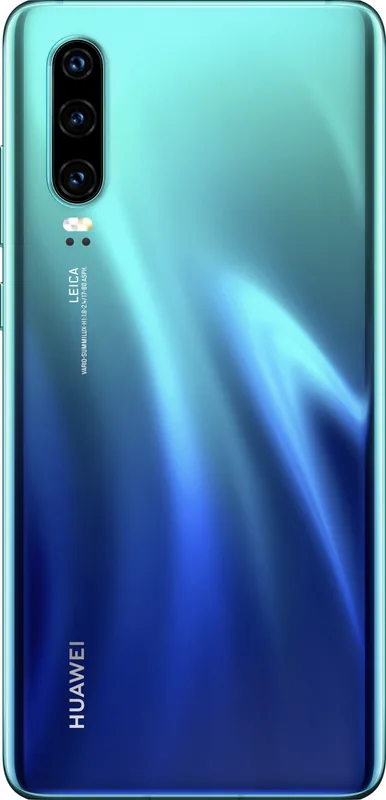
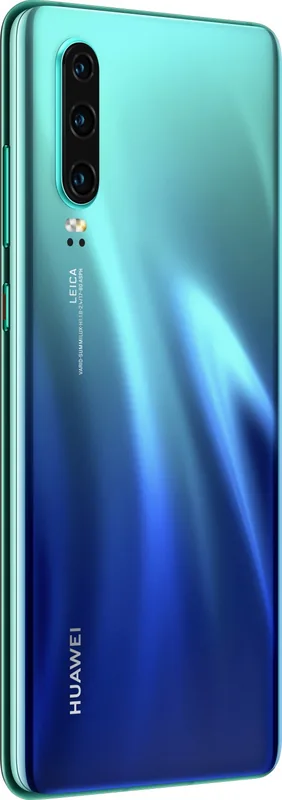
Huawei P30 Manual
PDF manual · 144 Pages
English



Quick check
Incorrect answer, please try again.
Chat with your Huawei P30 manual using AI
Get instant AI answers from your Huawei P30 manual
Ask anything about the Huawei P30. Answers come from this manual, with the pages they are based on.
P30 Maintenance Schedule
The device has an oil-resistant layer that wears out over time. Avoid cleaning products that decrease oil resistance or damage the device.
Ensure anti-virus scan is performed at least once a month. You will be notified if no scan has been done for more than 30 days.
Free maintenance reminders
Timed to your purchase date. Always free, unsubscribe anytime.
Ask a Question
Do you recommend P30?
Yes NoFrequently Asked Questions
HiVision can scan food for nutrition details, read QR codes and barcodes, translate supported text, identify selected objects and artwork, and suggest similar products. Many functions require an internet connection and may not be available in every region.
Is this answer helpful?
It includes Portrait, Panorama, Monochrome, AR Lens, large-aperture, video, and Pro modes. Pro mode allows manual adjustments to ISO, shutter speed, exposure, white balance, and focus, with RAW image saving available for added editing flexibility.
Is this answer helpful?
Yes. Huawei Share can transfer photos, videos, apps, and files wirelessly between compatible Huawei devices. It can also provide access to phone folders from a Windows PC or Mac when both devices are connected to the same network.
Is this answer helpful?
The phone supports a screen-lock password, Face Unlock, fingerprint recognition, App Lock, PrivateSpace, and Password Manager. These tools can help protect device access, private apps, hidden data, and saved sign-in credentials.
Is this answer helpful?
Wi-Fi Calling, also known as VoWiFi, can support voice and video calls through a Wi-Fi network. Availability depends on your mobile carrier, plan, region, and device configuration.
Is this answer helpful?
Use the Optimizer storage cleanup feature to remove cache and unnecessary files. If space remains limited, its deeper cleanup option can identify additional content that may be removed to improve available storage and system performance.
Is this answer helpful?
Advantages and Disadvantages
Advantages

- Versatile camera modes include Portrait, Panorama, Monochrome, AR Lens, large aperture, and Pro controls with RAW support.
- Huawei Share offers cable-free file transfers between compatible Huawei devices and access to shared phone folders on Windows PCs or Macs.
- Face Unlock, fingerprint access, App Lock, PrivateSpace, and Password Manager provide several layers of privacy control.
- HiVision can scan codes, translate text, identify objects, and provide food or shopping information when supported online.
- Flexible connection options include Wi-Fi, NFC, hotspot, Bluetooth and USB tethering, VoLTE, and Wi-Fi Calling.
Disadvantages

- HiVision functions require internet access, and some recognition or translation services are limited by country or region.
- VoLTE, Wi-Fi Calling, dual-SIM capabilities, and other network functions depend on carrier support and device configuration.
- Face Unlock supports only one registered face and may not work after restarts or repeated password inactivity.
- Huawei Share computer access requires the phone and computer to be connected to the same network.
- Some camera modes, settings, and visual effects may vary after software updates or under different shooting conditions.
Product Specification
Operating System
Android 10.0 (via update), Android 9.0 (out of the box)
Display
6.1 in, 2340 x 1080 pixels, 16 million colors, AMOLED, capacitive touchscreen, Gorilla Glass, notch, HDR, 422 ppi
Rear Camera
40.0 MP, f/1.8, phase-detection AF, laser AF, contrast AF, dual-LED flash, video at 2160p/30 fps, video at 720p/960 fps (Camera 1); 16.0 MP, f/2.2, wide-angle lens (Camera 2); 8.0 MP, f/2.4, OIS, telephoto lens (Camera 3)
Front Camera
32.0 MP, f/2.0
Interfaces
USB-C 3.1 (5 Gb/s, OTG), 3.5 mm jack, Wi-Fi 5 (WLAN 802.11a/b/g/n/ac), Bluetooth 5.0 (aptX HD), NFC
Sensors
Accelerometer, gyroscope, proximity sensor, ambient light sensor, compass, fingerprint sensor (display)
SoC
HiSilicon Kirin 980, 64-bit
CPU
2x 2.60 GHz Cortex-A76 + 2x 1.92 GHz Cortex-A76 + 4x 1.80 GHz Cortex-A55
GPU
Mali-G76 MP10
RAM
6 GB
Navigation
A-GPS (L1/L5), GLONASS, BeiDou, Galileo (E1/E5a), QZSS (L1/L5)
Modem
GSM (0.2 Mbps/0.1 Mbps), UMTS (42 Mbps/5.76 Mbps), LTE Cat 21/18 (1,400 Mbps/210 Mbps)
Frequency Bands
2G (850/900/1800/1900), 3G (B1/B2/B4/B5/B6/B8/B19), 4G (B1/B2/B3/B4/B5/B6/B7/B8/B9/B12/B17/B18/B19/B20/B26/B28/B32/B34/B38/B39/B40)
Battery
3,650 mAh, non-removable
Charging Power
22.5 W (Huawei SuperCharge)
SAR Value
0.33 W/kg head, 0.85 W/kg body
Form Factor
Bar
Housing Material
Glass (back), metal (frame)
Dimensions
5.87 x 2.81 x 0.30 in
Weight
5.82 oz
Screen-to-Body Ratio
85.8%
Product Description
Huawei P30 Manual: Explore a Versatile Smartphone Experience
The Huawei P30 combines advanced camera tools, smart connectivity, and practical privacy controls in a sleek everyday smartphone. This Huawei P30 Manual overview highlights the features that help users capture memorable images, organize their digital life, share content efficiently, and tailor the device to their routines.
Creative Camera Features
Photography is a central part of the Huawei P30 experience. The camera offers Portrait mode with adjustable beauty and background blur effects, helping subjects stand out in selfies and group shots. Panorama mode expands the field of view for landscapes and wide selfies, while Monochrome mode emphasizes light, texture, and contrast for expressive black-and-white images.
For users who want more control, Pro mode provides settings for ISO, shutter speed, exposure compensation, white balance, and focus. It can also save RAW images alongside JPG files, giving photography enthusiasts more flexibility during editing. Additional options such as AR Lens, 3D Qmoji, large-aperture effects, camera grids, video recording, and AI-assisted video effects encourage creative experimentation.
Smart Tools for Everyday Tasks
HiVision turns the camera into a useful recognition tool. It can scan food for nutritional details, translate supported languages, read QR codes and barcodes, identify selected objects or artwork, and suggest similar products while shopping. Internet access is required for many of these services, and availability can vary by country or region.
The phone also supports HiSearch for finding apps, contacts, notes, files, and settings quickly. Screen capture tools make it easy to save on-screen information or record tutorials and gameplay. Navigation can be adapted through three-button controls or the floating Navigation Dock for more comfortable one-handed use.
Sharing and Connectivity
Huawei Share enables wireless transfers of photos, videos, apps, and files between compatible Huawei devices. It can also connect with Windows PCs and Macs on the same network, allowing convenient access to phone storage without relying on a USB cable. NFC can simplify pairing and connections with nearby compatible devices, while USB modes support file transfer, photo transfer, charging, and MIDI input.
Wi-Fi, mobile data sharing, personal hotspot options, Bluetooth tethering, and USB tethering add flexibility when connecting other devices. VoLTE and Wi-Fi Calling support clearer calling and simultaneous data use when offered by the network provider.
Privacy, Security, and Personalization
Face Unlock and fingerprint recognition provide quick access while supporting protected features such as App Lock. PrivateSpace offers a separate, hidden area for sensitive apps and data. Password Manager can store and autofill supported app credentials after secure verification.
Notes: Use a strong screen-lock password, keep software updated, and use the original charger and cable for reliable charging. Features, network services, and availability may depend on your region, carrier, and software version.
Search for 67,706 Manuals online


Type-in Brand or Model