
Huawei HiLink CarFi Manual
PDF manual · 84 Pages
English



Quick check
Incorrect answer, please try again.
Chat with your Huawei HiLink CarFi manual using AI
Get instant AI answers from your Huawei HiLink CarFi manual
Ask anything about the Huawei HiLink CarFi. Answers come from this manual, with the pages they are based on.
Ask a Question
Do you recommend HiLink CarFi?
Yes NoFrequently Asked Questions
It turns a car into a mobile Wi‑Fi hotspot and can also power small devices through its USB port. It is designed for travel, commuting, and in-car connectivity.
Is this answer helpful?
Insert a micro‑SIM card, plug the device into the car’s 12 V socket, hold the power button to turn it on, then connect your phone or tablet to the Wi‑Fi network it creates.
Is this answer helpful?
The default SSID and Wi‑Fi password are printed directly on the device. If you changed the password before, use the updated one instead.
Is this answer helpful?
The network light shows startup, weak signal, strong signal, or update status. The message light shows whether messages are unread, the inbox is full, or there are no messages.
Is this answer helpful?
Yes. It includes a USB port that can supply 5 V, 1 A power, which is suitable for charging or supporting smaller devices while you are on the road.
Is this answer helpful?
No. If no device connects within 30 minutes, the internet sharing function is disabled. If it remains unused for 2 hours, the unit shuts down automatically.
Is this answer helpful?
It should be used responsibly. Avoid extreme heat, moisture, dusty areas, flammable locations, and places where wireless devices are restricted, such as some medical or aircraft environments.
Is this answer helpful?
Advantages and Disadvantages
Advantages

- Easy plug-and-play setup through the 12 V car socket and micro-SIM card.
- Provides both Wi‑Fi internet access and USB charging in one compact device.
- Status lights give clear, at-a-glance feedback for network, messages, and updates.
- Automatic shutdown and idle-network behavior help reduce unnecessary power use.
Disadvantages

- Depends on SIM coverage, so performance changes with mobile signal quality.
- USB output is limited to 5 V, 1 A, which is not ideal for faster charging needs.
- Connection stops being active when no devices are linked for a period of time.
- Safety rules limit use in extreme temperatures, wet areas, and other risky environments.
Product Specification
Modem
GSM (850/900/1800/1900), UMTS (900/2100), LTE (B1/B3/B7/B8/B20)
Network Standards
GPRS, EDGE, HSDPA, HSUPA, HSPA+
Bandwidth
150Mbps/50Mbps (LTE), 42Mbps/5.76Mbps (UMTS)
Interfaces
Wi-Fi 4 (WLAN 802.11b/g/n), 1x USB
Dimensions
3.46x2.32x1.93in
Weight
0.11lb
SIM Form Factor
Micro-SIM
Power Supply
Battery operation (1900mAh)
Special Features
Hotspot (10 Devices), Antenna connector (Mobile)
Product Description
Huawei HiLink CarFi Manual: Mobile Connectivity for the Road
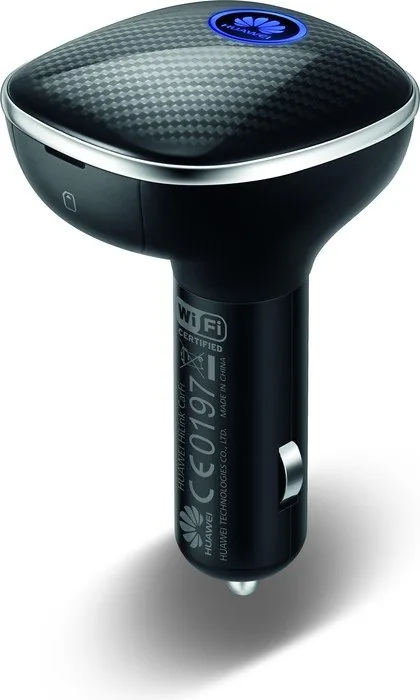
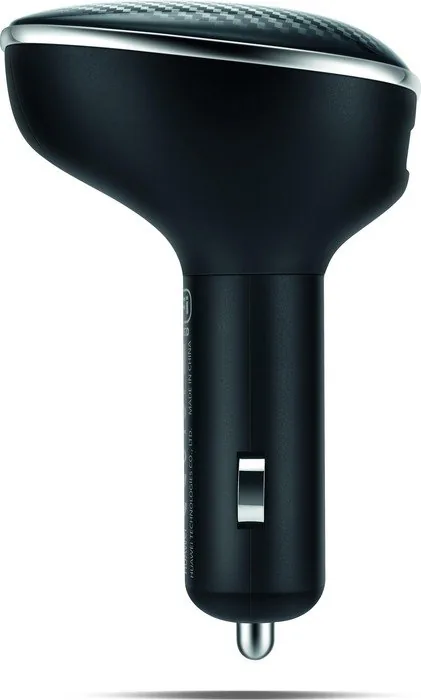
The Huawei HiLink CarFi is a practical way to turn a car into a small on-the-go Wi‑Fi hub. It plugs into the vehicle’s 12 V cigarette lighter socket, uses a micro‑SIM card for mobile data, and creates a wireless network for phones, tablets, handheld consoles, and other Wi‑Fi devices. For drivers who need dependable internet during commutes, road trips, or delivery routes, this compact device offers a simple and familiar setup.
What makes it useful
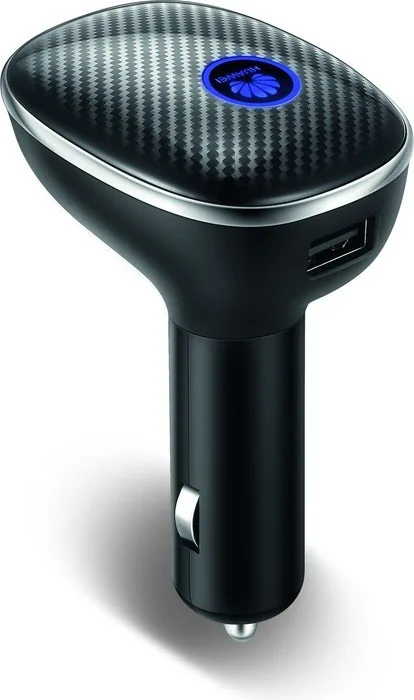
At its core, the Huawei HiLink CarFi Manual highlights a device that does two jobs well: it shares internet and provides USB power. The USB port can supply 5 V, 1 A, which is convenient for keeping smaller devices topped up while traveling. That makes it more than just a hotspot; it is also a lightweight in-car power helper.
The setup process is straightforward. Insert the micro‑SIM card, plug the unit into the 12 V socket, hold the power button, and connect to the newly created Wi‑Fi network using the printed SSID and password. The CarFi connects automatically to the mobile network, so there is little configuration required once the SIM is active.
Everyday convenience and status feedback
One of the most helpful details is the set of indicator lights. The network light shows whether the device is starting, disconnected, weakly connected, strongly connected, or updating. The message indicator also gives quick feedback on inbox status. These signals make it easier to understand what the device is doing without opening any menu.
The text also shows that Huawei designed the CarFi with efficiency in mind. If no devices connect for 30 minutes, it disables internet sharing. After 2 hours without use, it shuts down automatically. This helps reduce unnecessary battery and data usage while the car is parked.
Who it suits best
This product is ideal for travelers, families, and professionals who spend a lot of time in the car and want stable mobile connectivity. It is especially useful when multiple passengers need internet access or when a driver wants a quick charging option for a phone or navigation device.
Notes
- Strong 3G/LTE signal means better performance.
- Default Wi‑Fi details are printed on the device.
- Use approved accessories and follow safety guidance.
- Avoid hot, wet, or poorly ventilated environments.
Search for 67,732 Manuals online


Type-in Brand or Model