
HPE Aruba Instant On AP25 Manual
PDF manual · 13 Pages
English



Quick check
Incorrect answer, please try again.
Chat with your HPE Aruba Instant On AP25 manual using AI
Get instant AI answers from your HPE Aruba Instant On AP25 manual
Ask anything about the HPE Aruba Instant On AP25. Answers come from this manual, with the pages they are based on.
Ask a Question
Do you recommend Instant On AP25?
Yes NoFrequently Asked Questions
The AP25 supports the latest Wi-Fi 6 (802.11ax) standard alongside legacy protocols including 802.11a, b, g, n, and ac. This ensures compatibility with a wide range of existing devices while providing future-proof speeds.
Is this answer helpful?
Yes, you can power the AP25 using a dedicated DC power adapter. If both PoE and DC power are available, the device will prioritize the DC source but will switch to PoE if the DC connection fails.
Is this answer helpful?
You can reset the device by holding the reset button for more than 10 seconds during normal operation. Alternatively, hold the button while connecting power and release after 15 seconds.
Is this answer helpful?
No, the AP25 is designed strictly for indoor use. Placing it outdoors may void warranties and expose the hardware to environmental damage not covered by its operating specifications.
Is this answer helpful?
While the mounting bracket is included, you must provide your own wall anchors and screws suitable for your specific wall material. The kit does not include these fasteners.
Is this answer helpful?
Management is handled through the Aruba Instant On mobile application available on iOS and Android, or via the web-based Instant On Portal accessible from any browser.
Is this answer helpful?
Advantages and Disadvantages
Advantages

- Supports high-performance Wi-Fi 6 with 2x2 and 4x4 MIMO configurations
- Flexible power options including PoE and DC adapter support
- Intuitive LED status indicators simplify troubleshooting and monitoring
- Compatible with both ceiling rail and wall mounting systems
- Easy setup via mobile app or web portal without complex controllers
Disadvantages

- Requires careful placement to avoid signal interference from metal and water
- Mounting screws and anchors are not included in the standard package
- DC power takes priority which may limit PoE usage in dual-power scenarios
- Limited to indoor use in certain frequency bands for regulatory compliance
- Reset procedure requires precise timing and physical access to the button
Product Specification
LAN
1x 2.5GBase-T (PoE+ PD)
Wireless
WLAN 802.11a/b/g/n/ac/ax (Wi-Fi 6), simultaneous
Data Rate
574Mbps (2.4GHz), 4804Mbps (5GHz)
Security
WPA2, WPA3
Antennas
Internal
Ports
N/A
Power Consumption
Not specified (operational consumption), 20.1W (max.)
Dimensions
7.87x7.87x1.77 inches
Features
MU-MIMO, VLAN, Bluetooth 5.0, Bluetooth LE, Roaming, Mesh
Band Capability
Dual Band (simultaneous), Mesh
Manufacturer Warranty
Two years
Data Rate 802.11ax (Wi-Fi 6 / Wi-Fi 6E) 2.4GHz
574Mbps (Spatial Streams: 2x2, Bandwidth: 40MHz, Modulation: 1024-QAM)
Data Rate 802.11ax (Wi-Fi 6 / Wi-Fi 6E) 5GHz
4804Mbps (Spatial Streams: 4x4, Bandwidth: 160MHz, Modulation: 1024-QAM)
Note
Data rate specification for 802.11ax at 2.4GHz and 5GHz (802.11ax (2.4GHz) 2x2 40MHz 1024-QAM: 574Mbps, 802.11ax (5GHz) 4x4 160MHz 1024-QAM: 4804Mbps).
Note #2
In some cases, the manufacturer's maximum power consumption figure only reflects the maximum output power of the power supply and is therefore not a meaningful indicator of everyday electricity usage.
Product Description
Unlock High-Speed Connectivity with the HPE Aruba Instant On AP25
The HPE Aruba Instant On AP25 represents a significant leap in wireless networking technology, designed to deliver robust Wi-Fi 6 performance for modern environments. By leveraging advanced MIMO radios, specifically 2x2 at 2.4 GHz and 4x4 at 5 GHz, this access point ensures high-speed data transmission that adheres to the 802.11ax standard. It maintains backward compatibility with older standards like 802.11a/b/g/n/ac, making it a versatile choice for mixed-device networks.
Seamless Installation and Management
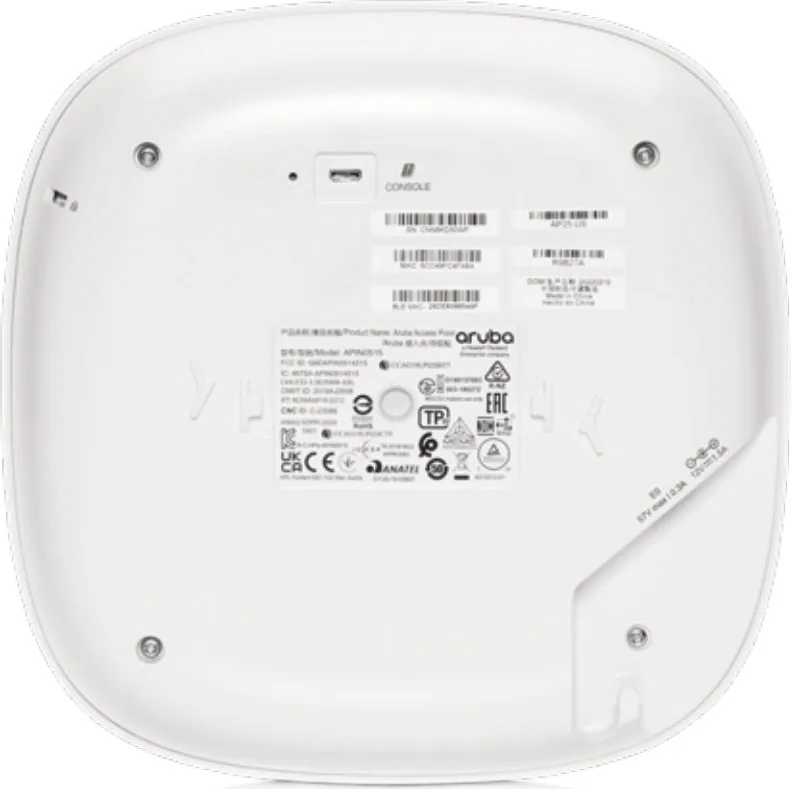
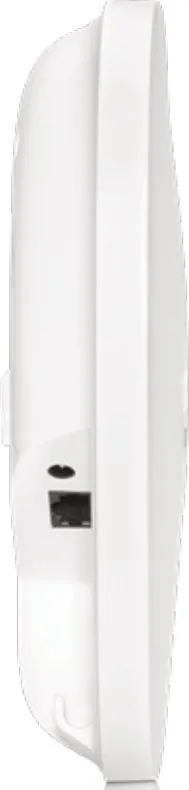
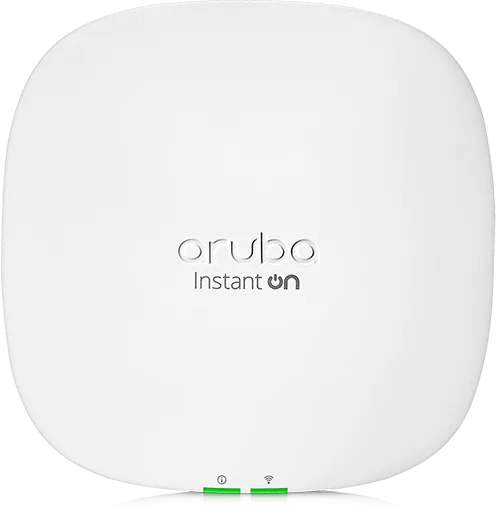
Setting up the AP25 is an intuitive process tailored for both ceiling rails and solid surfaces. The package includes a mounting bracket, an Ethernet cable, and potentially a power adapter depending on your specific order configuration. The device features a dedicated Kensington lock slot for physical security and a cable clamp to keep Ethernet cables organized. Status is easily monitored via two distinct LEDs that indicate system and radio health, guiding users through startup, setup readiness, or potential issues without needing complex software initially.
Intelligent Power Options
Flexibility is key to the AP25 design. It supports Power over Ethernet (PoE) via 802.3at sources, allowing for clean installations without local power outlets. If PoE is unavailable, a direct DC power connection using the included adapter works seamlessly. The unit intelligently prioritizes DC power when both sources are present but switches to PoE automatically if the primary source fails, ensuring continuous uptime. A reset button located on the underside allows for easy factory resets either during operation or while powering on the device.
Optimized Placement for Maximum Range
To achieve optimal performance, placement is critical. Users should avoid placing the AP near known signal dampers like thick concrete walls, water-filled aquariums, or metal structures that reflect signals. Interference from microwaves and cordless phones should also be considered during the planning phase. Once installed, the device can be managed effortlessly through the Aruba Instant On mobile app or web portal, streamlining network administration for small to medium businesses.
Important Notes
- Always ensure the device is grounded properly according to local electrical codes.
- Maintain a minimum distance of 20 cm from portable radio communication devices.
- Use only manufacturer-approved accessories to prevent electromagnetic interference.
Search for 67,706 Manuals online


Type-in Brand or Model