
HOZO NeoRuler N01 Manual
PDF manual · 2 Pages
English



Quick check
Incorrect answer, please try again.
Chat with your HOZO NeoRuler N01 manual using AI
Get instant AI answers from your HOZO NeoRuler N01 manual
Ask anything about the HOZO NeoRuler N01. Answers come from this manual, with the pages they are based on.
Ask a Question
Do you recommend NeoRuler N01?
Yes NoVideo Manual
HOZO Design NeoRuler Digital Scale Smart Ruler - Unboxing, Review, & How-To
Frequently Asked Questions
NeoRuler includes 93 built-in scales across eight modes, covering metric, various architectural/map scales, and 52 US standard scales to accommodate a wide range of measurement needs.
Is this answer helpful?
When the calibration notification appears, move the NeoPointer left as instructed until calibration completes, then press any button to return to the main menu. Regular calibration ensures accurate scaled measurements.
Is this answer helpful?
Yes. The Divider accessory and custom-scale feature let you measure a graphic length and input its actual distance to create a custom scale. You can divide a measured section into 2–12 equal parts and adjust digits/units manually.
Is this answer helpful?
NeoRuler supports Bluetooth for sending measurements to the free MEAZOR app (iOS and Android). The app offers data transfer, list mode, drawing, and advanced scale customization.
Is this answer helpful?
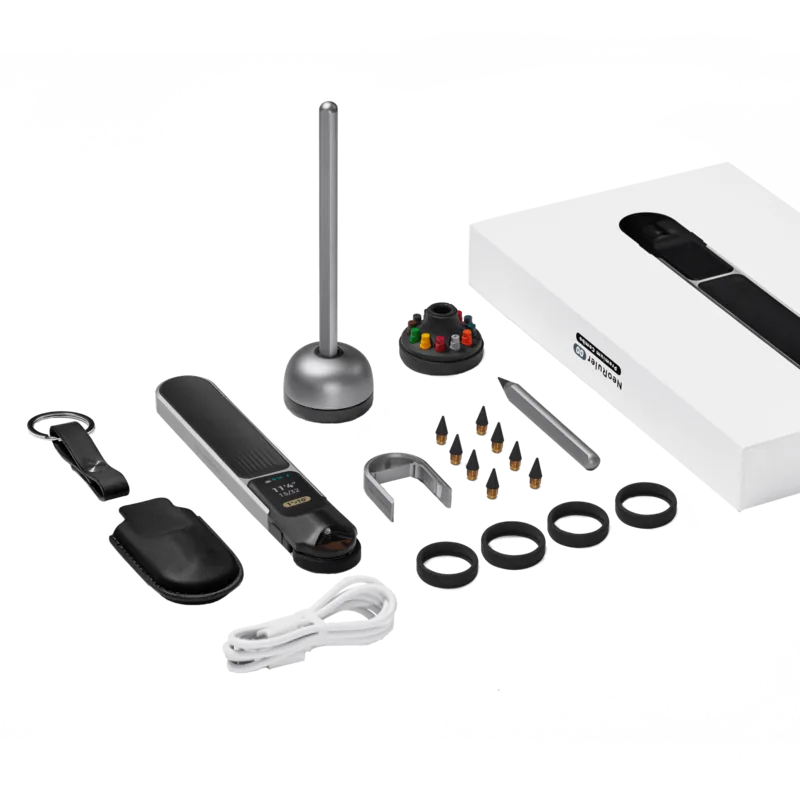
Available accessories include penholders, caliper kits, magnifiers, and alternate pointers. To replace, place the NeoRuler flat, gently push the pointer forward to remove the module, and snap the new accessory into the slot.
Is this answer helpful?
HOZO Design provides a one-year limited warranty for manufacturing defects. It excludes damage from misuse, unauthorized disassembly, missing/altered proof of purchase, force majeure, normal wear, or battery damage from improper charging.
Is this answer helpful?
The NeoRuler charges via a USB-C port and shows a charging light. Power settings include auto-sleep and a performance mode (prevents standby). Battery life varies with usage and whether performance mode is active; follow charging instructions to avoid battery damage.
Is this answer helpful?
Advantages and Disadvantages
Advantages

- Wide selection of 93 built-in scales across metric, US, and specialty modes.
- Modular snap-design allows easy replacement of sliders and accessories.
- Bluetooth + MEAZOR app enables data transfer, drawing, and extended features.
- USB-C charging and configurable sleep/performance modes for flexible power use.
- Divider and custom-scale functions support precise sectioning and tailored scales.
Disadvantages

- Many useful accessories are sold separately, adding to total cost.
- Learning curve for switching modes, custom scales, and calibration steps.
- Warranty excludes damage from misuse and normal wear, so replacements may cost.
- Performance mode prevents auto-sleep, which can drain battery during long use.
- Some advanced features require the companion app and Bluetooth connectivity.
Product Specification
Material
Aluminum, Stainless Steel, Plastic
Measuring Units
in, in
Measuring Range
12.01in, 12in
Accuracy
±0.004in
Display
yes
Special Features
Charge status indicator, Automatic shutdown after 2h (adjustable), Memory function, USB-C, Marking aid
Smart Home
App control (Bluetooth)
Power Supply
Battery operation (1.0Ah)
Dimensions
12.99x1.69x0.39in (WxHxD)
Weight
0.41lb
Product Description
HOZO NeoRuler Digital-Maßstab Manual
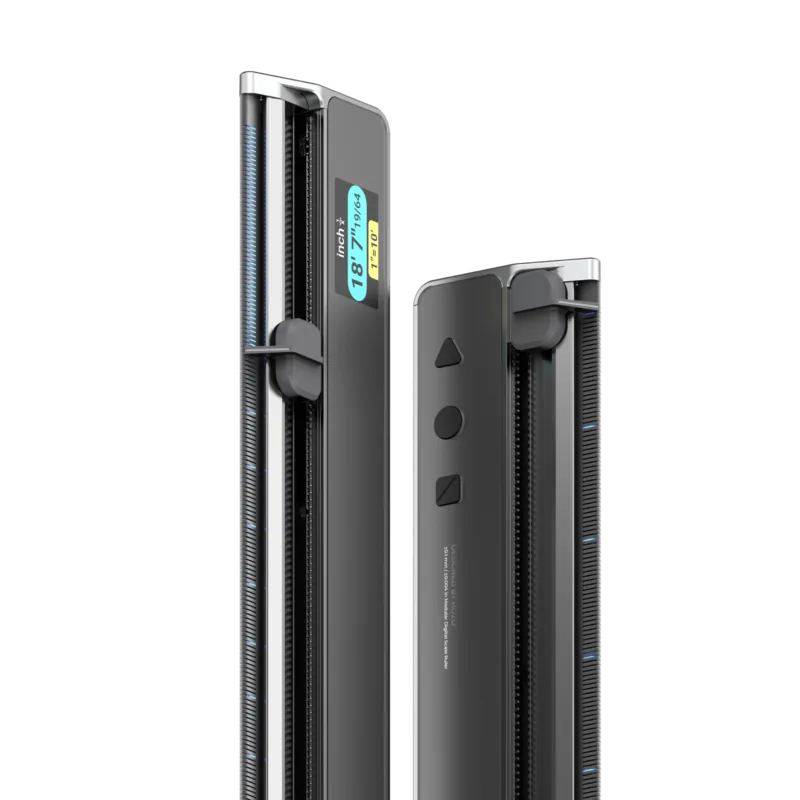
The HOZO NeoRuler is a compact, versatile digital measuring tool designed for designers, architects, hobbyists, and professionals who need accurate scaled measurements. This intelligent ruler features an LED-marked slider (NeoPointer), a digital display, USB-C charging, Bluetooth connectivity, and a companion app to extend functionality. With a modular snap design, the slider and accessories can be swapped quickly to match specific tasks, making it adaptable for diverse measuring scenarios.
Key features and how it works
The NeoRuler offers 93 built-in scales across eight scale modes, covering metric and US-standard systems and numerous architectural and map scales. Users select a default scale mode and can toggle scale spacing via the device buttons. The LED marks indicate measured intervals while the distance indicator shows the scaled length between marks. The device includes sleep and power-off timers, calibration prompts, and a NeoPointer for fine adjustments.
Operation is straightforward: power on, choose the scale mode, calibrate when prompted by moving the NeoPointer, and measure. A dedicated switch lets you change between length, scale sets, and units. The divider accessory enables dividing a measured graphic length into 2–12 equal sections and supports manual input of the real-world distance to generate a custom scale.
Connectivity and app integration
Bluetooth lets you send measurements to the free MEAZOR app (iOS/Android). The app supports data transfer, list mode, drawing, and advanced scale customization. The NeoRuler can operate in a performance mode that prevents auto-sleep for extended sessions. Firmware and accessory info are available through HOZO Design resources.
Accessories and modularity
Accessories such as penholders, caliper kits, magnifiers, and alternate pointers are available separately and attach via a snap-in modular slot. Replacement is simple: lay the device flat and slide the module out before inserting the new accessory.
Support and warranty
HOZO Design provides a one-year limited warranty covering manufacturing defects. Exclusions include misuse, unauthorized disassembly, missing proof of purchase, altered serial numbers, force majeure, normal wear, or battery damage from improper charging. For repairs or support, contact [email protected] or use the online contact form.
Notes
- The MEAZOR app is free for lifetime use and enhances data handling and visualization.
- Ensure calibration when prompted for accurate scaled readings.
- Many accessories are sold separately; check compatibility before purchase.
Search for 67,706 Manuals online


Type-in Brand or Model