
House of Marley Liberate Air Manual
PDF manual · 4 Pages
English



Quick check
Incorrect answer, please try again.
Chat with your House of Marley Liberate Air manual using AI
Get instant AI answers from your House of Marley Liberate Air manual
Ask anything about the House of Marley Liberate Air. Answers come from this manual, with the pages they are based on.
Liberate Air Maintenance Schedule
Remove old eargels by prying down and replace with new ones by pressing upward onto the nozzle.
Contact Customer Services for warranty or out-of-warranty replacement details if the battery fails.
Ask a Question
Do you recommend Liberate Air?
Yes NoDo you recommend Liberate Air?
Yes NoFrequently Asked Questions
Open the charging case with earbuds seated to enter pairing mode. In your device Bluetooth menu select “Liberate Air L” or “Liberate Air R,” then accept any additional headset pairing requests. The earbuds will remember the last paired device.
Is this answer helpful?
Tap the case to display the battery LEDs. One LED indicates ~25%, two LEDs ~50%, three LEDs ~75%, and four LEDs mean the case is fully charged.
Is this answer helpful?
Double-tap a single earbud to play/pause (right bud) or answer/end calls. Triple-tap the right bud to skip forward and triple-tap the left bud to skip back. Double-tap also activates your device voice assistant.
Is this answer helpful?
Place the earbuds in the case, close the lid, then open it and hold the case MFB for six seconds to clear memory. LEDs will flash red and white. Alternatively use your device’s Bluetooth settings and select “Forget This Device.”
Is this answer helpful?
Solid red on earbuds indicates charging; solid white indicates full charge. LEDs on the case show battery tiers. Rapid blinking typically signals low power or pairing mode depending on context.
Is this answer helpful?
Yes. The Liberate Air supports mono mode and master/slave switching automatically when one earbud is placed in the case; the remaining bud becomes master for single-ear listening.
Is this answer helpful?
Follow local regulations for battery disposal. The product carries WEEE and battery disposal notices—do not discard with household waste; use designated collection and recycling points to protect the environment.
Is this answer helpful?
Advantages and Disadvantages
Advantages

- Automatic pairing when opening the magnetic charging case for quick setup.
- Master/slave switching and separate L/R pairing names enable flexible mono/stereo use.
- USB-C charging with four-LED battery indicator provides clear charge status.
- Simple tap controls for playback, calls, and voice assistant access.
- Multiple eargel sizes for improved fit and passive comfort.
Disadvantages

- Basic tap controls may mis-trigger with accidental touches during activity.
- No active noise cancellation—relies on passive isolation from tips.
- Battery is internal; official replacement requires customer service support.
- Limited advanced app or codec features compared with higher-end models.
- Two pairing entries (L and R) can confuse less technical users during setup.
Product Specification
Type
Earphones (In-Ear)
Form Factor
True Wireless, no ear hooks
Acoustic design
closed
Microphone
integrated
Wireless
Bluetooth 5.0, aptX
Control
Touch Control
Battery life
9h, 32h (with charging case)
Battery
USB-C charging port, charging case (500mAh), 2h charging time
Frequency range
20Hz-20kHz
Impedance
16Ω
Sensitivity
103dB
Driver
0.22 in
Device features
water-resistant (IPX4)
Color
black, brown
Weight
0.02 lb (per earbud), 0.13 lb (charging case)
Product Description
House of Marley Liberate Air — Compact True Wireless Earbuds
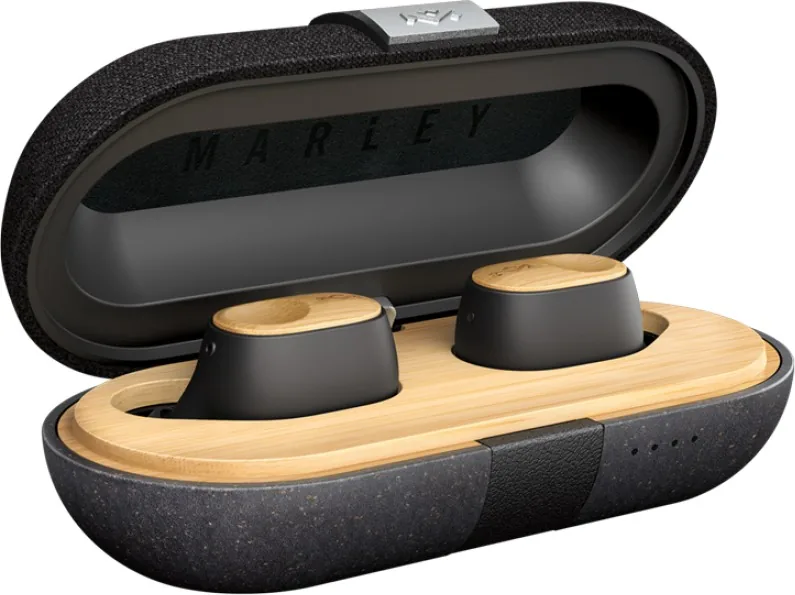
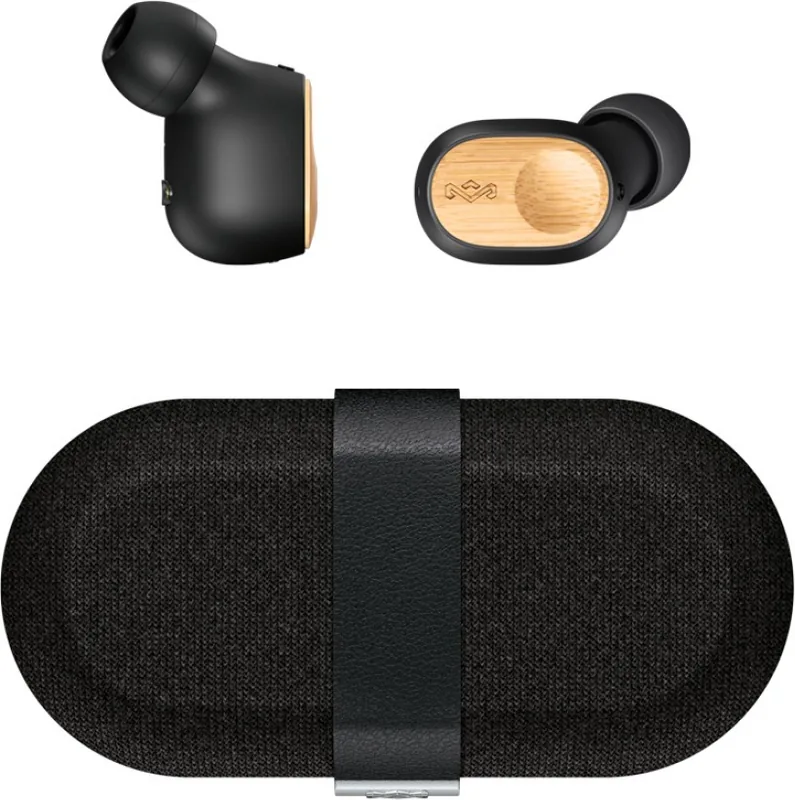
The House of Marley Liberate Air offers a straightforward, eco-conscious take on true wireless earbuds with practical features focused on everyday use. These compact earbuds prioritize reliable Bluetooth pairing, a portable charging case, and simple tap controls for playback, calls, and voice assistants. Built with the brand’s sustainable ethos, they pair well with active lifestyles and casual listening.
Key Features and User Experience
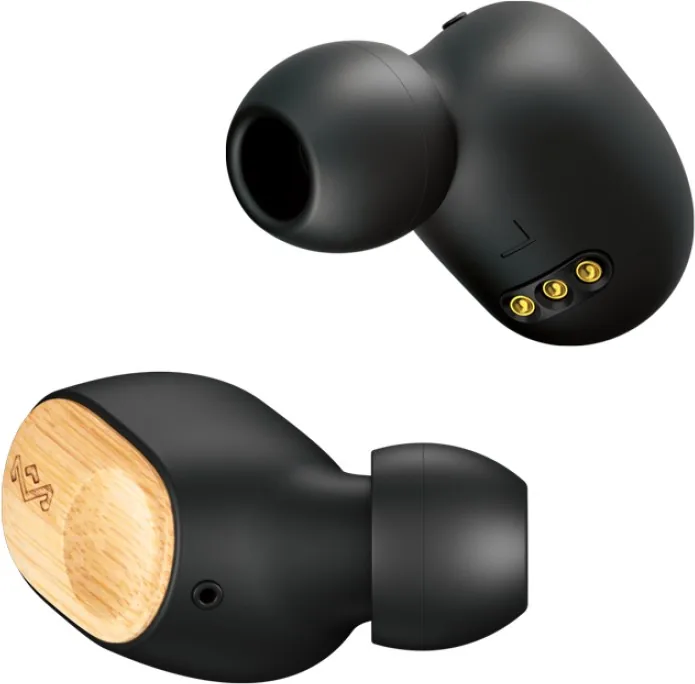
Opening the magnetic charging case automatically triggers pairing mode when earbuds are seated inside, making initial setup quick. The earbuds present two Bluetooth pairing names (Liberate Air L and Liberate Air R) to support master/slave switching between left and right buds for flexible mono or stereo use. A USB-C port on the case provides efficient charging and a four-LED battery indicator shows charge levels from 25% to 100%.
Controls are tap-based: double-tap engages voice assistants (Siri, Google Assistant), answers or ends calls, and toggles play/pause (right bud). Triple taps skip tracks forward or backward. A force-pair button and a memory-clear function allow re-pairing or removing stored devices when needed. If battery runs low, audible tones warn users and LEDs indicate charging status (solid red while charging, solid white when full).
The Liberate Air supports TWS pairing, mono mode, and automatic master handover when one bud is placed in the case. Eargel and tip sets in multiple sizes ensure a customizable fit. The design emphasizes convenience: intuitive in-ear insertion, magnetized case closure, and portable power for on-the-go listening.
Durability, Compliance, and Safety
The earbuds include a rechargeable battery intended to last the product’s lifetime; official battery replacement is handled via customer service. The product meets regulatory standards (FCC, ISED/IC, EU directives) and includes guidance on safe disposal of batteries and electronic waste under WEEE. Users are cautioned against prolonged high-volume listening to protect hearing.
Notes
- Case LEDs indicate battery tiers: one to four LEDs for 25%–100%.
- Tap controls vary by left/right bud for track navigation and call handling.
- To clear pairing memory hold the case MFB for six seconds; LEDs will flash red/white.
- Follow local regulations for battery and electronic waste disposal.
Search for 67,732 Manuals online


Type-in Brand or Model