
Hoover H-Purifier 300 HHP30C Manual
PDF manual · 12 Pages
English



Quick check
Incorrect answer, please try again.
Chat with your Hoover H-Purifier 300 HHP30C manual using AI
Get instant AI answers from your Hoover H-Purifier 300 HHP30C manual
Ask anything about the Hoover H-Purifier 300 HHP30C. Answers come from this manual, with the pages they are based on.
H-Purifier 300 HHP30C Maintenance Schedule
Press and hold the CO Alert button for 3 seconds to test the alarm. It should ring loudly for 5 seconds.
The expected lifetime of the CO sensor is 5 years. Contact an authorized service engineer to replace it after this time.
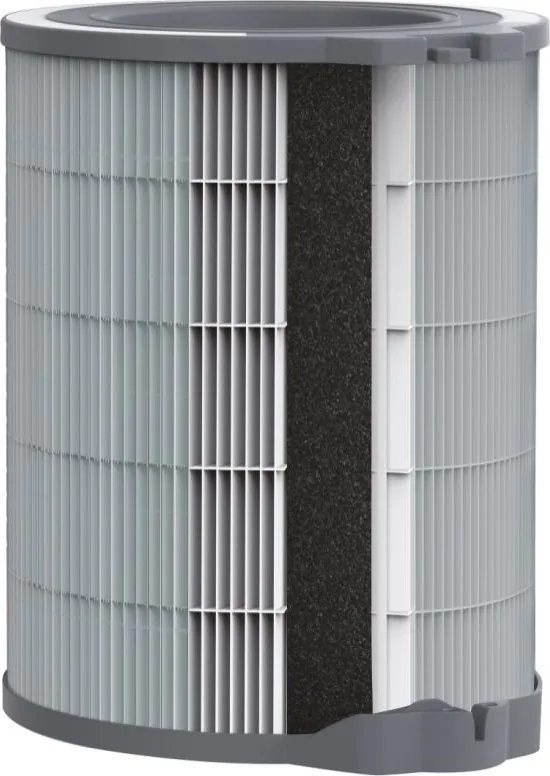
Use a vacuum cleaner to clean the external mesh on the filter assembly when the Filter Cleaning button turns yellow.
Replace with a new filter when the Filter Replacement button turns yellow. Reset the alert by holding the button for 3 seconds.
Free maintenance reminders
Timed to your purchase date. Always free, unsubscribe anytime.
Ask a Question
Do you recommend H-Purifier 300 HHP30C?
Yes No
Thomas Weber
7 months ago
Why can't I connect my H-Purifier 300 to my office network if it only supports 2.4 GHz?
Frequently Asked Questions
No, you should not use the appliance in wet surroundings such as bathrooms, toilets, or directly above sinks where water splashes or condensation may occur.
Is this answer helpful?
When the Filter Cleaning button turns yellow, the outer layer needs vacuuming. After cleaning, hold the button for three seconds to reset the alert.
Is this answer helpful?
The alarm will ring loudly at 85-110dB, and the LED ring will flash red. You must open windows, evacuate, and call emergency services if symptoms persist.
Is this answer helpful?
No, the Pollen Allergy mode can only be activated and managed through the hOn mobile application using a registered profile.
Is this answer helpful?
The expected lifetime of the CO sensor is five years. After this period, it must be replaced by a qualified technician to ensure safety.
Is this answer helpful?
No, it is a supplemental device. It should not replace recognized standard-certified carbon monoxide alarms required by local legislation.
Is this answer helpful?
Advantages and Disadvantages
Advantages

- Integrated Carbon Monoxide detection with audible alarms and visual alerts
- Multi-sensor system monitors PM10, PM2.5, VOCs, and CO simultaneously
- Smart connectivity via hOn app for remote control and pollen tracking
- Three operational modes including energy-efficient Auto and quiet Sleep
- Clear visual indicators for filter maintenance and air quality status
Disadvantages

- Pollen Allergy mode requires activation through the mobile app only
- CO sensor has a limited lifespan of five years and requires replacement
- Cannot be used as a substitute for certified standalone CO alarms
- Requires specific Wi-Fi standards (802.11 b/g/n) for full functionality
- Not suitable for wet environments like bathrooms or kitchens due to humidity
Product Specification
Color
white, gray
Recommended Room Size
up to 1076 sq ft
Power Levels
yes
Air Circulation
1024 cu ft/h
Filtration
3-stage, HEPA Filter (H13, 99.95%), Activated Carbon Filter, Pre-filter
Features
LED Lighting, Night Mode, Auto On, Air Quality Monitoring (Dust, Pollen, CO2)
Smart Home
App Control
Dimensions
11x20.5x12.4 in (WxDxH)
Weight
13.89 lbs
Product Description
Discover the Hoover HHP30C Air Purifier 300: Your Guide to Cleaner Living
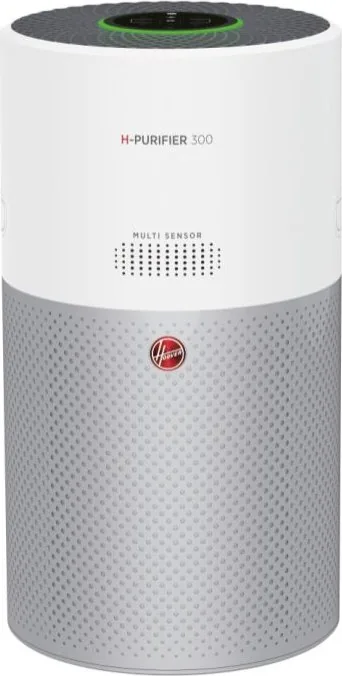
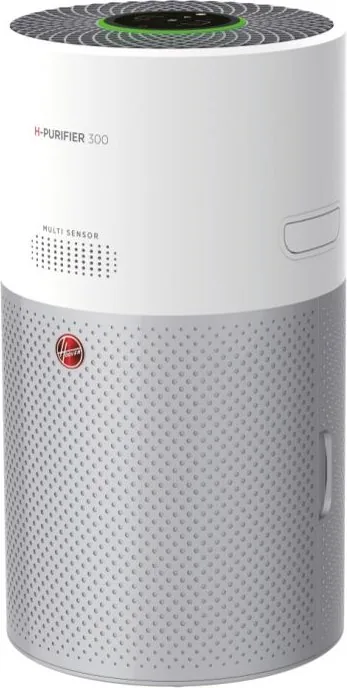
The Hoover HHP30C Air Purifier 300 represents a significant leap forward in home air quality management. Designed specifically for private household use, this appliance goes beyond simple filtration by integrating advanced multi-sensor technology. It continuously monitors your indoor environment for PM10, PM2.5, volatile organic compounds, and critically, carbon monoxide levels. This comprehensive approach ensures that you are not just removing dust and allergens but also protecting your family from invisible gaseous threats.
One of the standout features of the HHP30C is its intelligent CO monitoring system. Unlike standard purifiers, this unit includes a dedicated alert mechanism that sounds an audible alarm and flashes red lights if dangerous levels of carbon monoxide are detected. The sensor provides real-time status updates through color-coded LED rings, ranging from green for excellent air quality to red for very poor conditions. This transparency allows users to make informed decisions about ventilation and safety immediately.
Operation is streamlined through three distinct modes: Auto, Max, and Sleep. In Auto mode, the device automatically adjusts fan speed based on current air quality, even entering an energy-saving ECO mode when the air is clean. For rapid purification, Max mode pushes the motor to its highest power setting. Meanwhile, Sleep mode ensures quiet operation with dimmed lights, perfect for nighttime use without disturbing rest. Additionally, the unit offers connectivity via the hOn app, enabling remote control and access to specialized Pollen Allergy profiles that sync with outdoor data to maximize allergen capture during high-risk seasons.
Maintenance is straightforward thanks to clear visual alerts. The system distinguishes between filters needing cleaning and those requiring replacement, guiding users through simple steps like vacuuming the outer mesh or swapping in a new genuine Hoover filter. With its robust build, child lock feature, and compliance with strict European safety directives, the Hoover HHP30C Air Purifier 300 is an essential tool for maintaining a safe, breathable home environment.
Search for 67,706 Manuals online


Type-in Brand or Model
Anna Mueller
6 months ago
Does the personal allergy profile feature in the app work correctly, and is there a history timeline for air quality changes?
Manual.ly
6 months ago
Thank you for your inquiry. Regarding the personal allergy profile, we are aware that some users have experienced difficulties setting this up during initial configuration. Our development team is actively working on updates to resolve these compatibility issues. As for the historical timeline of particle changes, this feature is currently not available in the standard app version. However, the device does provide real-time air quality visualization through color-coded indicators (green, yellow, orange, red) on both the unit's LED ring and the app interface. We recommend keeping the app updated to ensure you receive the latest features as they become available.