
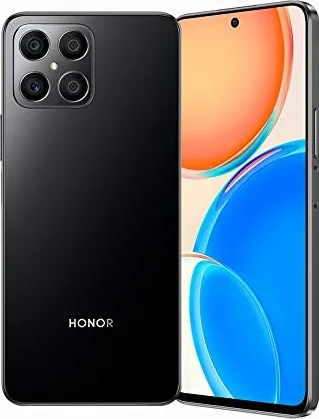
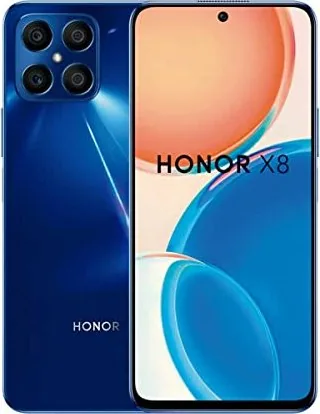
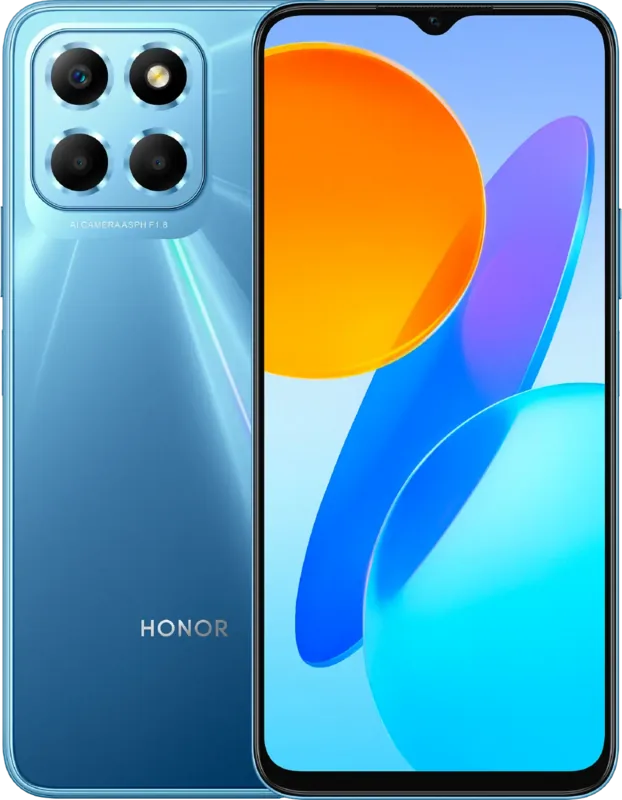
Honor X8 Manual
PDF manual · 80 Pages
English



Quick check
Incorrect answer, please try again.
Chat with your Honor X8 manual using AI
Get instant AI answers from your Honor X8 manual
Ask anything about the Honor X8. Answers come from this manual, with the pages they are based on.
Ask a Question
Do you recommend X8?
Yes NoFrequently Asked Questions
Use the Device Clone app found in Settings or the Apps menu. Select your new device as 'This is the new device' and choose the source type (Honor, Other Android, or iPhone). Follow the on-screen instructions to connect via code or manual connection, then select the data you wish to transfer.
Is this answer helpful?
Yes, you can enable Knuckle Screenshot in Accessibility features. Knock twice quickly to capture the whole screen, draw an 'S' to capture a scrolling page, or hold to draw a shape for a partial screenshot. Three-finger swipes are also supported if enabled.
Is this answer helpful?
HONOR Share is a wireless technology that uses Bluetooth and Wi-Fi Direct to transfer files like images, videos, and documents between nearby devices without using mobile data. It also supports one-touch printing for compatible printers.
Is this answer helpful?
Enable Eye Comfort Mode in Display & Brightness settings to reduce blue light and warm the screen colors. You can set a schedule for automatic activation or adjust the filter level manually. Dark Mode is also available to reduce overall screen stimulation.
Is this answer helpful?
Yes, you can make emergency calls directly from the lock screen even if there is no signal or SIM card inserted, subject to local regulations and network availability. Access the emergency dialer from the lock screen password entry area.
Is this answer helpful?
Go to Settings > Mobile Network > SIM Management. Here you can name your SIMs, enable or disable them individually, and set default SIMs for mobile data and calling. You can also configure call forwarding between the two SIM cards.
Is this answer helpful?
Advantages and Disadvantages
Advantages

- Advanced AI Photography with Pro Mode for manual control
- Effortless data migration with Device Clone for Android and iOS
- Versatile screenshot options including knuckle gestures and scrolling
- Seamless wireless sharing via HONOR Share and Wireless Projection
Disadvantages

- Some advanced camera features may vary depending on specific device models
- VoLTE and video call availability depends on carrier support
- Certain pre-installed system applications cannot be uninstalled
- NFC and projection features require compatible external hardware
Product Specification
Operating System
Android 11.0 (Factory)
Display
6.7, 2388x1080 Pixels, 16 Million Colors, IPS, Capacitive Touchscreen, Flat, Camera Hole, 60-90Hz Refresh Rate, 391ppi
Rear Camera
64.0MP, f/1.8, Phase Detection AF, LED Flash, Videos @1080p/30fps (Camera 1); 5.0MP, f/2.2, Wide Angle Lens (Camera 2); 2.0MP, f/2.4, Depth Sensor (Camera 3); 2.0MP, f/2.4, Macro Lens (Camera 4)
Front Camera
16.0MP, f/2.45, Videos @1080p/30fps
Interfaces
USB-C 2.0 (480Mb/s, OTG), 3.5mm Jack, Wi-Fi 5 (WLAN 802.11a/b/g/n/ac), Bluetooth 5.0, NFC
Sensors
Accelerometer, Proximity Sensor, Light Sensor, Compass, Fingerprint Sensor (Side-mounted)
SoC
Qualcomm SM6225 Snapdragon 680, 64bit
CPU
4x 2.40GHz Kryo 265 Gold + 4x 1.90GHz Kryo 265 Silver
GPU
Adreno 610
RAM
6GB
Storage
128GB (UFS 2.1)
Navigation
A-GPS, GLONASS, BeiDou, Galileo, QZSS
Modem
GSM (0.2Mbps/0.1Mbps), UMTS (42Mbps/5.76Mbps), LTE
Battery
4000mAh, Non-removable
Charging Power
22.5W (Honor SuperCharge)
SAR Value
0.84W/kg Head, 1.24W/kg Body
Form Factor
Bar
SIM Form Factor
Nano-SIM
Features
Dual-SIM
Dimensions
6.44x2.94x0.30in
Weight
6.24oz
Screen-to-Body Ratio
89.1%
Product Description
Honor X8: Your Ultimate Guide to Seamless Connectivity and Creativity
The Honor X8 is designed to elevate your daily digital experience with a blend of powerful features and intuitive controls. Whether you are capturing life's fleeting moments or managing your professional schedule, this device offers a robust platform for productivity and entertainment. The system navigation allows for fluid interaction through three-key buttons or gesture controls, ensuring you can customize the interface to your personal preference. With Device Clone technology, transitioning from an old Android or iOS device is effortless, allowing you to migrate contacts, photos, and videos instantly.
Security is paramount on the Honor X8, offering multiple methods to lock and unlock your screen including passwords, face recognition, and fingerprint sensors. You can personalize your lock screen with signatures and launch essential apps like the camera directly from the locked state. The notification panel provides quick access to vital settings, while shortcut switches let you toggle Wi-Fi, Bluetooth, and flashlight functions with a single tap. Customizing your home screen is easy with widgets for weather, clocks, and calendars, alongside dynamic wallpaper options that blur or scroll for added visual flair.
Creativity thrives with the advanced camera system. From Portrait mode with bokeh effects to Night mode for low-light clarity, every shot is optimized by AI photography. Pro Mode gives enthusiasts full control over ISO, shutter speed, and focus, while Super Macro captures intricate details. Video recording supports high resolutions and frame rates, with options to record voice via Bluetooth headphones. Screenshots and screen recordings are equally versatile, accessible via knuckle gestures, key combinations, or shortcuts, including scrolling screenshots for long webpages.
Connectivity is seamless with HONOR Share for rapid file transfers without mobile data and Wireless Projection for mirroring your screen to TVs. The Optimizer app keeps your device running smoothly by cleaning junk files and managing data usage. With comprehensive settings for Wi-Fi, Bluetooth, and dual SIM management, the Honor X8 ensures you stay connected wherever you go.
Search for 67,706 Manuals online


Type-in Brand or Model