
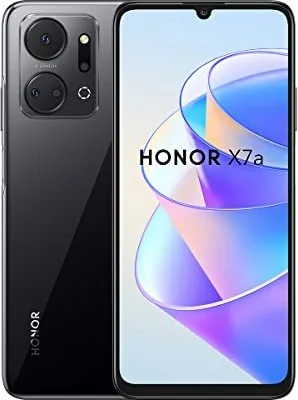
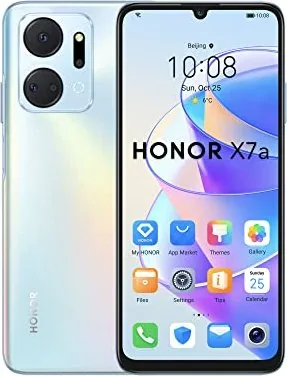
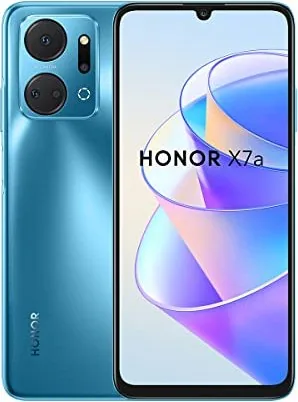
Honor X7a Manual
PDF manual · 91 Pages
English



Quick check
Incorrect answer, please try again.
Chat with your Honor X7a manual using AI
Get instant AI answers from your Honor X7a manual
Ask anything about the Honor X7a. Answers come from this manual, with the pages they are based on.
Ask a Question
Do you recommend X7a?
Yes NoFrequently Asked Questions
You can take a screenshot by knocking twice on the screen with your knuckle. To take a scrollshot, knock on the screen with a knuckle and draw an S shape. Ensure the feature is enabled in Accessibility features settings.
Is this answer helpful?
Yes, use the Device Clone app. Open the app on your new phone and follow the instructions to connect to your old Android or iOS device. Select the data you want to clone and transfer.
Is this answer helpful?
Yes, you can project your phone screen wirelessly to large displays. Enable Wireless Projection in the notification panel and connect to a Miracast supported display or wireless HDMI adapter.
Is this answer helpful?
You can enable Flip to mute in the Accessibility features settings. Once enabled, flipping the phone over the ear while it is ringing will mute the device immediately.
Is this answer helpful?
Yes, AI Photography is pre-installed. Open the Camera app in Photo mode and tap the AI icon. It identifies objects like food or text and optimizes color and brightness settings automatically.
Is this answer helpful?
Swipe down from the status bar to open the notification panel. Swipe right on a specific notification to remove it. You can also press the button to clear all notifications at once.
Is this answer helpful?
Advantages and Disadvantages
Advantages

- Knuckle gestures provide quick screenshot and screen recording options.
- Device Clone simplifies data transfer from Android or iOS devices.
- Honor Share allows wireless file sharing between nearby devices.
- Pro camera mode offers manual control over ISO and shutter speed.
- Emergency SOS feature can call contacts and send location in distress.
Disadvantages

- Knuckle gestures may require adjusting force if a screen protector is present.
- Some features like Link to Windows may vary by specific device model.
- Carrier support is required for certain features like VoLTE and call forwarding.
- System updates may change availability of specific gesture shortcuts.
- Charging precautions must be followed to avoid overheating or slow charging.
Product Specification
Operating System
Android 12.0 (Out of the Box)
Display
6.74", 1600x720 Pixels, 16 Million Colors, IPS, Capacitive Touchscreen, Flat, Cutout, 60-90Hz Refresh Rate, 260ppi
Rear Camera
50.0MP, f/1.8, PDAF, LED Flash, Video @1080p/30fps (Camera 1); 5.0MP, f/2.2, Wide-angle Lens (Camera 2); 2.0MP, f/2.4, Macro Lens (Camera 3); 2.0MP, f/2.4, Depth Sensor (Camera 4)
Front Camera
8.0MP, f/2.0, Video @1080p/30fps
Ports
USB-C 2.0 (480Mbps, OTG), 3.5mm Headphone Jack, Wi-Fi 5 (802.11a/b/g/n/ac), Bluetooth 5.1, NFC
Sensors
Accelerometer, Proximity Sensor, Light Sensor, Compass, Fingerprint Sensor (Side-mounted)
Chipset
MediaTek MT6765H Helio G37
CPU
4x 2.30GHz Cortex-A53 + 4x 1.80GHz Cortex-A53
GPU
PowerVR GE8320
RAM
4GB
Storage
128GB, microSD Slot (shared, up to 1TB)
Navigation
A-GPS, GLONASS, BeiDou, Galileo
Modem
GSM (0.2Mbps/0.1Mbps), UMTS (42Mbps/5.76Mbps), LTE
Battery
5330mAh, Non-removable
Charging Power
22.5W (Honor SuperCharge)
SAR
0.80W/kg Head, 1.07W/kg Body
Body Shape
Bar
SIM Form Factor
Nano-SIM (1x shared)
Features
Dual-SIM
Dimensions
6.59 x 3.03 x 0.33 inches
Weight
6.91 oz
Screen to Body Ratio
85.2%
Product Description
Honor X7a Overview
The Honor X7a represents a significant step forward in smartphone usability and performance. For new users, understanding the full capabilities is essential. The Honor X7a Manual provides a roadmap to mastering every feature. This guide helps you configure settings and utilize shortcuts for a smoother experience. It covers everything from basic gestures to advanced system navigation.
Navigation and Gestures
Control your device efficiently through various navigation modes. Gesture navigation allows swiping for home and multitasking. Knuckle gestures add convenience. Double tap with a knuckle to capture the screen. Draw an S shape for scrollshots. Capture parts of the screen with specific gestures. These features reduce reliance on physical buttons. The power button also wakes Google Assistant directly. Customizing these shortcuts saves time during daily use. You can also switch between three-key navigation if preferred.
Home Screen and Security
Customize your home screen with service cards and widgets. Add widgets for weather, clock, or Notepad. Organize apps into big folders for better efficiency. Security is robust with Face Unlock and Fingerprint sensors. Lock screen signatures can be added for personalization. Emergency SOS features allow quick contact calls in distress. Manage app permissions securely within the system settings.
Camera Excellence
Photography enthusiasts will appreciate the advanced camera system. You can take professional-looking photos using Pro mode. Adjust ISO and shutter speed manually. AI Photography identifies scenes to optimize settings automatically. Video recording includes time-lapse and Vlog Editor tools for content creation. Manage your media in the Gallery app with easy sharing options and privacy protection. Use Safe Photo Sharing to remove location data before posting.
Connectivity Solutions
Staying connected is easier with Honor Share and Device Clone. Transfer files between devices wirelessly without mobile data. Switching to a new device is simple with Device Clone migration. You can connect to PCs via Link to Windows for desktop control. This integration enhances productivity by allowing call and message management from a computer screen. Switch audio channels between devices seamlessly during playback.
System and Management
Keeping your phone running smoothly involves managing battery and apps. The manual details charging precautions to extend battery life. Flip to mute calls easily without touching buttons. Adjust sound settings to suit your environment. App management allows uninstalling or clearing cache to free storage. View battery icons to monitor power levels accurately. The Honor X7a Manual ensures you never miss a critical function.
Conclusion
Exploring every function ensures you get the most value. The Honor X7a Manual is your best resource for setup and troubleshooting. Utilize these features to enhance productivity and entertainment. Your phone is designed to adapt to your lifestyle with smart convenience.
Search for 67,706 Manuals online


Type-in Brand or Model