
Honor X6a Manual
PDF manual · 82 Pages
English



Quick check
Incorrect answer, please try again.
Chat with your Honor X6a manual using AI
Get instant AI answers from your Honor X6a manual
Ask anything about the Honor X6a. Answers come from this manual, with the pages they are based on.
Ask a Question
Do you recommend X6a?
Yes NoFrequently Asked Questions
You can use the Device Clone app on both the new and old devices. On the Honor X6a, open the app, and select your old device type. Follow the on-screen instructions to connect via code or manual connection. Then select the data you wish to transfer and initiate the migration process.
Is this answer helpful?
It is recommended to be cautious when accessing free Wi-Fi in public places. Avoid entering sensitive information on unsecure networks to prevent privacy leakage. Enable Wi-Fi security monitoring in settings to avoid connecting to risky hotspots.
Is this answer helpful?
To customize your lock screen, go to Settings and navigate to Home screen and wallpaper. Tap Lock screen signature to type text that displays on the screen. You can also add shortcuts for common apps like Camera directly from the lock screen interface.
Is this answer helpful?
Use the standard adapter and USB cable that came with your device. Avoid covering the phone or charger during charging. If moisture is detected in the port, safety measures will limit charging until it is dry. Keep the phone cool during charging for best battery health.
Is this answer helpful?
Open System Manager to view data usage and manage network access. You can enable Data Saver to prevent apps from using mobile data in the background. Set monthly data limits and usage reminders in the Data usage settings to control spending.
Is this answer helpful?
Yes, if your printer connects via Wi-Fi or supports Wi-Fi Direct. You can connect the phone and printer to the same network. Then go to Settings and enable the printing service to print images and documents from your device.
Is this answer helpful?
When playing media, swipe down to open the notification panel. If you see the Current audio output device card, tap it to see available devices. Select the new output device like speakers or headphones without unplugging wired connections.
Is this answer helpful?
Advantages and Disadvantages
Advantages

- Quick data migration using Device Clone across platforms
- Smart collaboration with HONOR Share for fast file transfers
- Highly customizable home screen with service cards
- Secure lock screen with biometric and password options
- AI photography features optimize scenes automatically
Disadvantages

- Some features require specific carrier support like VoLTE
- Dual SIM setup can be complex for new users
- Battery life depends heavily on screen usage and apps
- Data Saver restrictions may block necessary background updates
- Printing requires compatible printer connectivity standards
Product Specification
Operating System
Android 13.0 (Factory)
Display
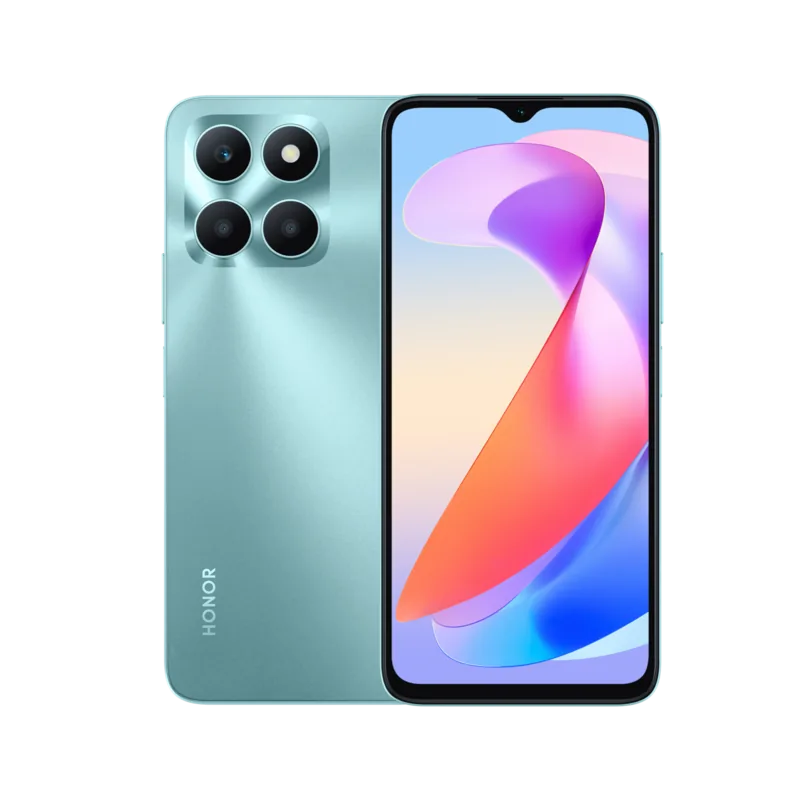
6.56\", 1612x720 Pixels, 16 Million Colors, IPS, Capacitive Touchscreen, Flat, Notch, 60-90Hz Refresh Rate, 269ppi
Rear Camera
50.0MP, f/1.8, Phase Detection AF, LED Flash, Video @1080p/30fps (Camera 1); 2.0MP, f/2.4, Macro Lens (Camera 2); 2.0MP, f/2.4, Depth Lens (Camera 3)
Front Camera
5.0MP, f/2.2, Video @1080p/30fps
Connectivity
USB-C 2.0 (480Mb/s, OTG), 3.5mm Headphone Jack, Wi-Fi 5 (802.11a/b/g/n/ac), Bluetooth 5.1, NFC
Sensors
Accelerometer, Proximity Sensor, Light Sensor, Fingerprint Sensor (Side)
SoC
MediaTek Helio G36, 64-bit
CPU
4x 2.20GHz Cortex-A53 + 4x 1.80GHz Cortex-A53
GPU
PowerVR GE8320
RAM
4GB
Storage
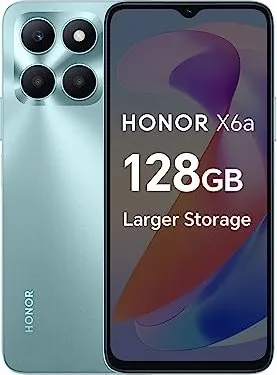
128GB, microSD Slot (shared, up to 1TB)
Navigation
A-GPS, GLONASS, BeiDou, Galileo
Modem
GSM (0.2Mbps/0.1Mbps), UMTS (42Mbps/5.76Mbps), LTE
Battery
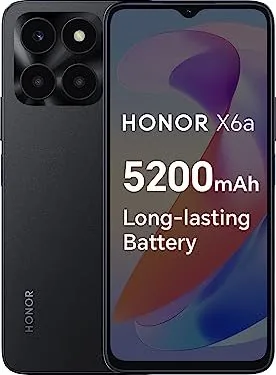
5200mAh, Non-removable
Charging Power
22.5W (Honor SuperCharge)
SAR Value
0.74W/kg Head, 0.95W/kg Body
Form Factor
Candybar
SIM Form Factor
Nano-SIM (1x shared)
Features
Dual-SIM
Dimensions
6.43 x 2.96 x 0.33 inches
Weight
6.63 oz
Screen-to-Body Ratio
84.3%
Product Description
Unlocking the Full Potential of Your Honor X6a Manual
Welcome to the comprehensive guide designed to get you started with your device. The Honor X6a offers a range of features that streamline daily tasks and enhance connectivity. Understanding how to navigate the system is the first step toward a seamless experience. You can change navigation methods easily through settings, choosing between gestures or three-key navigation to suit your preference.
Moving data has never been simpler. The Device Clone app allows you to transfer contacts, photos, and videos from old phones efficiently. This works across Android and Apple devices running compatible versions. Once setup is complete, securing your information becomes a priority. Lock your screen with a password or biometrics and unlock it quickly when needed. Customizing the lock screen signature adds a personal touch.
Connecting to the internet is vital. You can connect via mobile data or Wi-Fi networks. The manual details how to configure dual SIM settings for better management of work and personal lines. Sharing your network connection through a personal hotspot connects other devices securely. Wi-Fi Direct offers a faster way to transfer large files between Honor devices without using mobile data.
The home screen is highly customizable. Service cards provide quick access to frequently used features without opening apps. You can manage app suggestions to keep recommendations relevant to your daily life. Icons in the status bar keep you informed about notifications, battery life, and connectivity status. Adjusting volume settings allows you to silence notifications or use vibration mode when necessary.
Photography features on this device include AI photography to optimize scenes automatically. You can shoot panoramic photos or use time-lapse to capture moving subjects. The Gallery app helps organize images into albums and allows for safe sharing options to protect privacy. System Manager tools help clean up storage and monitor data usage effectively.
Smart collaboration features like HONOR Share enable quick file transfers between devices. You can also print documents directly if your printer supports the connectivity standards. Logging into your HONOR ID syncs your data across ecosystems for consistency. Regular software updates ensure security and new features are available.
The Clock app offers alarms, timers, and stopwatches to manage your time. Calendar helps schedule events and send reminders for important meetings. Notepad allows you to create to-dos and scan documents directly into notes. Email clients support both personal and business accounts for seamless communication. The Calculator handles basic and scientific functions useful for work. Settings let you control display, sound, and privacy options.
Charging your phone efficiently involves using the provided adapter and cable. Safety checks activate if moisture is detected in the port. Keeping track of battery icons helps you manage power consumption throughout the day. Enabling Data Saver prevents apps from using mobile data in the background. Power button operations allow for quick mute or restart functions during emergencies. Ensure you keep your phone updated for the best security.
Search for 67,706 Manuals online


Type-in Brand or Model