
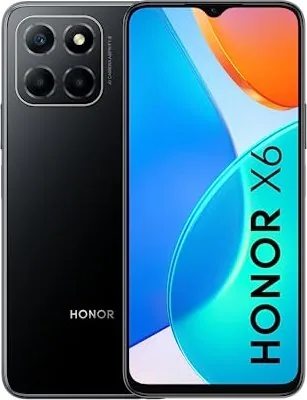
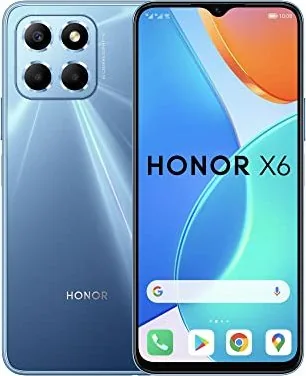
Honor X6 Manual
PDF manual · 74 Pages
English



Quick check
Incorrect answer, please try again.
Chat with your Honor X6 manual using AI
Get instant AI answers from your Honor X6 manual
Ask anything about the Honor X6. Answers come from this manual, with the pages they are based on.
Ask a Question
Do you recommend X6?
Yes NoFrequently Asked Questions
Use the Device Clone app on your new phone. Select it as the new device, connect via code to your old phone, and choose data to transfer.
Is this answer helpful?
Yes. Enable knuckle screenshots in settings. Knock twice to snap, or draw S for scrolling screenshots.
Is this answer helpful?
Go to Settings > Security > App Lock. Set a password and enable the switch next to apps like Notepad or Camera.
Is this answer helpful?
It is a wireless sharing tech using Bluetooth and Wi-Fi Direct. It transfers files without using mobile data.
Is this answer helpful?
Use Safe Photo Sharing in Gallery to remove location data and shooting info before sharing images with others.
Is this answer helpful?
Yes. Go to Biometrics settings, enroll facial data, and enable Access App Lock to use face for secured apps.
Is this answer helpful?
Hold the Power and Volume down buttons for 10 seconds to force restart the device safely.
Is this answer helpful?
Advantages and Disadvantages
Advantages

- Device Clone allows seamless data transfer from old Android or iOS phones to new Honor X6.
- AI photography automatically optimizes settings for scenes like food, text, and landscapes.
- Gesture navigation offers a modern experience with swipes for home, multitasking, and back actions.
- HONOR Share enables fast wireless file transfers using Bluetooth and Wi-Fi Direct technology.
- Fingerprint and Face Unlock provide secure and convenient methods to access the device.
Disadvantages

- Pre-installed system apps cannot always be uninstalled without risking system stability issues.
- Some connectivity features like NFC support vary depending on specific model and region.
- High-Res mode restricts dimension changes, limiting editing flexibility after capture.
- Battery life degradation is natural over time and requires authorized service center replacement.
- Smart features may require specific carrier support or updates to function correctly.
Product Specification
Operating System
Android 12.0 (Factory)
Display
6.5\", 1600x720 Pixels, 16 Million Colors, IPS, Capacitive Touchscreen, Flat, Punch Hole, 270ppi
Rear Camera
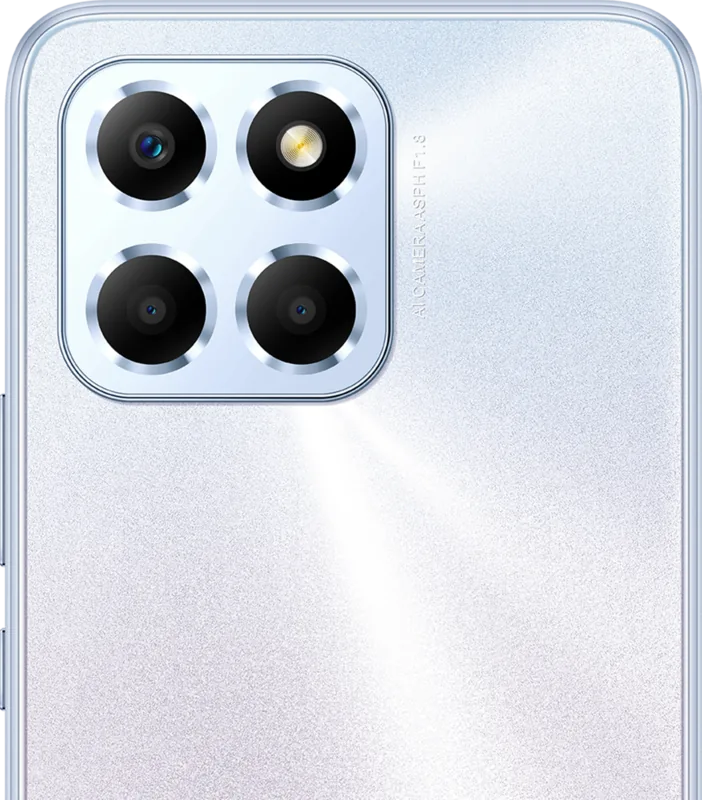
50.0MP, f/1.8, Phase Detection AF, LED Flash, Videos @1080p/30fps (Camera 1); 2.0MP, f/2.4, Macro Lens (Camera 2); 2.0MP, f/2.4, Depth (Camera 3)
Front Camera
5.0MP, f/2.2, Videos @1080p/30fps
Connectivity
USB-C 2.0 (480Mb/s, OTG), 3.5mm Jack, Wi-Fi 5 (WLAN 802.11a/b/g/n/ac), Bluetooth 5.1, NFC
Sensors
Accelerometer, Proximity Sensor, Light Sensor, Fingerprint Sensor (Side-mounted)
SoC
MediaTek Helio G25, 64-bit
CPU
4x 2.00GHz Cortex-A53 + 4x 1.50GHz Cortex-A53
GPU
PowerVR GE8320
RAM
4GB
Storage
64GB, microSD Slot (Shared, up to 1TB)
Navigation
A-GPS, GLONASS, BeiDou, Galileo
Modem
GSM (0.2Mbps/0.1Mbps), UMTS (42Mbps/5.76Mbps), LTE
Battery
5000mAh, Non-removable
Charging Power
10W (USB)
SAR Value
0.78 W/kg Head, 1.02 W/kg Body
Form Factor
Bar
SIM Form Factor
Nano-SIM (1x Shared)
Features
Dual-SIM
Dimensions
6.44 x 2.96 x 0.34 in
Weight
0.43 lbs
Screen-to-Body Ratio
83%
Product Description
Discover the Power of Honor X6
The Honor X6 represents a significant leap in modern smartphone technology, blending sleek design with robust functionality. Users can navigate through the device effortlessly using gesture controls or the traditional three-key navigation system found in the Essentials section. The home screen is designed for efficiency, featuring service cards and big folders that streamline access to your daily apps. You can easily manage your workspace by adding widgets like weather and calendar directly to the main view. This customization ensures that critical information is always at your fingertips without needing to open full applications.
Photography and Creativity
One of the standouts of this device is the camera system. From the Lock Screen quick launch to Pro Mode adjustments, capturing memories is seamless. AI photography ensures your shots look professional by identifying scenes like food or text automatically. Whether you are capturing a macro shot of a dewdrop or a panoramic landscape, the Honor X6 handles diverse lighting and zoom settings with grace. The time-lapse feature allows you to record slow changes into short videos, perfect for creative storytelling. You can also manage your gallery to organize photos by albums or hide sensitive items. High-Res mode provides clarity for printing, while the Pro Mode gives manual control over ISO and shutter speed for enthusiasts.
Connectivity and Smart Features
Staying connected is easier with HONOR Share for wireless file transfers between devices. Easy Projection lets you mirror your screen to a TV, making entertainment more immersive. Security is prioritized with fingerprint and face unlock options, ensuring your data remains safe. Device Clone simplifies switching phones by migrating contacts, images, and videos from your old device. This feature supports both Android and iOS phones for a smooth transition. Wi-Fi Direct and Bluetooth capabilities further enhance file sharing options across compatible hardware.
Battery and Optimization
Battery management is crucial, and the Honor X6 offers optimized charging with the standard adapter. The battery icons clearly indicate charging status and levels. System updates keep the device running smoothly. The Optimizer app provides cleanup tools to manage storage and security. Users can also access the Clock for alarms and timers, alongside the Notepad for quick thoughts. Email and Calculator tools are pre-installed for daily productivity needs.
App Management and Security
App management allows you to uninstall unwanted programs or organize them into folders. The Phone app includes spam call filtering for safer communication. Settings allow for deep customization of display brightness, sound modes, and privacy controls. Safe Photo Sharing removes location data when sharing images to protect your privacy.
Note: Always refer to the official Honor X6 Manual for specific troubleshooting steps and detailed settings configurations. Ensure your device is updated to the latest version for the best experience. Regular maintenance of your device ensures longevity and peak performance. Understanding these core features helps maximize your daily digital life.
Search for 67,706 Manuals online


Type-in Brand or Model