
Honor Watch Magic Manual
PDF manual · 61 Pages
English



Quick check
Incorrect answer, please try again.
Chat with your Honor Watch Magic manual using AI
Get instant AI answers from your Honor Watch Magic manual
Ask anything about the Honor Watch Magic. Answers come from this manual, with the pages they are based on.
Watch Magic Maintenance Schedule
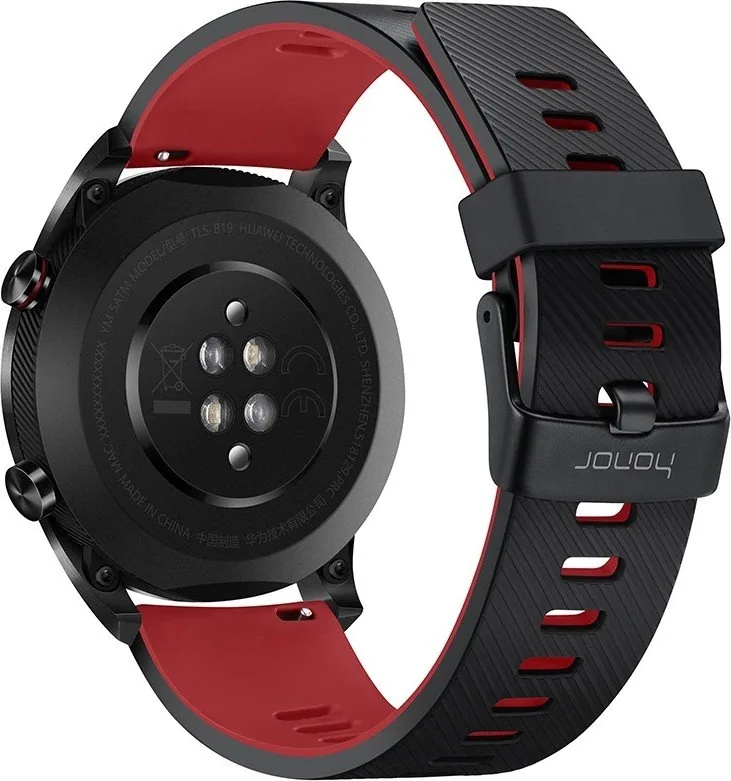
Wipe off any sweat or dirt from the back of the watch after excessive sweating during sports to ensure accurate heart rate measurement.
Wipe the watch clean with a soft cloth and regularly remove dust from crevices to keep it and your wrist clean and dry.
If the strap gets dirty, gently wipe it with a soft brush dipped in clean water or use a small amount of toothpaste for stubborn stains.
Wipe dirt or water off with a soft cloth, air dry in a cool ventilated place, and apply leather polish once dry. Avoid direct heat or sunlight.
Ask a Question
Do you recommend Watch Magic?
Yes NoFrequently Asked Questions
It is best known for combining a sleek black design with core smartwatch features like heart-rate monitoring, sleep tracking, workout support, and phone notifications in one compact device.
Is this answer helpful?
Turn it on, install or open the Huawei Health app, then pair the watch through the app. After pairing, your phone syncs time, language, and health settings automatically.
Is this answer helpful?
Yes. It supports several workout types, including outdoor running, walking, cycling, climbing, and swimming. GPS helps record outdoor sessions and related fitness data.
Is this answer helpful?
Yes, it can monitor heart rate throughout the day when enabled in Huawei Health. It also shows real-time heart data during workouts and stores summary results afterward.
Is this answer helpful?
Yes, it is rated for water resistance up to 50 meters for typical swimming and splash exposure. However, it should not be used for diving, hot showers, or sauna use.
Is this answer helpful?
Check that notification permissions are enabled in Huawei Health and on the phone. Also make sure Do Not Disturb or Sleep mode is not blocking alerts on the watch.
Is this answer helpful?
Disable features you do not need, such as continuous heart-rate monitoring, TruSleep, or extra notification options. Lowering screen brightness can also help extend standby time.
Is this answer helpful?
Advantages and Disadvantages
Advantages

- Elegant black design with a premium AMOLED screen and comfortable everyday wear.
- Tracks heart rate, sleep, activity, and workouts with useful health insights.
- Supports message alerts, call notifications, alarms, weather, compass, and more.
- Easy pairing and data sync through the Huawei Health app on Android and iOS.
Disadvantages

- Some advanced health and sync features depend on app settings and phone compatibility.
- Leather straps are not water-friendly, so swapping bands may be needed for swimming.
- GPS and heart-rate accuracy can drop with poor fit, movement, sweat, or cold conditions.
- Battery and features can be reduced if always-on health and notification tools stay enabled.
Product Specification
Display
1.2", 390x390 Pixel, Color display, OLED, Touchscreen, round, backlit
Memory
16MB
Interfaces
Bluetooth 4.2
Heart rate measurement
integrated (optical)
Measurement functions
Time, Stopwatch, Countdown, Pedometer, Swim strokes, Speed, Distance, Lap counter, Sleep monitoring, Heart rate, Calorie consumption, Altimeter, Air pressure
Other functions
Time zones, Date, Calendar, 12/24h display, Alarm clock, Internal music storage, Inactivity alarm, Camera control, Music control, Message notification, Call notification
Sensors
Accelerometer, Gyroscope, Light sensor, Barometer
Navigation
yes, Compass, GPS, GLONASS, Galileo
Compatibility
from Android 4.4, from iOS 9.0
Power supply
Battery (178mAh)
Case material
Stainless steel, Plastic
Strap material
Rubber, Silicone
Case colors
black
Strap colors
black, red
Dimensions (case)
1.69x1.69x0.39in
Width (strap)
0.87in
Weight
1.15oz
Special features
Vibration, waterproof (up to 164ft water column)
Product Description
Honor Watch Magic Black: Style, Wellness, and Everyday Smart Features
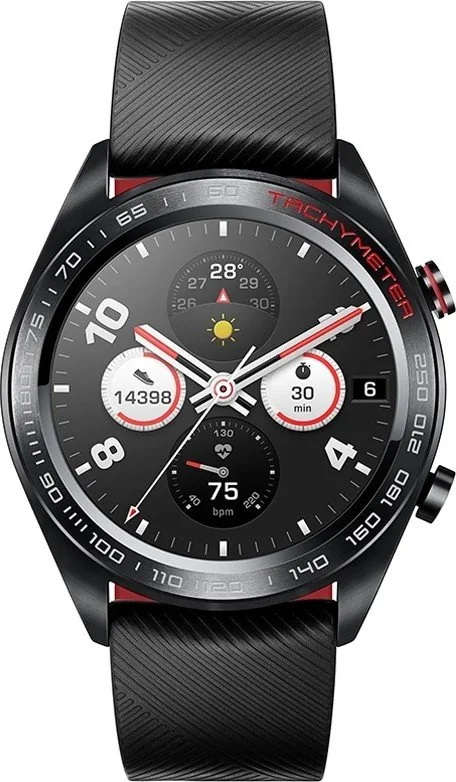
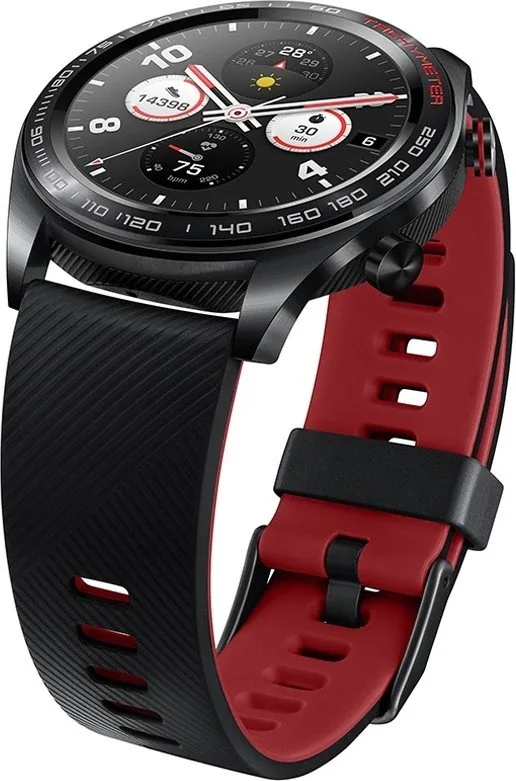
The Honor Watch Magic black is a lightweight smartwatch designed for people who want a polished look without giving up practical health and fitness tools. Its black finish gives it a clean, versatile appearance that works well in both sport and casual settings. With a round AMOLED display, dual-crown styling, and a comfortable wrist fit, it feels more like a premium accessory than a simple tracker.
What makes this watch stand out is how much it can do in a compact body. It tracks daily activity, heart rate, sleep patterns, and outdoor workouts, while also delivering message alerts and call notifications from a paired phone. For active users, guided running sessions and multiple workout modes add structure to training, and GPS support helps capture outdoor movement more accurately. The watch also includes weather information, a barometer, a compass, a stopwatch, a timer, and even a phone-finding tool, which makes it useful far beyond fitness alone.
Setup is straightforward through the Huawei Health app, where users can pair the watch, sync time and language settings, manage notifications, and customize health features. The watch supports Android and iOS, and it is built to work smoothly with both basic and advanced routines. Battery life is another strong point, with the device engineered for long daily use and relatively quick charging through its magnetic dock.
Comfort matters here as much as capability. The black Honor Watch Magic is offered with different strap options, including silicone and leather, and the materials are chosen with everyday wear in mind. Water resistance up to 50 meters makes it suitable for swimming and general splash exposure, although high-heat or deep-water activities are not recommended.
Overall, the Honor Watch Magic black is a balanced smartwatch for users who want fitness tracking, health monitoring, and phone-connected convenience in a sleek package. It is not the most advanced sports watch on the market, but it delivers a thoughtful mix of style, usability, and reliable core features.
Notes
- Best for daily fitness, health tracking, and smart notifications.
- Works best when worn correctly and synced regularly with Huawei Health.
- Not intended for diving, sauna use, or extreme water sports.
Search for 67,706 Manuals online


Type-in Brand or Model
nobis_totam
8 months ago
Does the Honor Magic allow uploading a custom watch face (like my own photo), and how can I charge it reliably since some reviews mention loose charging contacts?
Manual.ly
8 months ago
The watch supports built-in watch faces that you can select in the available options. It does not generally allow uploading a fully custom watch face from your own photo. After system and app updates, additional watch faces may become available, but customization is limited to what the watch/app provides. For charging, make sure the charger is seated firmly and the metal contacts align completely. Clean the charging contacts if you see any dirt or oxidation. Once connected, avoid moving the watch during charging so the contact pressure stays stable. If charging still stops, verify the correct charger/cable is used and try a different power adapter or cable.