
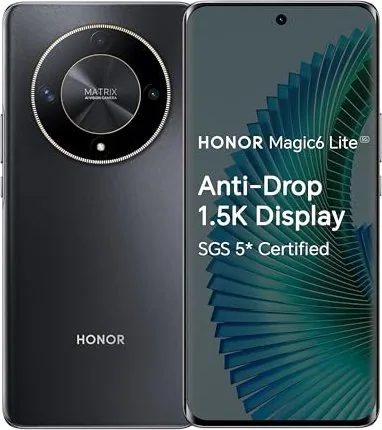
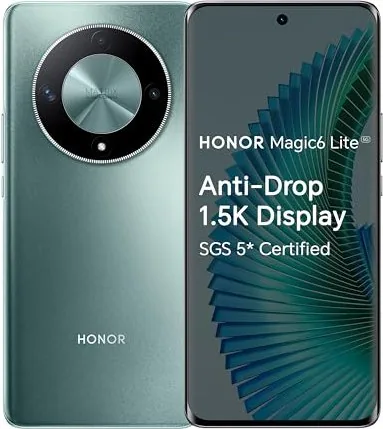
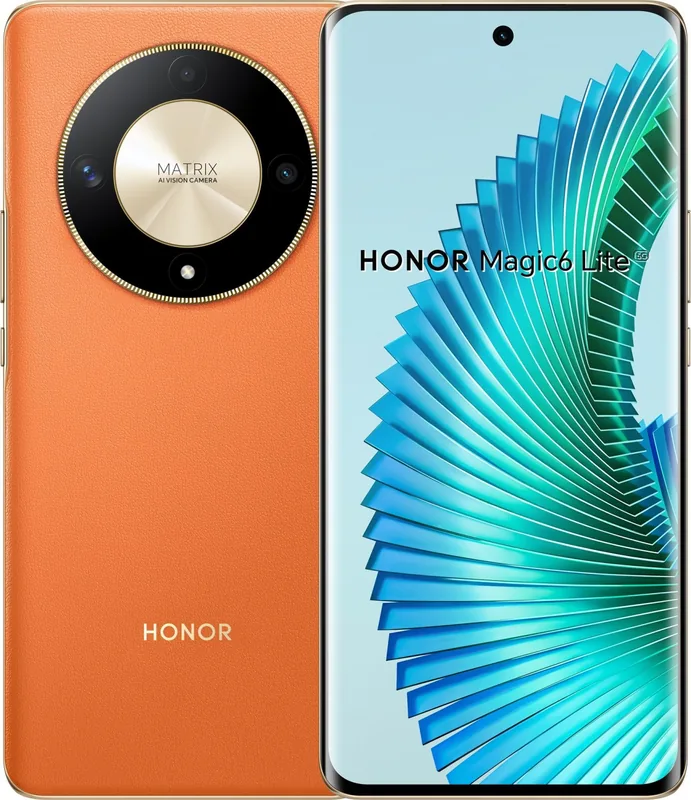
Honor Magic 6 Lite 5G Manual
PDF manual · 110 Pages
English



Quick check
Incorrect answer, please try again.
Chat with your Honor Magic 6 Lite 5G manual using AI
Get instant AI answers from your Honor Magic 6 Lite 5G manual
Ask anything about the Honor Magic 6 Lite 5G. Answers come from this manual, with the pages they are based on.
Ask a Question
Do you recommend Magic 6 Lite 5G?
Yes NoFrequently Asked Questions
Go to Settings, navigate to System and updates, then System navigation. Select either Gestures or three-key navigation based on your preference.
Is this answer helpful?
Yes, you can transfer apps between devices using the HONOR Connect feature if both devices are logged into the same HONOR ID and have the feature enabled.
Is this answer helpful?
Yes, the phone supports 5G networks, but availability may vary by region and carrier network deployment.
Is this answer helpful?
Go to Settings, tap Assistant, then Magic Text. Ensure the toggle is turned on to extract text from images.
Is this answer helpful?
Yes, you can share mobile data or the connected Wi-Fi network with other devices using the Personal Hotspot or USB tethering options.
Is this answer helpful?
Device Clone is an app that lets you move contacts, calendar, and other basic data quickly from an old device to your new phone.
Is this answer helpful?
Open the Camera app, select MORE, then choose Pro mode. You can manually adjust metering, ISO, shutter speed, and white balance settings.
Is this answer helpful?
Advantages and Disadvantages
Advantages

- Supports 5G networks for faster data speeds
- HONOR Connect allows seamless cross-device app transfer
- Advanced camera modes like Night and Pro included
- Device Clone simplifies data migration from old phones
- Multi-window support enhances multitasking efficiency
Disadvantages

- Software features may vary by device model
- Magic Text availability depends on language support
- Airplane mode disables Wi-Fi and Bluetooth initially
- Some collaboration features require specific device versions
- Charging speed affected by battery age and temperature
Product Specification
Operating System
Android 13.0 (factory installed)
Display
6.81", 2652x1200 Pixels, 1.07 Billion Colors, AMOLED, capacitive touchscreen, curved, hole punch, 120Hz refresh rate, 240Hz sampling rate, 1200 Nits, 427ppi
Rear Camera
108.0MP, f/1.75, Phase Detect AF, LED Flash, Video @2160p/30fps (Camera 1); 5.0MP, Wide-angle lens (Camera 2); 2.0MP, Macro lens (Camera 3)
Front Camera
16.0MP, f/2.45, Video @1080p/30fps
Interfaces
USB-C 2.0 (480Mb/s, OTG), Wi-Fi 5 (WLAN 802.11a/b/g/n/ac), Bluetooth 5.1, NFC
Sensors
Accelerometer, Gyroscope, Light Sensor, Compass, Fingerprint Sensor (Display)
Chipset
Qualcomm SM6450 Snapdragon 6 Gen 1, 64-bit
CPU
4x 2.20GHz Kryo Gold + 4x 1.80GHz Kryo Silver
GPU
Adreno 710
RAM
8GB
Storage
256GB
Navigation
A-GPS, GLONASS, BeiDou, Galileo
Modem
GSM (0.2Mbps/0.1Mbps), UMTS (42Mbps/5.76Mbps), LTE, 5G
Battery
5300mAh, non-removable
Charging Speed
35W (Honor SuperCharge)
Form Factor
Bar
SIM Form Factor
Nano-SIM
Features
Dual-SIM
Dimensions
6.44 x 2.97 x 0.31 inches
Weight
6.53 oz
Screen-to-Body Ratio
91%
Product Description
Discover the Honor Magic 6 Lite 5G
The Honor Magic 6 Lite 5G represents a significant step forward in mobile technology for modern users. This device comes with comprehensive tools designed to enhance your daily workflow and entertainment significantly. Understanding the full potential of this smartphone requires navigating through its detailed features carefully. You can find guidance on how to set up navigation methods, whether you prefer gestures or the three-key navigation style for your specific preference. The system allows easy transitions between different modes for a smooth user experience. Setup is straightforward for first time users.
Seamless Connectivity and Collaboration
One of the standout features is the HONOR Connect capability. This powerful technology allows users to transfer apps and data between devices seamlessly without extra cables. If you switch to a new phone, the Device Clone app simplifies data migration from your old device quickly. You can manage SIM cards easily, enabling or disabling them as needed for work or personal use. The phone supports 5G networks, providing noticeably faster loading times compared to older standards, though availability depends on your region. Link to Windows integration further connects your ecosystem for notifications. Tethering options allow sharing internet with laptops.
Advanced Camera and Editing Tools
Photography enthusiasts will appreciate the manual options found within the camera interface settings. Night mode ensures clear shots even in low light conditions effectively. The Pro mode offers manual control over ISO and shutter speed for creative control. You can shoot multi-camera videos for unique perspectives and fun content. Editing is handled directly in the gallery, allowing for filters, cropping, and artistic collages without requiring extra software purchases. Magic Text also helps extract information from images efficiently.
System Customization and Safety
The home screen offers widgets and service cards for swift access to information. You can enable frequently used features via long-pressing app icons on the display. Notifications can be managed to reduce distractions throughout your day using the Control Center. Safety features include biometric unlocking via fingerprint or face, along with specific power management tips for charging devices correctly. Battery icons provide clear status updates. Users can customize themes and wallpapers easily. Multi-window support also enhances productivity significantly.
Important Note and Conclusion
Please remember that specific features like Magic Text or HONOR Share may vary based on software versions and hardware models. Always check the latest status settings to ensure functionality is available. This smartphone is built for efficiency, keeping your digital life organized and connected effortlessly. Use the Honor Magic 6 Lite 5G Manual for detailed steps on these procedures. Ensure you update regularly for the best performance.
Search for 67,706 Manuals online


Type-in Brand or Model