
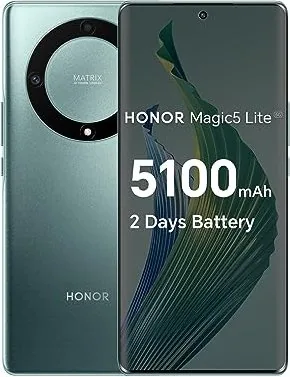
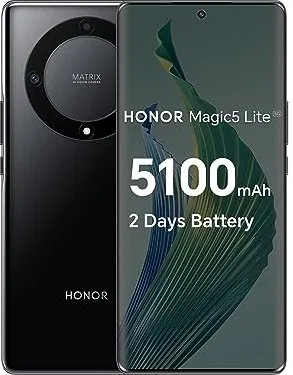
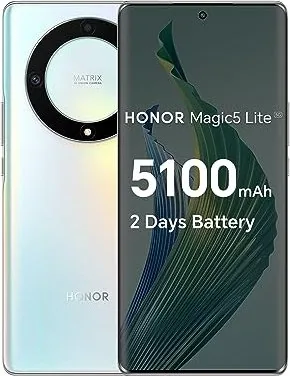
Honor Magic 5 Lite Manual
PDF manual · 91 Pages
English



Quick check
Incorrect answer, please try again.
Chat with your Honor Magic 5 Lite manual using AI
Get instant AI answers from your Honor Magic 5 Lite manual
Ask anything about the Honor Magic 5 Lite. Answers come from this manual, with the pages they are based on.
Ask a Question
Do you recommend Magic 5 Lite?
Yes NoFrequently Asked Questions
Open the Device Clone app on your new phone. Go to Settings in the app and select your old device type. Scan the QR code or follow the manual connection instructions to transfer data.
Is this answer helpful?
Yes, tap the microphone icon after starting the recording. Ensure it is activated to capture your voice. If it is not visible, you may only be capturing system audio.
Is this answer helpful?
Go to Settings then Accessibility. Enable the knuckle gesture. Tap the screen twice with a knuckle to capture. To select a specific area, trace a shape around it.
Is this answer helpful?
Yes, HONOR Share is a free feature that uses Bluetooth and Wi-Fi Direct. It does not consume mobile data when transferring files between nearby supported devices wirelessly.
Is this answer helpful?
Open the Contacts app to add or delete entries. Use the Group feature to organize contacts. You can also group messages or emails to specific contact groups from the main interface.
Is this answer helpful?
Go to the Phone app and select the Block option. Add specific numbers to the blacklist. Enable rules to filter out suspected spam calls automatically for better protection.
Is this answer helpful?
Advantages and Disadvantages
Advantages

- Device Clone support allows data migration from Android and iOS devices easily.
- HONOR Share facilitates fast wireless file transfer without using mobile data.
- Pro-camera mode enables manual ISO and shutter speed controls for better photos.
- Face unlock and fingerprint scanning provide secure and quick access to screens.
- Screen recording feature includes audio capture options for detailed content.
Disadvantages

- Knuckle gesture screenshots require manual enabling in accessibility settings first.
- Some screen protector layers make knuckle interaction less sensitive for screenshots.
- Battery capacity specifications are not detailed in the user manual text.
- SOS function requires initial setup of emergency contacts to be fully effective.
- HONOR Share compatibility is limited to specific devices supporting the feature.
Product Specification
Operating System
Android 12.0 (factory)
Display
6.67", 2400x1080 pixels, 1.07 billion colors, AMOLED, capacitive touchscreen, punch-hole, 120Hz refresh rate, 300Hz sampling rate, 395ppi
Rear Camera
64.0MP, f/1.8, Phase Detection AF, LED flash, Video @1080p/30fps (Camera 1); 5.0MP, f/2.2, Depth sensor, Wide-angle lens (Camera 2); 2.0MP, f/2.4, Macro lens (Camera 3)
Front Camera
16.0MP, f/2.45, Video @1080p/30fps
Connectivity
USB-C 2.0 (480Mb/s, OTG), Wi-Fi 5 (WLAN 802.11a/b/g/n/ac), Bluetooth 5.1, NFC
Sensors
Accelerometer, Gyroscope, Proximity Sensor, Light Sensor, Compass, Fingerprint Sensor (under-display)
SoC
Qualcomm SM6375 Snapdragon 695, 64-bit
CPU
2x 2.20GHz Kryo 660 Gold + 6x 1.70GHz Kryo 660 Silver
GPU
Adreno 619
Navigation
A-GPS, GLONASS, BeiDou, Galileo
Modem
GSM (0.2Mb/s/0.1Mb/s), UMTS (42Mb/s/5.76Mb/s), LTE, 5G
Battery
5100mAh, Non-removable
Charging Power
40W (Honor SuperCharge)
SAR Value
0.82 W/kg head, 1.27 W/kg body
Form Factor
Bar
SIM Form Factor
Nano-SIM
Features
Dual SIM
Dimensions
6.36x2.91x0.31 inches
Weight
0.39 lbs
Screen-to-Body Ratio
89.9%
Product Description
Honor Magic 5 Lite Overview
The Honor Magic 5 Lite represents a significant leap in smartphone technology offering users a seamless experience through intuitive design. Navigating the device is straightforward by using standard gestures. The Honor Magic 5 Lite Manual serves as an essential guide detailing how to master interactions efficiently. From screen recording to quick screenshots using knuckle taps customization options abound. This documentation ensures every user can extract maximum value without feeling overwhelmed by complex settings.
Connectivity and Sharing Features
Users can pair their phone with Windows PCs via Phone Link managing notifications and calls from the computer. This integration extends to file transfers and screen mirroring enhancing productivity without physical cables. HONOR Share facilitates wireless file exchange using Bluetooth and Wi-Fi Direct for rapid sharing without consuming mobile data. This simplifies workflows for professionals transferring media between platforms quickly.
Camera and Gallery Tools
Photography enthusiasts appreciate the flexible camera system designed for brilliance. The Pro-Mode offers manual control over ISO and shutter speed granting full creative freedom. Portrait and Night modes optimize low-light performance for stunning results. AI photography ensures scenes are identified and adjusted automatically for vibrant colors. The gallery app empowers users with editing tools like collage creation and vlog editing enabling creative expression without third-party apps. Managing photos becomes intuitive with album sorting and hidden storage options for privacy.
Security and Navigation Systems
Security features include face unlock and fingerprint scanning. The screen lock can be bypassed quickly using biometric data while emergency SOS functions provide peace of mind during critical moments. Battery management uses optimized charging protocols ensuring longevity and safety. Smart features include Google Assistant activation via power button for voice commands. Navigation supports three-key and gesture controls allowing users to switch between multitasking effortlessly. Device clone simplifies migration preserving contacts and media from Android or iOS backups. Sound settings allow detailed vibration and ringtones with options to silence calls by flipping the device.
Conclusion and Utility
Understanding the potential requires familiarity with hidden functions found in the Honor Magic 5 Lite Manual. These settings include shortcut keys and accessibility options like knuckle gestures. Whether adjusting brightness or setting app shortcuts every element is reachable. This guide ensures utility from scheduling alarms to managing hidden albums securely. With robust updates and privacy controls this phone stands as a reliable companion. Owners can maintain performance and security while enjoying features bridging mobile and desktop ecosystems.
Search for 67,706 Manuals online


Type-in Brand or Model