
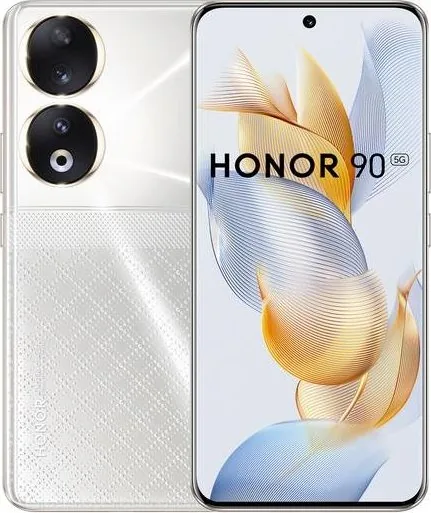
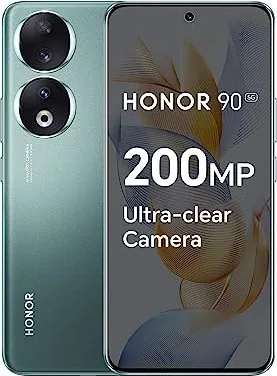
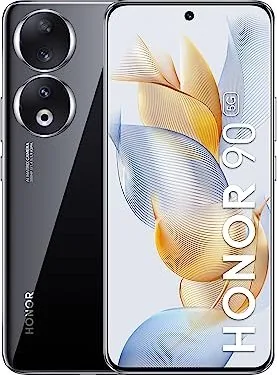
Honor 90 Manual
PDF manual · 83 Pages
English



Quick check
Incorrect answer, please try again.
Chat with your Honor 90 manual using AI
Get instant AI answers from your Honor 90 manual
Ask anything about the Honor 90. Answers come from this manual, with the pages they are based on.
Ask a Question
Do you recommend 90?
Yes NoFrequently Asked Questions
Use the Device Clone app on both phones to transfer contacts and photos easily.
Is this answer helpful?
Yes, HONOR Share transmits files quickly over Wi-Fi and Bluetooth.
Is this answer helpful?
Select panorama mode, start capture, and move the camera steadily along the line.
Is this answer helpful?
Yes, you can set one SIM for data and another for calls in settings.
Is this answer helpful?
Use Secure Photo Sharing to remove location data before sending images.
Is this answer helpful?
Yes, you can block specific album categories from third-party apps in the gallery.
Is this answer helpful?
Navigate to System Updates and choose to reset network configurations.
Is this answer helpful?
Advantages and Disadvantages
Advantages

- Seamless data migration with Device Clone from Android or iPhone
- Advanced camera modes including time-lapse and panoramic shots
- Flexible dual-SIM management for data and calls
- Efficient Multi-Window multitasking for productivity
- Wireless file sharing via HONOR Share technology
Disadvantages

- Some third-party apps restrict background data usage control
- Emergency calls depend on local network signal availability
- VoWLAN requires specific carrier support to function
- Limited sharing options for apps not supporting HONOR Share
- Certain system apps cannot be uninstalled without risk
Product Specification
Operating System
Android 13.0 (Pre-installed)
Display
6.7", 2664x1200 Pixels, 1.07 Billion Colors, AMOLED, Capacitive Touchscreen, Punch-hole, HDR (HDR10+), 120Hz Refresh Rate, 1,600 Nits, 436ppi
Rear Camera
200 MP, f/1.9, Phase Detection AF, LED Flash, Video @2160p/30fps (Camera 1); 12 MP, f/2.2, Phase Detection AF, Wide-angle Lens, Macro Lens (Camera 2); 2 MP, f/2.4, Depth Sensor (Camera 3)
Front Camera
50 MP, f/2.4, Video @2160p/30fps
Interfaces
USB-C 2.0 (480 Mb/s, OTG), Wi-Fi 6 (WLAN 802.11a/b/g/n/ac/ax), Bluetooth 5.2 (aptX HD), NFC
Sensors
Accelerometer, Gyroscope, Light Sensor, Compass, Fingerprint Sensor (Display)
Chipset
Qualcomm SM7450-AB Snapdragon 7 Gen 1 Accelerated Edition, 64-bit
CPU
1x 2.50 GHz Kryo Prime + 3x 2.36 GHz Kryo Gold + 4x 1.80 GHz Kryo Silver
GPU
Adreno 644
Navigation
A-GPS, GLONASS, BeiDou, Galileo
Modem
GSM (0.2 Mbps/0.1 Mbps), UMTS (42 Mbps/5.76 Mbps), LTE, 5G
Battery
5000mAh, Non-removable
Charging Power
66W (Honor SuperCharge)
SAR
0.85W/kg Head, 1.26W/kg Body
Body Shape
Bar
SIM Type
Nano-SIM, eSIM
Features
Dual-SIM
Dimensions
6.37 x 2.92 x 0.31 inches
Weight
0.40 lbs
Screen-to-Body Ratio
90.4%
Product Description
Welcome to the Honor 90 Experience
Discover the full potential of your Honor 90 with this comprehensive guide. This resource highlights key features designed to enhance your daily workflow and connectivity significantly. You can easily switch between gesture navigation and three-button methods to suit your personal preference within the system settings. Device Clone allows for seamless data migration from old Android or iPhone devices, ensuring contacts, calendars, pictures, and videos transfer quickly without data loss.
Managing connectivity is straightforward with the robust SIM management tools provided. You can set dual-SIM preferences, activate specific cards for data or calls, and configure call forwarding between SIM cards for better coverage. The Personal Hotspot feature lets you share your mobile data or existing Wi-Fi connection with other devices securely via USB or Bluetooth. Battery management is crucial for longevity, so keep the device dry during charging and always use the original adapter to prevent overheating or slow charging cycles.
Photography enthusiasts will appreciate the advanced camera modes described here. Take panoramic shots by moving steadily along the guide line to capture wide landscapes. The time-lapse mode captures beautiful changes over hours, compressed into short, shareable videos. Filters and stickers add creativity to your photos instantly. You can also use the Secure Photo Sharing feature to remove location data and recording details before sending images to protect privacy. You can manage app notifications by swiping right or left, allowing for silent modes or complete disabling of unwanted alerts.
Productivity tools like Multi-Window allow you to view two apps side-by-side for efficient multitasking. You can drag and drop content like images, text, and documents between these floating windows seamlessly. Service cards provide quick access to weather, notes, and app functions directly from the home screen without opening the full application. HONOR Share simplifies file transfers between Honor devices and compatible computers over Wi-Fi and Bluetooth. You can even print documents wirelessly using connected printers via HONOR Connect technology.
Emergency SOS features allow quick contact with support networks by pressing the power button rapidly in critical situations. Security settings let you lock specific albums in the Gallery for privacy against unauthorized access. Audio output can be switched easily between earphones and speakers during playback. Volume customization includes distinct modes for calls, media, and alarms to fit your environment. Update your system regularly to ensure optimal performance and access new security patches. Enjoy the balance of powerful hardware and intuitive software designed for modern users who demand flexibility and speed in their pocket devices. Maintenance tips include clearing cache to free up memory space.
Search for 67,706 Manuals online


Type-in Brand or Model