
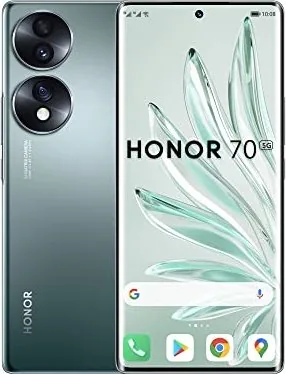
Honor 70 Manual
PDF manual · 111 Pages
English



Quick check
Incorrect answer, please try again.
Chat with your Honor 70 manual using AI
Get instant AI answers from your Honor 70 manual
Ask anything about the Honor 70. Answers come from this manual, with the pages they are based on.
Ask a Question
Do you recommend 70?
Yes NoFrequently Asked Questions
Navigate to Settings > Accessibility > Shortcuts & Gestures and ensure Screenshot with Knuckle Gesture is enabled. Then, tap the screen twice quickly with your knuckle to capture a screenshot.
Is this answer helpful?
Yes, use the Device Clone app on your new Honor 70. Select it as the new device, install the app on your old phone, scan the QR code to connect, and choose the data you want to transfer.
Is this answer helpful?
Multi-Window allows you to open two apps simultaneously on one screen for multitasking. You can also create unanchored floating windows to view notifications while gaming or browsing.
Is this answer helpful?
When projecting to a large screen, you can enable Desktop Mode. This displays a PC-like interface on the screen, allowing you to manage files and run apps independently on the phone while controlling everything from the external display.
Is this answer helpful?
Yes, HONOR Share allows wireless file transfer between nearby Honor devices using Bluetooth and Wi-Fi Direct without consuming mobile data. Simply activate it in the quick settings.
Is this answer helpful?
Advantages and Disadvantages
Advantages

- Advanced AI photography with Pro-Mode for manual control
- Seamless multi-device cooperation with PC and tablets
- Highly customizable Always On Display with interactive animations
Disadvantages

- Some advanced features vary depending on specific device models
- Certain multi-window drag-and-drop functions are not supported by all apps
- 4K video recording disables beauty filters and special effects
Product Specification
Operating System
Android 12.0 (Factory)
Display
6.67", 2400x1080 Pixels, 1.07 Billion Colors, OLED, Capacitive Touchscreen, Camera Hole, 120Hz Refresh Rate, 395ppi
Rear Camera
54.0MP, f/1.9, Phase Detection AF, Dual-LED Flash, Videos @2160p/30fps (Camera 1); 50.0MP, f/2.2, Phase Detection AF, Wide-angle Lens, Macro Lens (Camera 2); 2.0MP, f/2.4, Depth (Camera 3)
Front Camera
32.0MP, f/2.4, Videos @1080p
Interfaces
USB-C 2.0 (480Mb/s, OTG), Wi-Fi 6 (WLAN 802.11a/b/g/n/ac/ax), Bluetooth 5.2 (aptX HD), NFC
Sensors
Accelerometer, Gyroscope, Proximity Sensor, Light Sensor, Compass, Fingerprint Sensor (Display)
SoC
Qualcomm SM7325-AE Snapdragon 778G Plus, 64bit
CPU
1x 2.50GHz Kryo 670 Prime + 3x 2.20GHz Kryo 670 Gold + 4x 1.90GHz Kryo 670 Silver
GPU
Adreno 642L
RAM
8GB
Navigation
A-GPS, GLONASS, BeiDou, Galileo
Modem
GSM (0.2Mbps/0.1Mbps), UMTS (42Mbps/5.76Mbps), LTE, 5G
Battery
4800mAh, Non-removable
Charging Power
66W (Honor SuperCharge)
SAR Value
0.79W/kg Head, 1.19W/kg Body
Form Factor
Bar
Case Material
Glass (Back), Metal (Frame)
SIM Form Factor
Nano-SIM
Features
Dual-SIM
Dimensions
6.35x2.89x0.31in
Weight
6.28oz
Screen-to-Body Ratio
90.8%
Product Description
Honor 70: Experience Seamless Connectivity and Professional Photography
The Honor 70 stands as a testament to modern smartphone innovation, blending powerful performance with intuitive design. This device is crafted for users who demand versatility, offering a suite of features that transform how you capture moments, manage tasks, and connect with your world. From its advanced camera system to its intelligent ecosystem integration, the Honor 70 delivers an experience that feels both personal and professional.
At the heart of the photography experience lies a versatile camera system capable of capturing life in stunning detail. Whether you are shooting portraits with beautiful bokeh effects, exploring low-light scenes with Night mode, or creating cinematic time-lapse videos, the Honor 70 adapts to your needs. The Pro-Mode grants full manual control over ISO, shutter speed, and focus, allowing enthusiasts to craft images just like a professional photographer. AI photography automatically identifies scenes like food or landscapes to optimize settings instantly, ensuring every shot looks its best without the need for complex adjustments.
Beyond photography, the Honor 70 excels in productivity through its multi-window capabilities and screen collaboration features. Users can run two apps side-by-side to multitask efficiently or utilize the unanchored window feature to keep chat apps visible while playing games. For those working across devices, the phone seamlessly cooperates with Honor tablets and PCs. You can drag and drop files between screens, answer calls on your computer, and even use your phone as a touchpad when projecting to a larger display. This level of integration ensures that your workflow remains uninterrupted regardless of where you are.
Personalization is key to the user experience. The Always On Display feature keeps your clock and date visible even when the screen is off, with customizable animations like the interactive polar bear that reacts to battery levels. Service cards on the home screen provide quick access to weather, calendar events, and app functions without needing to open them. Gesture controls, such as knuckle taps for screenshots or scrolling gestures for long captures, add a layer of fluidity to daily interactions. With robust security options including face unlock and fingerprint scanning, along with smart features like Device Clone for easy data migration, the Honor 70 is ready to handle all your digital needs with style and efficiency.
Search for 67,706 Manuals online


Type-in Brand or Model