
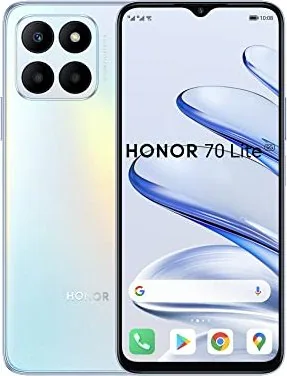
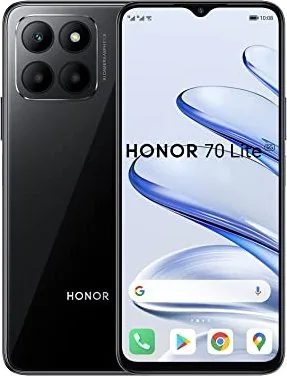
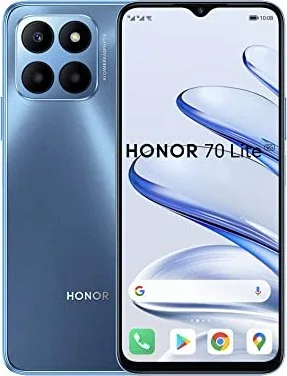
Honor 70 Lite Manual
PDF manual · 100 Pages
English



Quick check
Incorrect answer, please try again.
Chat with your Honor 70 Lite manual using AI
Get instant AI answers from your Honor 70 Lite manual
Ask anything about the Honor 70 Lite. Answers come from this manual, with the pages they are based on.
Ask a Question
Do you recommend 70 Lite?
Yes NoFrequently Asked Questions
You can take a screenshot by knocking twice on the screen with a knuckle or by pressing the Power and Volume down buttons simultaneously. You can also swipe down from the status bar and tap the screenshot shortcut.
Is this answer helpful?
Device Clone allows you to move data from your old phone to your new phone seamlessly. It transfers contacts, calendar, images, and videos. It supports Android devices running Android 7.0 or later and iPhones running iOS 8.0 or later.
Is this answer helpful?
Yes, Multi-Window allows you to open apps in split screen for multitasking. You can open an app and swipe inward from the edge to access the dock, then drag another app to the screen.
Is this answer helpful?
You can record the screen using the shortcut button in the notification panel or by pressing the Power and Volume up buttons simultaneously. Knuckle gestures also allow recording by knocking twice with two knuckles.
Is this answer helpful?
HONOR Share is a wireless sharing technology that allows you to quickly transfer images, videos, and documents between devices using Bluetooth and Wi-Fi Direct without using mobile data.
Is this answer helpful?
Unlock the phone by entering your password, using Face Unlock, or placing an enrolled finger on the fingerprint sensor. You can also launch apps like Camera directly from the lock screen.
Is this answer helpful?
Yes, App Twin enables you to log in to two WhatsApp or Facebook accounts simultaneously. You can enable it in Settings under Apps to get a twin app icon on the home screen.
Is this answer helpful?
Advantages and Disadvantages
Advantages

- Knuckle gestures for screenshots and screen recording enhance usability.
- HONOR Share enables fast wireless file transfers without mobile data.
- Device Clone simplifies data migration from old Android or iOS devices.
- Multi-window split-screen allows running two apps simultaneously.
- Camera Pro mode offers manual control over focus and exposure settings.
Disadvantages

- Split screen is limited to only two apps at any given time.
- Knuckle gestures may not work effectively with certain screen protectors.
- Feature availability varies significantly depending on specific device hardware regions.
- Some drag-and-drop functions between apps are not fully supported.
- Battery life shortens noticeably after many charge cycles over time.
Product Specification
Operating System
Android 12.0 (Factory)
Display
6.5 inches, 1600 x 720 Pixels, 16 Million Colors, IPS, Capacitive Touchscreen, Flat, Punch-hole, 60-90Hz Refresh Rate, 270 ppi
Rear Camera
50.0 MP, f/1.8, Phase Detection AF, LED Flash, Videos @1080p/30fps (Camera 1); 2.0 MP, f/2.4, Wide-angle Lens, Macro Lens (Camera 2); 2.0 MP, f/2.4, Depth Sensor (Camera 3)
Front Camera
8.0 MP, f/2.0, Videos @1080p
Connections
USB-C 2.0 (480Mb/s, OTG), 3.5mm Jack, Wi-Fi 5 (WLAN 802.11a/b/g/n/ac), Bluetooth 5.1 (aptX HD), NFC
Sensors
Accelerometer, Proximity Sensor, Light Sensor, Compass, Fingerprint Sensor (Side-mounted)
SoC
Qualcomm SM4350-AC Snapdragon 480 Plus, 64-bit
CPU
2x 2.20GHz Kryo 460 Gold + 6x 1.80GHz Kryo 460 Silver
GPU
Adreno 619
RAM
4GB
Storage
128GB, microSD Slot (Shared)
Navigation
A-GPS, GLONASS, BeiDou, Galileo
Modem
GSM (0.2Mbps/0.1Mbps), UMTS (42Mbps/5.76Mbps), LTE, 5G
Battery
5000mAh, Non-removable
Charging Speed
22.5W (Honor SuperCharge)
SAR
0.84 W/kg Head, 1.22 W/kg Body
Form Factor
Bar
SIM Form Factor
Nano-SIM (1x Shared)
Features
Dual-SIM
Dimensions
6.44 x 2.96 x 0.34 inches
Weight
0.43 lbs
Screen-to-Body Ratio
83%
Product Description
Exploring the Advanced Capabilities of the Honor 70 Lite
Introduction to the Device and User Experience
The Honor 70 Lite stands out as a versatile smartphone designed for modern users who value functionality and style alongside performance. Navigating its extensive features becomes effortless once you fully understand the system capabilities outlined in the detailed Honor 70 Lite Manual. This comprehensive guide helps users unlock the full potential of their device without needing prior technical expertise or engineering knowledge. Whether you are adjusting complex system settings or capturing high-quality memories, the manual provides clear step-by-step instructions to ensure success.
Essential Gestures and System Navigation
One of the standout features involves basic gestures that simplify daily tasks and reduce physical button reliance. Users can return to the home screen by swiping up from the bottom edge of the screen. Multitasking is accessible through specific swipe movements that open the recent tasks interface. The knuckle gesture function allows for quick screenshots by tapping twice on the glass surface. These intuitive controls make interaction seamless and faster than traditional menus. Navigation settings can be changed between gesture controls and three-key options based on personal preference stored in settings.
Camera and Photography Features
The camera system offers various modes to enhance photo quality under any lighting condition. Pro Mode provides manual control over ISO sensitivity and focus for photography enthusiasts who want full creative input. Dual-View Mode captures front and rear perspectives simultaneously during video recording. Night mode improves low-light performance significantly by adjusting exposure automatically. Stickers can be added to personalize images before sharing with friends.
Smart Connectivity and Application Management
Connectivity options include HONOR Share for rapid wireless file transfers between supported devices. Device Clone facilitates moving all data from old phones efficiently during an upgrade process. Split-screen functionality allows two apps to run simultaneously on the display for better productivity. Floating windows help manage multitasking effectively while gaming or watching videos. App Twin lets users run duplicate accounts for social platforms like WhatsApp on a single device.
Conclusion
Understanding these tools ensures a smooth experience for all users regardless of skill level. Regular system updates keep the device secure. Users should explore settings like security to protect information. With proper configuration, the Honor 70 Lite serves as a reliable companion for work and play. The Honor 70 Lite Manual remains a crucial resource for mastering advanced capabilities.
Search for 67,706 Manuals online


Type-in Brand or Model