
Honor 50 Manual
PDF manual · 92 Pages
English



Quick check
Incorrect answer, please try again.
Chat with your Honor 50 manual using AI
Get instant AI answers from your Honor 50 manual
Ask anything about the Honor 50. Answers come from this manual, with the pages they are based on.
Ask a Question
Do you recommend 50?
Yes NoFrequently Asked Questions
Honor 50 supports gesture navigation, three-button navigation, and NaviDot. Gestures can return to the previous screen, open recent tasks, return home, and switch apps. Users can select their preferred method in system navigation settings.
Is this answer helpful?
You can press the Power and Volume Down buttons, use the screenshot shortcut in the control panel, double-knock with a knuckle, or enable a three-finger swipe. The phone also supports scrolling and partial screenshots.
Is this answer helpful?
The camera includes Photo, Portrait, Night, AI photography, Super Macro, Panorama, HDR, Documents, High Resolution, Pro, Video, Time-lapse, and Multi-Video modes. Availability can vary by configuration and software version.
Is this answer helpful?
Yes. With Multi-Screen Collaboration and a compatible HONOR PC, the phone can connect through NFC, Bluetooth, or USB. It can support file transfers, PC keyboard and mouse control, clipboard sharing, and selected app interactions.
Is this answer helpful?
HONOR Share is a nearby wireless sharing feature for photos, videos, and other content. It uses Bluetooth to detect supported devices and Wi-Fi Direct for transfer. It can also help share content with compatible computers and printers.
Is this answer helpful?
Yes. Easy Projection can connect the phone to compatible Miracast displays or wireless HDMI adapters. Desktop mode can show a desktop-style workspace on the larger screen while the phone can act as a touchpad.
Is this answer helpful?
Advantages and Disadvantages
Advantages

- Flexible navigation includes gestures, three-button controls, and the floating NaviDot shortcut.
- Camera modes include Portrait, Night, HDR, Panorama, Macro, Pro, High Resolution, and Multi-Video.
- HONOR Share supports fast nearby transfers and can work with compatible computers and printers.
- Multi-Screen Collaboration can enable PC control, drag-and-drop transfers, and shared clipboard features.
- Always On Display, widgets, sounds, and lock-screen options provide extensive personalization.
Disadvantages

- Some functions may vary by device model, region, software version, or carrier support.
- PC collaboration requires a compatible HONOR computer and supported PC Manager version.
- Wireless projection depends on a compatible Miracast display or wireless HDMI adapter.
- Certain camera features, audio options, and video modes may not be available in every configuration.
- VoLTE, VoWiFi, and some emergency functions depend on mobile network provider availability.
Product Specification
Operating system
Android 11.0 (factory installed)
Display
6.57 in, 2340 x 1080 pixels, 1.07 billion colors, OLED, capacitive touchscreen, punch-hole camera, 120 Hz refresh rate, 300 Hz sampling rate, 392 ppi
Rear camera
108.0 MP, f/1.9, phase-detection AF, LED flash, video at 2160p/30 fps (Camera 1); 8.0 MP, f/2.2, wide-angle lens (Camera 2); 2.0 MP, f/2.4, macro lens (Camera 3); 2.0 MP, f/2.4, depth sensor (Camera 4)
Front camera
32.0 MP, f/2.2, video at 1080p/60 fps
Interfaces
USB-C 2.0 (480 Mb/s, OTG), Wi-Fi 6 (WLAN 802.11a/b/g/n/ac/ax), Bluetooth 5.2 (aptX HD), NFC
Sensors
Accelerometer, gyroscope, proximity sensor, ambient light sensor, compass, fingerprint sensor (display)
SoC
Qualcomm SM7325 Snapdragon 778G, 64-bit
CPU
1x 2.40 GHz Kryo 670 Prime + 3x 2.20 GHz Kryo 670 Gold + 4x 1.90 GHz Kryo 670 Silver
GPU
Adreno 642L
Navigation
A-GPS, GLONASS, BeiDou, Galileo, QZSS
Modem
GSM (0.2 Mbps/0.1 Mbps), UMTS (42 Mbps/5.76 Mbps), LTE, 5G
Frequency bands
2G (850/900/1800/1900), 3G (B1/B2/B4/B5/B6/B8/B19), 4G (B1/B2/B3/B4/B5/B7/B8/B12/B17/B18/B19/B20/B26/B28/B34/B38/B39/B40/B41/B66), 5G (n1/n3/n7/n28/n38/n40/n41/n77/n78)
Battery
4300 mAh, non-removable
Charging power
66 W (Honor SuperCharge)
SAR value
0.80 W/kg head, 1.10 W/kg body
Form factor
Bar
Case material
Glass (back), metal (frame)
SIM form factor
Nano-SIM
Special features
Dual SIM
Dimensions
6.30 x 2.91 x 0.31 in
Weight
0.39 lb
Screen-to-body ratio
89.7%
Product Description
Honor 50 - Read, Download & Print Free
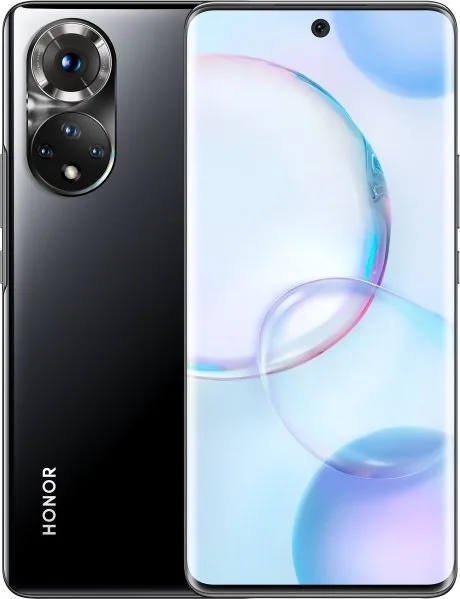
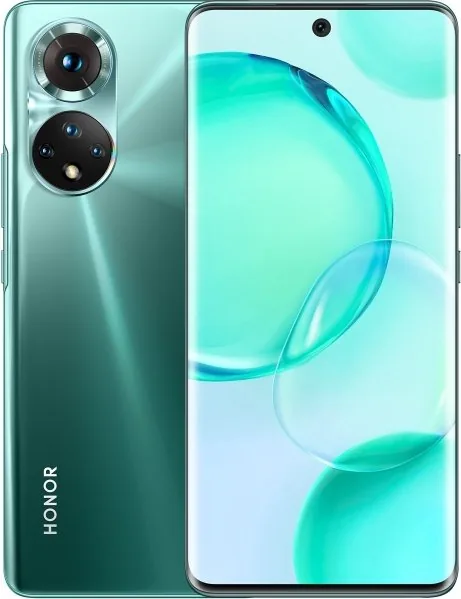
The Honor 50 is a versatile smartphone designed for people who want smooth everyday performance, creative camera tools, and practical connectivity features in one stylish device. This guide helps users explore the phone's controls, personalize settings, and get more from its built-in capabilities. Whether you are setting up the device for the first time or looking for useful shortcuts, the Honor 50 offers an approachable experience with plenty of room for customization.
Everyday controls made simple
Navigation can be tailored to personal preference with gesture controls, three-button navigation, or the floating NaviDot shortcut. Helpful screen controls include double-knuckle screenshots, scrolling captures, partial screenshots, and screen recording. These options make it easy to save important information, create tutorials, or share activity from the display.
The lock screen supports password, fingerprint, and face unlocking options. Users can also access selected tools such as the camera, flashlight, calculator, and timer without fully opening the phone. Always On Display settings provide another way to personalize the device with clocks, artwork, text, stickers, and selected images.
Camera tools for creative results
Honor 50 includes a broad selection of camera modes for different scenes and styles. Portrait, Night, HDR, Panorama, Super Macro, High Resolution, and Pro modes help users capture subjects in varied lighting conditions. AI photography can recognize common scenes and optimize color and brightness automatically, while the Documents mode corrects perspective and reduces shadows for clear text-based images.
Video features include adjustable resolution, zoom-aware audio, time-lapse recording, and Multi-Video modes. Multi-Video can combine front and rear camera views, picture-in-picture layouts, or wide and close perspectives in a single recording. Gallery tools support editing, filters, collages, stickers, albums, hidden content, and Vlog creation.
Connected work and sharing
The Honor 50 supports wireless projection to compatible larger displays and offers a desktop-style experience for multitasking. With Multi-Screen Collaboration and a compatible HONOR computer, users can transfer files, control phone apps from a PC, share clipboard content, and use mobile data through Instant Hotspot.
HONOR Share enables fast nearby sharing of photos, videos, and other content without relying on mobile data. It can also support sharing with computers and compatible printers. Bluetooth audio controls make switching playback between connected devices more convenient.
Note: Feature availability can vary by region, network provider, software version, connected accessories, and specific device configuration. Keep the Honor 50 updated to access the latest improvements and compatibility options.
Search for 67,706 Manuals online


Type-in Brand or Model