

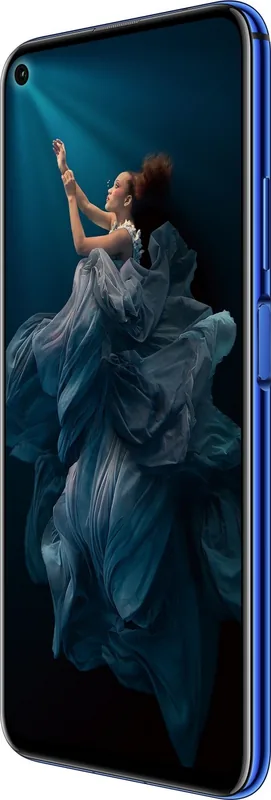
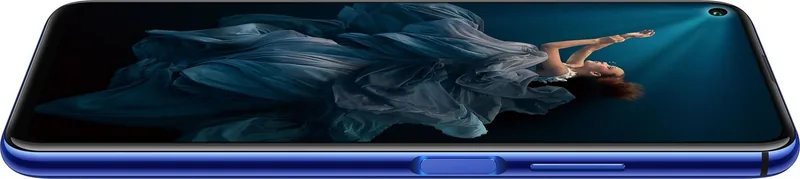
Honor 20 Manual
PDF manual · 119 Pages
English



Quick check
Incorrect answer, please try again.
Chat with your Honor 20 manual using AI
Get instant AI answers from your Honor 20 manual
Ask anything about the Honor 20. Answers come from this manual, with the pages they are based on.
20 Maintenance Schedule
The system notifies you if no anti-virus scan has been performed for more than 30 days. Install security software and regularly scan for viruses.
Open Optimiser and touch Cleanup to free up storage space and improve performance. Perform a deep clean if storage is still low.
Free maintenance reminders
Timed to your purchase date. Always free, unsubscribe anytime.
Ask a Question
Do you recommend 20?
Yes NoFrequently Asked Questions
HiVision can scan QR codes and barcodes, translate supported languages, identify objects and artwork, suggest similar products, and show nutrition details for some foods. Internet access is needed for many of these services, and availability can vary by region.
Is this answer helpful?
AI Photography detects supported scenes, such as plants, blue skies, stages, and text. It then automatically adjusts color and brightness and may recommend a suitable shooting mode. This reduces the need to manually change camera settings for common scenes.
Is this answer helpful?
Pro mode lets you adjust metering, ISO, shutter speed, exposure compensation, white balance, color temperature, and focus mode. It is useful for landscapes, portraits, low-light scenes, and situations where you want more control over the final image.
Is this answer helpful?
Yes. Face Unlock and fingerprint recognition can both be configured for quick access. A screen lock password is still required in certain situations, including after a restart or when biometric recognition does not work.
Is this answer helpful?
PrivateSpace creates a separate, protected area for private apps and data. It can be accessed with its own fingerprint or password, helping keep personal content separate when other people use or view the phone.
Is this answer helpful?
Use the scrolling screenshot feature after taking a standard screenshot. It can continue scrolling down the screen to capture more content in one image. The completed image can then be edited, shared, and viewed in the Gallery.
Is this answer helpful?
Advantages and Disadvantages
Advantages

- AI Photography automatically recognizes scenes and adjusts color and brightness for easier everyday shooting.
- Pro mode offers manual ISO, shutter speed, exposure, white balance, and focus controls.
- Face Unlock, fingerprint access, App Lock, Password Manager, and PrivateSpace strengthen privacy options.
- HiVision can scan codes, translate text, identify objects, and provide product or food information.
- Split screen, scrolling screenshots, screen recording, widgets, and gestures improve productivity and customization.
Disadvantages

- Several HiVision features require an internet connection and may not be available in every country or region.
- Face Unlock supports only one registered face and may be unavailable after restart or repeated password inactivity.
- Not every app supports split-screen mode, and compatible apps may not always work correctly.
- VoLTE and VoWiFi availability depends on carrier support and local network configuration.
- SuperCharge performance depends on using the supplied compatible charger and USB cable.
Product Specification
Operating system
Android 10.0 (via update), Android 9.0 (factory-installed)
Display
6.26 in, 2340 x 1080 pixels, 16 million colors, IPS/LTPS, capacitive touchscreen, punch-hole camera, 412 ppi
Rear camera
48.0 MP, f/1.8, phase-detection AF, LED flash, video at 2160p/30 fps, video at 720p/960 fps (camera 1); 16.0 MP, f/2.2, wide-angle lens (camera 2); 2.0 MP, f/2.4, depth sensor (camera 3); 2.0 MP, f/2.4, macro lens (camera 4)
Front camera
32.0 MP, f/2.0, video at 1080p/30 fps
Interfaces
USB-C 2.0 (480 Mb/s, OTG), Wi-Fi 5 (WLAN 802.11a/b/g/n/ac), Bluetooth 5.0 (aptX HD), NFC, infrared port
Sensors
Accelerometer, gyroscope, proximity sensor, ambient light sensor, compass, fingerprint sensor (side-mounted)
SoC
HiSilicon Kirin 980, 64-bit
CPU
2 x 2.60 GHz Cortex-A76 + 2 x 1.92 GHz Cortex-A76 + 4 x 1.80 GHz Cortex-A55
GPU
Mali-G76 MP10
RAM
6 GB
Storage
128 GB (UFS 2.1)
Navigation
A-GPS, GLONASS, BeiDou, Galileo, QZSS
Modem
GSM (0.2 Mb/s/0.1 Mb/s), UMTS (42 Mb/s/5.76 Mb/s), LTE Cat 21/18 (1,400 Mb/s/210 Mb/s)
Frequency bands
2G (850/900/1800/1900), 3G (B1/B2/B4/B5/B6/B8/B19), 4G (B1/B2/B3/B4/B5/B7/B8/B18/B19/B20/B26/B28/B38/B40/B41)
Battery
3,750 mAh, non-removable
Charging power
22.5 W (Honor SuperCharge)
SAR value
0.84 W/kg head, 1.29 W/kg body
Form factor
Bar
Case material
Glass (back), metal (frame)
SIM form factor
Nano-SIM
Special features
Dual SIM, notification LED
Dimensions
6.07 x 2.91 x 0.31 in
Weight
6.14 oz
Screen-to-body ratio
84.3%
Product Description
Honor 20 Manual: Explore Smart Features and Everyday Performance
The Honor 20 is designed for users who want a capable smartphone experience that combines intelligent tools, flexible camera controls, and practical privacy features. This Honor 20 Manual overview highlights the functions that can help owners set up the phone, personalize the interface, capture better images, and manage daily tasks with confidence.
Smarter Ways to Search, Scan, and Navigate
Honor 20 includes HiVision, an intelligent scanning tool for identifying objects, reading QR codes and barcodes, translating supported languages, finding similar products, and viewing food nutrition information. Because several HiVision features rely on online services, a stable Wi-Fi or mobile data connection is important for the best results.
HiSearch makes it easier to locate apps, contacts, settings, notes, and stored items from the home screen. For smoother one-handed use, the Navigation Dock provides floating controls for going back, returning home, and viewing recent apps. Users can also choose between gesture navigation and a traditional three-button layout.
Camera Tools for Creative Photos
The Honor 20 camera experience offers more than simple point-and-shoot photography. AI Photography recognizes scenes such as plants, skies, stages, and text, then adjusts color and brightness automatically. Portrait mode adds background blur and beauty controls for selfies and people shots, while Panorama helps capture wide landscapes and group images.
For users who prefer direct creative control, Pro mode provides adjustable ISO, shutter speed, exposure compensation, white balance, and focus. Additional features include Super Macro shooting, video recording, camera grids, location tags, smile capture, and downloadable camera modes. These options make the Honor 20 suitable for casual snapshots as well as more considered photography.
Privacy, Security, and Personalization
Security options include Face Unlock, fingerprint recognition, an app lock, password manager, and PrivateSpace. PrivateSpace creates a separate protected area for private apps and data, accessible with its own authentication. A screen lock password remains important, especially after a restart or when biometric recognition is unavailable.
The home screen can be tailored with wallpapers, widgets, folders, and an optional app drawer. Simple Mode enlarges icons and text for a cleaner, easier-to-read layout. The phone also supports split-screen multitasking, screenshots, scrolling screenshots, and screen recording for sharing instructions or preserving on-screen content.
Notes
- Use the supplied charger and cable for SuperCharge support.
- Public Wi-Fi networks can present privacy risks, so connect carefully.
- Some functions, including VoLTE, VoWiFi, and HiVision services, may depend on region or carrier support.
Search for 67,706 Manuals online


Type-in Brand or Model