
Hiti P310W Manual
PDF manual · 126 Pages
English



Quick check
Incorrect answer, please try again.
Chat with your Hiti P310W manual using AI
Get instant AI answers from your Hiti P310W manual
Ask anything about the Hiti P310W. Answers come from this manual, with the pages they are based on.
Ask a Question
Do you recommend P310W?
Yes NoFrequently Asked Questions
Download the free Prinbiz app from the App Store or Google Play on your device. Search for the SSID HiTi P310W in your device settings and connect. Once connected the app allows you to edit and send photos directly to the printer for printing.
Is this answer helpful?
The device supports Windows 7 and above macOS version 10.6 or above. Mobile support includes iOS 5.1.1 and Android 4.0.3. This ensures compatibility with a wide range of PCs and smartphones for data transfer.
Is this answer helpful?
A standard 4x6 inch print takes approximately 47 seconds at 300 dpi resolution with half tone off. With half tone on it takes about 58 seconds. This speed is suitable for events where quick output is desired.
Is this answer helpful?
Press the power switch for six seconds until the LED blinks in blue light. Press the switch one more time until the light turns green. This indicates the wireless mode has been successfully reset to factory settings.
Is this answer helpful?
A flashing red light indicates an error. One flash means the ribbon door is not closed or ribbon is missing. Three flashes mean the ribbon is empty. Four flashes mean no paper is loaded. Five flashes indicate a paper or ribbon jam.
Is this answer helpful?
HiTi recommends using only specified paper to ensure the best quality results. Generic paper may cause jams or poor color reproduction. Store paper flat in a dry dark place below thirty degrees Celsius and sixty percent humidity.
Is this answer helpful?
The printer requires a 19 Volt DC adapter with 65 Watts of power. The adapter ensures stable power delivery during operation. Ensure the cord is plugged in securely to avoid power interruptions or electrical issues.
Is this answer helpful?
Advantages and Disadvantages
Advantages

- Supports multiple connectivity options including WiFi and USB PC link for flexible usage
- Compact dimensions and lightweight under 1kg for easy portability in any situation
- Fast print speed of 47 seconds per 4x6 inch photo with high contrast options
- Compatible with popular mobile apps for easy editing and printing on the go
- Clear LED status indicators help users quickly identify errors like paper jams
Disadvantages

- Thermal head reaches high temperatures requiring caution during operation to avoid burns
- Requires specific HiTi paper and ink ribbons for optimal print quality
- Paper cassette capacity is limited to thirty sheets at once requiring frequent refills
- Older operating system requirements limit compatibility with newer mobile platforms
- No built-in battery requires continuous connection to external power source
Product Specification
Type
Thermal Sublimation Printer
Media Size
3.94x5.91in (47 sec.)
Print Resolution
300dpi
Paper Capacity
60 sheets
Memory
8MB (RAM)
Connections
USB 2.0
Network
Wi-Fi 4 (WLAN 802.11b/g/n), NFC, Wi-Fi Direct, AirPrint, Cloud Print, Mopria
Display
N/A
Emulation
N/A
Dimensions
7.32x2.56x5.43in
Weight
2.20 lbs
Manufacturer Warranty
1 Year
Product Description
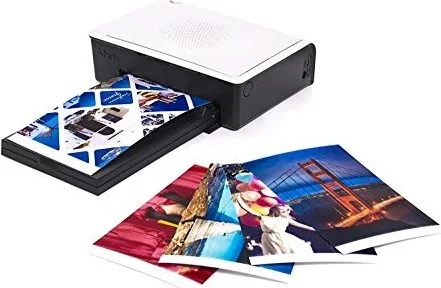
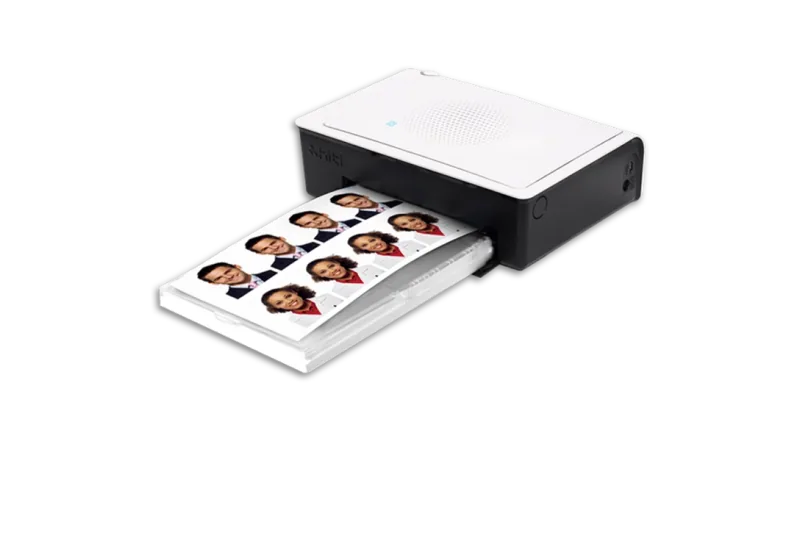
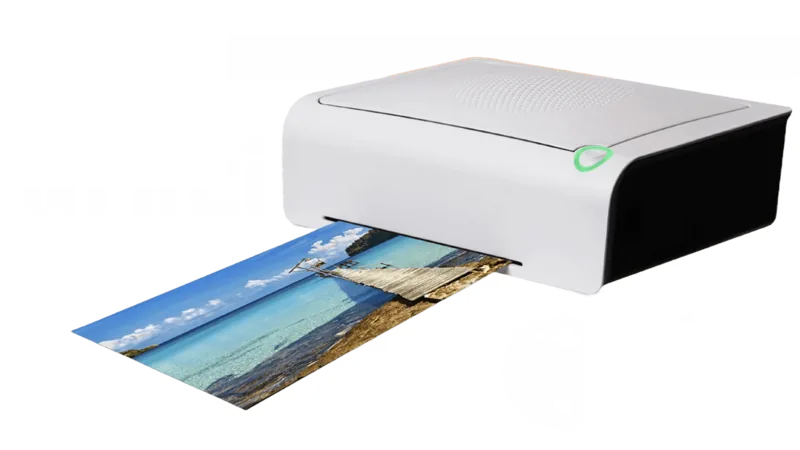
The HiTi P310W Portable Photo Printer Review
The world of portable photography has evolved significantly allowing users to print memories instantly where they happen. The HiTi P310W stands out as a compact solution for those who value speed and convenience. Whether you are at a family gathering or a professional event this device ensures your digital moments become tangible keepsakes quickly and easily.
Connectivity and Software Integration
Ease of use is paramount when selecting portable printing hardware. This unit offers versatile connection options including wireless network capability. Users can download the free Prinbiz app to manage content directly from mobile devices. For computer users a standard USB cable connects seamlessly to PC or laptop systems. The software support extends across various platforms ensuring broad compatibility for modern digital workflows. Integration allows editing and printing to happen in real time without complex drivers. Data transfer occurs reliably via the micro USB port alongside wireless transmission methods for flexible user choice.
Setting Up Your Device
Unboxing reveals essential components ready for immediate operation. The thermal print mechanism is designed to handle standard photo paper sizes efficiently. Users must load the ink ribbon carefully ensuring proper placement inside the housing. Paper loading requires attention to orientation with the shiny face up and the logo facing down to guarantee quality output. Adhering to these steps minimizes potential feed issues during high volume jobs. The cassette door mechanism is designed to open smoothly for easy access during routine refills. Additional features include compatibility with various file formats for flexibility. JPEG PNG and BMP images display correctly through the application interface. This ensures that common image formats do not require conversion before printing.
Safety and Specifications
Operational safety is critical during handling. The thermal head generates significant heat during active printing sessions so touching it is prohibited. Power requirements remain stable with an included adapter rated at specific voltage levels. Placement should avoid humid or dusty environments to prevent internal damage. LED status lights provide instant feedback on connectivity and error states like paper jams or ribbon depletion. Referencing the Hiti P310W Manual content helps users maximize performance by understanding safe operating zones. It outlines specific operating environments such as temperature limits and humidity restrictions. Following these guidelines ensures longevity and consistent quality. With a weight under one kilogram portability remains a key advantage for photographers on the move who need reliable immediate results without compromising on resolution. The resolution supports 300 by 300 dots per inch delivering vibrant colors suitable for personal archives. Print times average under a minute per standard photo which keeps momentum high during events. The paper cassette holds up to thirty sheets allowing for batch processing without constant reloading interruptions. Maintenance involves replacing consumables periodically using genuine parts specified by the manufacturer. Incorrect handling of internal mechanisms can lead to costly repairs so professional service centers should handle major failures. Connectivity includes NFC support for instant pairing with compatible smartphones making sharing photos effortless throughout the day. Wireless reset functions are available if connection stability is lost during critical workflows. Power can be toggled safely using the physical switch to enter standby or off modes as needed. The card reader adapter slot allows direct access from memory cards without a computer. This adds significant convenience for users managing large photo collections on portable drives. Environmental factors like direct sunlight can affect paper quality so storage should remain cool and dry.
Search for 67,732 Manuals online


Type-in Brand or Model