
Hikvision KD8 Series Pro Manual
PDF manual · 94 Pages
English



Quick check
Incorrect answer, please try again.
Chat with your Hikvision KD8 Series Pro manual using AI
Get instant AI answers from your Hikvision KD8 Series Pro manual
Ask anything about the Hikvision KD8 Series Pro. Answers come from this manual, with the pages they are based on.
Ask a Question
Do you recommend KD8 Series Pro?
Yes NoFrequently Asked Questions
The default IP address is 192.0.0.65 and the default server port is 8000. After activation, you should configure the device network parameters to match your subnet or use DHCP.
Is this answer helpful?
Submodules are addressed from 1 to 8 via the DIP switch on each submodule; each address must be unique. The system supports single-module up to multi-module installations (including configurations of more-than-three modules using paired frames or gang boxes).
Is this answer helpful?
The KD8 module supports magnetic locks, electric bolts, and electric strikes. Default terminals NC1/COM for magnetic lock/electric bolt and NO2/COM for electric strike. Door contacts and exit buttons connect to AIN inputs for status detection and manual release control.
Is this answer helpful?
Yes, the device supports PoE and is compatible with IEEE 802.3af/at‑compliant PoE devices. It also offers local 12 V power input and 12 V outputs for peripherals.
Is this answer helpful?
The module supports platform access (e.g., Hik‑Connect) with stream encryption and device registration. Enable platform access in Network settings and create a stream encryption password (6–12 characters recommended). Use strong admin passwords and enable applicable security features like RTSP authentication.
Is this answer helpful?
Video supports H.264 encoding with selectable resolution, main/sub streams, frame rate and bitrate control (constant or variable). Audio supports G.711 u‑law and a-law with adjustable input/output volumes and two‑way audio via web or client.
Is this answer helpful?
During firmware upgrade, do not power off the device; upgrades may take 1–10 minutes and the device reboots automatically. Export/backup device parameters before major changes, use strong passwords, and perform upgrades during maintenance windows to avoid service disruption.
Is this answer helpful?
Advantages and Disadvantages
Advantages

- Stainless steel construction for durability and outdoor resilience.
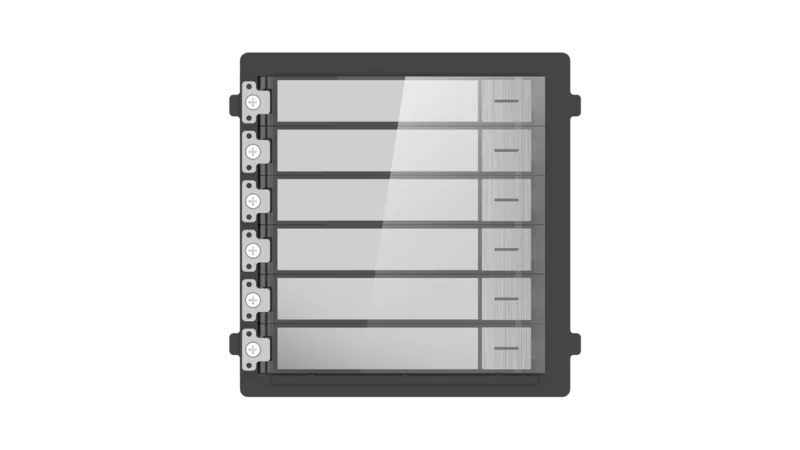
- Modular design supports nametag, keypad, card reader, display and indicator submodules.
- Comprehensive I/O: relay outputs (NC/NO/COM), multiple alarm inputs, RS‑485 and 12 V output.
- Flexible network features: PoE, SIP, Hik‑Connect platform access, FTP and remote config.
- Rich software controls: video/audio settings, motion/event linkage, scheduling, and user management.
Disadvantages

- Complex installation for multi-module flush mounts may require professional support.
- Requires careful DIP-switch addressing and cable routing to avoid module conflicts.
- Advanced configuration (SIP, elevator control) may need network and access-control expertise.
- Firmware upgrades and device activation demand secure password policies and caution.
- Limited onboard documentation for non-technical users; reliance on iVMS-4200 or web interface.
Product Specification
Type
Door station module
Standard
open wire
Function
Camera, Information display, Movement
Dimensions
3.94x3.86x1.73in
Special features
IP65, controllable via app (Android, iOS)
Product Description
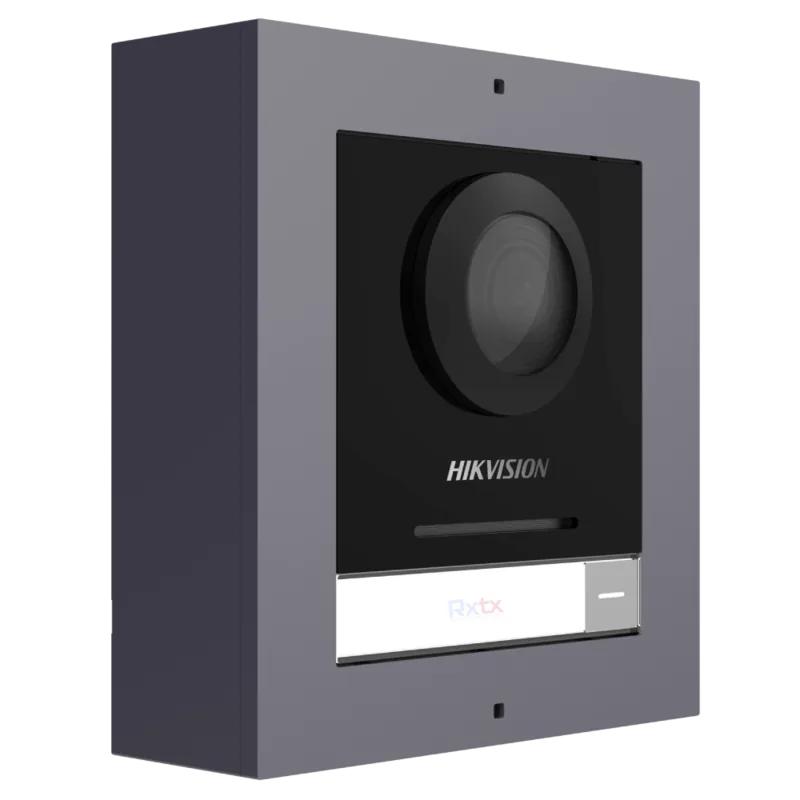
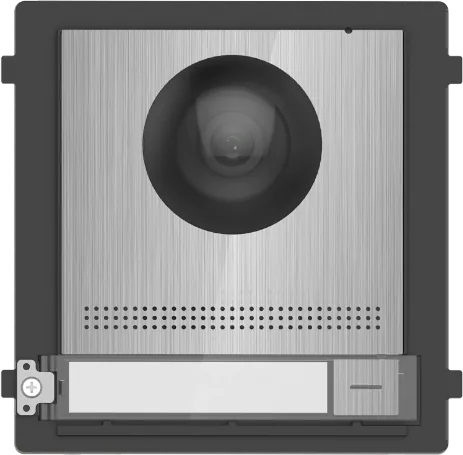
Hikvision KD8 Series Pro Video Module for Door Station stainless steel
The Hikvision KD8 Series Pro Video Module for Door Station stainless steel is a modular, professional-grade door station module designed for modern access control and video intercom systems. Crafted with durable stainless steel and compatible with the KD8 product family, this Door Station Module supports multi-module configurations, PoE or local power inputs, integrated camera and audio, and flexible I/O for locks, exit buttons, and door contacts. It targets installations where robust build quality, reliable connectivity, and clear audio-video intercom are essential.
The module integrates a built-in camera with low-light IR supplement, two-way audio through microphone and speaker, a call button with nametag area, tamper detection, and network interfaces supporting IPv4, SIP, and platform access like Hik-Connect. Submodules (nametag, keypad, card reader, indicator, display) connect via module-connecting interfaces, allowing 1–more-than-3-module surface or flush mounting configurations. Terminal blocks expose relay outputs (NC/NO/COM), multiple alarm inputs (AIN), 485 interfaces, and 12 V outputs for external devices. Wiring guidance covers door lock types (magnetic lock, electric strike), door contact, and exit button integration.
On the software side, the KD8 series supports device activation with strong password enforcement, remote configuration via web or iVMS-4200 client, live view and two-way audio, user and number management, device list management, and export/import of device parameters. Video and audio settings include stream selection, H.264 encoding, bitrate and resolution controls, and audio codecs (G.711 variants). Image and OSD adjustments, motion detection, event linkage, FTP/plattform access, SIP settings, and Wi‑Fi management are also provided. Access control features include card security, elevator control (RS‑485 or network), and door parameter scheduling. Maintenance functions allow reboot, restore, firmware upgrade, parameter export/import, and secure authentication settings.
Installation is supported with detailed mechanical instructions: DIP switch configuration for submodule addressing (1–8), mounting stickers, gang box dimensions for flush mounts, cable routing, grounding, and recommended tools. Safety and regulatory sections emphasize legal disclaimers, FCC/CE compliance, data protection notes, and recommendations for secure password policies.
Overall, the KD8 Series Pro Video Module for Door Station stainless steel provides an industrial-grade, modular solution for door entry systems that need flexible I/O, scalable multi-module layouts, and full-featured networked intercom and access control capabilities.
Notes
- Supports PoE (IEEE 802.3af/at) and local power options; default IP: 192.0.0.65, default port: 8000.
- Submodule addresses must be unique (1–8) and set via DIP switches; bit 8 enables 120Ω termination.
- Follow secure password best practices and firmware upgrade cautions (do not power off during upgrade).
Search for 67,706 Manuals online


Type-in Brand or Model