
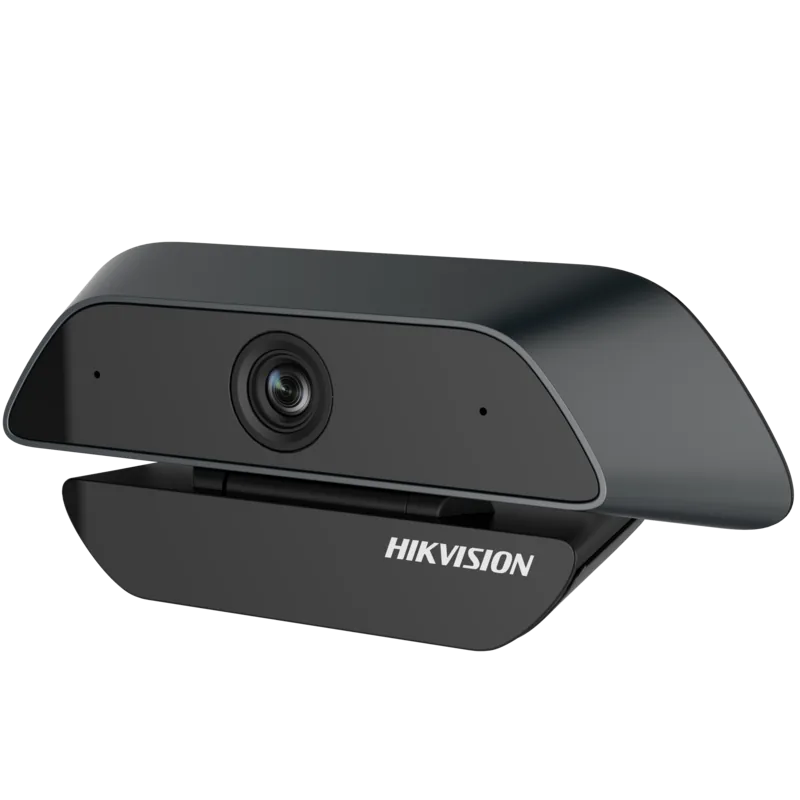
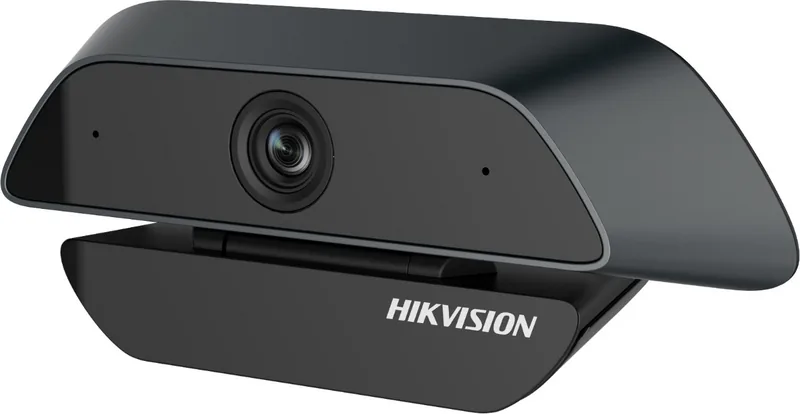
Hikvision DS-U12 Manual
PDF manual · 8 Pages
English



Quick check
Incorrect answer, please try again.
Chat with your Hikvision DS-U12 manual using AI
Get instant AI answers from your Hikvision DS-U12 manual
Ask anything about the Hikvision DS-U12. Answers come from this manual, with the pages they are based on.
Ask a Question
Do you recommend DS-U12?
Yes No
aspernatur_assumenda
5 months ago
Does this webcam have autofocus for showing documents or small objects close to the lens?

Manual.ly
5 months ago
No. This model uses fixed focus, so objects closer than approximately 35-40 cm may appear blurred. It is best suited to wide shots, group calls, and capturing a larger area rather than close-up document or product demonstrations. It offers strong image quality and a wide field of view, but users needing sharp close-range focus should choose an autofocus webcam.

Sydnee Doyle
4 months ago
Does this webcam have autofocus, and is it suitable for showing documents or small objects close to the lens?
Manual.ly
4 months ago
This model uses fixed focus rather than autofocus. It delivers sharp, detailed video across its very wide field of view, but objects closer than approximately 35-40 cm may appear blurred. It is best suited to group calls, wide room coverage, and presentations where subjects remain at a moderate distance. For close-up documents, small text, or objects held near the camera, an autofocus webcam may be a better choice.
Lena Ortiz
4 months ago
Does this webcam have autofocus, and can it clearly capture documents or small text held close to the lens?
Manual.ly
4 months ago
This model uses fixed focus and is optimized for a wide field of view. Objects closer than approximately 35-40 cm may appear blurred, so it is not ideal for showing small text or documents close to the camera. It performs best for room views, group calls, and subjects positioned farther away.
Lena Brooks
6 months ago
Can this webcam focus on documents or small objects held close to the lens?
Manual.ly
6 months ago
This model uses fixed focus rather than autofocus. Objects closer than approximately 35-40 cm may appear blurred, so it is best suited to room views, groups, and subjects seated at a normal distance. For close-up document or product demonstrations, an autofocus webcam may be a better choice.
Darren Turner
3 months ago
Does this webcam have autofocus, and can it clearly show documents or small text held close to the lens?
Manual.ly
3 months ago
This model uses fixed focus rather than autofocus. It provides sharp, detailed image quality across its very wide field of view, but objects closer than approximately 35-40 cm may appear blurry. It is best suited to room views, group calls, and wider framing rather than close-up demonstrations of documents or small text.
Ken Frami
4 months ago
Can this webcam focus on documents or small objects held close to the lens?
Manual.ly
4 months ago
This model uses fixed focus, so objects closer than approximately 35-40 cm may appear blurry. It is best suited to wide-angle room views, group calls, and subjects at a normal desk distance. If you regularly need to show small text or items close to the camera, an autofocus webcam may be a better choice.
callum69
3 months ago
Does this webcam have autofocus, and is it suitable for close-up documents or small text?
Manual.ly
3 months ago
No. This model uses a fixed-focus lens, so objects closer than approximately 35-40 cm may appear blurred. It is best suited for video calls, group views, and wider room coverage rather than close-up demonstrations. Its wide field of view and sharp background detail make it particularly useful when several people or a larger area need to be visible.
NisiNemo30
4 months ago
Does this webcam have autofocus, and is it suitable for showing documents or small objects close to the lens?
Manual.ly
4 months ago
No. This model uses a fixed-focus lens, so objects closer than about 35-40 cm may appear blurry. It is best suited for wider room views, group calls, and subjects positioned at a normal desk distance. If you frequently need to show small text or items held close to the camera, an autofocus webcam would be a better choice.
Lena Park
5 months ago
Does this webcam have autofocus, and is it suitable for showing documents or small objects close to the lens?
Manual.ly
5 months ago
This model uses fixed focus rather than autofocus. Objects closer than about 35-40 cm may appear blurred, so it is not ideal for displaying small text or items held near the camera. Its main strength is the very wide field of view and sharp detail across the room, making it better suited to group calls, wider workspaces, or panoramic scenes.
sint57
5 months ago
Does this webcam have autofocus, and is it suitable for showing small objects or text close to the camera?
Manual.ly
4 months ago
This model uses fixed focus rather than autofocus. It delivers sharp, detailed images across its very wide field of view, but objects closer than approximately 35-40 cm may appear blurred. It is best suited to video calls, group shots, and capturing a larger area rather than close-up demonstrations or reading small text near the lens.
matilda81
3 months ago
Can this webcam focus on documents or small objects held close to the lens?
Manual.ly
3 months ago
This model uses fixed focus, so objects closer than approximately 35-40 cm may appear blurry. It is best suited to wide-angle video calls, group shots, and room views rather than close-up demonstrations or document capture. No additional drivers or software are normally required.
Lena Ortiz
4 months ago
Does this webcam have autofocus, and is it suitable for showing documents or small objects close to the lens?
Manual.ly
4 months ago
No. This model uses fixed focus, so objects closer than approximately 35-40 cm may appear blurry. It is best suited to wide-angle video calls, group meetings, and capturing a larger area of a room. For close-up demonstrations, documents, or small text, a webcam with autofocus would be more appropriate.
Paolo Homenick
3 months ago
Does this camera have autofocus, and what is the minimum focusing distance?
Manual.ly
3 months ago
This camera features a fixed focus lens rather than an autofocus system. The minimum focusing distance is approximately 35 to 40 centimeters. Objects closer than this range will appear out of focus. This design makes the camera ideal for capturing wide angles of a room or group settings where subjects remain at a moderate distance, but it may not be suitable for close-up tasks like reading small text held very near the lens.
Isla Johnson
2 months ago
Can I rotate this webcam left and right to adjust the view on my monitor?
similique_quam
3 months ago
Is this camera suitable for close-up work like reading small text, or does the fixed focus make nearby objects blurry?
Manual.ly
3 months ago
This model features a fixed focus designed for wider shots rather than close-ups. Objects closer than approximately 35-40 cm will appear out of focus. It is ideal for capturing larger areas, group settings, or panoramic views where you maintain a moderate distance. If you require reading fine print at very close range (5-10 cm), a camera with an autofocus feature would be more appropriate.
Alaina Farrell
3 months ago
Can the camera mount rotate left and right to adjust the angle on different monitors?
Frequently Asked Questions
Check the Device Manager to see if the camera is detected. If not, try a different USB port. If detected, restart the software and verify the device name under Options.
Is this answer helpful?
In AMCap settings, navigate to Capture -> Frame Rate Settings and disable the option to use the frame rate setting manually.
Is this answer helpful?
Go to Sound settings in the Control Panel, select the recording tab, choose the camera device, open properties, and enable 'Listen to this device'.
Is this answer helpful?
If the sound is too quiet, go to Sound settings, select the camera as the input device, open properties, and set the microphone volume to 100 percent.
Is this answer helpful?
No, the device must not be installed indoors where it can get wet or exposed to moisture, rain, or extreme weather conditions.
Is this answer helpful?
Advantages and Disadvantages
Advantages

- High-resolution 2 MP CMOS sensor for sharp images
- Plug-and-play USB connection requires no drivers
- Integrated microphone for clear audio
- Flexible mounting options for desk or monitor
- Automatic gain control adjusts to lighting changes
Disadvantages

- Not suitable for outdoor or wet environments
- Cannot withstand extreme heat or cold temperatures
- Original packaging required for safe returns
- Lens must not be exposed to direct sunlight
- Audio volume may require manual PC adjustment
Product Specification
Type
Webcam
Image sensor
1x 1/3" CMOS 2.0 MP
Resolution
1920x1080 pixels (30fps)
Lens
3.6mm
View angle
81 degrees (horizontal), 50 degrees (vertical), 90 degrees (diagonal)
Tilt
-10 degrees to 30 degrees
Zoom function
digital
Compression/Codecs
MJPEG, YUV2
Wireless
N/A
Focusing
Fixed focus
Camera cover
N/A
Microphone
integrated
Speaker
N/A
Lighting
N/A
Cable length
2m
Power supply
via USB
Mount
Clip mount
Dimensions
4.65x2.17x1.85 inches
Weight
4.94 oz
Package contents
Camera
Product Description
Hikvision DS-U12 2 MP Webcam Review
The Hikvision DS-U12 is a versatile 2-megapixel webcam designed for professionals and home users who demand high-quality video conferencing and streaming. Equipped with a high-performance CMOS sensor, this device delivers sharp and detailed images that ensure you look your best during virtual meetings. The camera features an automatic gain control (AGC) function, which automatically adjusts brightness levels to maintain optimal image quality even in varying lighting conditions.
One of the standout features of the DS-U12 is its plug-and-play USB interface. Users can connect the camera directly to their computer without needing to install any additional driver software, making setup incredibly fast and convenient. An integrated microphone ensures clear audio capture, allowing for seamless communication without the need for external audio devices. The camera includes a flexible mounting system that supports multiple placement options. It can be placed on a desk using its adjustable stand or clamped onto a monitor, offering a viewing angle of up to 30 degrees vertically and 180 degrees horizontally for maximum flexibility.
Safety and durability are also prioritized in the design. The unit should never be exposed to rain, extreme temperatures, or direct sunlight to prevent damage. Proper ventilation is essential to avoid heat accumulation. When not in use, storing the original packaging is recommended to protect the device during transport or if a return becomes necessary. This webcam is compliant with various international standards, including FCC regulations for electromagnetic interference and EU directives for safety and environmental protection.
Whether you are conducting business calls, online classes, or content creation, the Hikvision DS-U12 provides reliable performance. Its robust build and user-friendly operation make it a top choice for anyone seeking a dependable video solution.
Important Notes
- Always remove the protective film from the lens before first use.
- Do not point the lens directly at strong light sources like the sun.
- Ensure the device is mounted securely to prevent falls.
Search for 67,706 Manuals online


Type-in Brand or Model
Christiana Mosciski
5 months ago
Can this webcam focus on documents or small objects held close to the lens?
Manual.ly
5 months ago
This model uses fixed focus and is optimized for wide-angle room and group views. Objects closer than about 35-40 cm may appear blurred, so it is not ideal for showing small text or items directly in front of the camera. For close-up demonstrations, a webcam with autofocus is recommended.