
Hikvision DS-KH6320-WTE1 Manual
PDF manual · 46 Pages
English



Quick check
Incorrect answer, please try again.
Chat with your Hikvision DS-KH6320-WTE1 manual using AI
Get instant AI answers from your Hikvision DS-KH6320-WTE1 manual
Ask anything about the Hikvision DS-KH6320-WTE1. Answers come from this manual, with the pages they are based on.
Ask a Question
Do you recommend DS-KH6320-WTE1?
Yes NoFrequently Asked Questions
Power on the unit and follow the on-screen activation prompt to create and confirm a strong admin password. Activation is required before configuration or adding the device to management software.
Is this answer helpful?
You can use DHCP to obtain an IP automatically or assign a static IP manually. Configure subnet mask, gateway, and ports; change DNS settings and enable NTP for time synchronization. After network edits, re-add the device to client software if needed.
Is this answer helpful?
Up to eight zones can be defined with types like panic button, door magnetic, smoke, PIR and gas. Alarm modes include Instant, Delay and 24H. Configure entering/exiting delays and assign zones to arming modes (stay, away, sleeping, custom).
Is this answer helpful?
Yes. Use iVMS-4200 or Hik-Connect to remotely activate, add devices, edit settings, import/export configs, and perform firmware upgrades. Some actions (like password changes) may require re-adding the device or coordination with technical support for secure resets.
Is this answer helpful?
Enable Hik-Connect service, set the service address and verification code, then add the device to the mobile client (QR code option available). This allows remote calls, alerts and live view on mobile devices.
Is this answer helpful?
The unit supports a private SIP protocol and a standard SIP protocol. Switching protocols requires a reboot and reconfiguration of linked device IPs. Standard SIP enables broader interoperability, while private SIP often requires same-segment networking.
Is this answer helpful?
From Settings → Configuration you can choose Restore Default Settings (preserves network parameters) or Restore All (resets everything and deactivates the device). After Restore All, reactivate and reconfigure the unit.
Is this answer helpful?
Advantages and Disadvantages
Advantages

- Comprehensive video intercom features: SIP support, camera integration, TF storage and mobile connectivity.
- Robust alarm and access control: 8 configurable zones, multiple arming modes, duress code support.
- Flexible network options: DHCP or static IP, NTP time sync, DNS, and linked-device configuration for multi-building systems.
- Remote management: iVMS-4200 and Hik-Connect support for activation, bulk device management, config import/export and firmware upgrades.
- User-friendly local controls: touchscreen settings for ringtone, volume, auto-answer, brightness and language selection.
Disadvantages

- Security relies on strong admin passwords and correct network setup; defaults must be changed immediately.
- Some features require specific hardware series (e.g., auto-answer needs TF-capable 8-series units).
- SIP protocol switching requires reboot and reconfiguration of linked devices.
- Password reset can require engineer-assisted file exchange, adding administrative overhead.
- Indoor extension models have reduced functionality compared with full indoor station units.
Product Specification
Display
7" Color LCD, Touchscreen
Image Sensor
1024x600 Pixels
Connection
LAN, WLAN (802.11b/g/n), RS-485, 8x Alarm Input
Users
1
Expandability
1x Outdoor Station
Package Contents
1x Indoor Station
Dimensions
7.87x5.51x0.59in
Special Features
App-controlled
Product Description
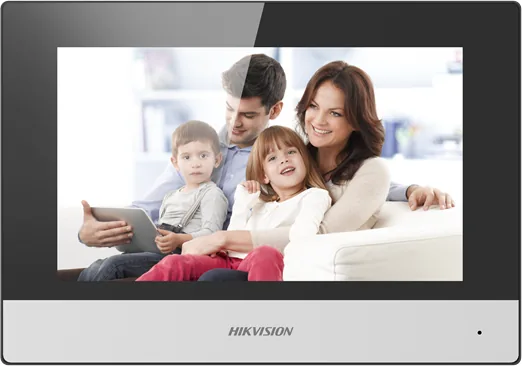
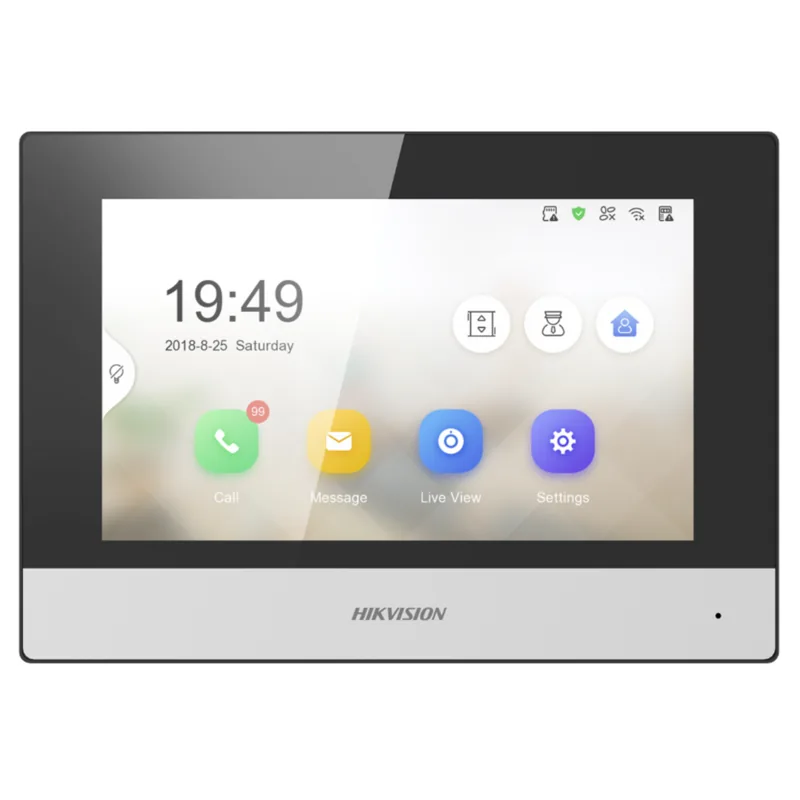
Hikvision DS-KH6320-WTE1 Video Door Station, Indoor Unit Manual
The Hikvision DS-KH6320-WTE1 Video Door Station indoor unit is a polished, feature-rich intercom terminal designed for residential and small commercial deployments. It serves as the primary in-home interface for visitors, alarms, cameras, and system configuration, blending video, audio and access-control functions into a single wall-mounted touchscreen device. Ideal for modern apartment buildings and smart homes, the unit supports SIP-based video intercom, network configuration, camera integration, alarm zones, and mobile connectivity through Hik-Connect.
This indoor unit emphasizes security and flexibility. Initial device activation requires creating a strong admin password, after which network settings (DHCP or manual IP), SIP server mode (private or standard), and linked device IPs (door station, master station, center, doorphone) are configured. The unit supports up to five indoor extensions, camera additions with live streams, and TF card storage for recorded messages or snapshots where supported.
Operational controls include customizable ringtones and ring duration, call forwarding to mobile devices, auto-answer options, and adjustable microphone and speaker levels. Alarm management is robust: up to eight configurable zones (panic button, door magnet, smoke, PIR, gas, etc.), multiple arming modes (stay, away, sleep, custom), and support for instant, delayed, and 24-hour alarm types with entering/exiting delays. Password management covers admin, unlock, arm/disarm and duress codes for concealed alarm alerts.
Remote administration is handled via Hikvision’s iVMS-4200 client and Hik-Connect. From the client you can remotely activate devices, add/manage multiple intercom units, modify network parameters, reset passwords (with secure engineer-assisted workflow), and push firmware or configuration files. System maintenance features include TF card formatting, language choice, brightness and screen clearing, and full/partial factory resets.
Advanced features include IP camera integration (direct stream or URL), ring import (WAV up to specified size), RS-485 settings for external devices, DNS and NTP time synchronization, and detailed linked-device network settings for campus- or community-level intercoms. Person and card management enables hierarchical organization setup and bulk user/card import for access control scenarios.
Notes:
- Activate the device by creating a strong password on first boot.
- Default network/admin parameters should be changed immediately for security.
- Reboot is required after certain changes (SIP protocol, language, firmware).
- Use Hik-Connect verification codes to link mobile clients securely.
Search for 67,706 Manuals online


Type-in Brand or Model