
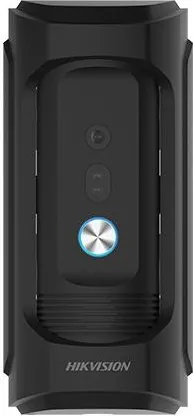
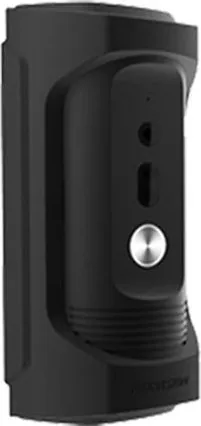
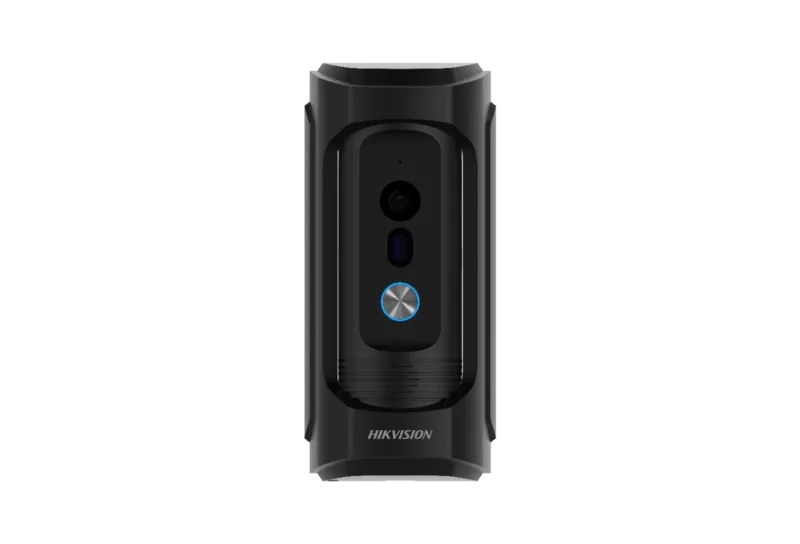
Hikvision DS-KB8113-IME1 Manual
PDF manual · 43 Pages
English



Quick check
Incorrect answer, please try again.
Chat with your Hikvision DS-KB8113-IME1 manual using AI
Get instant AI answers from your Hikvision DS-KB8113-IME1 manual
Ask anything about the Hikvision DS-KB8113-IME1. Answers come from this manual, with the pages they are based on.
Ask a Question
Do you recommend DS-KB8113-IME1?
Yes NoVideo Manual
Demonstração instalação VídeoPorteiro IP HIKVISION DS-KB8113-IME1, com chamada direte no mesmo.
Frequently Asked Questions
Power the device, connect it to the same subnet as your PC, open a browser to the device IP (default 192.0.0.65), and follow the activation prompts to set a strong admin password.
Is this answer helpful?
The doorbell supports Power over Ethernet (PoE) and 12 VDC input. Use the manufacturer-recommended adapter and avoid overloading adapters or sharing a single adapter among multiple devices.
Is this answer helpful?
Yes. After adding the device to the Hik-Connect app, you can receive calls, view live video, and remotely unlock the door from the main or live view pages, provided proper user permissions are configured.
Is this answer helpful?
Configure motion detection via the client or web: draw detection areas, set sensitivity and arming schedules, and enable push notifications. Linkage options can trigger recordings, alerts to a surveillance center, or push messages to mobile clients.
Is this answer helpful?
The device provides NO/NC/COM relay outputs configurable for electric strikes, magnetic locks or electric bolts. Wiring and default terminal modes can be adjusted via the web, iVMS-4200 or batch configuration tools.
Is this answer helpful?
Use the web interface under Maintenance to upload upgrade packages or import/export parameter files. During upgrades, do not power off the device; the process may take several minutes and the device reboots automatically.
Is this answer helpful?
Create a strong password (min. eight characters with mixed types), change it regularly, enable encryption and secure network settings, apply firmware updates promptly, and restrict account permissions to reduce unauthorized access.
Is this answer helpful?
Advantages and Disadvantages
Advantages

- Vandal-resistant build with integrated camera, microphone, speaker and supplement light for low-light performance.
- Flexible power and wiring: PoE or 12 VDC plus multiple alarm I/O and lock output options for varied lock types.
- Comprehensive remote access via Hik-Connect mobile app, web interface, and indoor/master stations supporting live view and two-way audio.
- Rich configuration: video/audio, image, network (TCP/IP, SIP, FTP), event linkage, user/device management and firmware upgrade options.
- Access-control features including multi-device linking, elevator control, I/O mapping, and scheduled arming enhance integration flexibility.
Disadvantages

- Complex configuration may require technical knowledge or professional installation for full feature setup.
- Security risks inherent to networked IoT devices; requires strong passwords and regular updates to mitigate vulnerabilities.
- Firmware upgrades and some features rely on specific client software or browsers (IE for certain audio features).
- Limited video codec support (H.264) may not provide newest compression efficiencies like H.265.
- Backup, recycling and battery disposal obligations add administrative steps for compliance in some regions.
Product Specification
Display
N/A
Image Sensor
CCD (2.0 Megapixels)
Detection Range
106° (diagonal), 88° (horizontal), 46° (vertical)
Connection
LAN (PoE), 1x Alarm Input
Participants
1
Protection Class
IP65, IK09
Package Contents
1x Outdoor Station
Dimensions
6.37x2.92x2.09in
Product Description
Hikvision DS-KB8113-IME1 Video Doorbell Manual
The Hikvision DS-KB8113-IME1 is a vandal-resistant video doorbell designed for secure, reliable entry monitoring and two-way communication in residential and light-commercial settings. Built with a built-in camera, microphone, speaker, low-illumination supplement light and a robust call button, the unit supports PoE or 12 VDC power, alarm I/O, and multiple lock outputs for flexible integration with electric strikes, magnetic locks, and access-control systems.
Installation is straightforward: mount the wall plate at a recommended height (47"–55"), connect the network cable and terminals, and secure the unit with supplied screws. The doorbell supports activation through a web interface where users set a strong admin password and configure IP and port settings. Local and remote operation options include indoor stations, the Hik-Connect mobile client, and a web browser interface, enabling live view, two-way audio calls, remote unlocking, motion-triggered alerts, and playback of recorded footage from a TF card.
Network and device configuration are comprehensive: TCP/IP, port mapping, SIP/VoIP, FTP, Ezviz/Hik-Connect cloud access, encryption keys, and stream parameters (resolution, bitrate, H.264 encoding) can be adjusted via web or client. Image settings include WDR, brightness, contrast, saturation and day/night modes with auto supplement light and backlight controls. Event settings support motion detection with drawing areas, sensitivity adjustments, arming schedules, and linkage actions to notify a surveillance center.
The unit also integrates access-control features: multi-device linking, user management, device and room numbering, I/O mapping for door contacts and exit buttons, and elevator control via RS-485 or network interface. Maintenance tools let administrators export/import configuration, upgrade firmware, reboot, restore defaults, and manage online users. Regulatory compliance covers FCC, CE, Industry Canada, WEEE and battery directives with guidance on safe disposal and distance-to-body radio limits.
Overall, the DS-KB8113-IME1 balances rugged hardware and rich configuration options to deliver a secure, networked intercom solution compatible with Hikvision ecosystems and third-party systems via standard interfaces.
Notes
- Default network settings: IP 192.0.0.65, port 8000, user: admin. Activate and set a strong password before use.
- Supports PoE and 12 VDC; follow wiring diagrams and use recommended cable types.
- Recommended device spacing to avoid audio howling/echo: >10 meters between stations.
Search for 67,706 Manuals online


Type-in Brand or Model