

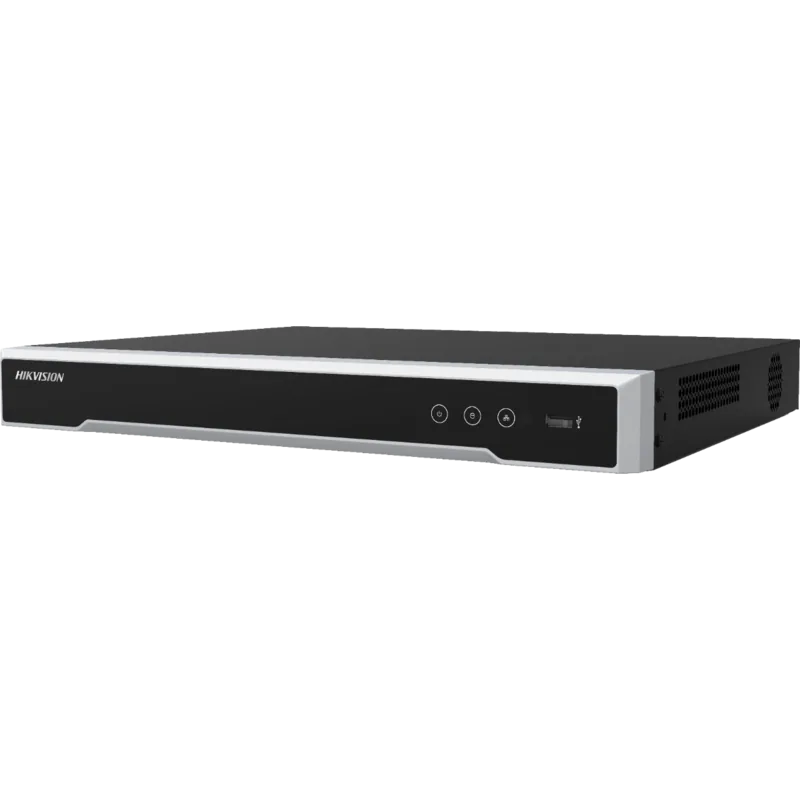
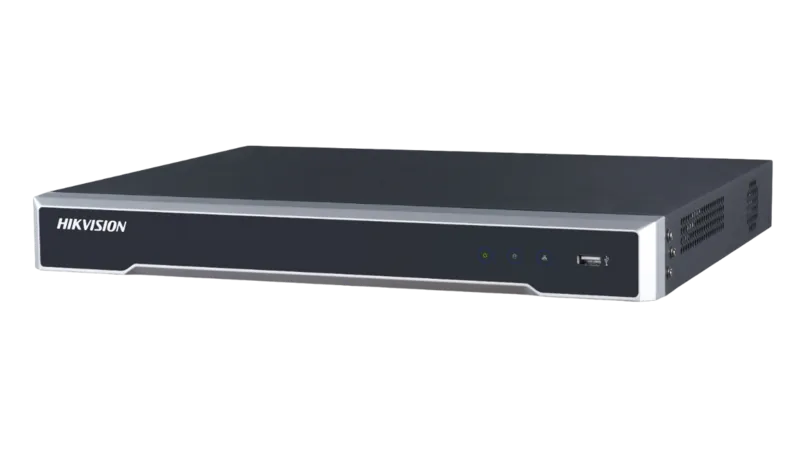
Hikvision DS-7608NI-K2/8P Manual
PDF manual · 35 Pages
English



Quick check
Incorrect answer, please try again.
Chat with your Hikvision DS-7608NI-K2/8P manual using AI
Get instant AI answers from your Hikvision DS-7608NI-K2/8P manual
Ask anything about the Hikvision DS-7608NI-K2/8P. Answers come from this manual, with the pages they are based on.
Ask a Question
Do you recommend DS-7608NI-K2/8P?
Yes NoFrequently Asked Questions
The DS-7608NI-K2/8P supports IP cameras compatible with standard ONVIF/Hikvision protocols and provides up to eight PoE-enabled network interfaces to power and connect cameras directly. Cameras must be activated and reachable over the network to be added.
Is this answer helpful?
After installing and initializing a compatible HDD, use the live view right-click menu to choose Manual/Continuous or Motion recording. The setup wizard and recording configuration menus allow scheduling and record type selection. Manual recordings reset after reboot unless re-enabled.
Is this answer helpful?
Yes—access the device by entering its IP address in a supported browser (IE, Safari, Firefox, Chrome) and installing the required plug-in. Log in with an activated admin account, then use live view, playback, and configuration features through the web interface.
Is this answer helpful?
The NVR supports internal HDDs (use Hikvision-recommended drives), USB and eSATA external storage. Certain series offer one-touch RAID configuration (default RAID 5) to create arrays and optionally set a hot spare. Availability depends on model variant and number of installed drives.
Is this answer helpful?
Alarm inputs expect an open/close relay; if not available, use an external relay. Alarm outputs can drive DC loads up to 12V/1A via jumpers; for AC loads remove specific jumpers and use external relays per the manual for safety. Terminal blocks accept secured wiring via pluggable connectors.
Is this answer helpful?
Install the unit in a well-ventilated, dust-free indoor environment within -10 to +55°C and 10–90% humidity. Ensure proper grounding, use a UPS if possible, avoid liquid exposure, and follow local electrical codes. Replace batteries only with manufacturer-specified types.
Is this answer helpful?
The device requires activation with an admin password; account lockout occurs after repeated failed attempts. Recovery typically follows Hikvision support procedures—use SADP, client software, or contact authorized support for secure password reset steps while preserving device security.
Is this answer helpful?
Advantages and Disadvantages
Advantages

- Built-in PoE ports simplify camera deployment by delivering power and data over a single cable.
- Multiple video outputs (HDMI, VGA) and USB/eSATA expand local monitoring and backup options.
- Flexible recording modes including continuous, motion, event-triggered and manual recording.
- Web access via mainstream browsers with plugin support enables remote live view and playback.
- Admin activation and unlock pattern support improve local access control and security.
Disadvantages

- Requires browser plug-in for web access which may be inconvenient or incompatible with some browsers.
- RAID one-touch configuration limited to certain series; full RAID features depend on model variant.
- Physical installation demands (ventilation, grounding, rack space) add complexity for DIY users.
- Alarm AC load wiring requires jumper removal and external relays, increasing setup steps.
- Strong password enforcement necessary—misconfiguration can lock accounts or impede access.
Product Specification
Channels
8
Compression
H.264, H.265
Hard drive
2x SATA
Drive
N/A
Interfaces
8x LAN (Video-In, PoE), 4x Alarm input, 1x Alarm output, 1x LAN, 1x VGA, 1x HDMI, 1x Audio-In, 1x Audio-Out, 1x USB 3.0, 1x USB 2.0
Product Description
Hikvision DS-7608NI-K2/8P, Network Video Recorder Manual
The Hikvision DS-7608NI-K2/8P is a compact yet capable Network Video Recorder designed for small to medium surveillance deployments. Built on Hikvision’s established NVR platform, this model combines reliable local recording, PoE camera support, multiple video outputs, and flexible storage options to deliver continuous monitoring and secure video management.
Overview
Sporting support for up to eight PoE-enabled network interfaces, the DS-7608NI-K2/8P simplifies camera deployment by supplying power and data over a single cable. It offers HDMI and VGA local outputs for live monitoring, multiple USB and eSATA ports for backup and storage expansion, and common alarm I/O connectors for integration with sensors and access devices. The unit supports 10/100/1000 Mbps NICs, standard recording modes (continuous, motion, event-triggered), and instant/manual recording functions accessible from the front panel or web interface.
Key Features and Operation
Installation and setup are guided by a startup wizard that walks through password activation, time and network settings, HDD initialization, and recording configuration. The recorder supports multiple RAID arrangements (one-touch RAID setup on compatible series) and recommends factory-approved HDDs for reliability. Users can add IP cameras via auto-discovery or manual configuration, and the live view displays real-time status icons for recording and alarms. Playback supports instant, full-day, event, smart and tagged searches, with timeline controls for easy review.
Network access is supported through common web browsers (Internet Explorer, Safari, Firefox, Chrome) after installing the browser plug-in. The device encourages secure operation via mandatory admin activation and strong password policies, and it offers an unlock pattern option for quick local login. For integrators, the DS-7608NI-K2/8P exposes RS-232/RS-485 ports for controllers and PTZ devices and detailed alarm wiring guidance for both AC and DC loads.
Practical Notes
Rack- or shelf-mountable, the unit should be installed in a ventilated, dust-free environment within rated temperature and humidity ranges. Hikvision emphasizes grounding, UPS use, careful cable routing, and adherence to local surveillance laws. Safety warnings include power and battery handling, and the manual highlights FCC, CE, and regional regulatory compliance.
Notes
- Use recommended HDDs and follow initialization steps before recording.
- Configure strong admin passwords and consider regular password rotation.
- For PoE camera setups, ensure cable quality and proper cable bend radius.
- Install browser plug-in to enable web-based live view and playback.
Search for 67,706 Manuals online


Type-in Brand or Model