
Hikvision DS-2DE3204W-DE Manual
PDF manual · 112 Pages
English



Quick check
Incorrect answer, please try again.
Chat with your Hikvision DS-2DE3204W-DE manual using AI
Get instant AI answers from your Hikvision DS-2DE3204W-DE manual
Ask anything about the Hikvision DS-2DE3204W-DE. Answers come from this manual, with the pages they are based on.
Ask a Question
Do you recommend DS-2DE3204W-DE?
Yes NoFrequently Asked Questions
You can access it over WAN using a router with port forwarding (HTTP/RTSP/Server ports), or use DDNS services (HiDDNS, DynDNS, NO-IP). Alternatively enable UPnP for automatic mapping or configure PPPoE if connecting via modem. Ensure ports and DNS are set under Network settings.
Is this answer helpful?
It supports motion detection, video tampering, intrusion, line-crossing, audio exceptions and alarm inputs. Linkage actions include recording, snapshots, FTP upload, email notifications, alarm output, and notifying management software. Each event can have its own arming schedule and sensitivity settings.
Is this answer helpful?
Use onboard memory cards or configure NAS (NFS or SMB/CIFS) storage. You can add up to eight NAS devices, initialize disks, set quotas for video and snapshots, and choose record streams (main/sub/third) plus pre/post-record buffering to protect event footage.
Is this answer helpful?
The camera offers day/night auto-switch with IR cut, wide dynamic range (WDR), backlight compensation (BLC), slow shutter, auto-focus and 3D digital noise reduction to preserve detail in mixed lighting and low illumination conditions.
Is this answer helpful?
Use strong passwords (minimum 8 characters including uppercase, lowercase, numbers and symbols), restrict user accounts by role, keep firmware updated, configure secure network settings (disable unused ports, use HTTPS if available), and place the device behind a firewall or VPN for remote access.
Is this answer helpful?
Yes. The camera supports patrols (series of presets), one-touch patrol, scheduled tasks (scan, preset, pattern, etc.), park actions after inactivity, and power-off memory to resume previous PTZ state after restart. Tasks and schedules are configurable per day.
Is this answer helpful?
The camera supports standard streaming protocols (RTSP/HTTP), SNMP for monitoring, and integration with Hikvision client software (iVMS) or third-party VMS. Platform access and SDK options can be used for broader system integration.
Is this answer helpful?
Advantages and Disadvantages
Advantages

- Compact mini PTZ design delivers wide coverage with motorized pan/tilt/zoom in a small footprint.
- Robust networking options (IPv4/IPv6, PPPoE, DDNS, UPnP) simplify LAN/WAN and remote access setups.
- Advanced imaging: auto-focus, WDR, BLC, day/night switching and 3D positioning for clear visuals.
- Extensive PTZ automation: presets, patrols, patterns, scan modes, park actions, and scheduled tasks.
- Smart events and analytics (motion, intrusion, line crossing, tampering, audio exception) with flexible linkages.
Disadvantages

- Full feature set requires careful configuration (ports, DDNS, storage), which may be complex for non-technical users.
- Remote access can expose the device to security risks if strong passwords and network protections aren’t applied.
- Some advanced functions (VCA, pattern recording) vary by model and may not be available on all firmware versions.
- Dependence on browser plug-ins or client software for full functionality may complicate cross-platform access.
- Event storage and long retention require adequate NAS or memory card planning and quota management.
Product Specification
Type
Dome
Image sensor
1/2.8" CMOS
Resolution
1920x1080 Pixel (25fps)
Lens
0.11-0.47 in
Light sensitivity
0.05 Lux (Color), 0.01 Lux (B/W)
Viewing angle
33.5-105° (horizontal)
Pan
0° to 350° (motorized)
Tilt
0° to 90° (motorized)
Zoom function
16x digital
Compression/Codecs
MJPEG, H.264
Multistreaming
supported
Alarm
1x alarm input, 1x alarm output
Connections
1x audio input, 1x audio output, 1x RJ-45 100Mb LAN
Data storage
1x microSD-Slot
Microphone
integrated
Power supply
PoE (Type 1)
Protection class
IP67
System compatibility
IPv6
Zone & analysis functions
Motion detection, Privacy zones, IR filter
Manufacturer's warranty
3 years
Product Description
Hikvision DS-2DE3204W-DE Manual — Product Overview and Features
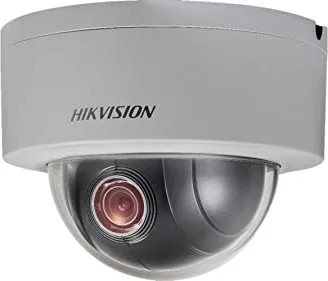
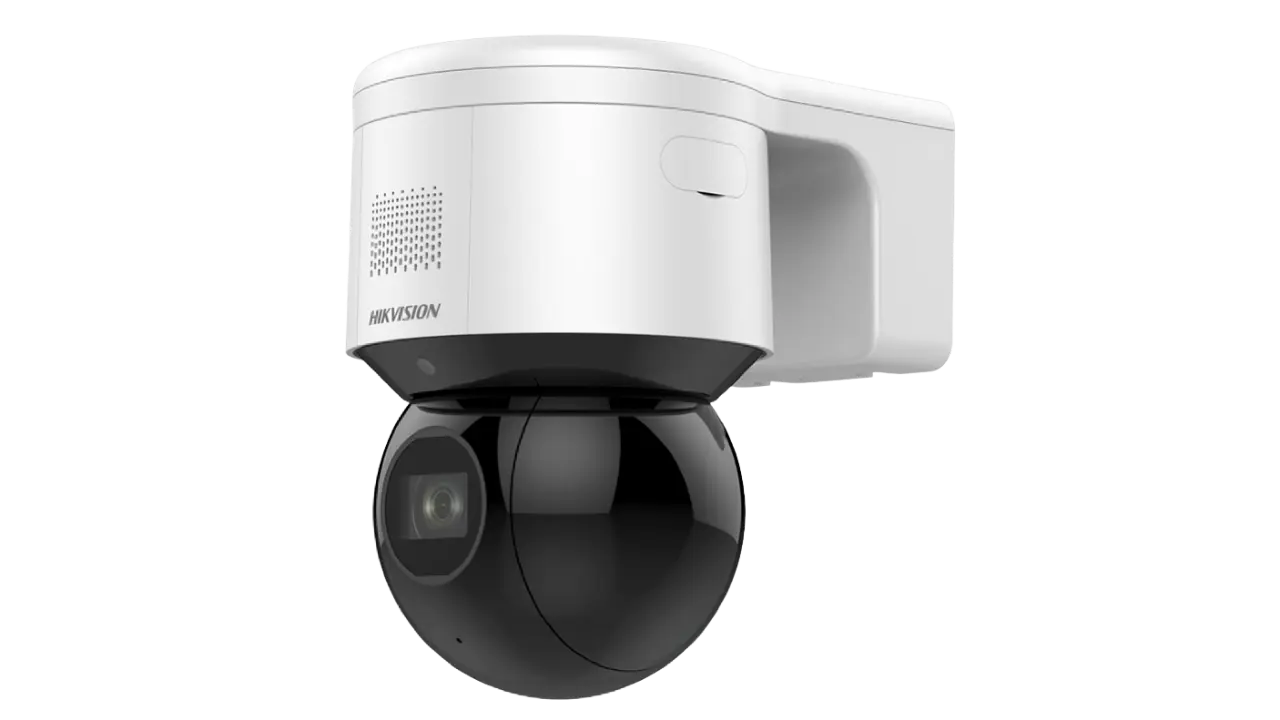
The Hikvision DS-2DE3204W-DE is a compact network mini PTZ (pan-tilt-zoom) camera designed for flexible surveillance in small- to medium-sized installations. Combining motorized pan/tilt functionality with a responsive zoom lens and intelligent video capabilities, it’s tailored for locations that need wide coverage from a single device without the footprint of full-size PTZ domes.
Built for networked environments, the DS-2DE3204W-DE supports both IPv4 and IPv6, DHCP/PPPoE, DDNS options (including HiDDNS, DynDNS and NO-IP), and flexible port and NAT/UPnP settings to simplify remote access. It can operate behind routers or connect directly with a static IP, and supports RTSP/HTTP streaming as well as multicast for efficient distribution.
On the imaging side, the camera delivers day/night operation with auto IR cut switching, auto-focus, wide dynamic range (WDR), backlight compensation (BLC), and configurable image parameters (exposure, white balance, noise reduction). Proportional pan/tilt ensures smoother tracking during zoomed-in views, and 3D positioning and one-touch controls let operators quickly center and zoom into areas of interest.
PTZ functionality is rich: configurable presets (up to hundreds depending on model), patrols, patterns, scan modes (auto, tilt, frame, random, panorama), park actions, power-off memory, and scheduled tasks allow automated, repeating inspection routines. Privacy masks follow zoom and pan, ensuring sensitive areas remain obscured across movements.
Advanced event handling and analytics include motion detection with configurable zones and sensitivity, video tampering detection, intrusion and line-crossing (VCA) rules, audio exception detection, and smart tracking. Each event can trigger linked actions—recording, snapshot, email, FTP upload, alarm output, and notification to management software—plus configurable arming schedules for time-based behavior.
Storage is versatile: onboard memory cards and up to eight NAS devices (NFS/SMB/CIFS) are supported, with quota management for video and snapshots. Recording modes include continuous, motion, alarm, VCA-triggered, and custom event combinations, with pre- and post-record buffering. Playback and download are handled via web UI or client software with snapshot and clip functions.
Security and management features include multi-user accounts with role-based permissions, password strength recommendations, SNMP support for monitoring, and firmware/maintenance options. Regulatory compliance (FCC, CE, RoHS, WEEE) and safety guidance are provided for professional installation and operation.
Notes:
- Designed for professional installations; follow local surveillance laws and regulations.
- Use strong, unique passwords and keep firmware updated to reduce security risks.
- Configure port forwarding or DDNS carefully for secure remote access.
Search for 67,706 Manuals online


Type-in Brand or Model