
Hikvision DS-2CE56H1T-ITM Manual
PDF manual · 14 Pages
English



Quick check
Incorrect answer, please try again.
Chat with your Hikvision DS-2CE56H1T-ITM manual using AI
Get instant AI answers from your Hikvision DS-2CE56H1T-ITM manual
Ask anything about the Hikvision DS-2CE56H1T-ITM. Answers come from this manual, with the pages they are based on.
DS-2CE56H1T-ITM Maintenance Schedule
Use a clean cloth with a bit of ethanol and wipe gently. Do not touch sensor modules with fingers.
Protect the sensor from dirt if the camera will not be used for an extended period.
Ask a Question
Do you recommend DS-2CE56H1T-ITM?
Yes NoFrequently Asked Questions
A 2.8mm lens provides a wider viewing angle, which is useful for monitoring entrances, open rooms, corridors, and other areas where broad coverage is more important than close-up detail.
Is this answer helpful?
Yes. It supports infrared viewing and SMART IR mode, which helps produce usable night images and reduces overexposure from nearby reflective objects.
Is this answer helpful?
Yes. The camera is designed for both indoor and outdoor conditions, making it suitable for commercial and residential security setups.
Is this answer helpful?
Users can change resolution, frame rate, exposure, backlight options, white balance, day/night mode, sharpness, monitor settings, and lens shading compensation.
Is this answer helpful?
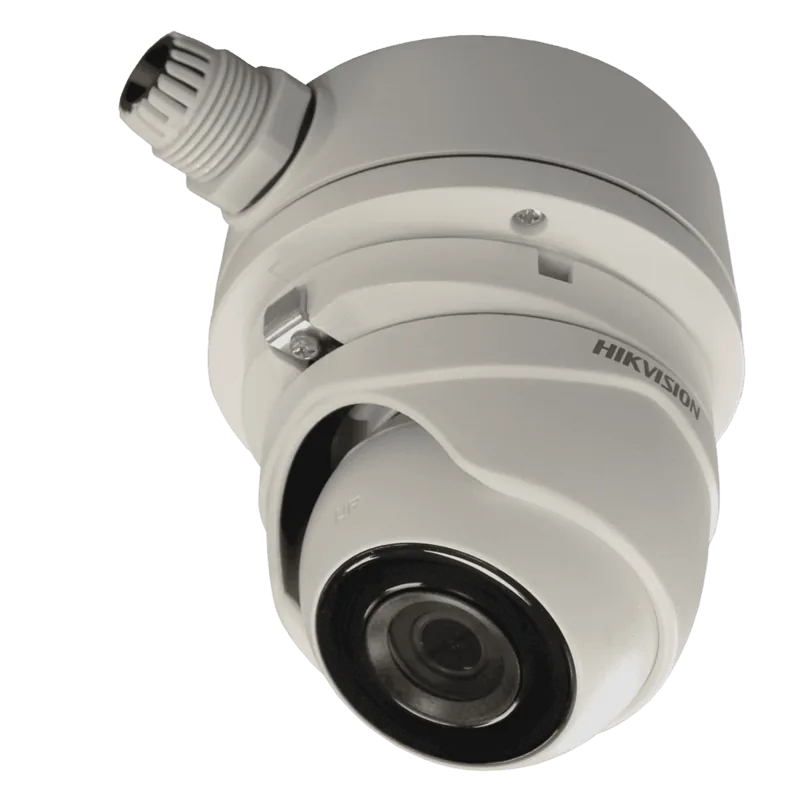
It can be mounted on ceilings or walls, with options including direct mounting, junction boxes, and pendant brackets depending on the installation needs.
Is this answer helpful?
It allows pan, tilt, and rotation adjustments after installation, helping users aim the camera precisely at the area they want to monitor.
Is this answer helpful?
Advantages and Disadvantages
Advantages

- Wide 2.8mm view is useful for covering larger scenes with fewer blind spots.
- IR and SMART IR help maintain visibility in low-light and night conditions.
- 3-axis adjustment makes installation and final aiming more flexible.
- OSD controls let users tune exposure, white balance, sharpness, and day/night mode.
Disadvantages

- Best performance depends on correct installation and careful angle setup.
- Advanced settings may require time to configure for optimal results.
- Not ideal for extreme heat, moisture, or very dusty environments.
- Some mounting options and brackets may need to be purchased separately.
Product Specification
Type
Dome
Image Sensor
CMOS
Resolution
2592x1944 Pixels (20fps)
Lens
0.11 in
Light Sensitivity
0.01 Lux (Color), 0 Lux (IR)
Viewing Angle
86.5deg (horizontal)
Pan
0deg to 360deg (manual)
Tilt
0deg to 75deg (manual)
Compression/Codecs
MJPEG, H.264
Connectors
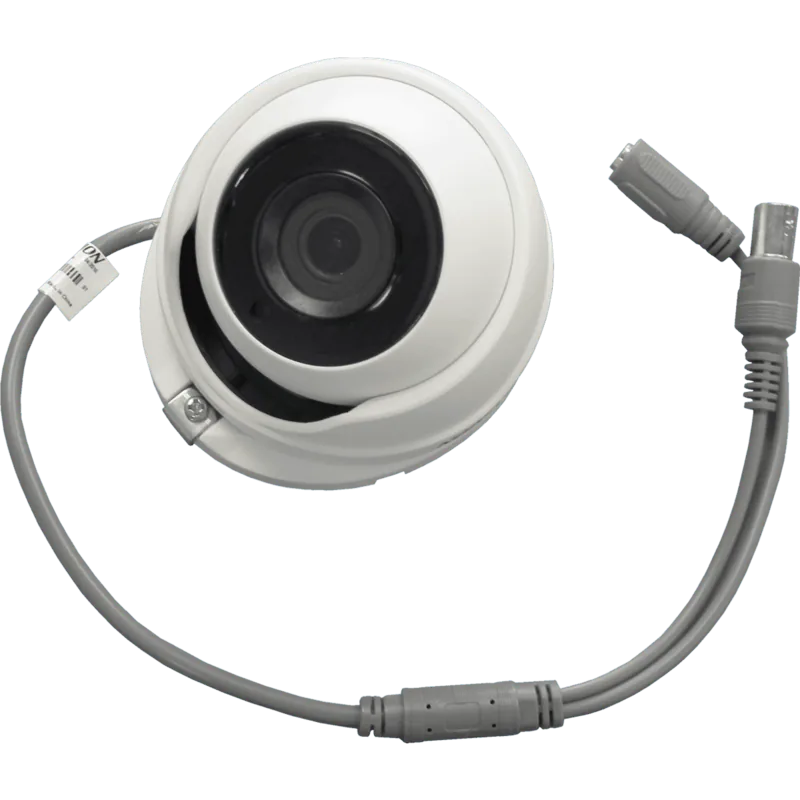
1x BNC
Illumination
IR Illumination (65.62 ft)
Protection Class
IP67
Housing
suitable for outdoor use
Zone & Analysis Functions
Motion Detection, IR Filter
Manufacturer Warranty
3 Years
Product Description
Hikvision DS-2CE56H1T-ITM 2.8mm Manual: A Practical Turret Camera Overview
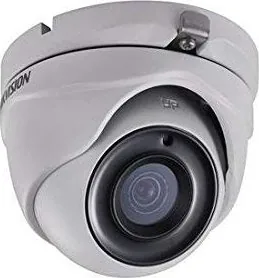
The Hikvision DS-2CE56H1T-ITM 2.8mm is a turret-style security camera built for dependable everyday surveillance. With a wide 2.8mm lens, it is well suited for monitoring entrances, hallways, storefronts, parking areas, and other spaces where a broad field of view matters. Its compact turret design gives it a clean look while still delivering the ruggedness expected from a camera that can be used indoors or outdoors.
One of its strongest advantages is image performance in changing light. The camera uses a high-performance CMOS sensor and supports low-light operation, helping it capture clearer scenes when illumination drops. With infrared support and SMART IR mode, it can continue seeing in darkness without making nearby objects overly bright. Features such as auto white balance, digital wide dynamic range, and adjustable exposure settings help maintain balanced images in difficult scenes, especially where bright and dark areas appear together.
The Hikvision DS-2CE56H1T-ITM 2.8mm Manual also highlights the camera’s flexibility during setup and tuning. The 3-axis adjustment design makes it easier to fine-tune the viewing angle after installation, whether the camera is mounted on a ceiling, wall, junction box, or bracket. This is especially useful in commercial locations such as warehouses, underground parking lots, bars, and retail spaces where positioning can make a major difference in coverage.
Another benefit is the built-in OSD menu, which allows users to adjust resolution, frame rate, backlight settings, sharpness, day/night behavior, and other image controls. Depending on the system and region, users can select PAL or NTSC output and configure the camera for either 5MP or 4MP operation. These choices make the camera adaptable to different recording environments and video systems.
From a practical point of view, this model is designed for straightforward installation and stable operation. The manual emphasizes proper mounting, power matching, and safe handling to protect both the device and the sensor. When installed correctly, the camera offers a balanced mix of image quality, adjustability, and reliability for daily security monitoring.
Notes
- Best results come from careful mounting and angle adjustment.
- Avoid direct sunlight and extreme environments for longer sensor life.
- Use the image settings to match your lighting and recording needs.
Search for 67,706 Manuals online


Type-in Brand or Model