
Hikvision DS-2CE12HFT-F28 Manual
PDF manual · 16 Pages
English



Quick check
Incorrect answer, please try again.
Chat with your Hikvision DS-2CE12HFT-F28 manual using AI
Get instant AI answers from your Hikvision DS-2CE12HFT-F28 manual
Ask anything about the Hikvision DS-2CE12HFT-F28. Answers come from this manual, with the pages they are based on.
Ask a Question
Do you recommend DS-2CE12HFT-F28?
Yes NoFrequently Asked Questions
The camera supports multiple formats and resolutions including 5MP@20fps, 4MP@30fps or 25fps, and 2MP@30fps or 25fps, selectable via the OSD menu to match your DVR and recording requirements.
Is this answer helpful?
Press and hold the camera's physical switch button for about 5 seconds to cycle through the four video output modes. Confirm the selected mode by checking the image on your connected DVR or monitor.
Is this answer helpful?
Exposure modes include GLOBAL, BLC (Backlight Compensation), HLC (Highlight Compensation), WDR (Wide Dynamic Range), and HLS (Highlight Suppression). Use BLC for strong backlight on foreground subjects, HLC for reducing bright spots, and WDR for scenes with both bright and dark areas.
Is this answer helpful?
Yes. The manual details ceiling and wall mounting procedures, with drill templates and recommendations: expansion bolts for concrete and self-tapping screws for wood. A junction box can be used for cleaner cable routing if desired.
Is this answer helpful?
Smart Light offers automatic low-light illumination control with configurable threshold and level. Enable Auto Smart Light to improve color visibility at night while balancing illumination intensity to avoid overexposure.
Is this answer helpful?
Operate within the specified temperature range (-40°C to 60°C), ensure proper ventilation, use a compatible 12 VDC SELV power source, avoid exposure to liquids if not rated waterproof, and follow electrical safety regulations to prevent hazards.
Is this answer helpful?
Connect the camera to a TVI DVR and monitor, power the devices, then use PTZ control on the DVR to call the camera OSD menu. Navigate using directional buttons and Iris+ for selection and configuration.
Is this answer helpful?
Advantages and Disadvantages
Advantages

- 5 MP sensor with full-time color and Smart Light for improved low-light color imaging.
- Switchable outputs (TVI/AHD/CVI/CVBS) increase DVR compatibility and retrofit flexibility.
- Comprehensive OSD: WDR, BLC/HLC, AGC, slow shutter, 3D DNR, and manual white balance.
- 3-axis adjustment and multiple mounting methods simplify aiming and installation.
- Compliant with FCC, CE, RoHS and includes clear safety and recycling guidance.
Disadvantages

- Requires 12 VDC power and proper ventilation; no PoE option increases cabling complexity.
- Not specified as fully weatherproof in text; may need appropriate enclosure for harsh outdoor use.
- Analog outputs limit high-efficiency network features available with IP cameras.
- Manual installation steps and switch/button operation may be confusing for novices.
- AGC and high gain can amplify noise in very low-light conditions despite 3D DNR.
Product Specification
Type
Bullet
Image Sensor
CMOS
Resolution
1920x1080 Pixel (25fps)
Lens
0.11 in
Light Sensitivity
0.0005 Lux (Color), 0 Lux (IR)
Viewing Angle
99.7° (horizontal), 72° (vertical), 139.8° (diagonal)
Pan
360° (manual)
Tilt
180° (manual)
Connections
1x BNC
Illumination
IR-Illumination (131.23 ft)
Protection Class
IP67
Housing
suitable for outdoor use
Zone & Analysis Functions
Motion detection, IR-filter
Special Features
Video Switch Button
Manufacturer's Warranty
3 Years
Product Description
Hikvision DS-2CE12HFT-F28 Manual Overview
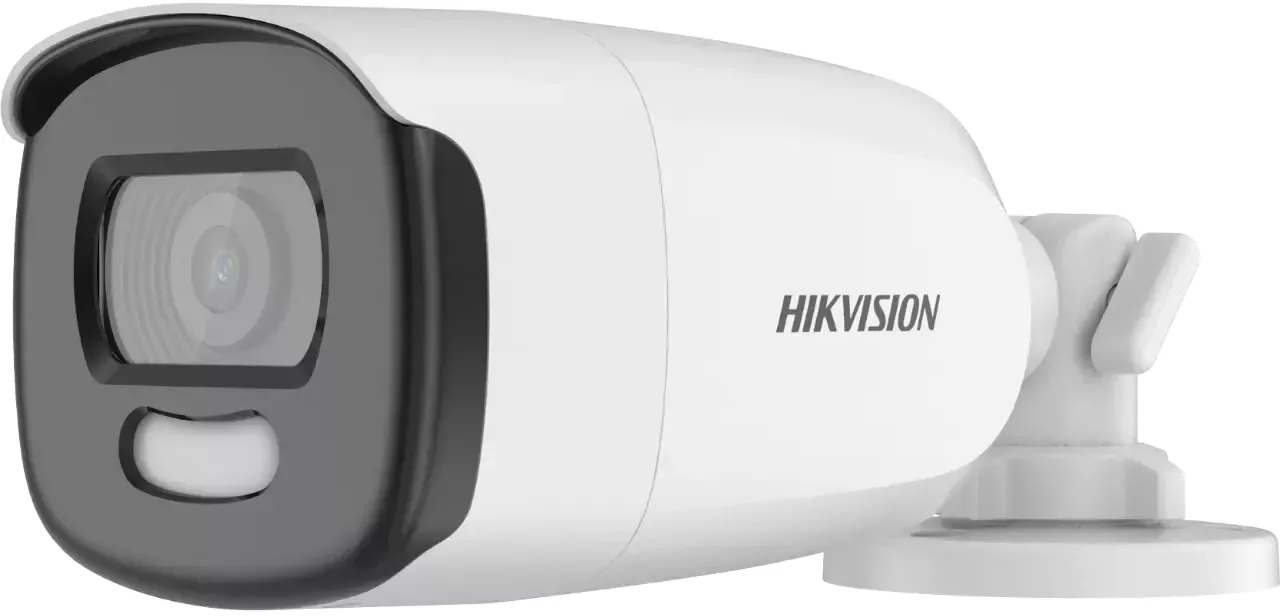
The Hikvision DS-2CE12HFT-F28 is a 5 MP full-time color turret camera designed for reliable day-and-night surveillance with flexible installation and practical image controls. Equipped with a high-performance CMOS sensor, the camera delivers crisp, colorful video 24 hours a day using Smart Light technology to enhance low-light scenes without relying solely on infrared. It supports multiple analogue video outputs (TVI, AHD, CVI, CVBS) selectable via a built-in switch, making it compatible with a wide range of DVRs and retrofit projects.
Key Features and Practical Uses
This camera supports up to 5MP resolution at variable frame rates and configurable video formats, offering clear detail for perimeter monitoring, retail, offices, and residential security. Its OSD menu exposes advanced imaging options including exposure modes (GLOBAL, BLC, HLC, WDR, HLS), AGC, slow shutter, anti-banding, white balance (auto/manual), 3D DNR, and mirror settings. WDR and highlight compensation improve visibility in scenes with mixed lighting, while configurable image parameters (brightness, contrast, sharpness, saturation) let installers fine-tune output for specific environments.
Installation and Mounting
The turret design includes a 3-axis adjustable bracket for pan, tilt, and rotation, enabling easy aiming after ceiling or wall installation. Installation supports direct mounting or the use of a junction box; the manual details drilling templates, cable routing options (side or bottom openings), and mounting hardware recommendations (expansion bolts for masonry, self-tapping screws for wood). Power is 12 VDC, and safe electrical practices and ventilation are emphasized to avoid overheating and ensure long-term reliability.
Menus and Configuration
On-screen menu access is via PTZ control on compatible DVRs, with clear navigation for selecting video format, exposure modes, and video settings. Motion detection zones, privacy masking, and factory reset options are included for tailoring alerts and preserving privacy. Smart Light mode provides threshold and intensity controls to balance visible color and illumination during nighttime.
Compliance and Safety
Built to comply with FCC, CE, RoHS, and relevant regional directives, the camera includes regulatory notices and recycling instructions. Safety guidance covers proper electrical compliance, environmental operating ranges (-40°C to 60°C), handling cautions, and recommended cleaning methods.
Notes
- Supports TVI/AHD/CVI/CVBS switchable outputs.
- Operating temperature range: -40°C to 60°C.
- Use 12 VDC power meeting SELV and limited power source requirements.
Search for 67,706 Manuals online


Type-in Brand or Model