
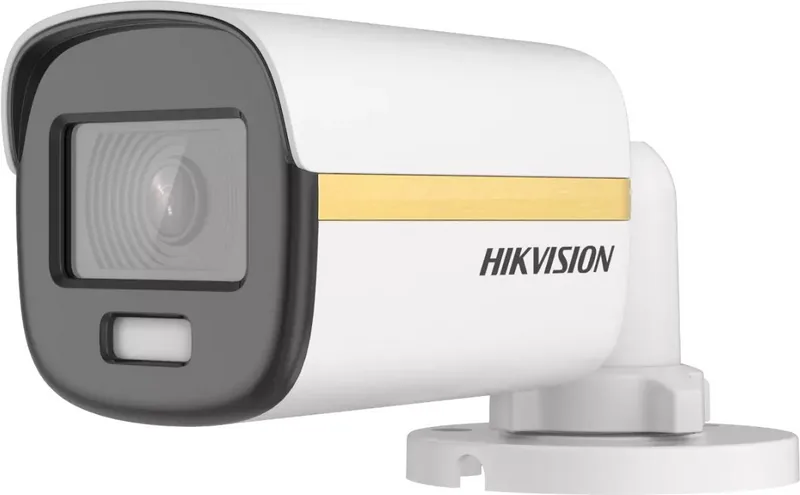
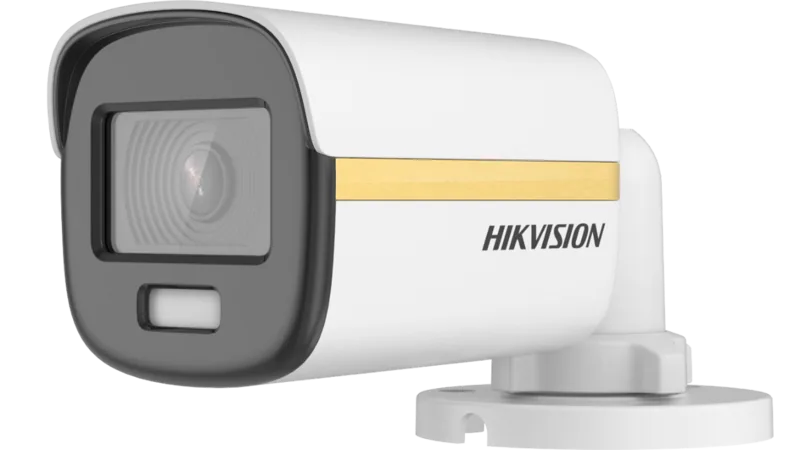
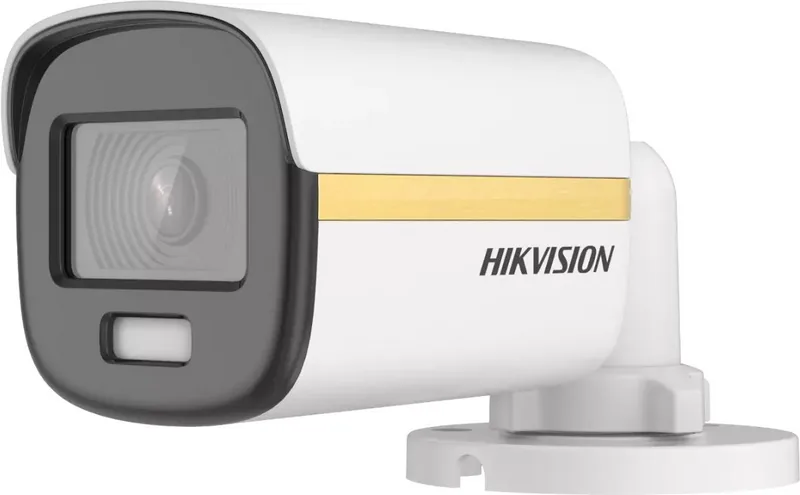
Hikvision DS-2CE10DF3T-F Manual
PDF manual · 24 Pages
English



Quick check
Incorrect answer, please try again.
Chat with your Hikvision DS-2CE10DF3T-F manual using AI
Get instant AI answers from your Hikvision DS-2CE10DF3T-F manual
Ask anything about the Hikvision DS-2CE10DF3T-F. Answers come from this manual, with the pages they are based on.
Ask a Question
Do you recommend DS-2CE10DF3T-F?
Yes NoFrequently Asked Questions
The camera supports four analog video outputs: TVI, AHD, CVI, and CVBS. You can switch between these formats by pressing and holding the front switch for five seconds.
Is this answer helpful?
Connect the camera to a compatible DVR and monitor, open PTZ control on the DVR, then call the camera menu (or preset No. 95). Use direction buttons to navigate, Iris+ to confirm, and left/right to adjust values.
Is this answer helpful?
Exposure modes include GLOBAL, BLC (Backlight Compensation), HLC (Highlight Compensation), WDR (Wide Dynamic Range), and HLS (Highlight Suppression). Choose BLC for backlit subjects, HLC for bright spot suppression, and WDR for scenes with both bright and dark areas.
Is this answer helpful?
Yes. The camera offers full-time color imaging enhanced by Smart Light, AGC adjustments, and slow shutter options to improve sensitivity in low-lux conditions; however, increasing AGC can also increase noise.
Is this answer helpful?
Multiple mounting options are supported: ceiling or wall mounting with or without junction boxes, gang box installations, and specialized mounts depending on camera type. The manual details templates, screw sizes, and step-by-step procedures.
Is this answer helpful?
Use the specified 12 VDC power source, comply with local electrical safety codes, avoid exposing the camera to extreme temperatures, moisture, or strong electromagnetic fields, and do not disassemble the device yourself. Follow recycling guidelines for electronic waste and batteries.
Is this answer helpful?
It includes 3D DNR (3D digital noise reduction) to reduce noise across frames, adjustable sharpness, contrast, saturation, and white balance (auto or manual R/Gain-B/Gain) to optimize image clarity in various conditions.
Is this answer helpful?
Advantages and Disadvantages
Advantages

- Full-time color imaging with smart light for improved low-light visibility without IR-only reliance.
- Flexible multi-format video output (TVI/AHD/CVI/CVBS) for wide compatibility with recorders.
- Comprehensive OSD controls: exposure modes, 3D DNR, white balance, and video format settings.
- Robust mounting versatility with 3-axis adjustment and multiple housing types for varied installations.
- Regulatory compliance (FCC Class A, CE) and clear safety, recycling, and privacy recommendations.
Disadvantages

- Class A device may cause interference in residential areas and could require mitigation.
- Non-waterproof units require careful placement away from liquids and harsh environments.
- Front switch requires physical access to change video output formats (press 5 seconds).
- Advanced menu tuning may require DVR access and some technical familiarity.
- Manual states possible technical or printing errors; documentation may be updated over time.
Product Specification
Type
Bullet
Image Sensor
CMOS
Resolution
1920x1080 Pixels (25fps)
Light Sensitivity
0.0005 Lux (Color), 0 Lux (IR)
Pan
360° (manual)
Tilt
90° (manual)
Connections
1x BNC
Protection Class
IP67
Housing
suitable for outdoor use
Zone & Analysis Functions
Motion detection, Privacy zones, IR filter
Special Features
Video Switch Button, Flashlight
Manufacturer's Warranty
3 Years
Product Description
Hikvision DS-2CE10DF3T-F — Full-Time Color 2MP Camera
The Hikvision DS-2CE10DF3T-F is a compact 2MP full-time color surveillance camera designed for versatile analog video systems. Combining a high-performance CMOS sensor with an OSD menu, this model delivers vivid 24-hour color imaging and flexible installation options for residential and commercial environments. Its smart light capability improves low-light performance without relying solely on IR, while adjustable exposure modes and 3-axis mechanical adjustment ensure optimal framing and image quality in varied lighting conditions.
Key features and practical use
Equipped with multiple video output options (TVI, AHD, CVI, CVBS) selectable via a front-mounted switch, the camera integrates with a broad range of recorders and monitoring setups. The OSD menu accessed through a connected DVR offers detailed controls: exposure modes (Global, BLC, HLC, WDR, HLS), AGC, slow shutter, anti-banding, and video format selection (2MP at 25/30fps, PAL/NTSC). Video settings include white balance (auto or manual R/Gain-B/Gain adjustment), brightness, contrast, sharpness, saturation, 3D DNR for reduced noise across frames, and mirror options.
Mechanically, the DS-2CE10DF3T-F supports 3-axis adjustment (pan, tilt, rotation) with various mounting configurations across five camera types (different housings and bases) for ceiling, wall, or junction-box installations. The package supports both direct mounting and mounting with junction boxes or gang boxes; installation guidance includes drill templates, recommended screw sizes, and cable routing tips.
Safety and compliance are emphasized: operate within recommended power specs (12 VDC), follow local electrical safety regulations, and avoid exposure to extreme temperatures, moisture, or strong electromagnetic fields. The device meets FCC Class A, CE directives, and relevant recycling/battery disposal standards. Hikvision’s usage guidelines highlight privacy considerations, data security measures, and ethical video deployment.
Installation and configuration highlights
- Simple switching between TVI/AHD/CVI/CVBS by pressing the front switch for five seconds.
- Detailed OSD menu via DVR for fine-tuning exposure, image parameters, and smart light thresholds.
- Multiple mounting procedures (ceiling, wall, junction box, gang box) with clear step-by-step instructions and required screw specifications.
Notes:
- Use appropriate junction boxes or mounts when required; ensure wall strength supports three times the camera weight.
- Avoid disassembly by untrained personnel; follow cleaning guidance (cloth with a bit of ethanol) and operating temperature limits (-40°C to 60°C).
Search for 67,706 Manuals online


Type-in Brand or Model