
Hikvision DS-2CD6425G1-20 Manual
PDF manual · 86 Pages
English



Quick check
Incorrect answer, please try again.
Chat with your Hikvision DS-2CD6425G1-20 manual using AI
Get instant AI answers from your Hikvision DS-2CD6425G1-20 manual
Ask anything about the Hikvision DS-2CD6425G1-20. Answers come from this manual, with the pages they are based on.
DS-2CD6425G1-20 Maintenance Schedule
It is recommended to change the password every 3 months to increase security. In high-risk environments, change it monthly or weekly.
Periodic checking is recommended for components like electrolytic capacitors as their average lifespan varies. Contact your dealer for details.
Free maintenance reminders
Timed to your purchase date. Always free, unsubscribe anytime.
Ask a Question
Do you recommend DS-2CD6425G1-20?
Yes NoFrequently Asked Questions
The camera supports modern codecs including H.265, H.265+, H.264, H.264+, and legacy formats such as MJPEG or MPEG-4 where applicable. H.265+/H.264+ modes provide improved storage efficiency; enabling them may restrict some adjustable parameters.
Is this answer helpful?
Secure remote access by changing default admin credentials to a strong password, enabling HTTPS/TLS, applying IP filters, using certificate management for WebSockets/SDK services, and registering the device with Hik-Connect or a DDNS service through proper port mapping or router configuration.
Is this answer helpful?
Yes—if Overwrite is enabled in the recording settings the camera will overwrite the oldest recordings when storage is full. Otherwise recording will stop until space is freed. Monitor memory card health and enable overwrite if continuous recording is required.
Is this answer helpful?
Intelligent features include motion detection, video tampering, defocus detection, scene change, audio exception detection, intrusion, line crossing, region entrance/exit, object removal and unattended baggage detection. Each can be tuned for sensitivity, size filters, regions and arming schedules, and can trigger recordings, uploads, outputs or notifications.
Is this answer helpful?
Password recovery is possible via the camera's built-in account security options: answer preset security questions or use the registered email to receive a verification code. The PC and camera must be on the same network segment during recovery; SADP can also assist in activation and discovery.
Is this answer helpful?
Yes. The camera supports two-way audio on models with appropriate audio input/output hardware or built-in mic/speaker. Configure audio input type (LineIn or MicIn), audio encoding and enable two-way audio from the live view toolbar.
Is this answer helpful?
Use H.265+/H.264+ compression, enable ROI to prioritize important regions, lower sub-stream resolutions for remote viewing, set intelligent event-triggered recording instead of continuous where possible, and tune frame rate/bitrate based on scene activity.
Is this answer helpful?
Advantages and Disadvantages
Advantages

- High-quality multi-stream video with H.265+/H.265 and H.264+/H.264 support to reduce storage and bandwidth.
- Advanced image enhancement (WDR, BLC, HLC, DNR, defog) for challenging lighting and weather conditions.
- Comprehensive smart events (intrusion, line crossing, object removal, unattended baggage) with flexible alarm linkage.
- Robust network features: IPv6, DDNS, UPnP, ONVIF, Hik-Connect, TLS/HTTPS and WebSocket support for modern clients.
- Flexible storage options with encrypted memory card support, NAS/FTP, recording schedules, pre/post-record and overwrite.
Disadvantages

- Full feature set and modern browser access may require specific plug-ins or WebSocket configuration for some browsers.
- Advanced smart features and best compression (H.265+) may not be available on every firmware revision or model variant.
- Professional setup recommended—network, port mapping, certificate management and event tuning can be complex.
- Encrypted memory card recovery is impossible without the encryption password; losing it can render data inaccessible.
- Some features (e.g., local video output or certain analytics) depend on the camera model and hardware capabilities.
Product Specification
Image Sensor
1/2.8" CMOS 2.0 MP
Resolution
1920x1080 Pixel (30fps)
Light Sensitivity
0.002 Lux (Color)
Pan
N/A
Tilt
N/A
Zoom Function
12x digital
Compression/Codecs
MJPEG, H.264, H.265, G.711, G.722, G.726, MP2L2, PCM, AAC
Multistreaming
supported
Alarm
1x Alarm Input, 1x Alarm Output
Connections
1x Audio Input (3.5mm Jack), 1x Audio Output (3.5mm Jack), 1x RJ-45 100Mb LAN
Data Storage
1x microSD-Slot (max. 256GB)
Power Supply
Mains Operation (12V, 0.3A, 3W), PoE (Type 1) (3.7W)
Operating Temperature
-22F to 140F
Housing
Plastic, black
Dimensions
1.46x1.02x0.98in
Weight
0.20 lb
System Control & Operation
Mobile App (Android, iOS), Desktop (Windows), WebUI/Browser Interface
System Compatibility
ONVIF, IPv6
Product Description
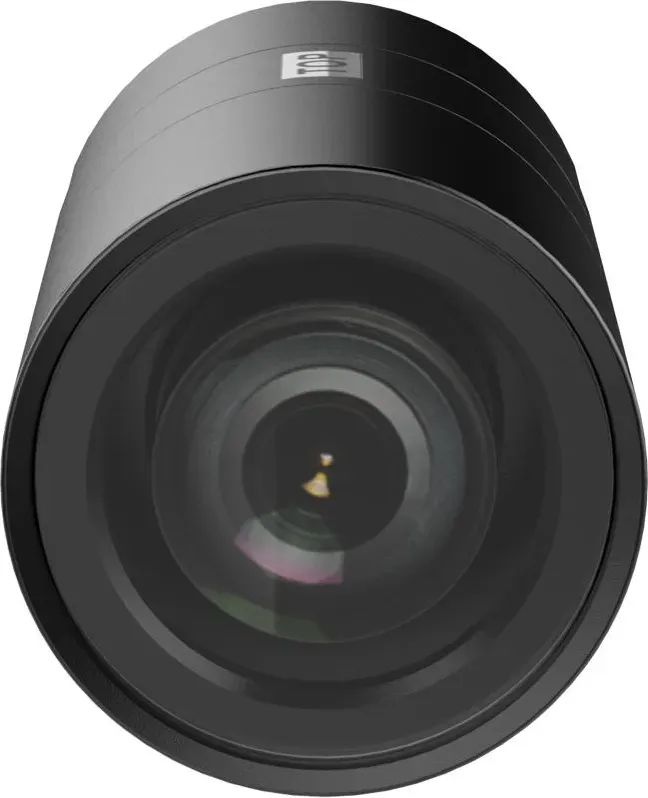
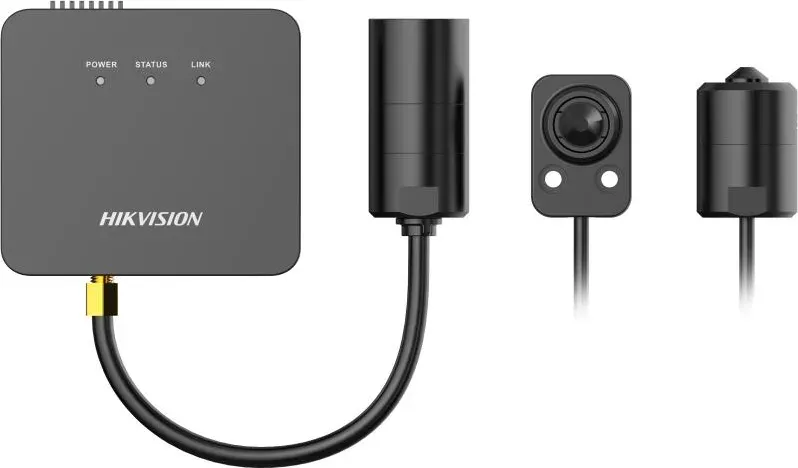
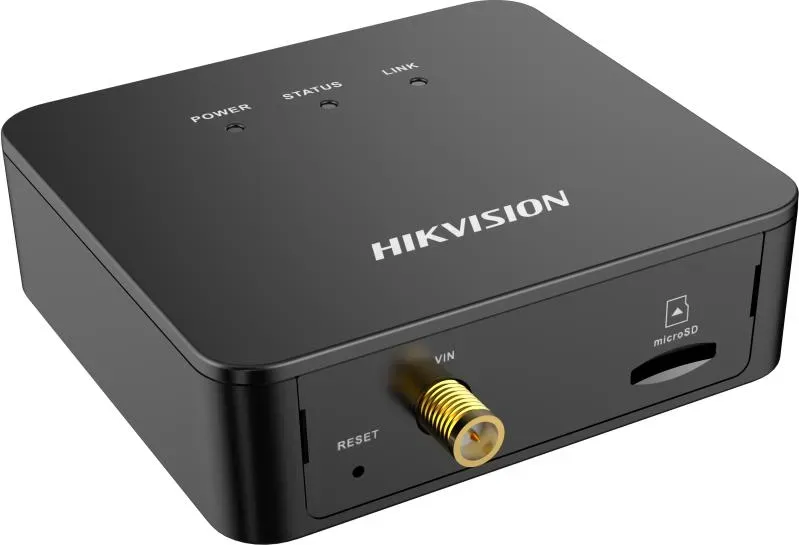
Hikvision DS-2CD6425G1-20 — Powerful, Secure Network Camera
The Hikvision DS-2CD6425G1-20 is a modern 4K-capable network camera designed for professional surveillance installations where image clarity, reliable recording, and robust security controls are required. Built on Hikvision's mature camera platform, it balances advanced video codecs, flexible storage and networking options, and a wide set of event detection features to serve retail, commercial, institutional, and perimeter monitoring needs.
Key product highlights
The camera supports multiple video streams (main, sub and custom streams), allowing administrators to optimize bandwidth and storage while ensuring high-quality primary recordings. With modern encoders such as H.265/H.265+ and H.264/H.264+, the unit reduces storage consumption while preserving useful detail. Video quality tuning includes bitrate modes (constant/variable), frame rate control, region-of-interest (ROI) encoding, smoothing, and I-frame interval adjustments.
A comprehensive image-processing toolkit helps produce usable video in challenging lighting: WDR, BLC, HLC, white-balance, digital noise reduction and defog functions. The camera handles day/night switching, adjustable exposure, and supports motorized lens control (focus/zoom/iris) with auxiliary focus and lens initialization for reliable focus management.
For audio and interaction, the model supports audio input/output options, two-way audio, and environmental noise filtering. Local output options (HDMI/CVBS/BNC on supported variants) and on-screen display (OSD) customization make local monitoring and overlay management straightforward.
Network, storage and access
The DS-2CD6425G1-20 offers flexible network capabilities: IPv4/IPv6 support, DDNS/PPPoE, UPnP/auto and manual port mapping, HTTPS/TLS options, WebSocket support for modern browsers, SNMP, ONVIF (Open Network Video Interface) and integration with Hik-Connect for mobile access. Storage choices include local memory cards (with health and lifespan detection, encryption and quota), NAS, FTP, and network HDDs. Recording modes include continuous, event-triggered and scheduled recording with pre- and post-record options and overwrite controls.
Intelligent events and alarm linkage
A rich suite of event features is included: motion detection (region and sensitivity tuning), tamper detection, scene change, defocus, audio exception detection, intrusion, line crossing, region entrance/exit, object removal, unattended baggage and size filters. Each event can trigger configurable alarm linkages such as local outputs, FTP/NAS uploads, email notifications, recordings, and audible warnings. Arming schedules let you define when rules are active.
Security and maintenance
The camera emphasizes security: password-strength recommendations, illegal login lockout, admin recovery options (security question or email verification), TLS/HTTPS, and certificate management. Firmware and configuration management, diagnostic export, and system restore/upgrade functions support long-term maintenance.
Notes
- Designed for professional installations; follow local laws and privacy expectations when deploying video surveillance.
- Use strong, unique admin passwords and enable network security features (HTTPS/TLS, IP filters).
- Regularly monitor memory card health and firmware updates to ensure reliability.
Search for 67,706 Manuals online


Type-in Brand or Model