
Hikvision DS-2CD2626G2-IZS Manual
PDF manual · 38 Pages
English



Quick check
Incorrect answer, please try again.
Chat with your Hikvision DS-2CD2626G2-IZS manual using AI
Get instant AI answers from your Hikvision DS-2CD2626G2-IZS manual
Ask anything about the Hikvision DS-2CD2626G2-IZS. Answers come from this manual, with the pages they are based on.
Ask a Question
Do you recommend DS-2CD2626G2-IZS?
Yes NoFrequently Asked Questions
The camera supports Power over Ethernet (PoE) and a 12 VDC input. Use the correct rated supply and avoid connecting multiple devices to one adapter to prevent overheating or fire hazards.
Is this answer helpful?
Press and hold the Reset button for about 10 seconds while the camera is powering on or rebooting. This restores default user name, password, IP address, ports, and other settings. Reconfigure security settings after reset.
Is this answer helpful?
Yes. The camera is rated to operate in a wide temperature range (approximately -30 °C to 60 °C) and up to 95% non-condensing humidity, but avoid extremely dusty, wet, or high electromagnetic environments for reliable operation.
Is this answer helpful?
Yes. The DS-2CD2626G2-IZS supports microSD card storage for edge recording, providing redundancy if network recording is unavailable. Use recommended card types and follow disposal and handling guidelines for batteries and electronic waste.
Is this answer helpful?
Ensure mounting surfaces can bear at least four times the device weight, disconnect power before wiring, avoid direct exposure of the lens to lasers or bright sources, and wait after power-off before handling hot parts. Follow local electrical and safety regulations.
Is this answer helpful?
The camera offers white-light or IR illumination options to enhance night imaging. White light can retain color at night, while IR provides covert illumination. Avoid shining strong reflective surfaces toward the lens to prevent artifacts.
Is this answer helpful?
The product meets applicable CE and FCC regulations for EMC and safety, and complies with regional directives such as RoHS and WEEE for recycling. Follow local disposal and recycling requirements for batteries and electronic equipment.
Is this answer helpful?
Advantages and Disadvantages
Advantages

- Motorized varifocal lens with remote zoom for flexible framing and reduced onsite adjustments.
- Dual power options (PoE and 12 VDC) simplify installation across varied setups.
- Durable, weather-resistant housing and wide operating temperature range for outdoor use.
- Supports microSD local storage and alarm/audio interfaces for integration and redundancy.
- Illumination options (white light/IR) improve night imaging and color retention.
Disadvantages

- Requires professional installation to ensure secure mounting and correct power configuration.
- Reset restores default credentials—risk if not reconfigured securely after service.
- Potential privacy and legal considerations; must be used in compliance with local laws.
- Certain components may require periodic replacement; maintenance planning needed.
- Exposure to intense light or reflective surfaces can degrade image quality if not positioned properly.
Product Specification
Image Sensor
1/2.8" CMOS
Resolution
1920x1080 Pixel (25fps)
Lens
0.11-0.47in (F1.4)
Light Sensitivity
0.002 Lux (Color), 0 Lux (IR)
Viewing Angle
31-113° (horizontal), 18-58° (vertical), 36-138° (diagonal)
Pan
355° (manual)
Tilt
90° (manual)
Compression/Codecs
MJPEG, H.264, H.265, G.711, G.722, G.726, MP2L2, PCM, MP3
Multistreaming
supported
Alarm
1x Alarm Input/Alarm Output
Connections
1x Audio Input, 1x Audio Output, 1x RJ-45 100Mb LAN
Data Storage
1x microSD-Slot (max. 256GB)
Illumination
IR Illumination (196.85 ft)
Power Supply
PoE (Type 1)
Protection Class
IP66, IK10
Housing
suitable for outdoor use
System Compatibility
ONVIF (Profile G, S, T), IPv6
Zone & Analysis Functions
Motion detection, Tamper detection, Face detection, Zone monitoring (Line crossing, Zone entry, Zone exit), IR filter
Manufacturer's Warranty
3 Years
Product Description
Hikvision DS-2CD2626G2-IZS Manual — Overview and Product Description
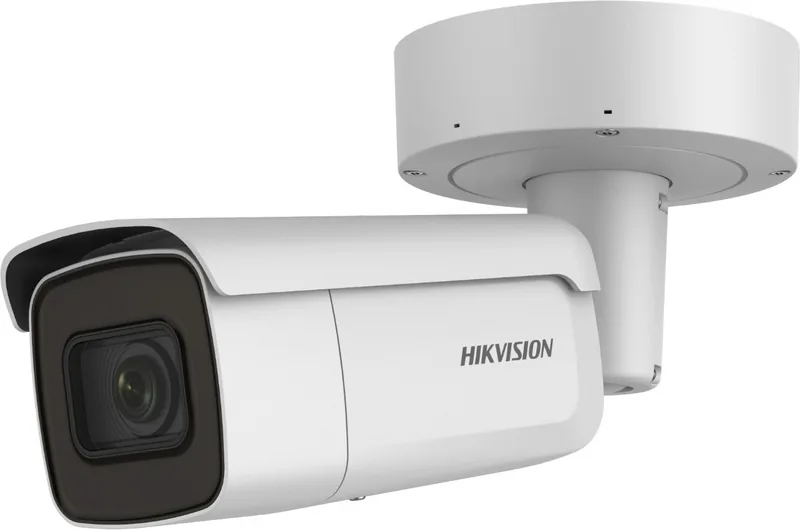
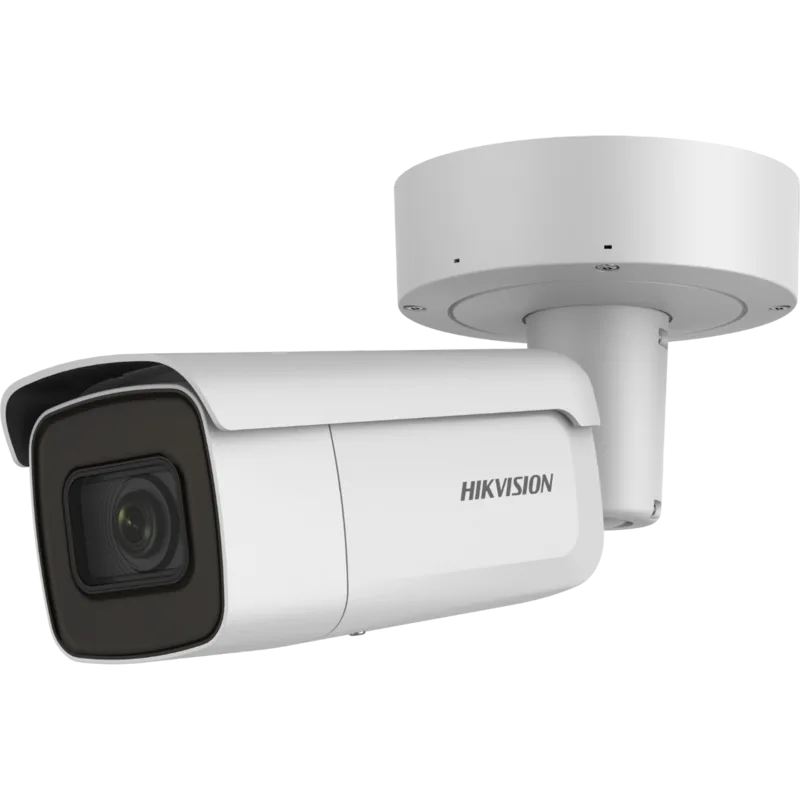
The Hikvision DS-2CD2626G2-IZS is a versatile bullet network camera designed for professional surveillance applications. Combining robust hardware, flexible power options, and adaptable optics, it serves installations from small businesses to large-scale commercial sites. With a weather-resistant housing, wide operating temperature range, and optional white-light illumination, this model balances durability with high-quality imaging.
Key Features and Capabilities
Equipped with an adjustable varifocal lens and motorized zoom, the DS-2CD2626G2-IZS simplifies framing and remote adjustments, reducing installation time and onsite tweaking. It supports Power over Ethernet (PoE) and 12 VDC input for flexible deployment. The camera’s imaging engine delivers detailed video in varying light conditions; integrated white light or IR options ensure improved scene illumination and color retention at night.
Network and system security are emphasized: administrators can set strong passwords and configure secure access, while the device includes standard compliance with regulatory requirements for electromagnetic compatibility and environmental disposal. Local storage via microSD is supported for edge recording and redundancy. Built-in alarm I/O and audio interfaces facilitate integration with access control and audio systems.
Installation and Use
Installation focuses on safety and reliability: mount surfaces must bear at least four times the device weight, and power should match the device’s rated input. The camera is intended for restricted-access mounting and should be handled by trained personnel. For best performance, avoid exposing the lens to direct bright light sources or reflective surfaces which can create artifacts. Regular maintenance, including periodic component checks and cleaning with a soft dry cloth, will extend service life.
Performance and Environmental Resilience
Designed for a wide temperature range and up to 95% non-condensing humidity, the DS-2CD2626G2-IZS performs across diverse climates. Cautions include protecting batteries from extreme temperatures and avoiding exposure to high electromagnetic radiation or dust. If abnormal noises or odors occur, power down immediately and contact support.
Notes
- Use recommended power sources and avoid sharing adapters between multiple devices.
- Resetting the device restores default credentials and network settings — use with caution.
- Observe local laws regarding surveillance and privacy when deploying cameras.
Search for 67,706 Manuals online


Type-in Brand or Model