
Hikvision DS-1605ZJ Manual
PDF manual · 165 Pages
English



Quick check
Incorrect answer, please try again.
Chat with your Hikvision DS-1605ZJ manual using AI
Get instant AI answers from your Hikvision DS-1605ZJ manual
Ask anything about the Hikvision DS-1605ZJ. Answers come from this manual, with the pages they are based on.
Ask a Question
Do you recommend DS-1605ZJ?
Yes NoFrequently Asked Questions
It is used to securely attach a compatible Hikvision camera to a wall, helping create a stable, organized, and better-positioned surveillance setup.
Is this answer helpful?
Yes. The manual guidance strongly favors qualified installation, especially when the setup involves height, power connections, or checking the wall’s load-bearing strength.
Is this answer helpful?
It can be part of an outdoor setup if the camera and installation environment are suitable. The surface, fastening, and weather exposure should all be considered carefully.
Is this answer helpful?
Check the supported camera model list or product specifications before buying. Compatibility is important because the mount is designed for specific Hikvision devices.
Is this answer helpful?
Inspect the wall strength, confirm the camera model, prepare safe wiring, and make sure the final position gives the coverage angle you need.
Is this answer helpful?
A secure mount helps prevent movement, keeps the camera aligned, and supports reliable monitoring over time. It also reduces the risk of damage from poor installation.
Is this answer helpful?
Advantages and Disadvantages
Advantages

- Provides a stable wall-mounted setup for compatible Hikvision cameras.
- Helps create a cleaner, more professional surveillance installation.
- Supports better camera positioning for entrances, corridors, and open areas.
- Can improve long-term reliability when installed on a strong surface.
Disadvantages

- Requires careful installation and may need a qualified technician.
- Must be matched with the correct compatible camera model.
- Depends on wall strength, so weak surfaces can limit safe use.
- Installation planning takes time, especially for cable and angle adjustments.
Product Specification
Type
Camera mount
Product Description
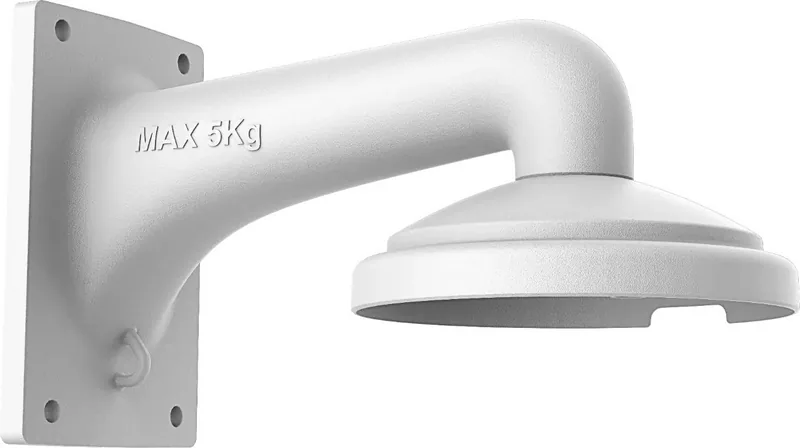
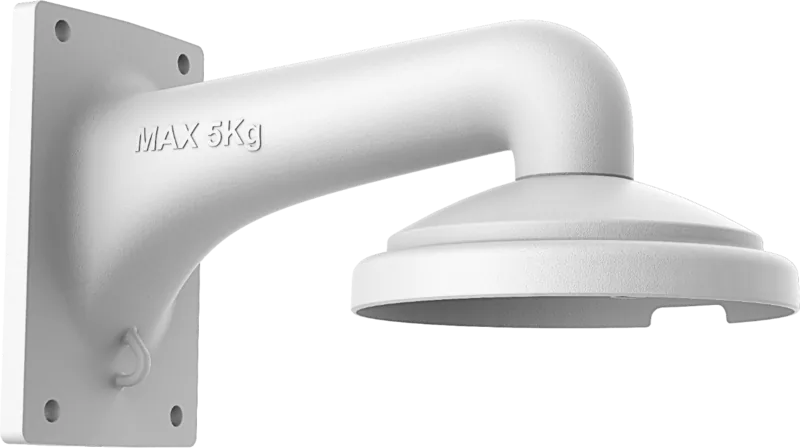
Hikvision Wall Mount DS-1605ZJ: A Practical Choice for Clean Camera Installation
The Hikvision Wall Mount DS-1605ZJ is designed for users who want a neat, stable, and professional-looking surveillance setup. When people search for the Hikvision Wall Mount DS-1605ZJ Manual, they are often looking for the simplest way to mount a compatible Hikvision camera securely while keeping the installation tidy and dependable. This wall mount accessory helps create a more organized setup and supports a better viewing angle for everyday security needs.
One of the biggest advantages of a wall mount is control. Instead of leaving a camera awkwardly positioned or poorly aligned, the DS-1605ZJ helps place the device exactly where it can monitor an entryway, corridor, storefront, or outdoor perimeter more effectively. A proper wall installation also improves the overall appearance of the system, which matters in homes, offices, and commercial spaces where both function and presentation are important.
The installation approach reflected in Hikvision guidance emphasizes careful preparation, safe power handling, and professional mounting practices. That means checking the wall surface, confirming the weight support, and making sure the camera is installed according to local safety rules. This is especially useful for users who want long-term reliability and fewer maintenance issues later on. A secure bracket can reduce movement, improve stability, and help the camera stay aligned after installation.
The DS-1605ZJ also fits well into modern surveillance planning because it supports a structured, flexible deployment. Whether the goal is to cover a doorway, a hallway, or a wider outdoor zone, a wall mount can help optimize the field of view without clutter. For systems that rely on consistent performance, a solid mounting solution is just as important as the camera itself.
Notes
- Always match the mount with the correct camera model before installation.
- Use qualified installation help if the setup involves height, wiring, or outdoor exposure.
- Check the wall strength and fastening points to avoid instability.
- Revisit the camera angle after installation to confirm coverage.
Search for 67,706 Manuals online


Type-in Brand or Model