
HighPoint RocketStor 6414TS Manual
PDF manual · 67 Pages
English



Quick check
Incorrect answer, please try again.
Chat with your HighPoint RocketStor 6414TS manual using AI
Get instant AI answers from your HighPoint RocketStor 6414TS manual
Ask anything about the HighPoint RocketStor 6414TS. Answers come from this manual, with the pages they are based on.
RocketStor 6414TS Maintenance Schedule
Use the Health Inspector Scheduler to periodically check disks and arrays for optimal function by selecting a monthly schedule option.
Perform a verify task on normal status arrays to ensure data integrity and detect potential failures before they become critical.
Free maintenance reminders
Timed to your purchase date. Always free, unsubscribe anytime.
Ask a Question
Do you recommend RocketStor 6414TS?
Yes NoFrequently Asked Questions
It is best suited for users who need reliable, hardware-managed RAID storage in a compact enclosure. It works well for media projects, backups, shared work data, and small business storage setups that need both speed and redundancy options.
Is this answer helpful?
The enclosure supports up to four drives. That makes it a good fit for smaller RAID arrays where space, performance, and redundancy all need to be balanced without moving to a larger storage chassis.
Is this answer helpful?
The controller supports RAID 0, RAID 1, RAID 5, RAID 6, RAID 10, and JBOD. This gives you options for maximum speed, mirrored protection, parity-based redundancy, or a simple drive set with no RAID layering.
Is this answer helpful?
Yes, the WebGUI is the main management tool for creating, monitoring, and maintaining arrays. It lets you set initialization options, monitor disk health, configure alerts, and handle maintenance tasks from a browser.
Is this answer helpful?
Yes, the Storage Health Inspector tracks SMART data and can watch disk temperature thresholds. This helps you spot warning signs early and reduces the chance of unexpected array failure.
Is this answer helpful?
If a redundant RAID level is used, the array may enter a critical state but remain accessible. You can replace the failed disk, let auto-rebuild restore the array, or use recovery tools if the situation becomes more serious.
Is this answer helpful?
Advantages and Disadvantages
Advantages

- Compact 4-bay hardware RAID design with Mini-SAS 6Gb/s connectivity.
- Supports RAID 0, 1, 5, 6, 10, and JBOD for flexible storage planning.
- WebGUI management simplifies array setup, monitoring, and remote access.
- Health tools, hot spares, and online expansion help reduce downtime.
Disadvantages

- Performance and reliability depend heavily on using suitable RAID-grade drives.
- Initialization, verification, and rebuild tasks can take a long time on large volumes.
- Write-back cache improves speed, but it increases risk during power loss.
- Recovery features require careful drive order and configuration matching.
Product Specification
Form Factor
3.5"
Internal Connector
4x 2.5"/3.5" SATA 6Gb/s Hot-Swap
External Connector
Mini SAS (SFF-8088), PCIe 2.0 x8 Adapter
RAID Level
0/1/5/6/10/JBOD
Fan
1x 3.15in
Dimensions
8.66x8.43x5.28in
Weight
9.92lb
Color
black
Special Features
Aluminum housing, On/Off switch, incl. Mini SAS (SFF-8088) cable
Manufacturer Warranty
two years
Product Description
HighPoint RocketStor RS6414TS Turbo RAID, Mini SAS 6Gb/s Manual
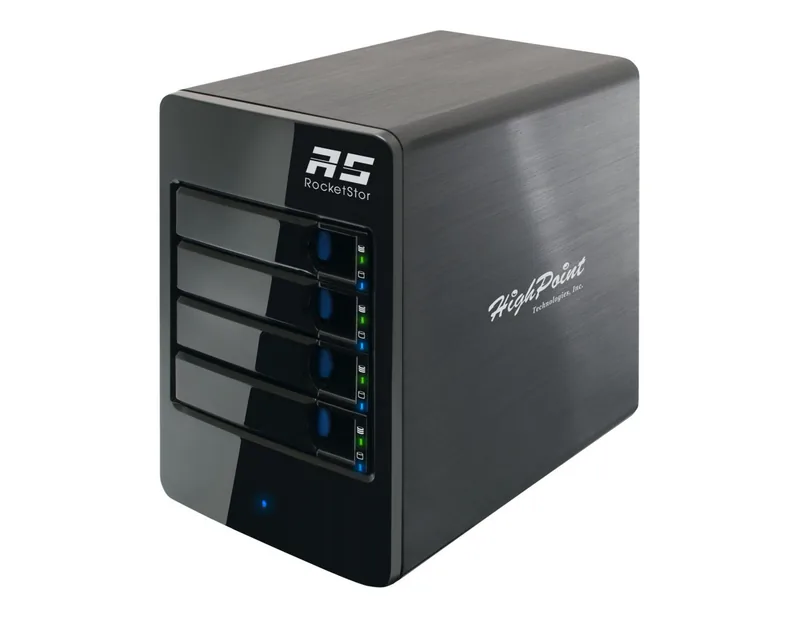
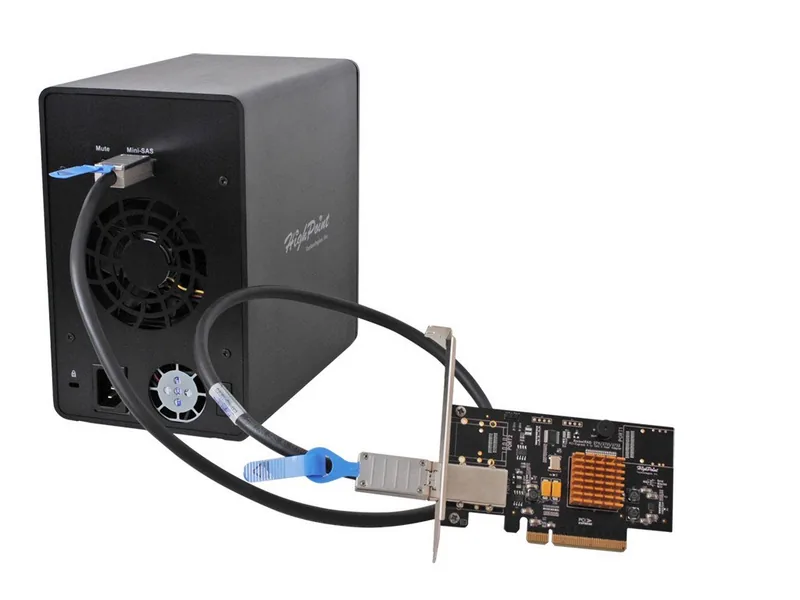
The HighPoint RocketStor RS6414TS Turbo RAID, Mini SAS 6Gb/s blends a compact 4-bay tower enclosure with a dedicated RocketRAID 2711 controller to deliver a practical hardware RAID setup for demanding desktop and small-office storage needs. Built around Mini-SAS connectivity, it focuses on dependable throughput, simple management, and flexible array options in one tidy package.
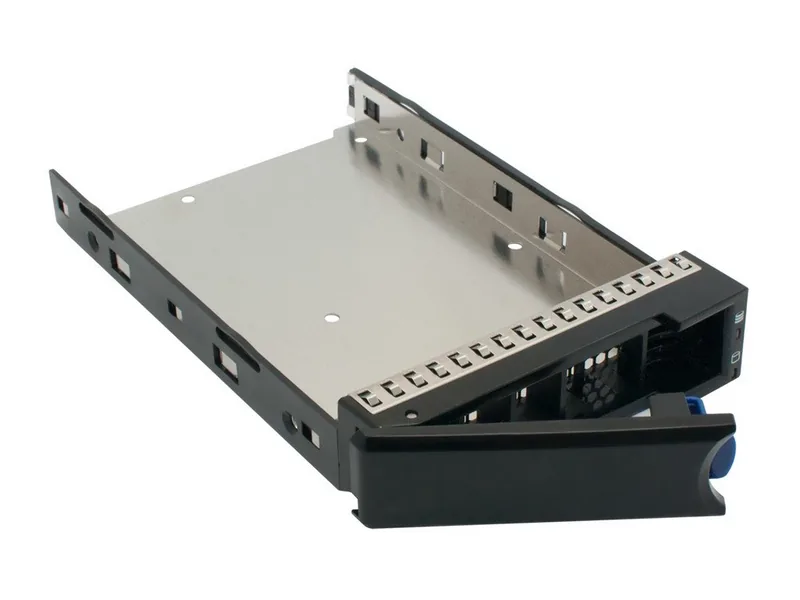
At the center of the system is versatility. The platform supports RAID 0, 1, 5, 6, 10, and JBOD, making it easy to choose between speed, redundancy, or a balanced mix of both. Whether the goal is fast project storage, a mirrored backup set, or a resilient archive, the array can be shaped to match the workload. The enclosure also handles up to four drives, and the included mounting hardware makes it ready for both 3.5-inch HDDs and compatible SSDs.
Setup is designed to be straightforward, even for users who want more than basic external storage. After connecting the enclosure, installing the controller, and loading the driver package, the browser-based WebGUI becomes the main control center. From there, users can create arrays, choose initialization modes, set block sizes, manage cache policies, and monitor disk behavior without relying on guesswork.
Beyond creation, the RS6414TS stands out for maintenance tools that support long-term reliability. Hot spare support, online capacity expansion, RAID level migration, and Storage Health Inspector monitoring all help reduce downtime and improve array awareness. Event logs, email alerts, and remote login options make it easier to keep an eye on the system from another machine, while status LEDs and audible alarms provide fast visual and audible feedback.
This makes the RS6414TS a strong fit for users who need more control than a simple external drive can offer. Creative teams, IT admins, and power users alike can benefit from a RAID platform that is compact, manageable, and built for growth. It is especially appealing when storage needs are expected to increase over time, since the system is designed to adapt instead of being replaced.
Compatible with major operating systems including Windows, Linux, FreeBSD, and macOS, it fits well into mixed environments. That broad support, combined with hardware RAID protection and recovery-oriented features, gives the system real staying power for everyday production use.
Notes
- Use RAID-capable drives for better reliability and consistency.
- Back up important data before creating or expanding an array.
- Large arrays may take time to initialize or rebuild.
- Write-back cache boosts performance, but power protection is recommended.
Search for 67,706 Manuals online


Type-in Brand or Model