
Hasselblad X1D-50c Manual
PDF manual · 124 Pages
English



Quick check
Incorrect answer, please try again.
Chat with your Hasselblad X1D-50c manual using AI
Get instant AI answers from your Hasselblad X1D-50c manual
Ask anything about the Hasselblad X1D-50c. Answers come from this manual, with the pages they are based on.
X1D-50c Maintenance Schedule
Leave camera on until 'Replace battery' warning appears, then recharge for 6 hours to improve measurement accuracy.
Remove dust with an air blower or soft brush. Clean smear with high-quality lens solution on a tissue.
If spots appear in images, clean the outside of the IR filter with compressed air or an E-wipe after removing the lens.
Ask a Question
Do you recommend X1D-50c?
Yes No
sunt_optio
6 months ago
Does this camera come with a warranty?
Frequently Asked Questions
The camera features a 50-megapixel CMOS sensor with dimensions of 43.8 x 32.9mm, providing an image size of 8272 x 6200 pixels for ultra-high resolution captures.
Is this answer helpful?
Yes, the X1D is compatible with specific Nikon flash products in TTL mode, including models SB-300, SB-500, SB-700, SB-900, and SB-910, provided they are connected to the hot shoe.
Is this answer helpful?
Visit the official Hasselblad website to download the latest firmware file. Follow the instructions in the user guide to transfer the file to an SD card and install it via the General Settings menu.
Is this answer helpful?
True Exposure allows the shutter speed to remain unaffected when stopping down the aperture, which is particularly useful for maintaining motion blur control in fast-paced shooting scenarios.
Is this answer helpful?
Yes, the camera supports 802.11 b, g, n, a, and ac Wi-Fi standards, enabling wireless tethering and remote control via Phocus Mobile on iOS devices.
Is this answer helpful?
It typically takes about six hours to charge the Li-ion battery completely up to 100% for the first time, though subsequent charges may vary based on usage patterns.
Is this answer helpful?
Advantages and Disadvantages
Advantages

- Exceptional 50MP medium format sensor delivers breathtaking detail
- Intuitive touch interface simplifies complex camera operations
- Compact and lightweight build makes it ideal for travel photography
- Hasselblad Natural Colour Solution ensures accurate and beautiful colors
- Seamless integration with Phocus software for professional workflows
Disadvantages

- Limited native lens selection compared to larger mirrorless systems
- Battery life may decrease significantly when using Live View extensively
- High price point places it out of reach for casual hobbyists
- No built-in flash limits low-light versatility without accessories
- Learning curve for new users adapting to the custom menu structure
Product Specification
Type
Mirrorless
Effective Megapixels
51.3 MP
Sensor
Medium Format, CMOS 43.8x32.9mm, 5.29µm Pixel Size
Autofocus
Contrast Detection
Resolutions
max. 8272x6200(4:3) Pixels (JPEG/RAW), 16bit
Lens Mount
Hasselblad X, Crop Factor 0.8
Image Stabilizer
No
Display
3.0" LCD, Live View, Touchscreen, 0.92 Million Pixels
Viewfinder
LCD, 2.36 Million Pixels
Flash
Hot Shoe
Video Function
H.264, 1920x1080@25p (16:9)
Sensitivity (ISO)
100-25600
Shutter Speed
1/2000-3600s
Burst Mode
max. 2.3 frames/sec
Memory Card
2x SD/SDHC/SDXC
Connections
USB 3.0, HDMI, Microphone, Headphone, Accessory Shoe
Wireless
Wi-Fi 5 (WLAN 802.11a/b/g/n/ac), GPS
Power Supply
Li-Ion Battery
Color
Black
Dimensions (WxHxD)
5.91x3.86x2.79 in
Weight with Battery and Card
25.58 oz
Weight with Kit Lens
2.52 lbs
Package Contents
Hasselblad XCD 45mm f/3.5 Lens
Product Description
Hasselblad X1D-50c with Lens XCD 45mm 3.5 Black 4116 Edition Manual Review
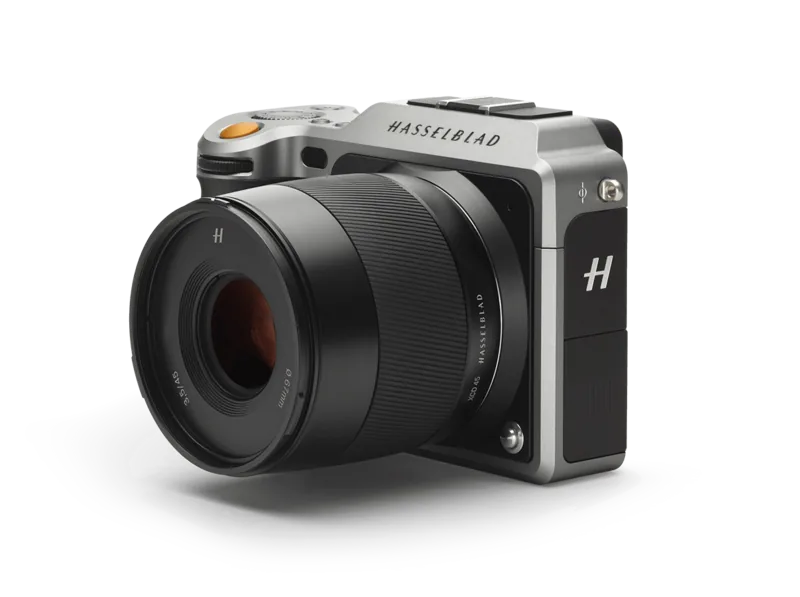
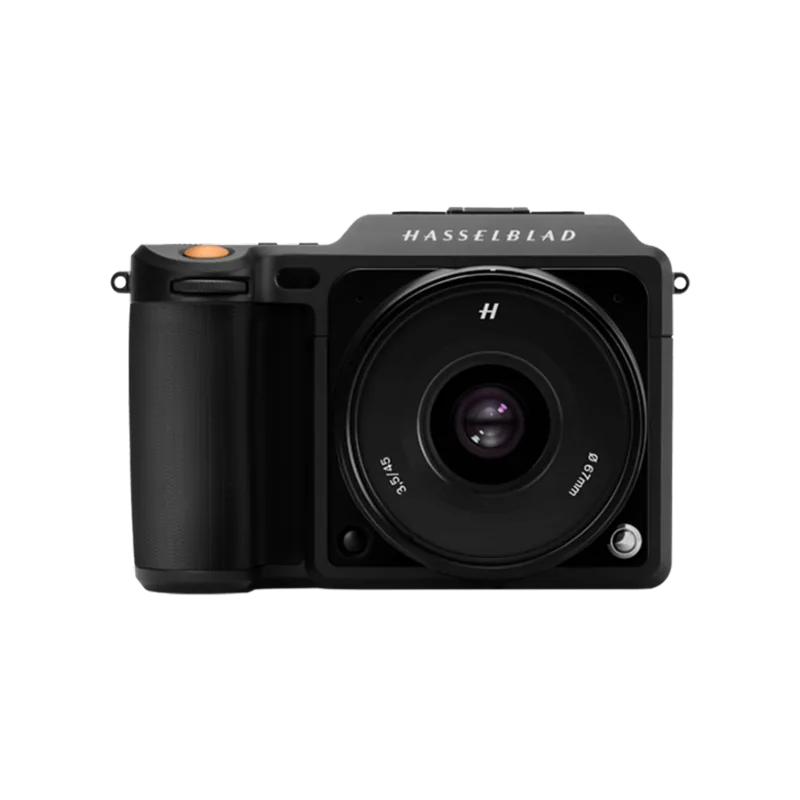
The Hasselblad X1D-50c represents a significant leap in medium format photography, blending legendary Swedish craftsmanship with modern digital innovation. This specific bundle includes the camera body paired with the versatile XCD 45mm f/3.5 lens, finished in a sleek black aesthetic that defines the 4116 Edition. The manual provided for this system is an essential companion, guiding users through the intuitive touch display interface and the sophisticated control layout found on the grip.
At the heart of the X1D lies a 50-megapixel CMOS sensor housed within a machined aluminum body. This combination delivers stunning image resolution and the signature Hasselblad Natural Colour Solution (HNCS), ensuring skin tones and product colors are rendered with exceptional accuracy. The XCD 45mm lens serves as the ideal standard prime for this camera, offering a field of view equivalent to 35mm on full-frame systems. Its compact design complements the portable nature of the X1D, making it perfect for travel, street photography, and professional portraits where portability does not compromise quality.
Navigating the camera is a seamless experience thanks to the responsive 3-inch touch display. Users can swipe, pinch, and tap to adjust settings or review images, much like using a smartphone. The manual details how to utilize the Control Screen for quick access to exposure modes, ISO, and white balance without diving deep into menus. For those who prefer tactile controls, the front and rear scroll wheels allow for precise adjustments to aperture and shutter speed directly from the grip.
The system supports advanced features like tethered shooting via USB 3.0, allowing photographers to control the camera remotely using Phocus software. The electronic viewfinder provides a high-resolution live feed, while the ability to switch between autofocus and manual focus with instant override ensures sharp results in any situation. Whether capturing stills in RAW format or recording HD video, the X1D offers a robust workflow backed by comprehensive documentation in its user manual.
Key Notes
- The 4116 Edition emphasizes a premium black finish for a professional look.
- Touch gestures replace many traditional buttons for faster operation.
- HNCS technology automatically corrects color profiles for immediate print-ready JPEGs.
- True Exposure mode maintains consistent shutter speeds when stopping down the aperture.
Pros
- Exceptional 50MP medium format sensor delivers breathtaking detail.
- Intuitive touch interface simplifies complex camera operations.
- Compact and lightweight build makes it ideal for travel photography.
- Hasselblad Natural Colour Solution ensures accurate and beautiful colors.
- Seamless integration with Phocus software for professional workflows.
Cons
- Limited native lens selection compared to larger mirrorless systems.
- Battery life may decrease significantly when using Live View extensively.
- High price point places it out of reach for casual hobbyists.
- No built-in flash limits low-light versatility without accessories.
- Learning curve for new users adapting to the custom menu structure.
Search for 67,706 Manuals online


Type-in Brand or Model
fjones25
6 months ago
Is this camera really worth the price, or should I save for a car instead?
Manual.ly
6 months ago
Thank you for your question. This camera offers exceptional value with high-quality features at an affordable price point. While it is a significant purchase, many customers find it enhances their daily life and photography skills without needing to compromise on other major expenses.