
Harman Kardon Citation Tower Manual
PDF manual · 27 Pages
English



Quick check
Incorrect answer, please try again.
Chat with your Harman Kardon Citation Tower manual using AI
Get instant AI answers from your Harman Kardon Citation Tower manual
Ask anything about the Harman Kardon Citation Tower. Answers come from this manual, with the pages they are based on.
Ask a Question
Do you recommend Citation Tower?
Yes NoFrequently Asked Questions
The system includes a primary speaker, a secondary speaker, two lower covers, and two power cables. Cable length and plug type can vary by region.
Is this answer helpful?
Each tower provides 200 W RMS output. Every speaker contains one 25 mm tweeter, two 4-inch woofers, and one 8-inch subwoofer.
Is this answer helpful?
Yes. In Video mode, it can operate as a wireless satellite speaker pair with a compatible Harman Kardon Citation Bar or Citation Adapt. These products are sold separately.
Is this answer helpful?
Choose Music mode on the primary speaker, install Google Home on a phone or tablet, and follow the in-app setup steps. Bluetooth and location services should be enabled during setup.
Is this answer helpful?
Yes. Activate Bluetooth pairing from the touchscreen, then select Citation Tower from the Bluetooth list on your phone or tablet. For reliable operation, keep the device within 10 meters.
Is this answer helpful?
Yes. The speakers can pair wirelessly with an optional Citation Sub. During setup, keep the Tower and Sub within 5 meters and use Speaker Setup, Pairing, then Subwoofer pairing.
Is this answer helpful?
Place them 1.8 to 3 meters apart, angled 40 to 60 degrees toward the listening position. Keep at least 51 cm from side and rear walls for more balanced sound.
Is this answer helpful?
Advantages and Disadvantages
Advantages

- Three-way driver design with a tweeter, dual woofers, and integrated 8-inch subwoofer in each speaker.
- Delivers 200 W RMS per speaker for powerful stereo playback and room-filling sound.
- Supports Wi-Fi streaming, Chromecast built in, Bluetooth, Google Assistant, and multi-room audio.
- Can work as a standalone stereo pair or as wireless satellites with compatible Citation home theater products.
- Touchscreen controls simplify setup, pairing, brightness adjustment, system information, and settings.
Disadvantages

- Each speaker weighs 19.4 kg, so moving and positioning the pair requires care.
- Google Assistant, Chromecast, multi-room functions, and automatic updates depend on an internet connection.
- Optional Citation Sub, Citation Bar, and Citation Adapt are required for certain bass and surround configurations.
- Wireless performance may be affected by distance, obstacles, and nearby 2.4 GHz or 5 GHz devices.
- Bluetooth playback is best kept within 10 meters of the connected device.
Product Specification
Power
400 W RMS
Tuner
Internet radio
Streaming Clients
Google Cast
Voice Assistants
Google Assistant
Audio Connections
No
Wireless
Bluetooth 4.2, WiSA, Wi-Fi 5 (WLAN 802.11a/b/g/n/ac)
Power Supply
Mains powered
Dimensions
13.66 x 45.67 x 13.66 in (W x H x D)
Weight
41.89 lb
Product Description
Harman Kardon Citation Tower: Premium Wireless Stereo Sound
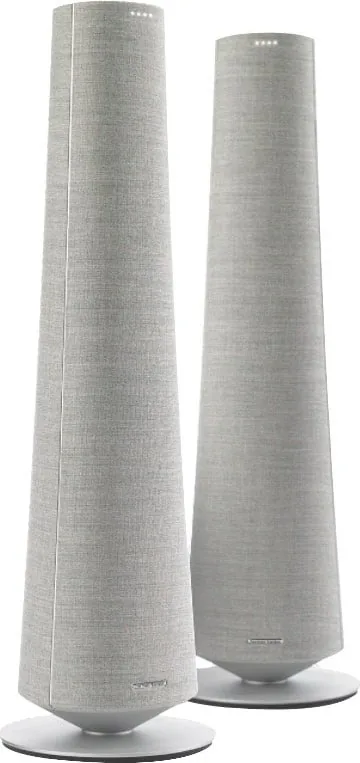
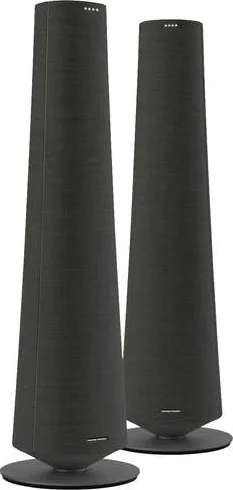
The Harman Kardon Citation Tower is a sophisticated wireless speaker system designed for listeners who want powerful stereo sound, smart-home convenience, and a refined living-room presence. Sold as a matched pair, these tall floorstanding speakers combine premium acoustic hardware with Wi-Fi, Bluetooth, Chromecast built-in, and voice control through Google Assistant.
Each speaker uses a 25 mm tweeter, two 4-inch woofers, and an 8-inch subwoofer, supported by 200 W RMS of power per speaker. This configuration is built to deliver detailed highs, clear midrange performance, and substantial bass without requiring a separate subwoofer. For a more immersive low-frequency experience, the system can also pair wirelessly with an optional Citation Sub.
Flexible Music and Home Theater Modes
The Citation Tower can operate as a standalone stereo pair for music or as wireless satellite speakers in a compatible Citation home theater setup. Select Music mode for traditional stereo listening, or choose Video mode to use the pair with a Citation Bar or Citation Adapt. This flexibility makes the speakers suitable for both focused music sessions and TV-centered entertainment.
With Chromecast built in, users can stream music, podcasts, playlists, and radio from hundreds of supported applications. Bluetooth 4.2 provides another simple connection method for phones and tablets. The speakers also support multi-room playback through the Google Home app, allowing compatible Chromecast speakers to play together across different rooms.
Smart Controls and Simple Setup
The primary speaker includes a touchscreen that provides access to Bluetooth pairing, settings, brightness controls, system information, speaker setup, and factory reset options. Integrated microphones enable Google Assistant voice commands for music playback, questions, daily tasks, volume changes, and supported smart-home controls. A microphone mute control is available for privacy when voice features are not needed.
The Harman Kardon Citation Tower Manual highlights a straightforward initial setup process: connect both speakers to power, select the desired operating mode, and use the Google Home app to join the system to Wi-Fi. Keeping the speakers online also enables automatic software updates for continued performance improvements.
Placement Notes
For the best stereo image, place the speakers 1.8 to 3 meters apart and aim them toward the listening position at an angle of approximately 40 to 60 degrees. Leave at least 51 cm between the speakers and nearby side or rear walls to help preserve balanced sound. Because each speaker weighs 19.4 kg, stable placement on a level surface is essential.
Note: Keep the speakers at least 5 meters from a Wi-Fi router where possible to reduce interference. Clean the exterior only with a soft, dry cloth after disconnecting power.
Search for 67,732 Manuals online


Type-in Brand or Model