
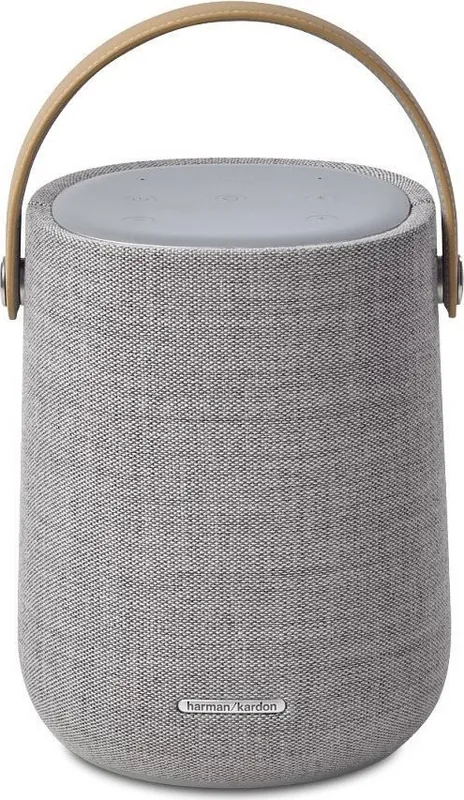
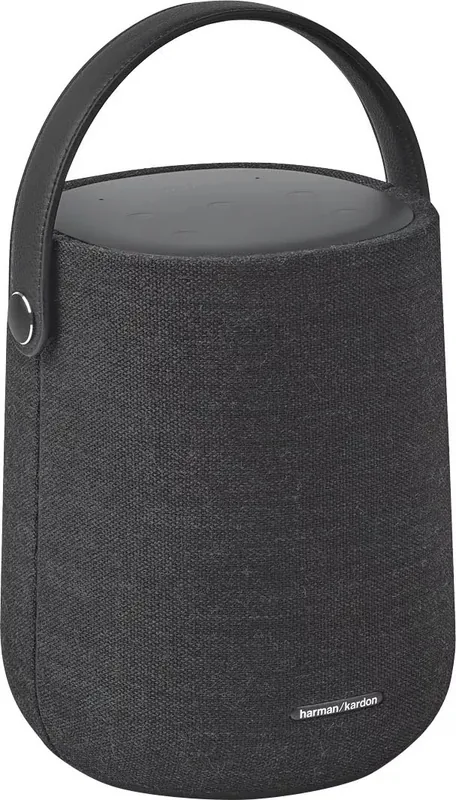
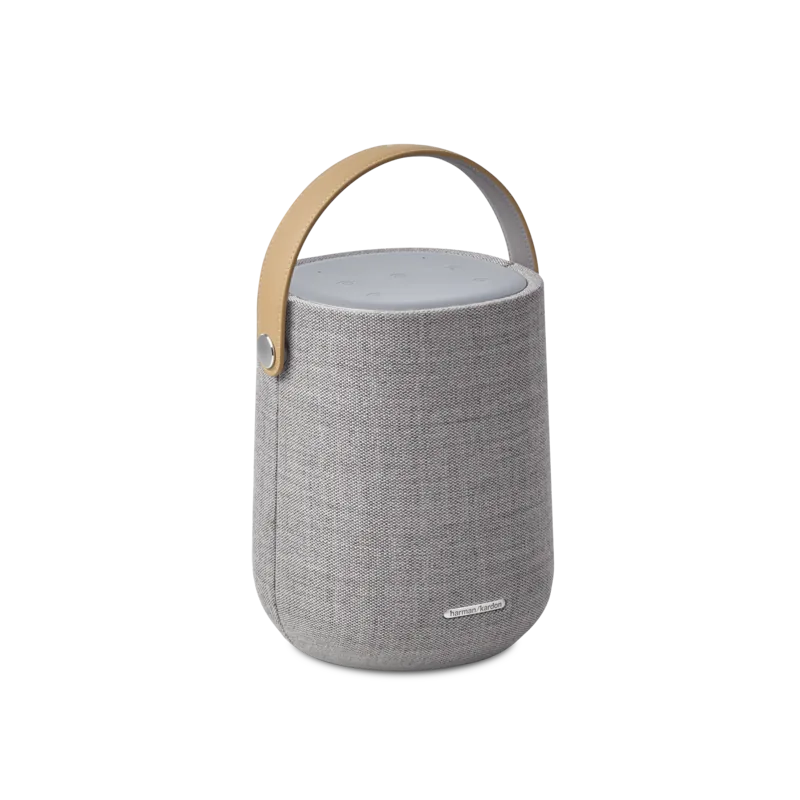
Harman Kardon Citation 200 Manual
PDF manual · 29 Pages
English



Quick check
Incorrect answer, please try again.
Chat with your Harman Kardon Citation 200 manual using AI
Get instant AI answers from your Harman Kardon Citation 200 manual
Ask anything about the Harman Kardon Citation 200. Answers come from this manual, with the pages they are based on.
Ask a Question
Do you recommend Citation 200?
Yes NoFrequently Asked Questions
Download the Google Home app on your smartphone or tablet. Sign in with your Google account, power on the Citation 200, and run the setup process in the app. Follow the on-screen instructions to connect to your wireless network.
Is this answer helpful?
Yes, the Citation 200 supports Bluetooth 4.2. Press the Bluetooth button on the top panel to enter pairing mode, then select Citation 200 from your device list. This allows you to use it as an external speaker for phones or tablets.
Is this answer helpful?
Battery life can last up to twelve hours depending on volume levels and content. However, higher volumes may reduce this time. Recharging via the supplied cradle or a Type C USB connector allows for flexible power management.
Is this answer helpful?
Yes, the Citation 200 supports AirPlay 2 on iOS devices. You can stream music directly from your iPhone or iPad through the Control Center. This requires an iOS device running iOS 11.4 or later for full Control Center integration.
Is this answer helpful?
Press and hold the mute button for more than 10 seconds. This triggers the factory reset process. When complete, the device will restart and the Citation 200 will automatically power on. This clears all network settings.
Is this answer helpful?
Ensure the speaker is connected to Wi-Fi. Check that the microphones are not muted. Make sure the location is relatively quiet and free from strong echoes. Update the software via the Google Home app if issues persist.
Is this answer helpful?
Turn off the device and disconnect power first. Use a damp cloth to gently wipe the surfaces. Do not use alcohol or benzene. Never submerge the unit in water. Ensure it is completely dry before plugging it back in.
Is this answer helpful?
Advantages and Disadvantages
Advantages

- Multi-room playback supports Chromecast built-in and AirPlay 2.
- Google Assistant integration allows hands-free voice control.
- Long battery life up to twelve hours on a single charge.
- Supports Bluetooth 4.2 and high-quality wireless streaming.
- Automatic software updates ensure device remains current and secure.
Disadvantages

- Battery life may vary significantly based on volume settings and content.
- Requires stable Wi-Fi connection for full integration with smart home.
- Microphone mute function prevents voice control while privacy is enabled.
- Cannot open the cabinet as components are not user serviceable.
- Bluetooth range may be affected by distance or physical obstacles.
Product Specification
Power
50W RMS
Tuner
Internet Radio
Streaming Clients
Apple AirPlay 2, Google Cast
Voice Assistants
Google Assistant
Audio Connections
No
Wireless
Bluetooth 4.2, Wi-Fi 5 (802.11a/b/g/n/ac)
Power Supply
Li-Polymer Battery (4800mAh), USB-C, AC Power
Playback Time
8h
Features
Water-resistant (IPX4)
Dimensions
7.01 x 8.62 x 6.77 in (W x H x D)
Weight
6.28 lbs
Product Description
Experience Premium Sound with the Citation 200
The Harman Kardon Citation 200 represents a significant leap in wireless audio technology. Designed for modern lifestyles, this compact speaker seamlessly integrates into your smart home ecosystem. Whether you are streaming your favorite playlist via Bluetooth or utilizing the full power of Wi-Fi, the experience remains consistent and robust. The Harman Kardon Citation 200 Manual provides essential guidance to ensure you get the most out of this versatile device.
Key Features and Connectivity
This speaker offers versatile connectivity options suitable for any household. It supports the latest Bluetooth 4.2 standards, ensuring stable wireless connections from your smartphones or tablets. For deep integration and high-quality streaming, Wi-Fi is available through the Google Home app or AirPlay 2 on iOS devices. Chromecast built-in allows easy casting from various applications, enabling true multi-room playback when paired with other Citation speakers. With Output power of 50 W RMS, the audio delivery is powerful enough to fill a room effectively.
Voice Control and Smart Home Integration
Equipped with advanced microphones, the Citation 200 works directly with Google Assistant. Simply say Hey Google to control music, get information, or manage smart home devices conveniently. The mute button provides privacy control, silencing microphones instantly when needed. Voice commands extend beyond simple queries to managing playback and volume adjustments seamlessly without touching your phone. Noise rejection algorithms help ensure your voice is heard even in loud environments with background chatter.
Power and Battery Life
Battery life is a crucial aspect of portable audio performance. The Citation 200 features a lithium-polymer battery that can last up to twelve hours depending on volume levels and content. Charging is straightforward via the supplied charging cradle or a Type C USB connector for flexibility. The status indicators provide clear feedback on battery levels and charging progress, eliminating guesswork during daily use. Always verify line voltage before use to ensure safety standards are met.
Installation and Safety Precautions
Setting up your device is intuitive but requires attention to safety. Instructions emphasize using the correct voltage and avoiding extension cords to prevent hazards. Once powered on, connecting to Wi-Fi requires following the prompts in the Google Home application. This setup process ensures automatic software updates are received when connected to the internet, keeping your device current and secure against vulnerabilities for long term use.
Maintenance and Longevity
To keep your Citation 200 in top condition, regular cleaning is recommended. Disconnect the power before cleaning the exterior surfaces gently with a damp cloth. Avoid alcohol or benzene to protect the finish. The unit includes a strap for hanging which allows for flexible placement strategies in larger rooms. If issues arise, troubleshooting steps guide you through connection resets or factory resets to restore performance quickly. This manual also highlights proper disposal and handling to avoid physical harm during setup. Ensuring the product is grounded correctly prevents electrical shocks. Regular updates improve functionality and reliability over time. Always contact service centers if internal components seem damaged. Enjoy high fidelity sound everywhere you go with this portable unit.
Search for 67,732 Manuals online


Type-in Brand or Model