
Hanwha XNV-6120R Manual
PDF manual · 77 Pages
English



Quick check
Incorrect answer, please try again.
Chat with your Hanwha XNV-6120R manual using AI
Get instant AI answers from your Hanwha XNV-6120R manual
Ask anything about the Hanwha XNV-6120R. Answers come from this manual, with the pages they are based on.
Ask a Question
Do you recommend XNV-6120R?
Yes NoFrequently Asked Questions
It is designed for outdoor security monitoring where durability, remote access, and event-based recording matter. It fits entrances, perimeters, parking areas, and other exposed locations that need dependable video surveillance.
Is this answer helpful?
Yes. The IR-equipped XNV-6120R can switch into infrared mode to help capture clearer images in low light or at night. This makes it more practical for 24/7 monitoring than a standard daytime-only camera.
Is this answer helpful?
Yes. It supports Micro SD recording and can also save footage to NAS storage. That gives users backup options if a central recorder is unavailable or if local edge recording is preferred.
Is this answer helpful?
You can access it through a web browser using the camera IP address, DDNS URL, or router port forwarding. Remote viewing is supported for both local networks and internet-based access when configured correctly.
Is this answer helpful?
Set a strong administrator password right away. The camera uses a default admin account, so changing the password early is important for protecting the device, the video stream, and any stored recordings.
Is this answer helpful?
Yes. It supports plug-in free viewing in newer browsers such as Chrome, Edge, and Firefox, while legacy plug-in viewing is still available in supported environments like Internet Explorer and Safari.
Is this answer helpful?
Advantages and Disadvantages
Advantages

- IP66/IP67 protection makes it suitable for harsh outdoor environments.
- IR support on the XNV-6120R improves near-distance night monitoring.
- Wide event detection options add smarter security responses.
- Flexible storage choices include Micro SD cards and NAS recording.
Disadvantages

- Cable connections still need careful waterproofing during outdoor installation.
- Initial setup and network configuration may be challenging for beginners.
- Some advanced browser features depend on codec and plugin support.
- Security depends heavily on proper password management and updates.
Product Specification
Type
Dome
Image Sensor
1/2.8" CMOS
Resolution
1920x1080 Pixels (60fps)
Lens
0.20-2.46 in (F1.6-F3.0)
Light Sensitivity
0.03 Lux (Color), 0 Lux (IR)
Viewing Angle
54.6 deg (horizontal), 32.2 deg (vertical), 61.4 deg (diagonal)
Pan
0 deg to 354 deg (manual)
Tilt
0 deg to 75 deg (manual)
Zoom Function
12x optical, 24x digital
Compression/Codecs
MJPEG, H.264, H.265, G.711, G.726
Multistreaming
supported
Alarm
1x Alarm input, 1x Alarm output
Connections
1x Audio input, 1x Audio output, 1x USB 2.0 Micro-B (480Mb/s), 1x BNC, 1x RJ-45 100Mb LAN
Data Storage
2x SD Card slot
Illumination
IR Illumination (229.66 ft)
Power Supply
PoE (Type 1)
Protection Class
IP67, IK10, NEMA 4X
Housing
suitable for outdoor use
System Control & Operation
Mobile App (Android, iOS)
System Compatibility
ONVIF (Profile G, S), IPv6
Zone & Analysis Functions
Motion detection, Sound detection, Privacy zones, IR filter
Product Description
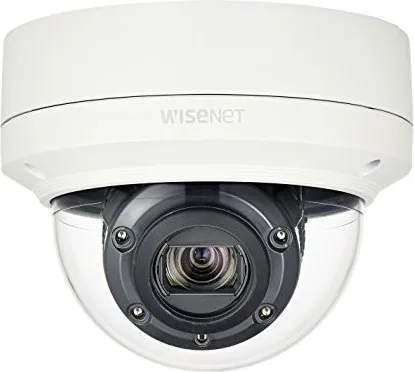
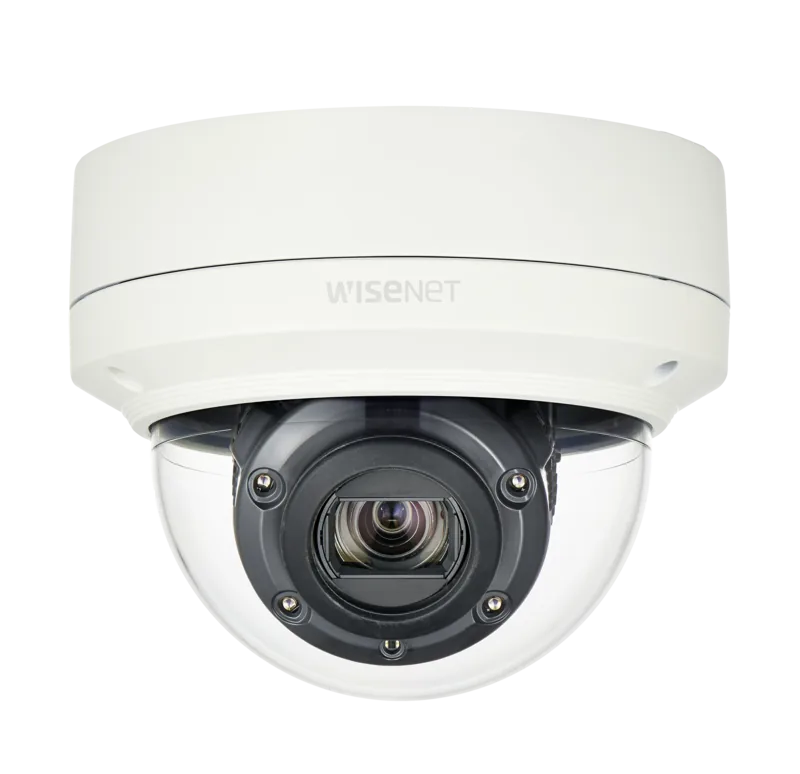
Hanwha Techwin XNV-6120R: A Compact Outdoor Network Camera Built for Reliable Monitoring
The Hanwha Techwin XNV-6120R brings together practical outdoor durability and flexible surveillance tools in a design aimed at real-world security needs. Built as a 2MP network camera family member, it focuses on dependable image capture, day-to-night monitoring, and easy integration into modern security systems. For readers looking up the Hanwha Techwin XNV-6120R Manual, the biggest takeaway is how much attention this model gives to installation safety, network setup, and long-term operation.
What stands out
One of the strongest advantages of the XNV-6120R is its rugged build. With IP66/IP67 protection, it is designed to handle dust, rain, and challenging outdoor environments. The IR version adds night visibility support, helping the camera maintain usable detail when light levels drop. That makes it well suited for building entrances, parking areas, loading zones, and other spaces where consistent visibility matters.
The camera also offers a broad feature set beyond simple video capture. It supports multi-streaming, browser-based live viewing, SD card recording, and NAS storage, giving users several options for saving footage. Event-driven functions such as motion detection, tampering alerts, fog detection, face detection, audio detection, and network disconnection alerts help turn the camera into an active monitoring tool rather than a passive recorder.
Setup and daily use
The model is flexible in deployment, with PoE, DC 12V, and AC 24V power support depending on the version and installation plan. The setup workflow includes direct network connection, router-based use, DDNS support, and remote access through a browser. It also works with newer plug-in free web viewing in modern browsers, which makes day-to-day access easier than older camera platforms.
Image tuning is another strength. Users can adjust exposure, white balance, backlight handling, privacy zones, audio, and profile settings to match the scene. The camera is clearly aimed at installers and administrators who want control over bandwidth, recording quality, and viewing behavior. The Hanwha Techwin XNV-6120R Manual reflects that approach by emphasizing careful mounting, secure cabling, and password protection from the very first login.
Notes
- Outdoor installation still requires careful waterproofing of cable joints.
- Change the default admin password immediately for better security.
- Use compatible storage media and recommended NAS settings for best results.
- Follow the mounting guidance to avoid damage, leaks, or poor image alignment.
Search for 67,706 Manuals online


Type-in Brand or Model